
AIKELA 205U
AIKELA Smart Watch Fitness Tracker (Model 205U) User Manual
Your comprehensive guide to setting up, operating, and maintaining your AIKELA Smart Watch.
1. Konfigurazioa
1.1 Kutxatik ateratzea eta hasierako ikuskapena
Carefully remove all components from the packaging. Verify that all items listed in the product box are present. Inspect the watch and accessories for any signs of damage.
1.2 Gailua kargatzea
Before first use, fully charge your AIKELA Smart Watch. Connect the magnetic charging cable to the charging points on the back of the watch and plug the USB end into a power adapter (not included) or a computer's USB port. The watch display will indicate charging status. A full charge typically takes approximately 2 hours.

Image: The AIKELA Smart Watch connected to its magnetic charging cable, showing the charging process.
The watch offers an extended battery life, providing 8-10 days of typical usage and up to 30-40 days on standby, depending on feature usage.
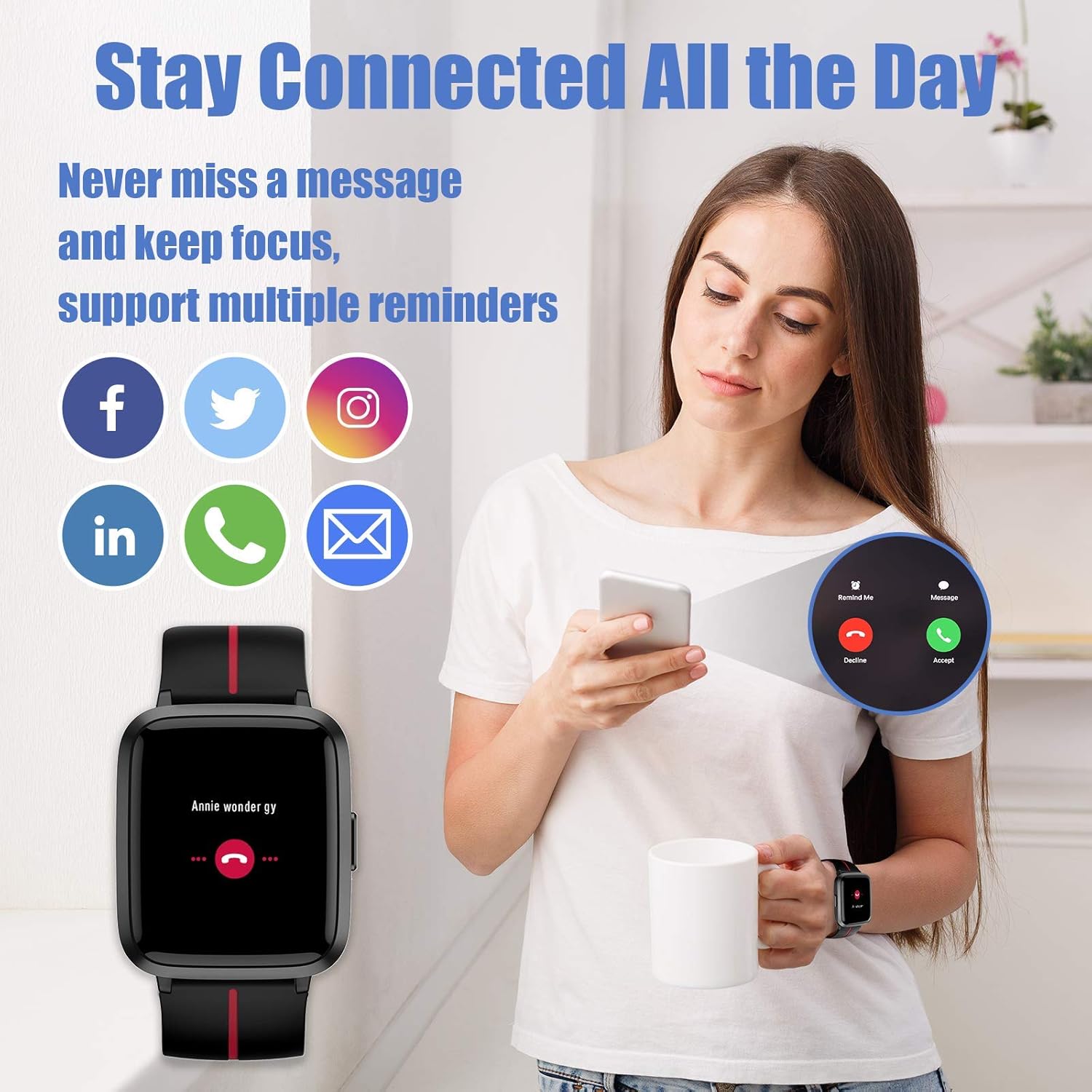
Image: The AIKELA Smart Watch screen showing battery percentage and estimated usage/standby times.
1.3 Aplikazioaren instalazioa
Download and install the "VeryFitPro" app on your smartphone. This app is compatible with iOS 8.0 and above, and Android 4.4 and above. Bilatu "VeryFitPro" in your device's app store.
1.4 Smartphone-arekin parekatzea
Open the VeryFitPro app and follow the on-screen instructions to pair your AIKELA Smart Watch via Bluetooth. Ensure Bluetooth is enabled on your smartphone and the watch is within range. The app will guide you through the connection process.
2. Erloju adimendunaren funtzionamendua
2.1 Oinarrizko nabigazioa
The AIKELA Smart Watch features a 1.3-inch TFT-LCD color touchscreen for intuitive navigation. Swipe left, right, up, or down to access different functions and menus. Press the side button to return to the previous screen or the main watch face.
2.2 Time Display and Watch Faces
The main screen displays the time and date. You can customize the watch face through the VeryFitPro app to suit your preference.

Image: The AIKELA Smart Watch showing a digital watch face with blood oxygen monitoring data.
2.3 Activity Tracking (Pedometer, Distance, Calories)
The watch automatically tracks your daily steps, distance traveled, and calories burned. View your progress directly on the watch or in detail within the VeryFitPro app.
2.4 Bihotz-taupadak kontrolatzea
To measure your heart rate, navigate to the heart rate function on the watch. Ensure the watch is snug on your wrist. The watch will display your current heart rate in beats per minute (bpm).

Image: The AIKELA Smart Watch showing heart rate and blood pressure monitoring in progress.
2.5 Odoleko oxigenoaren monitorizazioa
Access the blood oxygen function on your watch. Keep your arm still during the measurement for accurate results. The watch will display your SpO2 level.
2.6 Blood Pressure Monitoring
To measure blood pressure, select the blood pressure function. Remain still and relaxed. The watch will provide an estimated blood pressure reading.
2.7 Loaren jarraipena
Wear the watch to bed, and it will automatically track your sleep patterns, including deep sleep, light sleep, and awake time. Review your sleep data in the VeryFitPro app for insights into your sleep quality.

Image: The AIKELA Smart Watch displaying sleep duration, alongside a smartphone app showing detailed sleep analysis.
2.8 Kirol Modu
The AIKELA Smart Watch supports 9 different sports modes, including walking, running, biking, spinning, treadmill, hiking, yoga, climbing, and general fitness. Select your desired activity to track specific metrics for that workout.

Image: The AIKELA Smart Watch screen showing icons for 9 different sports modes.
2.9 Jakinarazpenak
Once paired with your smartphone, the watch can receive notifications for calls, messages, and various social media apps. Manage notification settings through the VeryFitPro app.
2.10 Women's Health Mode
The watch includes a Women's Health mode to track menstrual cycles and provide relevant reminders. This feature can be configured and managed within the VeryFitPro app.
3. Mantentzea
3.1 Garbiketa
Garbitu erlojua eta uhala aldizka zapi leun eta lehor batekin. Beharrezkoa bada, erabili zapi apur bat lehorra.amp zapi bat xaboi leun batekin garbitu, eta ondoren ondo garbitu eta lehortu. Saihestu produktu kimiko gogorrak edo material urratzaileak.
3.2 Urarekiko erresistentzia
The AIKELA Smart Watch is 5ATM swimming waterproof, meaning it can withstand pressures equivalent to a depth of 50 meters. It is suitable for swimming and showering but not for diving or high-pressure water activities. Avoid operating the buttons underwater.
3.3 Bateria zaintzea
Bateriaren iraupena luzatzeko, saihestu erlojua maiz erabat deskargatzea. Kargatu bateriaren maila baxua denean. Gorde erlojua leku fresko eta lehor batean denbora luzez erabiltzen ez duzunean.
4. Arazoak
4.1 Gailua ez da pizten
- Ziurtatu erlojua guztiz kargatuta dagoela. Konektatu kargagailura gutxienez 10 minutuz.
- Berrabiarazteko behartutako prozesua hasteko, sakatu eta eutsi alboko botoia 5-10 segundoz.
4.2 Not Pairing with Smartphone
- Ziurtatu Bluetooth gaituta dagoela zure telefonoan.
- Ensure the watch is within close proximity to your phone.
- Berrabiarazi telefonoa eta erlojua.
- Try unpairing and re-pairing the device through the VeryFitPro app.
4.3 Inaccurate Readings (Heart Rate, Blood Pressure, SpO2)
- Ziurtatu erlojua eskumuturrean ondo eramaten duzula, ez gehiegi estutzen ez gehiegi soltetzen.
- Mantendu besoa geldirik neurketak egiten ari zaren bitartean.
- Avoid taking measurements immediately after intense exercise or in extreme temperatures.
- Note that these readings are for reference only and should not be used for medical diagnosis.
4.4 Gailua berrezartzea
If you encounter persistent issues, you may need to reset your watch. This option is usually found in the watch's settings menu or the VeryFitPro app. A factory reset will erase all data on the watch and restore it to its original settings.
5. Zehaztapenak
| Ereduaren izena | 205U |
| Marka | AIKELA |
| Pantailaren tamaina | 1.3 hazbete |
| Bateria mota | Litio Polimeroa |
| Bateria Edukiera | 210 milioiamp Orduak |
| Konektibitatea | Bluetootha, GPSa |
| Ezaugarri bereziak | Blood Pressure Monitor, GPS, Heart Rate Monitor, Notifications, Pedometer, Sleep Monitor, Time Display |
| Uraren Erresistentzia | 5ATM (Swimming Waterproof) |
| Elementuaren pisua | 1.38 ontza (39 gramo) |
| Sistema eragileen bateragarritasuna | Android (4.4+), iOS (8.0+) |
6. Bermea eta Laguntza
For warranty information and customer support, please refer to the documentation included with your purchase or visit the official AIKELA webgunea. Gorde erosketaren egiaztagiria berme-erreklamazioetarako.
Ask a question about this manual
Ask about setup, troubleshooting, compatibility, parts, safety, or missing instructions. Manuals+ will review the question and use this page’s manual context to help answer it.