
1. Sarrera
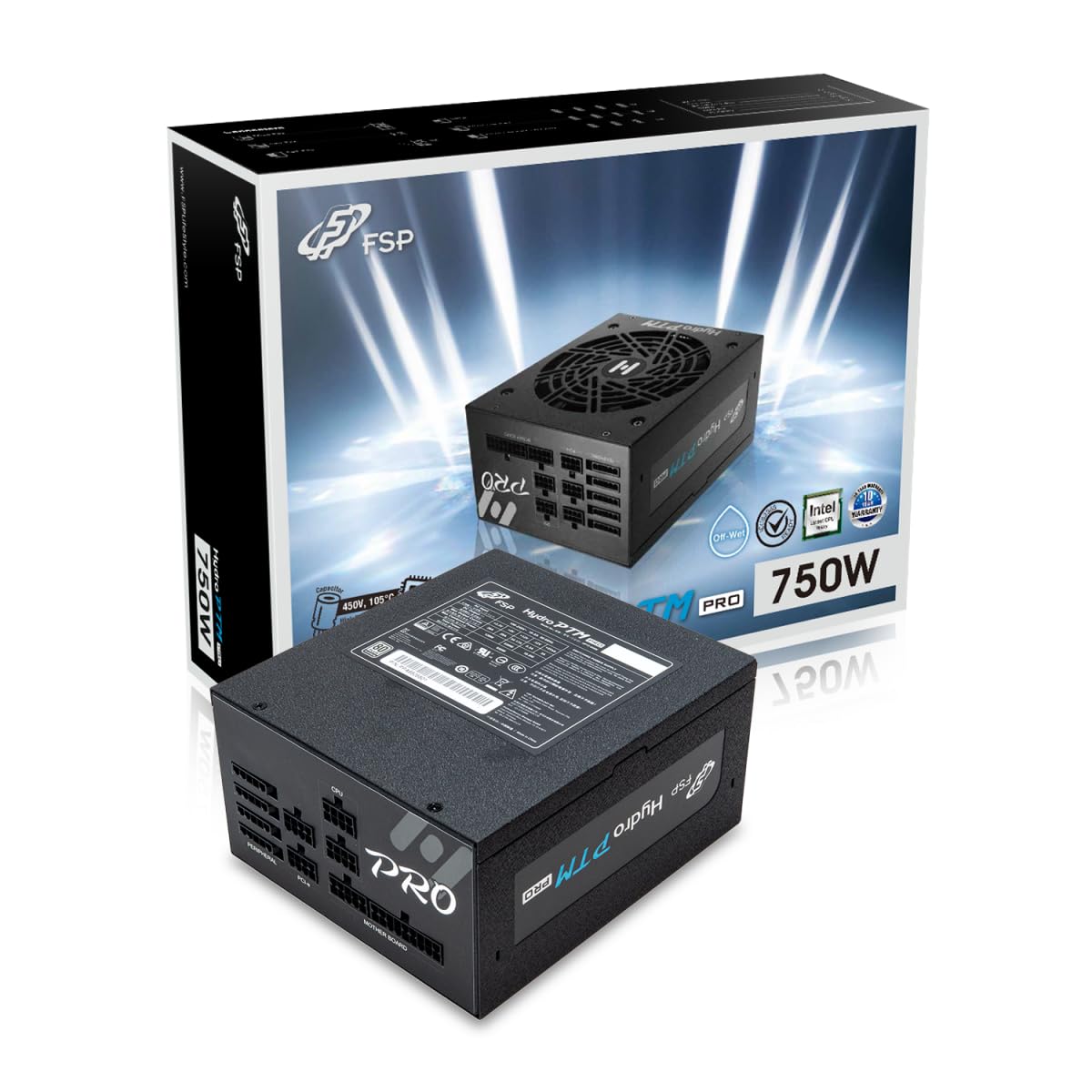
This manual provides detailed instructions for the installation, operation, and maintenance of your FSP Hydro PTM Pro 750W 80 Plus Platinum Full Modular ATX 12V Power Supply (Model: HPT2-750M). Please read this manual thoroughly before using the product to ensure proper function and safety.
The FSP Hydro PTM Pro series is designed for high efficiency and durability, featuring a conformal coating for protection against dust, humidity, and stains. It includes a semi-fanless Eco Mode for quiet operation under low loads and fully modular black ribbon cables for flexible system builds.
2. Segurtasun informazioa
OHARRA: Improper installation or use can result in serious injury or damage to the power supply and other components. Always follow these safety guidelines:
- Ez ireki elikatze-iturria. Bolumen handikotages are present inside, and there are no user-serviceable parts. Opening the unit will void the warranty.
- Ensure the power supply is disconnected from the AC power outlet before installation or maintenance.
- Install the power supply in a well-ventilated area.
- Use only the modular cables provided with this power supply. Using incompatible cables may cause damage to the power supply and connected components.
- This product is designed for use in personal computers. Do not use it for any other purpose.
- Keep the power supply away from water, moisture, and extreme temperatures.
- Ziurtatu konexio guztiak seguru daudela sistema piztu aurretik.

3. Paketearen edukia
Egiaztatu elementu guztiak zure paketean daudela:
- FSP Hydro PTM Pro 750W Power Supply Unit (HPT2-750M)
- AC korronte kablea
- Modular Cable Set (refer to the "Cable Length and Connectors" section for details)
- Muntatzeko Torlojuak
- Erabiltzailearen eskuliburua (dokumentu hau)
4. Konfigurazioa eta instalazioa
4.1 Instalazio fisikoa
- Prestatu zure sistema: Ziurtatu ordenagailua guztiz itzalita eta hormako entxufetik deskonektatuta dagoela.
- Kendu elikatze-iturri zaharra (hala badagokio): Disconnect all cables from your old power supply and remove it from the PC case.
- Elikatze-iturria muntatu: Insert the FSP Hydro PTM Pro 750W into the power supply bay of your PC case. Secure it with the provided mounting screws.
- Connect Motherboard Cables:
- Connect the 20+4 Pin ATX cable to your motherboard's main power connector.
- Connect the 4+4 Pin CPU (EPS) cable(s) to your motherboard's CPU power connector(s).
- Connect Peripheral Cables:
- Connect the 6+2 Pin PCI-E cables to your graphics card(s).
- Konektatu SATA elikatze kableak zure SSD, HDD eta unitate optikoetara.
- Connect Molex cables to any other peripherals requiring them.
- Konexio seguruak: Ensure all modular cables are firmly seated into both the power supply and the respective components.
- Konektatu AC Power: Konektatu korronte alternoko kablea elikatze-iturriaren korronte alternoko sarreran eta gero hormako entxufe batean edo tentsio-gainazalen aurkako babesle batean.
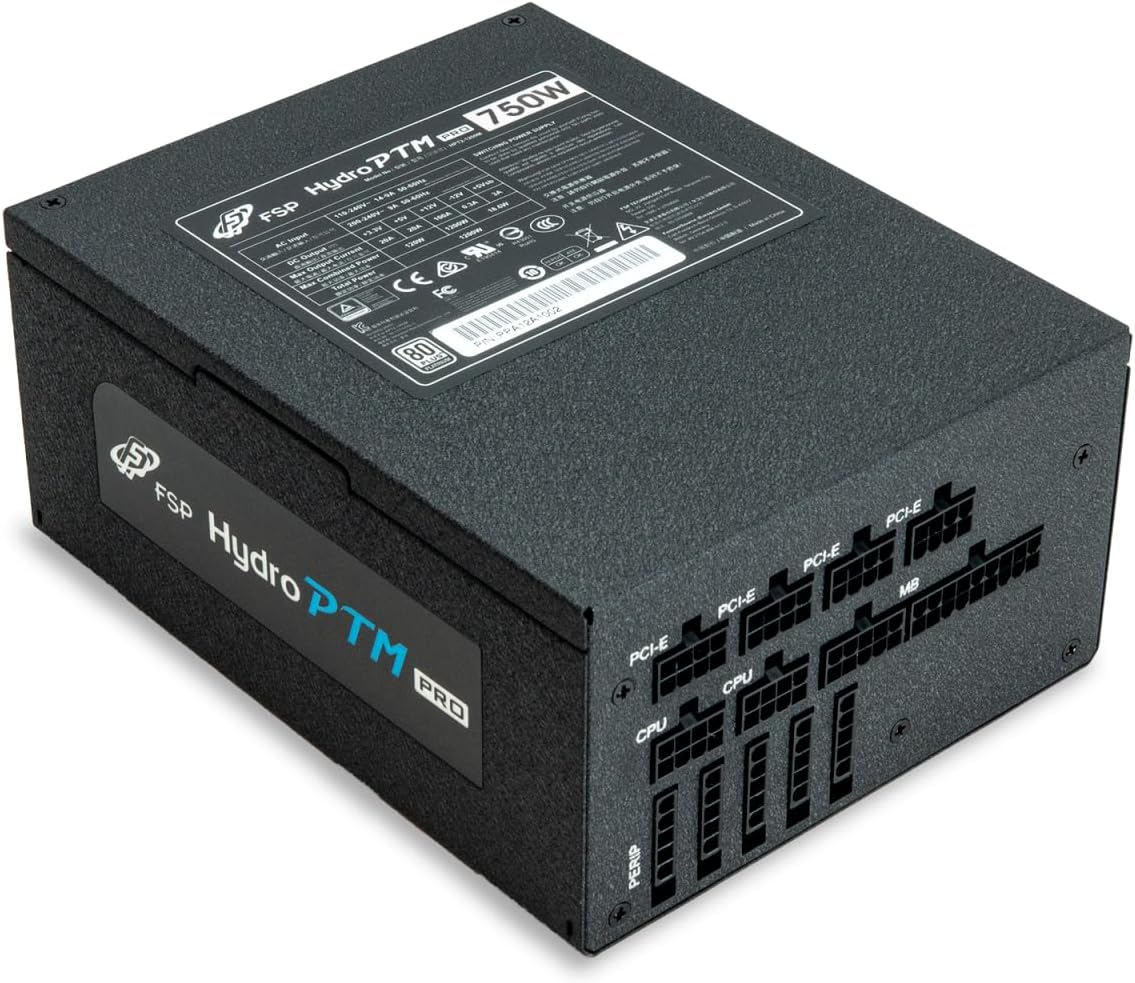
4.2 Cable Length and Connectors
The FSP Hydro PTM Pro 750W comes with a set of fully modular black ribbon cables. Refer to the diagram below for connector types and approximate lengths.

5. Funtzionamendua
5.1 Piztu/Itzaltzea
After completing the installation, ensure the main power switch on the back of the power supply is in the "ON" (I) position. You can then power on your computer using its case power button.
5.2 Modu ekologikoa
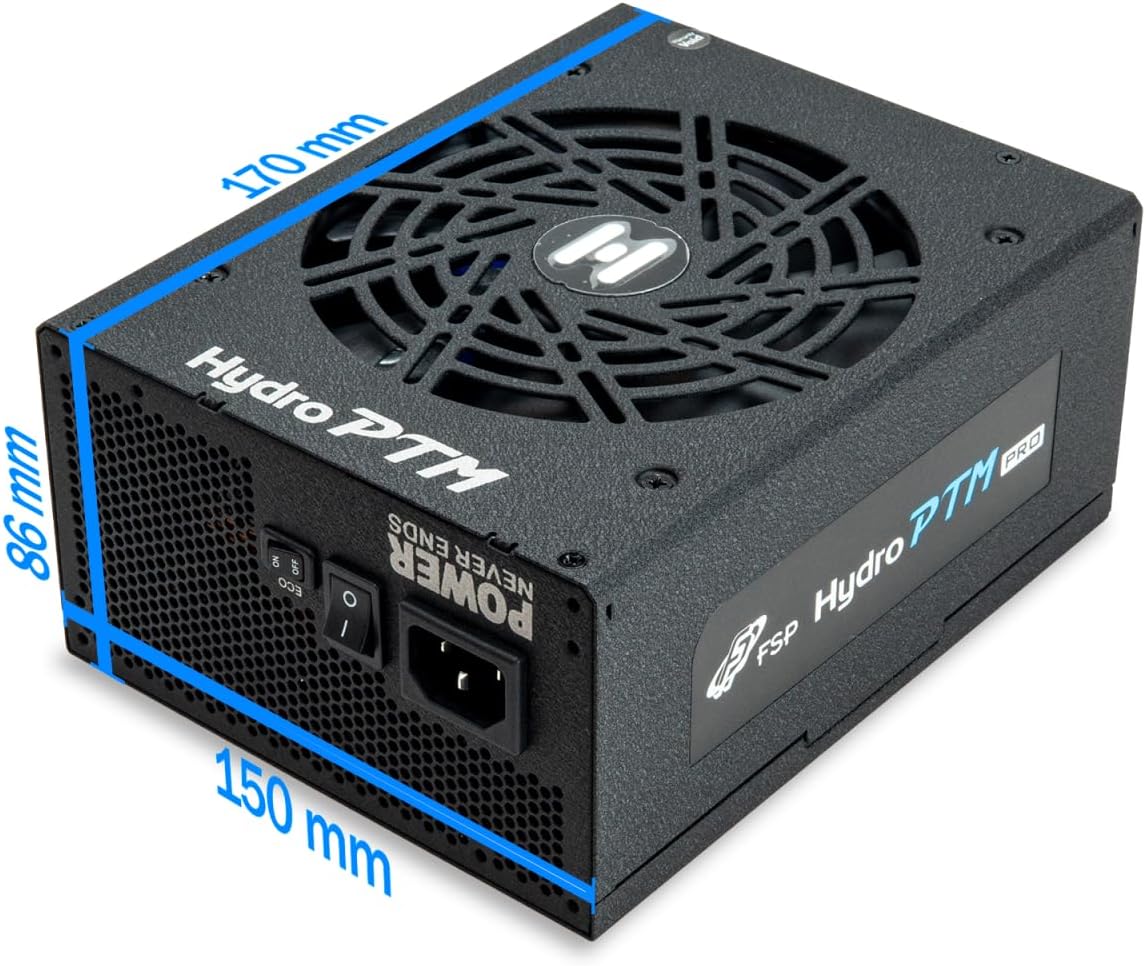
The Hydro PTM Pro features a semi-fanless Eco Mode. When enabled, the power supply fan will remain off until the system load exceeds approximately 30%. This provides silent operation during low-power tasks.
- To activate Eco Mode: Locate the "ECO" switch next to the main power switch on the rear of the power supply and set it to the "ON" position.
- To disable Eco Mode: Set the "ECO" switch to the "OFF" position. The fan will operate continuously based on temperature.
Bideoa: Amaiera batview of the FSP Hydro PTM Pro series, highlighting features like conformal coating, Eco Mode, and modular design. This video is provided by FSP GROUP USA.
6. Mantentzea
6.1 Garbiketa
To maintain optimal performance and longevity, periodically clean your power supply:
- Ensure the power supply is completely powered off and unplugged from the AC outlet before cleaning.
- Use compressed air to gently remove dust from the fan grille and ventilation openings.
- Garbitu kanpoaldea zapi leun eta lehor batekin. Ez erabili garbitzaile likidorik edo disolbatzailerik.
6.2 Ingurumena babestea
The FSP Hydro PTM Pro features a proprietary conformal coating that protects internal components from dust, humidity, and stains. This allows the power supply to reliably operate in environments with up to 95% relative humidity. While this coating offers enhanced protection, it is still recommended to operate the power supply in a clean, dry environment for best results.
7. Arazoak
Zure energia-iturriarekin arazoak badituzu, jo ezazu honako arazo eta irtenbide ohikoenei:
| Arazoa | Kausa posiblea | Irtenbidea |
|---|---|---|
| Sistema ez da pizten. |
|
|
| System powers on but immediately shuts down. |
|
|
| Fan is not spinning (Eco Mode off). |
|
|
If the problem persists after attempting these solutions, please contact FSP customer support.
8. Zehaztapenak
| Ezaugarri | Xehetasuna |
|---|---|
| Ereduaren izena | Hydro PTM Pro (HPT2-750M) |
| Marka | FSP |
| Irteera Wattage | 750W |
| 80 Plus Certification | Platinozkoa |
| Forma-faktorea | ATX |
| Elikatze-horniduraren diseinua | Modular osoa |
| Hozteko metodoa | Airea (135 mm-ko haizagailua) |
| Sarrera boltage | 115-240 volt |
| Neurriak (L x W x H) | 170 x 150 x 86 mm (6.7 x 5.9 x 3.4 hazbete) |
| Babesak | OCP, OVP, SCP, OPP, UVP, OTP |
| Kondentsadoreak | Japanese-made Electrolytic Capacitors |
| PFC | Active PFC ≥ 99% |
| Estaldura konformatua | Yes (Dust, Humidity, Stain protection) |
9. Bermea eta Laguntza
9.1 Bermearen informazioa
The FSP Hydro PTM Pro 750W power supply is covered by a 10 urteko bermea erosketa-datatik aurrera. Berme honek materialen eta fabrikazioaren akatsak estaltzen ditu erabilera normalaren pean. Gorde erosketaren egiaztagiria berme-erreklamazioetarako.
Bermeak ez ditu estaltzen honako hauen ondoriozko kalteak:
- Instalazio edo funtzionamendu desegokia.
- Accidental damage, abuse, or misuse.
- Baimenik gabeko konponketak edo aldaketak.
- Natural disasters or external causes.
9.2 Bezeroarentzako laguntza
For technical assistance, troubleshooting, or warranty inquiries, please contact FSP customer support. Refer to the official FSP webkontaktu-informazio eguneratuena lortzeko gunea.
FSP GROUP USA
Visit the FSP Store on Amazon