
Clutch K1A1BW
Ghost K1 Haririk gabeko Teklatuaren Erabiltzaile Eskuliburua
Model: K1A1BW
1. Sarrera
Welcome to the user manual for your new Clutch Ghost K1 Wireless Keyboard. This manual provides detailed instructions on how to set up, operate, maintain, and troubleshoot your keyboard. The Ghost K1 is a high-performance mechanical keyboard designed for versatility, offering both Bluetooth 5.0 wireless connectivity and a reliable USB Type-C wired connection. It features durable Cherry MX Blue switches, vibrant full RGB lighting, and compatibility across multiple operating systems.
2. Segurtasun informazioa
- Ez jarri teklatua likidoetara edo gehiegizko hezetasunetara.
- Avoid extreme temperatures. Operate and store the keyboard within recommended environmental conditions.
- Ez saiatu teklatua desmuntatzen edo aldatzen. Honek bermea baliogabetu eta kalteak eragin ditzake.
- Mantendu haurren eskura.
- Use only the provided USB Type-C cable for charging and wired connection.
3. Paketearen edukia
Mesedez, egiaztatu paketea elementu hauek dituen:
- Ghost K1 Wireless Mechanical Keyboard
- USB C motatik USB A motarako kablea
- Bluetooth Adapter Dongle (if included with your model)
- Erabiltzailearen eskuliburua (dokumentu hau)
4. Produktua amaitu daview
Familiarize yourself with the layout and key features of your Ghost K1 keyboard.

4.1. irudia: Goikoa view of the Ghost K1 Wireless Keyboard, showcasinbere diseinu trinkoa eta RGB atzeko argiztapen bizia ditu.

4.2. irudia: Angeludun view of the Ghost K1 Wireless Keyboard, showing the ergonomic keycap profile and overall build.
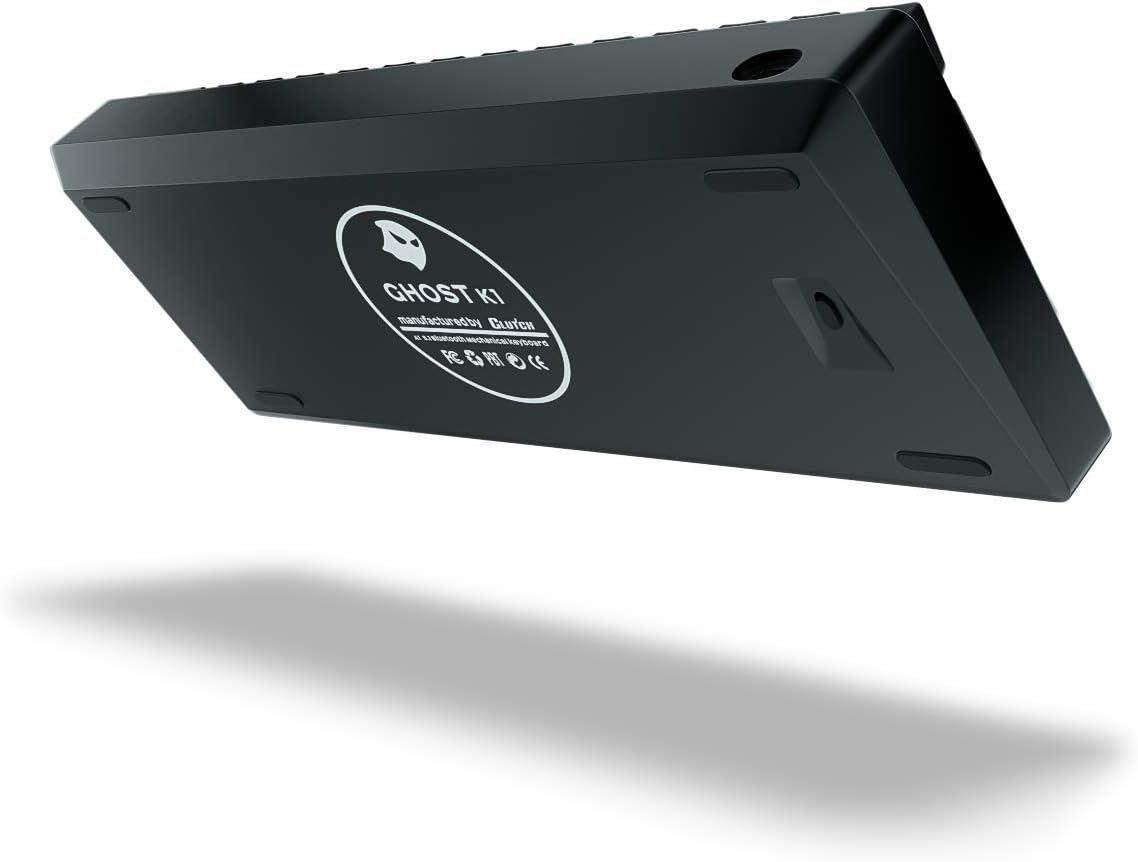
4.3. Irudia: Behea view of the Ghost K1 Wireless Keyboard, displaying the product information label and rubber feet for stability.
Ezaugarri nagusiak:
- Cherry MX Blue Switches: Tactile and clicky feedback for a satisfying typing experience.
- PBT tekla bikoitzak: Durable keycaps with legends that won't fade.
- RGB argiztapen osoa: Customizable backlighting with over 20 presets.
- Bluetooth 5.0 & USB Type-C Connectivity: Seamless switching between wireless and wired modes.
- 2000 mAh-ko bateria kargagarria: Long-lasting wireless usage.
- Pre-lubed Stabilizers: Enhanced key stability and smoother keystrokes.
5. Konfigurazioa
5.1. Teklatua kargatzea
Before first use, it is recommended to fully charge the keyboard. The Ghost K1 is equipped with a 2000 mAmp lithium-ion rechargeable battery.
- Connect the small end of the provided USB Type-C cable to the USB-C port on the keyboard.
- Connect the large end of the USB Type-C cable to a USB-A port on your computer or a compatible USB wall adapter.
- The keyboard's indicator light will show charging status (refer to keyboard's specific LED indicator behavior for details, usually a red light that turns off when fully charged).
5.2. Bluetooth bidez konektatzen
The Ghost K1 supports Bluetooth 5.0 for wireless connection to compatible devices.
- Ziurtatu teklatua kargatuta dagoela.
- Locate the mode switch on the keyboard (usually on the back or side) and switch it to the Bluetooth (BT) mode.
- Eduki sakatuta Fn key and one of the Bluetooth profile keys (e.g., Fn + 1!, Fn + 2@, Fn + 3#) for 3-5 seconds until the indicator light flashes rapidly. This puts the keyboard into pairing mode.
- On your device (computer, laptop, tablet, smartphone), go to Bluetooth settings.
- Bilatu new devices and select "Ghost K1" from the list.
- Follow any on-screen prompts to complete the pairing process. The indicator light on the keyboard will stop flashing and remain solid when successfully connected.
- You can pair up to three different devices and switch between them by pressing Fn + 1!, Fn + 2@, edo Fn + 3#.
5.3. Connecting via USB (Wired Mode)
For a direct and stable connection, use the provided USB Type-C cable.
- Connect the small end of the provided USB Type-C cable to the USB-C port on the keyboard.
- Connect the large end of the USB Type-C cable to a USB-A port on your computer.
- Ensure the mode switch on the keyboard is set to the wired (USB) mode.
- The keyboard will be automatically recognized by your operating system and ready for use.
6. Funtzionamendu-argibideak
6.1. Oinarrizko teklatuaren funtzioak
The Ghost K1 functions as a standard 78-key keyboard. All standard alphanumeric and symbol keys operate as expected.
6.2. RGB argiztapenaren kontrola
The Ghost K1 features full RGB lighting with over 20 customizable presets. Use the following Fn key combinations to control the lighting:
- Fn + \ | Cycle through different RGB lighting effects/modes.
- Fn + [ { : Jaitsi distira.
- Fn + ] } : Handitu distira.
- Fn + ; : : Decrease effect speed.
- Fn + ' ": Increase effect speed.
- Fn + . > : Aldatu argiztapenaren kolorea (modu estatikoetarako).
6.3. Special Key Functions (Fn Combinations)
The Fn key allows access to secondary functions printed on the keycaps.
| Konbinazioa | Funtzioa |
|---|---|
| Fn + 1!, Fn + 2@, Fn + 3# | Aldatu parekatutako Bluetooth gailuen artean. |
| Fn + Q | Windows/Android modua |
| Fn + E | Mac/iOS modua |
| Fn + W | Swap WASD keys with Arrow keys (hold for 3 seconds). |
| Fn+F1-F12 | Multimedia and system functions (e.g., volume, media playback). Refer to keycap legends. |
| Fn + P | Inprimatu pantaila |
| Fn + L | Blokeatu ordenagailua |
| Fn + Atzera atzera | Ezabatu |
6.4. Bateragarritasuna
The Ghost K1 Wireless Keyboard is compatible with a wide range of operating systems and devices, including:
- Windows (Windows 10 and later recommended)
- macOS
- Android
- iOS
7. Mantentzea
7.1. Garbiketa
Teklatuaren itxura eta funtzionaltasuna mantentzeko:
- Deskonektatu teklatua korrontetik garbitu aurretik.
- Erabili lipurrik gabeko zapi leun bat dampUrarekin edo garbiketa-soluzio leun batekin garbitu gainazala garbitzeko.
- Teklen arteko hautsa eta hondakinak kentzeko, erabili aire konprimatua.
- Ez erabili produktu kimiko gogorrik, urratzailerik edo disolbatzailerik.
7.2. Biltegiratzea
Denbora luzez erabiltzen ez duzunean, gorde teklatua leku fresko eta lehor batean, eguzki-argitik eta muturreko tenperaturetatik babestuta.
8. Arazoak
| Arazoa | Irtenbide posiblea |
|---|---|
| Teklatuak ez du erantzuten haririk gabeko moduan. |
|
| Teklatuak ez du erantzuten kable bidezko moduan. |
|
| RGB argiztapena ez dabil edo trabatuta dago. |
|
| Giltzak ez dira erregistratzen edo bi aldiz idazten ari dira. |
|
9. Zehaztapenak
| Ezaugarri | Xehetasuna |
|---|---|
| Marka | Enbragea |
| Ereduaren izena | Ghost K1 |
| Zati zenbakia | K1A1BW |
| Konektibitatea | Bluetooth 5.0, USB C motakoa |
| Etengailuak | Cherry MX Blue (Clicky) |
| Giltzak | PBT bikoitzeko jaurtiketa |
| Argiztapena | Full RGB with 20+ presets |
| Bateria | 2000 mAmp Lithium-ion Rechargeable |
| Materiala | Premium Hardened Plastic |
| Gako kopurua | 78 |
| Neurriak (L x W x H) | 25.4 x 30.48 x 12.7 cm (gutxi gorabehera 10 x 12 x 5 hazbete) |
| Pisua | 812 g (gutxi gorabehera 1.79 lb) |
| Bateragarritasuna | Windows, macOS, Android, iOS |
10. Bermea eta Laguntza
Clutch products are manufactured to the highest quality standards. For information regarding warranty coverage, technical support, or service inquiries, please refer to the official Clutch webgunera edo jarri harremanetan zuzenean bezeroarentzako arreta-zerbitzuarekin.
Fabrikatzailea: Ghost Keyboards
Marka: Enbragea
Bezeroarentzako arreta: Mesedez, bisitatu Clutch Store on Amazon or the official Clutch weblaguntza baliabideen gunea.
Ask a question about this manual
Ask about setup, troubleshooting, compatibility, parts, safety, or missing instructions. Manuals+ will review the question and use this page’s manual context to help answer it.