
CATIGA CS-229-Blue
CATIGA CS229 Scientific Calculator User Manual
Model: CS-229-Blue
Sarrera
The CATIGA CS229 Scientific Calculator is an advanced graphing calculator designed for students and professionals in various scientific and mathematical fields. It combines powerful graphic capabilities with a wide array of functions, making complex calculations and data visualization accessible and efficient. This manual provides essential information for setting up, operating, maintaining, and troubleshooting your calculator.
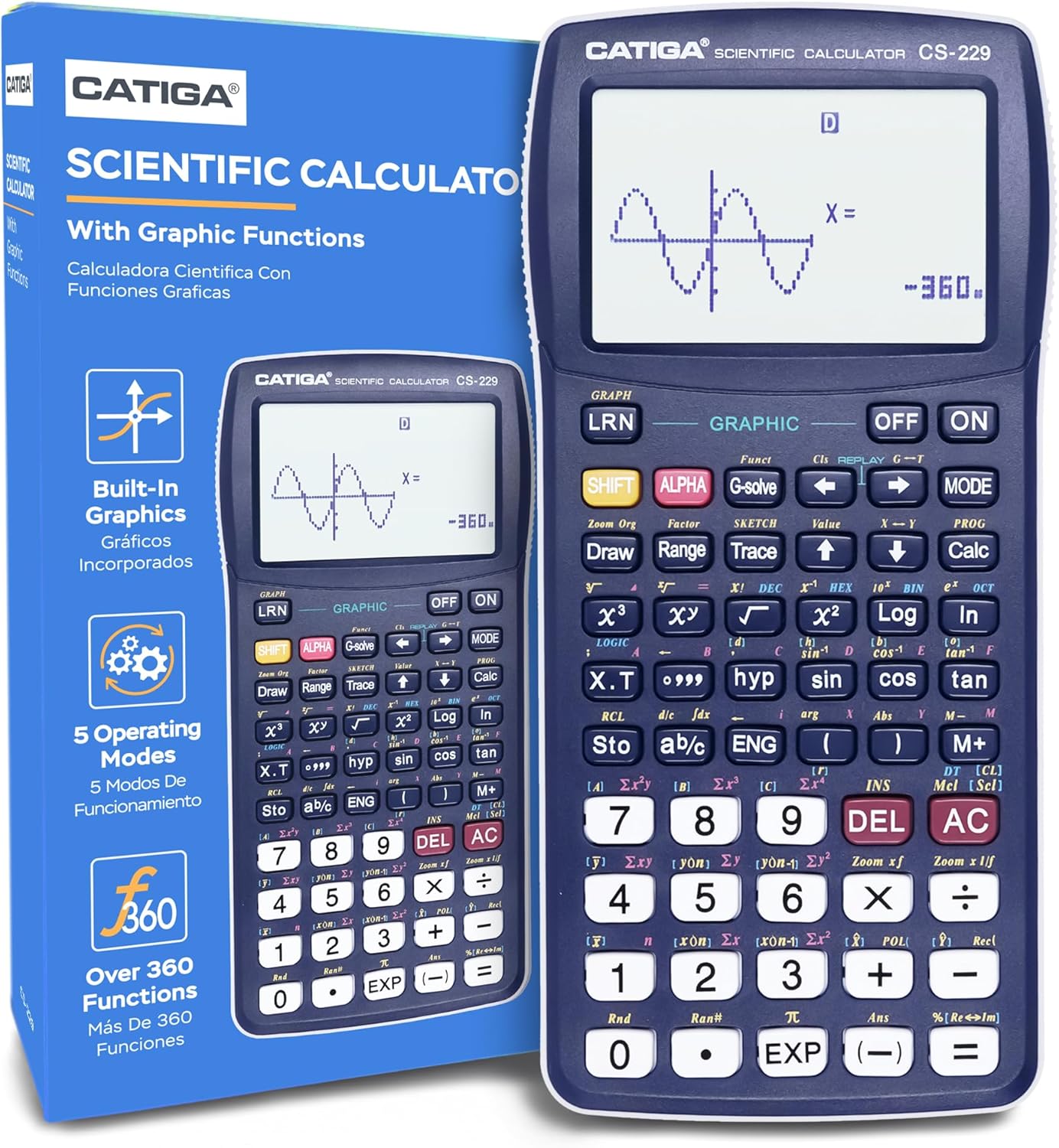
Image: The CATIGA CS229 Scientific Calculator, showcasing its large display and key layout, alongside its product packaging.
Konfigurazioa
Bateriaren instalazioa
Your CATIGA CS229 calculator requires 1 LR44 battery, which is included. To install or replace the battery:
- Bilatu bateriaren konpartimentua kalkulagailuaren atzealdean.
- Carefully slide open the battery cover.
- Insert the LR44 battery, ensuring the correct polarity (+/-) as indicated inside the compartment.
- Itxi bateriaren estalkia ongi.
Hasierako piztea
Sakatu ON button to power on the calculator. If the calculator does not turn on, ensure the battery is correctly installed. If issues persist, press the reset button located on the back of the unit using a thin, pointed object (e.g., a paperclip).

Image: The CATIGA CS229 Scientific Calculator shown with its included protective cover, which slides over the front of the calculator for protection.
Funtzionamendu-argibideak
The CATIGA CS229 offers a comprehensive set of features and multiple operating modes to handle a wide range of mathematical and scientific problems.
Ezaugarri eta funtzio nagusiak
This calculator includes over 280 functions, covering:
- Zatikiak: Perform calculations with fractions, improper fractions, and convert to decimal equivalents.
- Estatistikak: Calculate standard deviation, linear regression, permutations, and combinations.
- Complex Numbers: Handle calculations involving complex numbers.
- Variable Solution: Solve for variables in equations.
- Berehalako erreprodukzioa: Easily correct or replay previous problems.

Image: A visual representation of the calculator's core features, highlighting its graphic capabilities, fraction calculations, instant replay, and statistical functions.
Hainbat funtzionamendu modu
The calculator offers three primary operating modes:
- Angle Measurement Mode: Switch between Degrees, Radians, and Grads for angular calculations.
- Kalkulu modua: Perform computations including complex numbers, standard deviation, regression, and Base-n calculations.
- Bistaratzeko modua: Adjust display settings for Normal, Fixed Decimals, or Significant Digits.
Moduen artean aldatzeko, sakatu MODUA button and select the desired option from the menu.

Image: An illustration detailing the three main operating modes of the calculator, providing examples bakoitzerako.
Funtzio grafikoak
The CS229 features a graphic function that allows you to display diagrams of formulas. The large screen enables simultaneous viewing of charts and equations, facilitating detailed analysis and corrections. Graphic functions include:
- 20 Built-In Graphs
- Graph Composition
- Trace and Plot functions
- Line Scroll, Zoom-In, Zoom-Out
- Overwrite and Statistical Graph capabilities

Image: A comprehensive overview of the calculator's versatile function capabilities, categorized by mathematical discipline.
Argibide zehatzak
For in-depth instructions on all functions and advanced operations, please refer to the official User Manual (PDF) available for download. This manual provides detailed examples and step-by-step guides for maximizing your calculator's potential.

Image: The detailed instruction manual booklet, providing comprehensive guidance for all calculator functions.
Mantentzea
To ensure the longevity and optimal performance of your CATIGA CS229 calculator, follow these maintenance guidelines:
- Garbiketa: Wipe the calculator with a soft, dry cloth. Do not use abrasive cleaners or solvents.
- Biltegiratzea: Store the calculator in a cool, dry place away from direct sunlight and extreme temperatures. Use the provided protective cover when not in use.
- Bateria zaintzea: If the calculator will not be used for an extended period, remove the battery to prevent leakage.
Arazoak konpontzea
If you encounter issues with your CATIGA CS229 calculator, try the following solutions:
- Calculator does not turn on: Ensure the battery is correctly installed. If it still doesn't turn on, press the reset button on the back of the unit.
- Pantaila hutsik edo ilun dago: Egiaztatu bateriaren maila eta ordeztu behar izanez gero.
- Incorrect calculations: Verify that you are in the correct operating mode (e.g., Degrees vs. Radians). Refer to the detailed user manual for specific function usage.
- Calculator freezes: Press the reset button on the back of the unit. Note that this may clear any unsaved data.
Arazo iraunkorretarako, jarri harremanetan bezeroarentzako arreta-zerbitzuarekin.
Zehaztapenak
| Zehaztapena | Xehetasuna |
|---|---|
| Produktuaren neurriak | 7.12 x 4.5 x 0.1 hazbete |
| Elementuaren pisua | 4.8 ontza |
| Elementuaren eredu-zenbakia | CS-229-Blue |
| Pilak | 1 LR44 pila behar dira (barne) |
| Marka | CATIGA |
| Kolorea | Urdina |
| Kalkulagailu mota | Graphing, Business |
| Energia iturria | Bateriaren bidez |
| Pantailaren tamaina | 3 hazbete |
| Pantaila ikusgaiaren diagonala | 3" / 8 cm |
| Eskuragarri dagoen lehen data | 21ko urriaren 2020a |
Bermea eta Laguntza
CATIGA stands behind the quality of its products. The CS229 Scientific Calculator comes with a limited warranty of 365 days from the date of purchase. If you experience any issues or have questions, our customer support team is ready to assist you.
- Bezeroarentzako laguntza: We offer 24/7 customer support.
- Telefono-laguntza: Lifetime support by phone, available 9am - 5pm PST.
- Itzultzeko Bermea: Gozatu 30 eguneko itzulketa-berme baldintzagabeaz.
Please contact us, and we will provide a reply within 24 hours.

Irudia: Gainetikview of CATIGA's customer support and warranty commitments.
Erlazionatutako dokumentuak - CS-229-Blue
 |
CATIGA CS-229 Kalkulagailu Zientifikoa Erabiltzailearen Eskuliburua User manual for the CATIGA CS-229 Scientific Calculator, covering general description, manual calculations, scientific functions, graph functions, statistical calculations, regression, integration, complex numbers, and battery replacement. |
 |
CATIGA CS-121 Kalkulagailu Zientifikoa Erabiltzailearen Eskuliburua Comprehensive user manual for the CATIGA CS-121 Scientific Calculator, covering general description, manual calculations, graph functions, battery replacement, and statistical/regression analysis. |
 |
SHARP EL-520X Advanced D.A.L. Scientific Calculator Explore the features of the SHARP EL-520X Advanced D.A.L. scientific calculator, including 419 functions, a 12-digit display, twin power, and advanced mathematical, statistical, and number system capabilities. |
 |
Sharp EL-520X Scientific Calculator Features and Specifications Explore the Sharp EL-520X scientific calculator with Direct Algebraic Logic (D.A.L.), a large two-line display, 419 functions, dual power, and comprehensive mathematical, statistical, and scientific capabilities. Ideal for students and professionals. |
 |
MAUL ECO MD 2 poltsikoko kalkulagailuaren erabiltzailearen eskuliburua Comprehensive user manual for the MAUL ECO MD 2 pocket calculator, detailing its operations, features, solar power, and warranty information. |
 |
Sharp EL-531XT Scientific Calculator: Calculation ExampFitxategiak eta zehaztapenak A comprehensive guide to the Sharp EL-531XT scientific calculator, detailing calculation examples, functions, and specifications. Covers mathematical operations, trigonometric functions, statistical calculations, and mode settings. |
Ask a question about this manual
Ask about setup, troubleshooting, compatibility, parts, safety, or missing instructions. Manuals+ will review the question and use this page’s manual context to help answer it.