
1. Sarrera
Thank you for choosing the INIU 15W Fast Qi Certified Wireless Charging Station. This manual provides essential information for setting up, operating, maintaining, and troubleshooting your device to ensure optimal performance and longevity. Please read this manual thoroughly before use.

The INIU 15W Fast Qi Certified Wireless Charging Station, shown with a smartphone actively charging on its stand.
2. Package Contents & Setup
2.1 Zer dago kutxan
- INIU Wireless Charging Stand (x1)
- USB C Cable (x1)
- Welcome Guide (x1)

Contents included in the INIU wireless charging station package.
2.2 Konexio-argibideak
- Connect the provided USB-C cable to the USB-C port on the back of the INIU Wireless Charging Stand.
- Connect the other end of the USB-C cable to a compatible power adapter (not included). For optimal fast charging performance, a power adapter of 18W edo gehiago gomendagarria da.
- Place the charging stand on a stable, flat surface, away from direct sunlight, heat sources, and liquids.

The USB-C port on the INIU wireless charging stand for power input.
3. Funtzionamendu-argibideak
3.1 How to Charge Your Device
Simply place your Qi-compatible smartphone vertically or horizontally onto the charging stand. The device will automatically begin charging. Ensure your phone is centered on the charging pad for optimal performance.
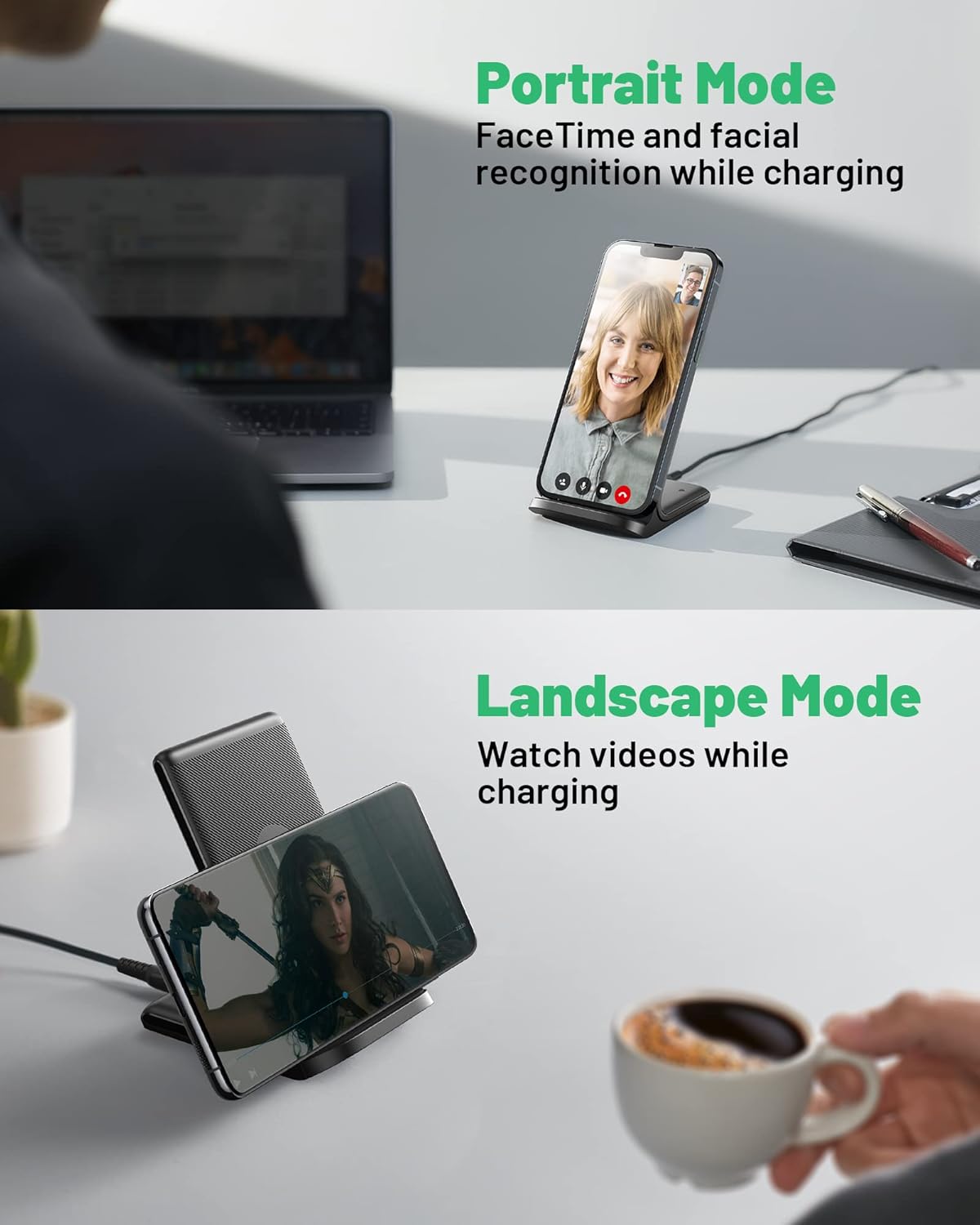
The INIU wireless charger supports both portrait and landscape charging orientations.
3.2 Charging Modes and Compatibility
The INIU Wireless Charging Station supports various charging speeds depending on your device:
- 15W Fast Charge: For LG and Google Pixel devices.
- 10W Fast Charge: For Samsung Galaxy series.
- 7.5W Fast Charge: For iPhone models.
- 5W Standard Charge: For all other Qi-enabled devices.

Universal compatibility of the INIU wireless charger with different smartphone brands and charging speeds.

The 15W max speed charging capability of the INIU wireless charger.
3.3 Adaptive LED Indicator
The charging station features a self-adaptive LED indicator. It brightens during the day for clear visibility and dims in the dark to avoid disturbing your sleep, providing a sleep-friendly charging experience.

The auto-adaptive LED indicator adjusts its brightness based on ambient light.
3.4 Kasuen bateragarritasuna
The charger is designed to work with phone cases up to 4mm in thickness. However, certain materials and attachments can interfere with wireless charging:
- Avoid cases with magnets, metal, or grips/stands.
- Remove credit cards or other foreign objects from between your phone and the charger.
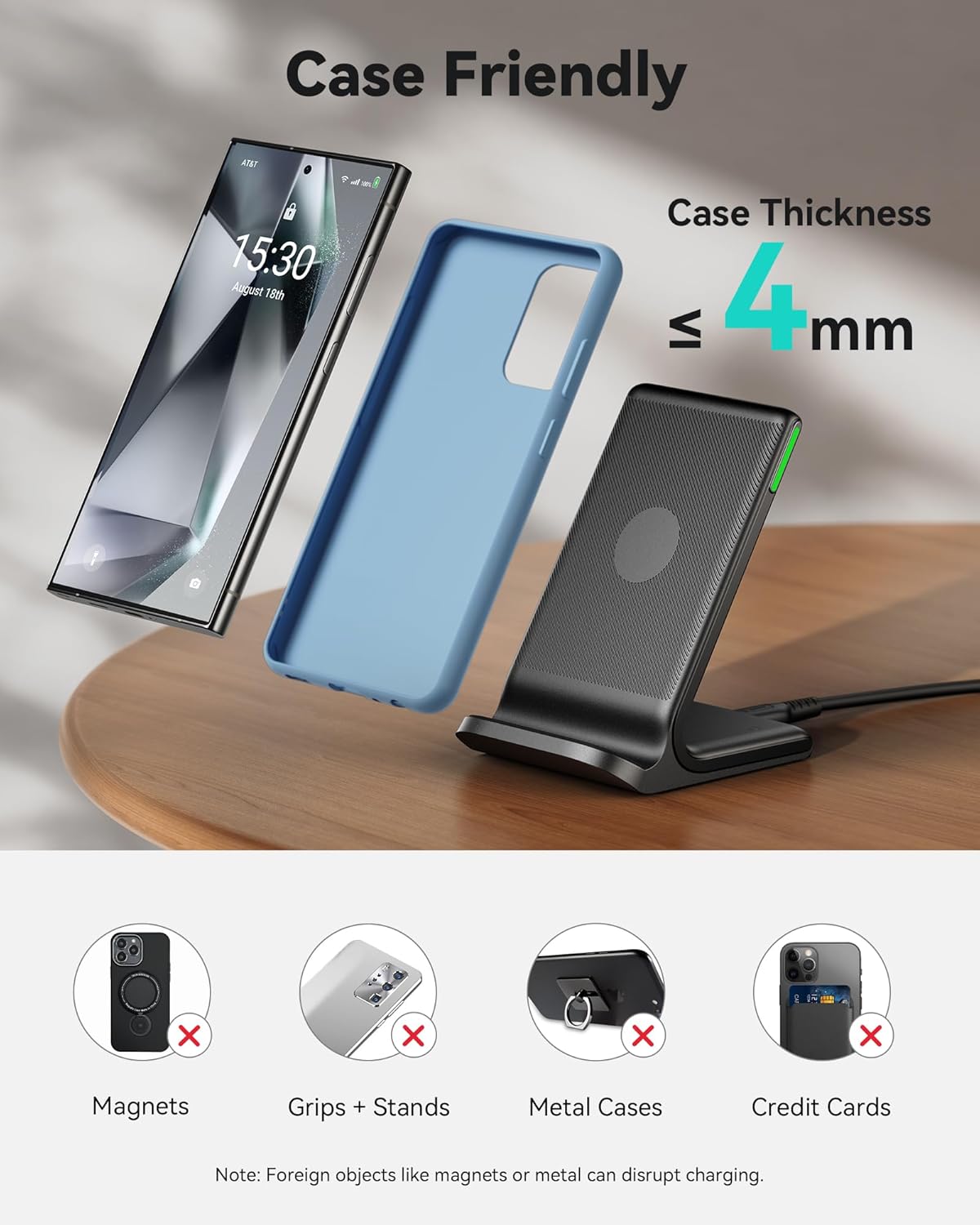
Guidelines for case compatibility and items to avoid when using the wireless charger.
3.5 Segurtasun Ezaugarriak
The INIU Wireless Charging Station incorporates advanced safety technologies:
- NTC Temp°Guard Battery Protection: Controls temperature in real-time to prevent overheating and protect your phone's battery.
- Gehiegizko kargaren babesa: Prevents overcharging of your device, ensuring battery longevity.
- 24-Hour Protection: Provides continuous safety monitoring during charging.
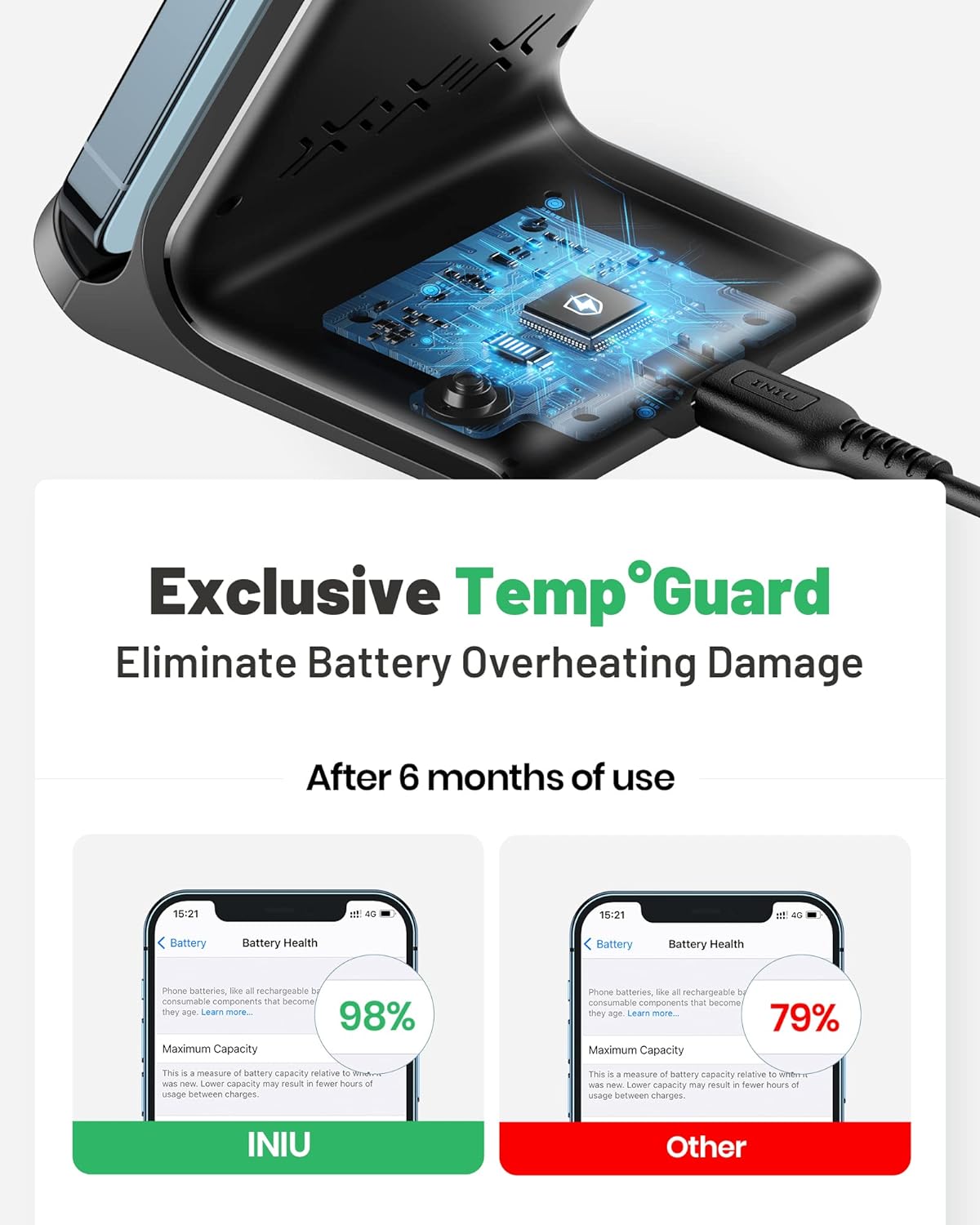
The NTC Temp°Guard feature helps eliminate battery overheating damage.
4. Mantentzea
To ensure the longevity and proper functioning of your INIU Wireless Charging Station, follow these maintenance guidelines:
- Garbiketa: Use a soft, dry cloth to wipe the surface of the charging stand. Do not use abrasive cleaners, solvents, or harsh chemicals.
- Biltegiratzea: Gorde kargagailua leku fresko eta lehor batean erabiltzen ez duzunean.
- Saihestea: Keep the device away from water, moisture, and extreme temperatures (both hot and cold).
5. Arazoak
If you encounter issues with your INIU Wireless Charging Station, please refer to the following common problems and solutions:
| Arazoa | Kausa posiblea | Irtenbidea |
|---|---|---|
| Gailua ez da kargatzen edo poliki kargatzen ari da. |
|
|
| LED adierazlea keinuka ari da. | Foreign object detection (FOD) activated. | Remove any metal objects, credit cards, or other foreign materials from the charging surface and try again. |
| Device or charger feels warm during charging. | Normal operation, but excessive heat can indicate an issue. | Ensure proper ventilation. If overheating persists, discontinue use and contact support. The NTC Temp°Guard feature is designed to prevent excessive heat. |

The charger's obstruction alert system, indicating incompatible items.
6. Zehaztapenak
| Ezaugarri | Xehetasuna |
|---|---|
| Modelo zenbakia | WI-211 |
| Produktuaren neurriak | 2.88 x 3.4 x 4.2 hazbete |
| Elementuaren pisua | 5.9 ontza |
| Konektibitate Teknologia | Haririk gabekoa |
| Konektore mota | USB C mota |
| Gailu bateragarriak | Cellular Phones (iPhone, Samsung, Google Pixel, LG, HUAWEI) |
| Sarrera boltage | 5 Volt |
| Ezaugarri bereziak | Wireless Charger, Fast Charging, Adaptive LED, NTC Temp°Guard |
| Kolorea | Beltza |
| Fabrikatzailea | Shenzhen Topstar Industry Co.,Ltd. |
| Eskuragarri dagoen lehen data | 26ko urriaren 2020a |
7. Bermea eta Laguntza
INIU stands behind the quality of its products. Your INIU Wireless Charging Station comes with:
- Industry-Leading 3-Year INIU Care: This warranty covers manufacturing defects and ensures peace of mind.
- Bizi osorako laguntza teknikoa: For any technical questions or assistance, INIU provides lifetime support.
For further assistance or to claim warranty, please refer to the contact information provided in your Welcome Guide or visit the official INIU webgunea.
You can also find additional information and a downloadable user manual (PDF) hemen.