
ROIDMI X30 Pro
ROIDMI X30 Pro Cordless Vacuum Cleaner User Manual
Model: X30 Pro (XCQ28RM)
1. Sarrera
Thank you for choosing the ROIDMI X30 Pro Cordless Vacuum Cleaner. This powerful and versatile cleaning device is designed to provide efficient and convenient cleaning for your home. Featuring a 120,000 rpm digital motor, a six-level HEPA filtration system, and a smart OLED color screen, the X30 Pro offers advanced cleaning performance and real-time information. This manual provides essential instructions for assembly, operation, maintenance, and troubleshooting to ensure optimal performance and longevity of your device.
2. Segurtasun-argibideak
Please read all safety warnings and instructions before using this appliance.
- Tresna hau etxeko erabilerarako soilik da. Ez erabili helburu komertzial edo industrialetarako.
- Do not use the vacuum cleaner to pick up water or other liquids, hot ashes, large sharp objects, or hazardous materials.
- Mantendu ilea, arropa solteak, behatzak eta gorputzeko atal guztiak irekiguneetatik eta atal mugikorretatik urrun.
- Ensure the dustbin and filters are correctly installed before use.
- Ez erabili xurgagailua hondatuta edo gaizki funtzionatzen badu. Jarri harremanetan bezeroarentzako arreta-zerbitzuarekin laguntza jasotzeko.
- Use only the original charger and accessories provided by ROIDMI.
- Ez sartu unitate nagusia uretan edo beste likido batzuetan.
- Zaindu haurrak eta ziurtatu ez dutela tresnarekin jolasten.
- Unplug the charger from the power outlet when not in use and before cleaning or performing maintenance.
3. Paketearen edukia
Egiaztatu osagai guztiak paketean daudela:
- Hutsune-unitate nagusia
- Luzapen-barra
- Nex-V All-Surface Brush Head
- Pet and Mattress Brush
- Zirrikitu tresna
- Hautsak botatzeko eskuila
- MOP Accessory (for wet cleaning)
- Horman muntatutako kargatzeko kaia
- Elikatze-moldagailua
- HEPA iragazkia (aurrez instalatuta)
- Erabiltzailearen eskuliburua
4. Produktua amaitu daview
Familiarize yourself with the main components of your ROIDMI X30 Pro.

Image 1: Fully assembled ROIDMI X30 Pro Cordless Vacuum Cleaner, showing the main unit, extension rod, and floor brush.

Image 2: Close-up of the main vacuum unit, highlighting the ergonomic handle, dustbin, and motor housing.
OLED Color Screen
The integrated OLED color screen provides real-time information, including:
- Bateria maila
- Current cleaning mode
- Dustbin full indicator
- Iragazkia ordezkatzeko abisua
- Calorie consumption during cleaning (via Bluetooth app)
5. Konfigurazioa
5.1 Muntaketa
- Insert the extension rod into the main vacuum unit until it clicks securely.
- Attach the desired cleaning head (e.g., Nex-V brush) to the other end of the extension rod until it clicks. For direct handheld use, attach accessories directly to the main unit.
5.2 Hasierako karga
Lehenengo aldiz erabili aurretik, kargatu guztiz xurgagailua.
- Mount the charging dock on a wall in a convenient location, ensuring it is near a power outlet.
- Konektatu korronte-egokigailua kargatzeko kaira eta konektatu korronte-hartune batera.
- Place the vacuum cleaner onto the charging dock. The OLED screen will indicate charging status. A full charge takes approximately 2.5 hours.
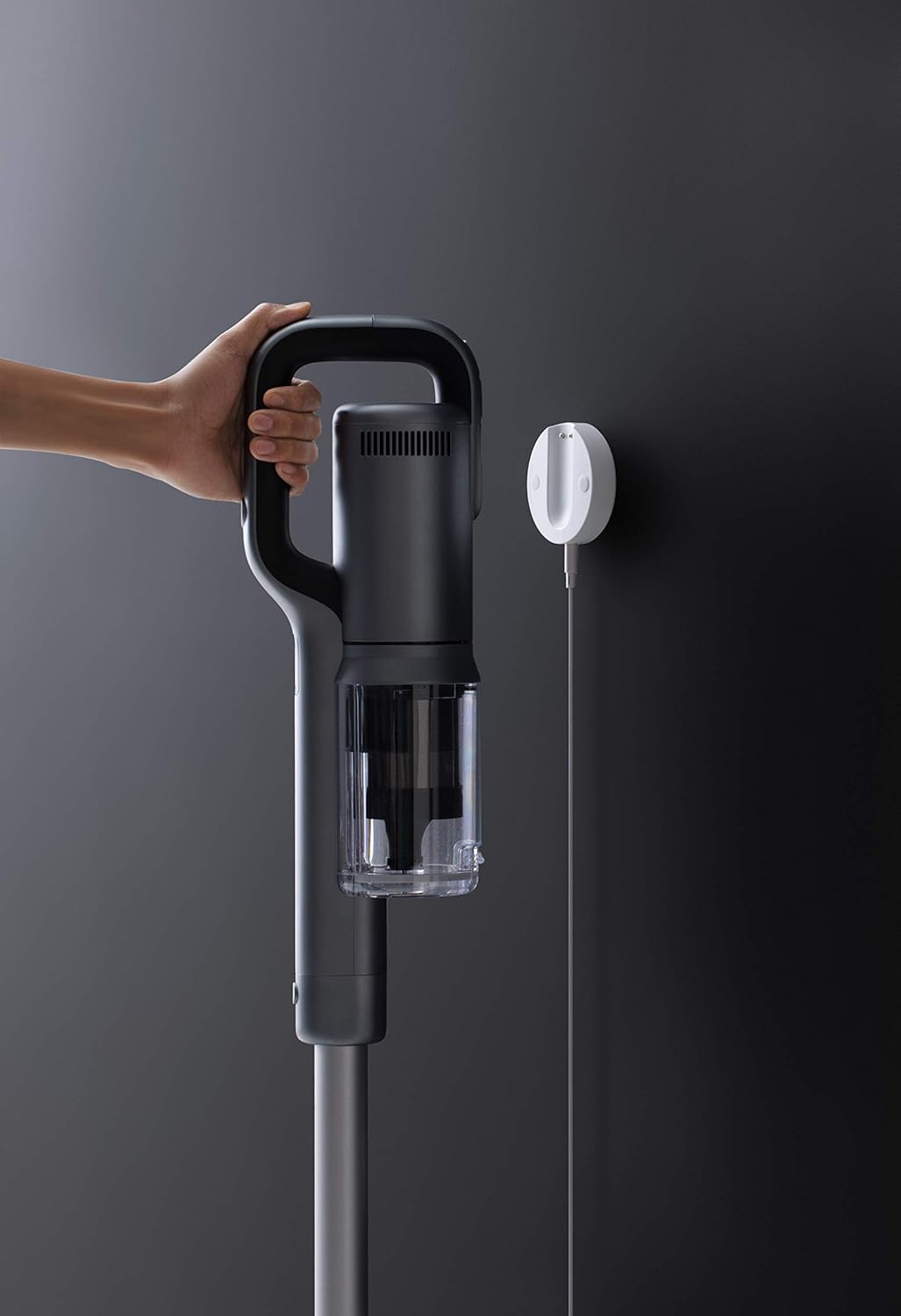
Image 3: The ROIDMI X30 Pro charging on its wall-mounted dock, connected to a power source.
5.3 Bluetooth Connection (Optional)
For enhanced features and real-time data, connect your ROIDMI X30 Pro to the ROIDMI app via Bluetooth.
- Download the 'ROIDMI' app from your smartphone's app store.
- Ziurtatu Bluetootha gaituta dagoela zure telefonoan.
- Open the ROIDMI app and follow the on-screen instructions to pair your vacuum cleaner.
6. Funtzionamendu-argibideak
6.1 Piztea/Itzaltzea eta Moduaren Hautaketa
- Press the power button on the main unit to turn the vacuum cleaner on. It will start in standard cleaning mode.
- Press the mode selection button to cycle through different power modes (e.g., Standard, Max). The OLED screen will display the current mode.
- Sakatu berriro pizteko botoia xurgagailua itzaltzeko.
6.2 Using Cleaning Attachments
Aukeratu zure garbiketa-lanerako eranskin egokia:
- Nex-V All-Surface Brush Head: Ideal for both hard floors and carpets. Its innovative hydrophobic fiber design eliminates the need to switch brush rolls between different surfaces.
- Pet and Mattress Brush: Designed for deep cleaning of upholstery, mattresses, and pet hair removal from fabrics.
- Zirrikitu tresna: Ezin hobea zirrikitu estuetarako, izkinetarako eta iristeko zailak diren guneetarako.
- Hautsa botatzeko eskuila: Suitable for delicate surfaces, curtains, and shelves.
- MOP Accessory: For wet cleaning. Attach this accessory to the main unit or extension rod as instructed in its specific manual. Ensure the dustbin is empty before using the MOP function.
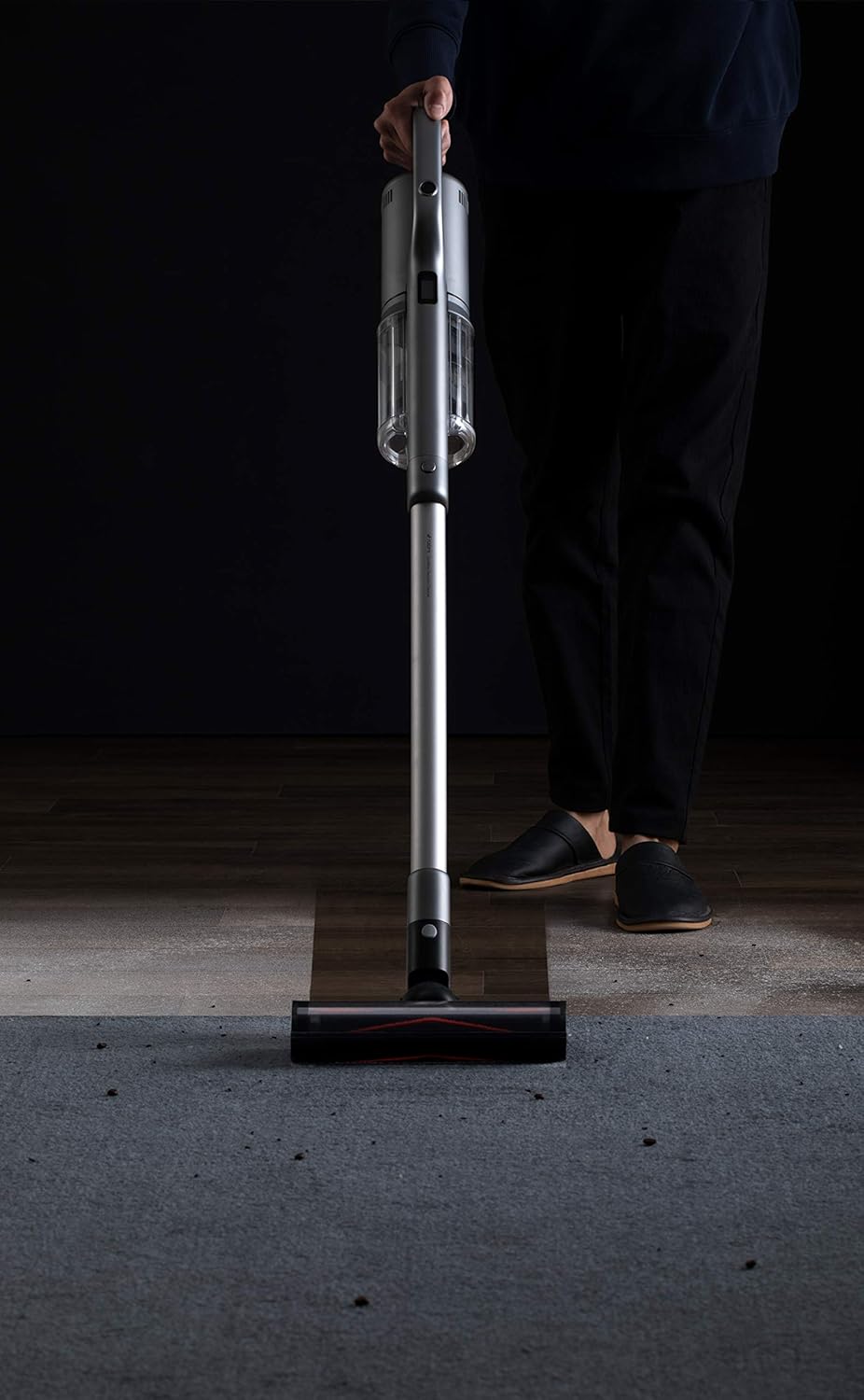
Image 4: A user operating the ROIDMI X30 Pro on a carpeted floor, demonstrating its ease of use.

Image 5: The flexible brush head of the ROIDMI X30 Pro reaching under low furniture for thorough cleaning.

Image 6: The ROIDMI X30 Pro in operation, with the OLED screen clearly displaying operational information.
7. Mantentzea
Regular maintenance ensures the longevity and optimal performance of your ROIDMI X30 Pro.
7.1 Zaborrontzia hustea
Empty the dustbin when the 'dustbin full' indicator appears on the OLED screen or after each use.
- Ziurtatu xurgagailua itzalita dagoela.
- Sakatu hauts-ontzia askatzeko botoia unitate nagusitik askatzeko.
- Hold the dustbin over a trash can and open the bottom flap to release the debris.
- Itxi tapa eta berriro lotu hauts-ontzia unitate nagusira klik egin arte.
7.2 HEPA iragazkia garbitzea
Clean the HEPA filter regularly, especially when suction power decreases or the 'filter change' indicator appears.
- Kendu hauts-ontzia goian azaldu bezala.
- Carefully remove the HEPA filter from the dustbin.
- Hauts soltea kentzeko, iragazkia astiro-astiro zaborrontzi baten gainean jo.
- Rinse the filter under running water until the water runs clear. Do not use detergents.
- Utzi iragazkia airean guztiz lehortzen gutxienez 24 orduz berriro sartu aurretik. Ez erabili lehorgailurik edo bero zuzenik.
7.3 Eskuila-erroilua garbitzea
Aldian-aldian egiaztatu eskuila-arrabola ile korapilatsuak edo hondakinik dagoen.
- Itzali xurgagailua eta kendu eskuilaren burua.
- Bilatu eskuila-erroiluaren askatzeko mekanismoa (normalean lokailu edo botoia) eta kendu eskuila-erroilua.
- Erabili guraizeak edo garbiketa tresna bat ile edo zuntz korapilatsuak moztu eta kentzeko.
- Sartu berriro eskuila-arrabola eta finkatu lekuan.
8. Arazoak
If you encounter issues with your ROIDMI X30 Pro, refer to the following common problems and solutions:
| Arazoa | Kausa posiblea | Irtenbidea |
|---|---|---|
| Hutsa ez da pizten | Bateria gutxi; Pizteko botoia ez da behar bezala sakatu | Kargatu bateria; Ziurtatu pizteko botoia guztiz sakatuta dagoela |
| Xurgatze potentzia ahula | Dustbin full; Clogged filter; Blocked brush head/tube | Empty dustbin; Clean/replace filter; Remove blockages |
| Eskuila erroilua ez da bira egiten | Tangled hair/debris; Brush roll not installed correctly | Clean brush roll; Reinstall brush roll securely |
| OLED pantailak ez du erakusten | Device off; Malfunction | Turn on device; If issue persists, contact support |
| MOP accessory not dispensing water | Water tank empty; Nozzle clogged | Refill water tank; Clean nozzle |
Irtenbide hauek saiatu ondoren arazoa konpontzen ez bada, jarri harremanetan ROIDMI bezeroarentzako arreta-zerbitzuarekin.
9. Zehaztapenak
| Ezaugarri | Zehaztapena |
|---|---|
| Marka | ROIDMI |
| Modelo zenbakia | XCQ28RM |
| Motor Abiadura | 120,000 rpm (Engine-X 2.0 Digital Motor) |
| Exekuzioa | Up to 70 minutes (1 hour 10 minutes) |
| Kargatzeko Denbora | Approx. 2.5 hours (wireless fast charge) |
| Iragazte-sistema | Six-level HEPA filtration with ZiWei sterilization |
| Bistaratzea | OLED Color Screen |
| Konektibitatea | Bluetooth (for ROIDMI App) |
| Neurriak (L x W x H) | 119.1 x 25.09 x 16.04 cm |
| Kolorea | Grisa |
| Ezaugarri bereziak | HEPA, Portable, Pet Brush, MOP Accessory compatible |
| Azalera gomendioa | Carpet, All floors |
| Energia iturria | Bateriaren bidez |
| Forma-faktorea | Makila |
10. Bermearen informazioa
ROIDMI products are covered by a limited warranty. Please refer to the warranty card included in your product packaging or visit the official ROIDMI webZure eskualdeko berme-baldintza zehatzak ikusteko, bisitatu webgunea. Gorde erosketa-agiria berme-erreklamazioetarako erosketaren frogagiri gisa.
11. Bezeroarentzako arreta
For technical assistance, spare parts, or any inquiries regarding your ROIDMI X30 Pro, please contact ROIDMI customer support through their official website or the contact information provided in your product documentation. When contacting support, please have your model number (XCQ28RM) and purchase details ready.
Ask a question about this manual
Ask about setup, troubleshooting, compatibility, parts, safety, or missing instructions. Manuals+ will review the question and use this page’s manual context to help answer it.