
Sarrera
Thank you for choosing the PALOVUE iSound True Wireless Earbuds. These earbuds are designed to provide a superior audio experience with advanced features such as Qualcomm CSR Bluetooth 5.0, aptX HD sound quality, CVC 8.0 noise cancellation, and intuitive touch controls. This manual will guide you through the setup, operation, and maintenance of your new earbuds to ensure optimal performance.
Kutxan dagoena
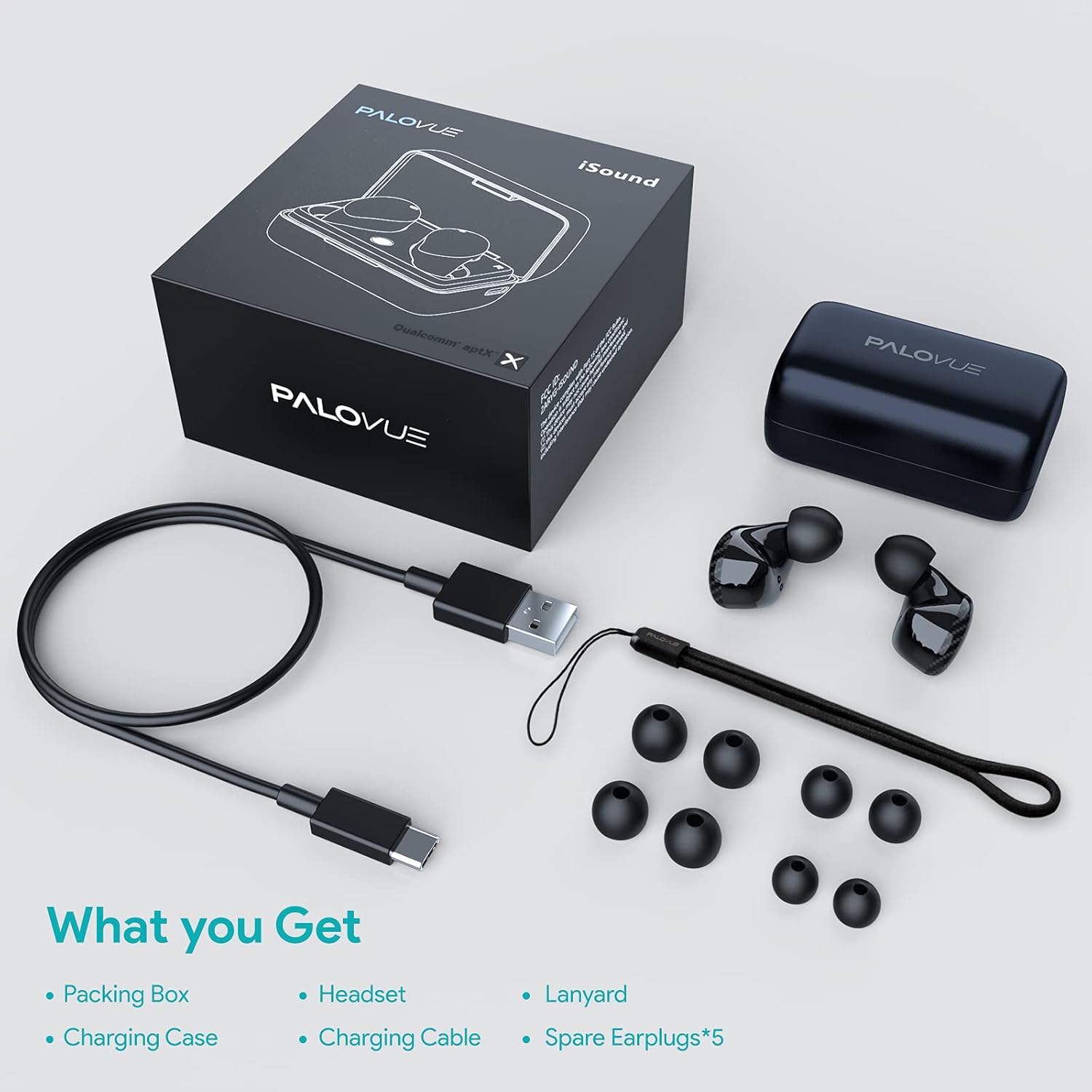
Upon unboxing your PALOVUE iSound True Wireless Earbuds, please verify that all components are present:
- PALOVUE iSound entzungailuak (ezkerrekoa eta eskuinekoa)
- Kargatzeko kaxa
- USB-C kargatzeko kablea
- Korrila
- 5 Pairs of Silicone Ear Tips (XS, S, M, L, XL)
- Erabiltzailearen eskuliburua (dokumentu hau)
Produktua amaituview
Familiarize yourself with the key components of your PALOVUE iSound Earbuds.


Konfigurazioa
1. Entzungailuak eta zorroa kargatzea
Before first use, fully charge the earbuds and the charging case. Place the earbuds into the charging case. Connect the USB-C charging cable to the case and a power source. The indicator lights on the case will show the charging status.
- A full charge provides up to 24 hours of playback with the charging case.
2. Zure gailuarekin parekatzea
- Ziurtatu zure gailuaren Bluetooth-a piztuta dagoela.
- Open the charging case. The earbuds will automatically enter pairing mode (if it's the first time or if they are not connected to a previously paired device).
- On your device, search for Bluetooth devices and select "PALOVUE iSound" from the list.
- Behin konektatuta, baieztapen-tonu bat entzungo duzu.
Birkonexio automatikoa: After the initial pairing, simply open the charging case, and the earbuds will automatically connect to your last paired device.
3. Entzungailuak janztea
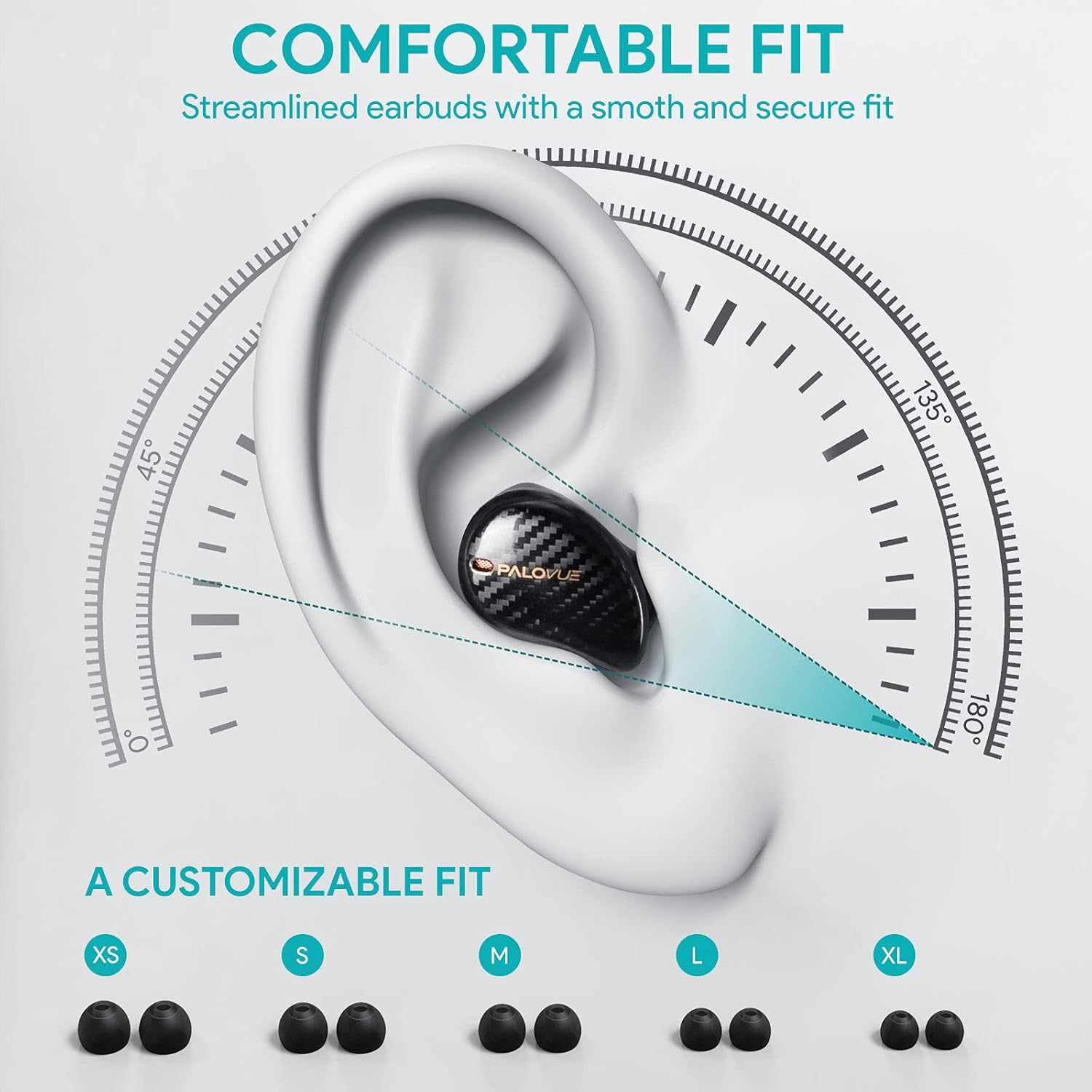
For optimal sound quality and comfort, select the correct ear tip size and ensure a secure fit.
- Choose from the 5 provided ear tip sizes (XS, S, M, L, XL) to find the best fit for your ears.
- Gently insert the earbuds into your ear canal and rotate them slightly until they feel secure and comfortable.
Funtzionamendu-argibideak
Ukitu Kontrolak
The PALOVUE iSound earbuds feature multi-function touch panels on each earbud for easy control of audio playback and calls. Specific touch functions can be customized via the PALOVUE iSound app.
- Erreproduzitu/Pausatu: Sakatu bakar batean entzungailu batean.
- Hurrengo ibilbidea: Sakatu birritan eskuineko entzungailuan.
- Aurreko pista: Sakatu bi aldiz ezkerreko entzungailuan.
- Deia erantzun/amaitu: Sakatu bakar batean entzungailu batean.
- Deia baztertu: Eduki sakatuta aurikularretako bat 2 segundoz.
- Aktibatu Ahots Laguntzailea: Sakatu hiru aldiz entzungailuetako edozeinetan.
- Bolumen kontrola: Customizable via the PALOVUE iSound app (e.g., tap and hold left for volume down, right for volume up).

Call Management and Noise Cancellation
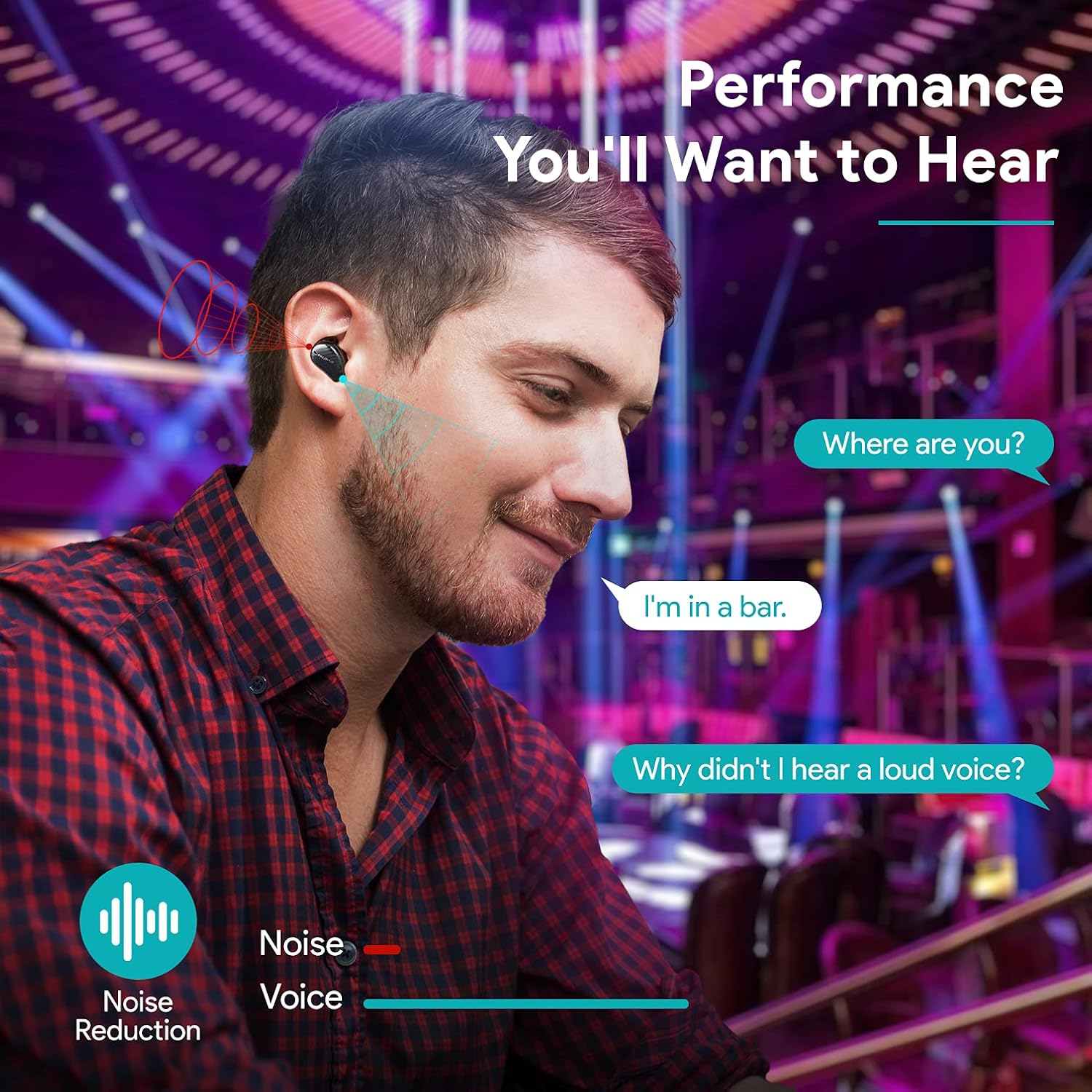
The earbuds are equipped with 4 microphones and CVC 8.0 noise cancellation technology to ensure clear calls even in noisy environments.
PALOVUE iSound App
Download the PALOVUE iSound app to customize touch controls, check battery status, and access additional features for your earbuds.
Mantentzea
Mantentze egokiak zure entzungailuen iraupena eta errendimendu optimoa bermatzen ditu.
- Garbiketa: Garbitu aldizka entzungailuak eta kargatzeko zorroa oihal leun, lehor eta lihorik gabeko batekin. Ez erabili produktu kimiko gogorrik edo material urratzailerik.
- Belarrietarako aholkuak: Remove and clean the silicone ear tips with mild soap and water. Ensure they are completely dry before reattaching.
- Biltegiratzea: Erabiltzen ez dituzunean, gorde entzungailuak kargatzeko zorroan hautsetik eta kalteetatik babesteko.
- Saihestu ura: While the earbuds may have some water resistance, avoid submerging them in water or exposing them to excessive moisture.
Arazoak konpontzea
If you encounter issues with your PALOVUE iSound earbuds, refer to the following common solutions:
- Entzungailuak ez dira parekatzen:
- Ziurtatu bi entzungailuak kargatuta daudela.
- Jarri entzungailuak berriro zorroan, itxi eta ireki berriro parekatze moduan sartzeko.
- Forget "PALOVUE iSound" from your device's Bluetooth settings and try pairing again.
- Entzungailu bakarra funtzionatzen du:
- Ziurtatu bi entzungailuak kargatuta daudela.
- Try resetting the earbuds (refer to the app or manufacturer's webgunea berrezartzeko argibide zehatzak lortzeko).
- Place both earbuds in the charging case, close the lid, wait a few seconds, then open it again.
- Soinu kalitate eskasa:
- Ensure the ear tips provide a secure seal in your ear canal. Try different sizes.
- Garbitu entzungailuen toberetatik geratzen den edozein hondakin.
- Ziurtatu gailua Bluetooth-aren irismenaren barruan dagoela (gehienez 10 metro).
- Aurikularrak ez dira kargatzen:
- Ziurtatu kargatzeko kablea ondo konektatuta dagoela bai kaxara bai elikatze-iturrira.
- Egiaztatu entzungailuetako eta zorro barruko kargatzeko kontaktuak garbi eta hondakinik gabe dauden.
- Saiatu beste USB-C kable eta korronte egokitzaile batekin.
For further assistance, please contact PALOVUE customer support.
Zehaztapenak
| Marka | PALOVUE |
| Modelo zenbakia | 012000125 |
| Aurikular mota | Belarri barnean |
| Konektibitate Teknologia | Haririk gabekoa (Bluetooth 5.0) |
| Haririk gabeko Komunikazio Teknologia | Bluetootha |
| Ezaugarri bereziak | Noise Reduction (CVC 8.0), Wireless |
| Chipset | Qualcomm CSR QCC3020 |
| Audio-kodeka | aptX HD |
| Bateriaren konposizioa | Litio Polimeroa |
| Bateria kargagarria | Bai |
| Erreprodukzio-denbora | Kargatzeko zorroarekin 24 ordu arte |
| Materiala | Plastikoa |
Bermea eta Laguntza
PALOVUE products are designed for reliability and performance. For warranty information, please refer to the warranty card included in your product packaging or visit the official PALOVUE webgunea.
If you require technical support or have questions regarding your PALOVUE iSound True Wireless Earbuds, please contact PALOVUE customer service through their official webgunea edo zure produktuaren dokumentazioan emandako harremanetarako informazioa.
Laguntza-zerbitzura deitzean, izan prest modelo zenbakia (012000125) eta erosketaren xehetasunak.