Sarrera
This user manual provides detailed instructions for the setup, operation, maintenance, and troubleshooting of your iFFALCON 43K71 4K Ultra HD Smart Android LED TV. Please read this manual thoroughly before using the television and retain it for future reference.

Irudia: Aurrealdea view of the iFFALCON 43K71 4K Ultra HD Smart Android LED TV, showcasinbere diseinu mehea eta pantaila bizia ditu.
Segurtasun Informazioa
Always adhere to the following safety precautions to prevent fire, electric shock, or injury:
- Ez jarri telebista euri edo hezetasunera.
- Ziurtatu aireztapen egokia; ez blokeatu aireztapen-irekidurak.
- Erabili telebistarekin batera datorren elikatze-kablea soilik.
- Do not open the TV cabinet; refer all servicing to qualified personnel.
- Mantendu telebista eguzki-argitik, bero-iturrietatik eta eremu magnetiko indartsuetatik urrun.
- Jarri telebista gainazal egonkor eta lau batean edo muntatu ondo horman.
Kutxan dagoena
Egiaztatu osagai guztiak daudela paketea desontziratzean:
- 1 x iFFALCON 43K71 LED TV
- 1 x Urrutiko agintea (2 AAA pilekin)
- 2 x Table Stand components
- 1 x Erabiltzailearen eskuliburua
- 1 x Berme Txartela
- 1 x Audio kablea
Konfigurazioa
1. Instalazio fisikoa
You can install your TV using the included table stands or by wall-mounting (wall mount bracket sold separately).
Mahai-euskarriaren instalazioa:
- Kontu handiz jarri telebista aurpegia behera gainazal bigun eta lau batean, pantaila kaltetu ez dadin.
- Attach the two table stand components to the designated slots on the bottom of the TV using the provided screws. Ensure they are securely fastened.
- Kontu handiz altxatu telebista gainazal egonkor eta mailakatu batean zutik jarri.
Horma-muntatzeko instalazioa:
For wall mounting, consult a professional installer. Ensure the wall mount bracket is compatible with the TV's VESA mounting pattern and can support the TV's weight (approximately 6.9 kg).

Irudia: Goian view of the iFFALCON 43K71 TV, showing its slim profile and stand attachment points.
2. Hasierako piztea eta sareko konexioa
- Konektatu elikatze-kablea telebistara eta gero entxufe batera.
- Sakatu telebistako pizteko botoia edo urrutiko agintea telebista pizteko.
- Jarraitu pantailan agertzen diren argibideei hasierako konfigurazioa osatzeko, hizkuntzaren hautaketa, herrialdea eta sareko konexioa (Wi-Fi edo Ethernet) barne.
- Sign in with your Google account to access Android TV features and download apps.
Telebista funtzionatzea
Urruneko Kontrola
The supplied remote control allows you to navigate the TV's interface and access various functions.
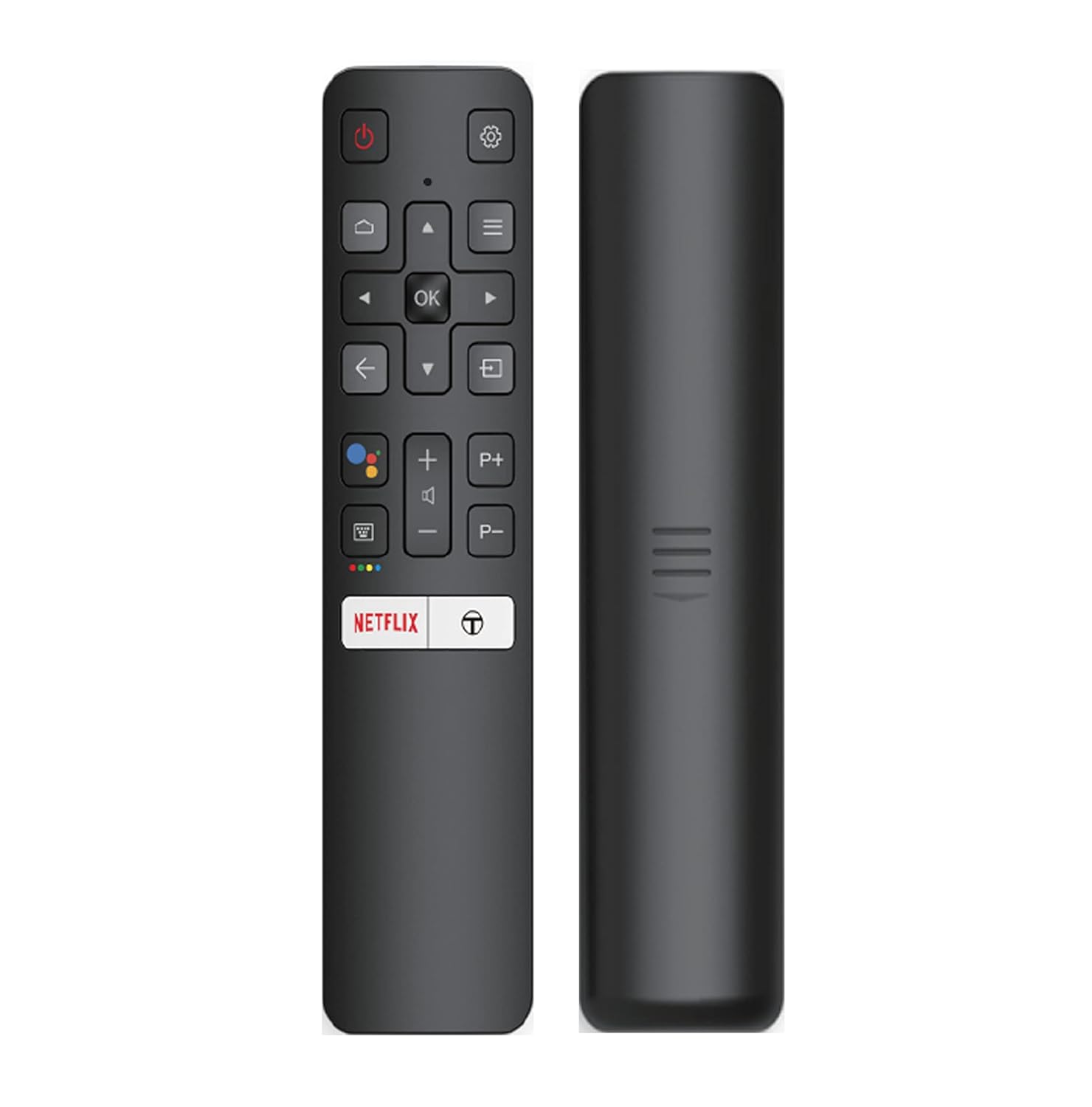
Image: The iFFALCON 43K71 remote control, featuring dedicated buttons for Netflix, Amazon Prime Video, Zee5, and Google Assistant.
Tekla-botoien artean hauek daude:
- Potentzia: Telebista pizten edo itzaltzen du.
- Nabigazioa (Gora/Behera/Ezkerra/Eskuina/Ados): Menuetan nabigatzen du eta aukeraketak berresten ditu.
- Itzuli: Aurreko pantailara itzultzen da.
- Hasiera: Android TV-ren hasierako pantailara sartzen da.
- +/- bolumena: Bolumena doitzen du.
- P+/P- kanala: Kanalak aldatzen ditu.
- Google Laguntzailea: Ahots-kontrola aktibatzen du.
- Netflix, Prime Video, Zee5: Streaming zerbitzuetarako sarbide zuzeneko botoiak.
Smart TV Features (Android TV)
Your iFFALCON 43K71 TV runs on Android 9.0, providing access to a wide range of applications and smart functionalities.

Image: The Android TV home screen on the iFFALCON 43K71, displaying various streaming apps like Netflix, YouTube, and Prime Video.
- Aplikazioak: Download and install apps from the Google Play Store, including Netflix, YouTube, Prime Video, Disney+Hotstar, and more.
- Esku libreko ahots kontrola: Use the built-in Google Assistant to control your TV, search for content, and manage smart home devices by speaking commands directly to the TV.
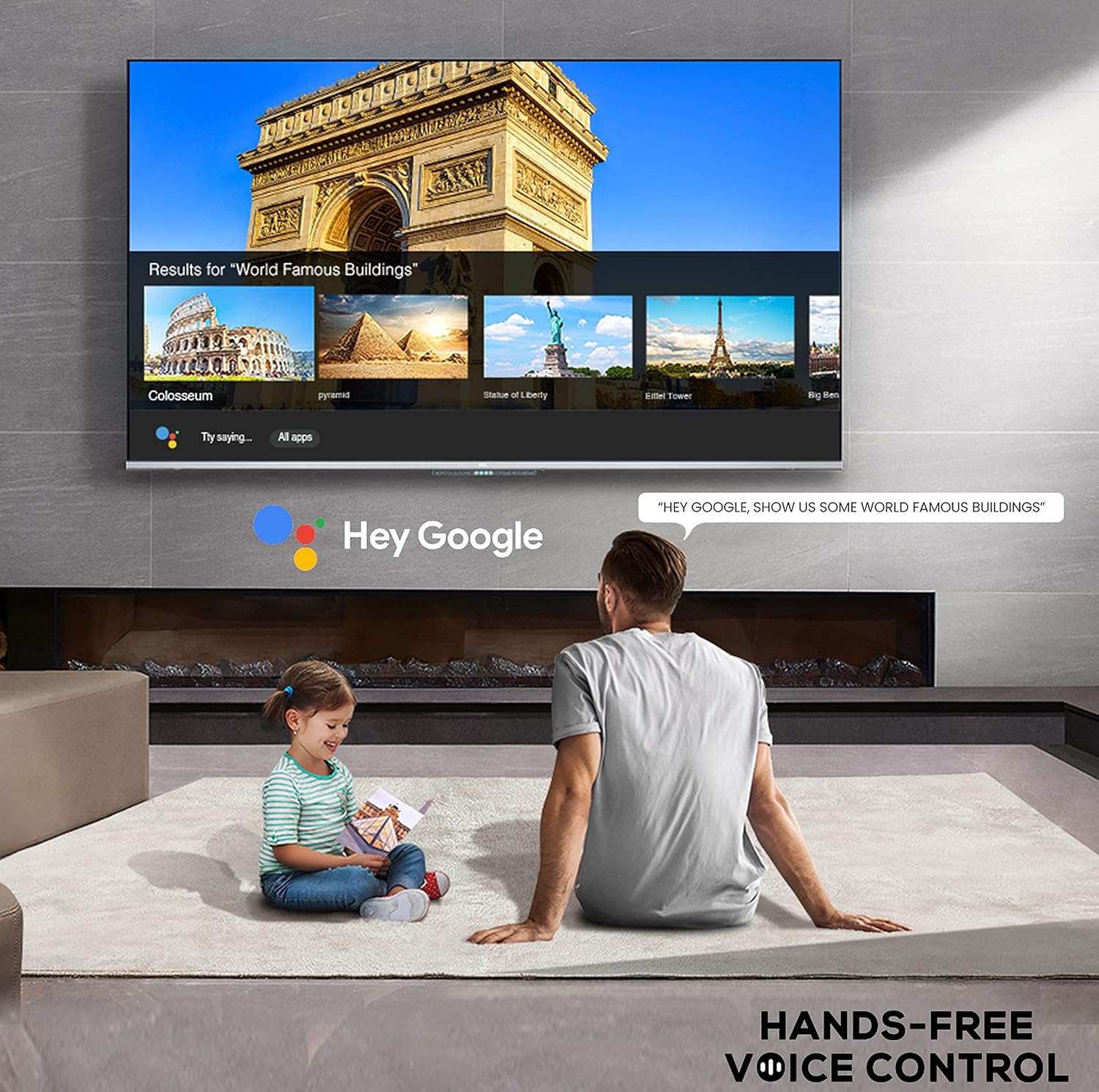
Image: A user interacting with the iFFALCON 43K71 using hands-free voice control, demonstrating the Google Assistant feature.
- Chromecast integratua: Cast content from your smartphone, tablet, or computer directly to the TV screen.
- AI-IN: iFFALCON's AI-IN technology integrates with Google Assistant for enhanced smart home connectivity and personalized recommendations.
Konektibitatea
Telebistak kanpoko gailuak konektatzeko hainbat ataka eskaintzen ditu:
- HDMI atakak (2): Connect set-top boxes, Blu-ray players, gaming consoles, etc.
- USB ataka (1): Konektatu disko gogorrak, USB flash unitateak multimedia erreproduzitzeko.
- Bluetootha: Konektatu haririk gabeko entzungailuak, soinu-barrak edo Bluetooth gaitutako beste osagarri batzuk.
- Wi-Fi: Konektatu etxeko haririk gabeko sarera interneterako sarbidea izateko.
- Audio kablea: For external audio connections.
Irudi eta soinu ezarpenak
Egokitu irudi eta soinu ezarpenak zure optimizazioa lortzeko viewesperientzia.
- Irudi moduak: Aukeratu aurrezarritako hainbat irudi moduren artean (adibidez, Estandarra, Dinamikoa, Filma, Kirola) edo pertsonalizatu ezarpenak, hala nola distira, kontrastea, kolorea eta zorroztasuna.
- 4K Ultra HD & HDR 10: Experience stunning detail and vibrant colors with 4K resolution and High Dynamic Range (HDR 10) support.
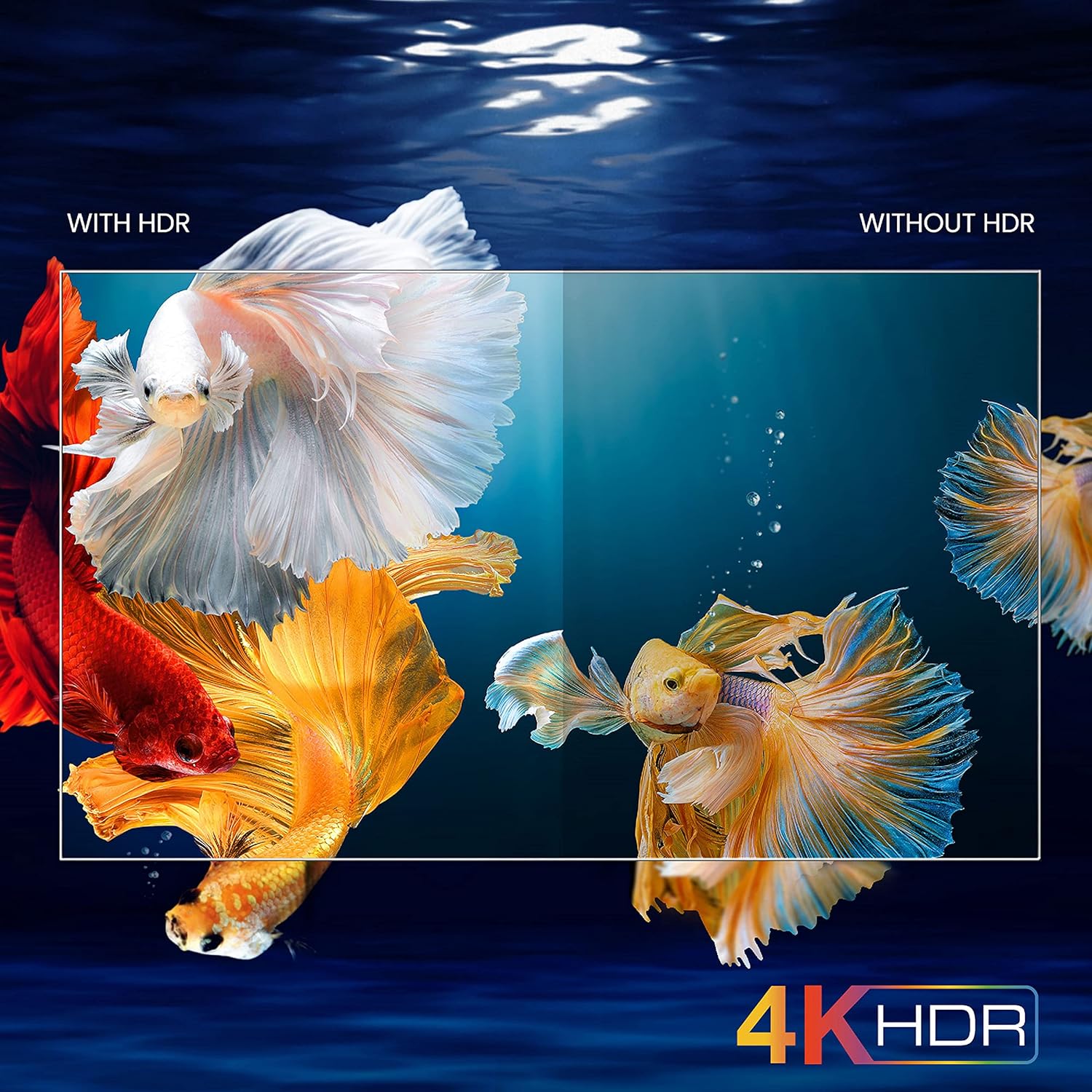
Image: A visual comparison demonstrating the enhanced color and contrast with 4K HDR enabled versus disabled on the iFFALCON 43K71 TV.
- Mikro Iluntzea: Enhances contrast by analyzing video content in hundreds of separate zones and adjusting brightness and darkness independently.
- Soinu moduak: Choose from preset sound modes (e.g., Standard, Music, Movie, Clear Voice) or adjust equalizer settings.
- Dolby Audio: Enjoy immersive audio with Dolby Audio processing, delivering rich, clear, and powerful sound from the 30 Watts speakers.
Mantentzea
Garbiketa
- Deskonektatu beti telebista garbitu aurretik.
- Erabili zapi leun eta lehor bat pantaila eta armairua garbitzeko. Orbain egoskorrak badituzu, garbitu astiro.ampGarbitu oihal bat urarekin edo pantaila-garbitzaile leun eta ez-urratzaile batekin.
- Ez erabili alkohola, bentzenoa, diluitzaileak edo beste substantzia lurrunkorrik.
Software eguneraketak
The TV may receive software updates periodically to improve performance and add new features. Ensure your TV is connected to the internet to receive these updates automatically or check for them manually in the settings menu.
Arazoak konpontzea
If you encounter issues, refer to the following common solutions before contacting support:
| Arazoa | Irtenbide posiblea |
|---|---|
| Telebista ez da pizten. | Check if the power cord is securely plugged into the TV and the power outlet. Ensure the power outlet is working. Try pressing the power button on the TV itself. |
| Ez dago irudirik, baina soinua badago. | Egiaztatu sarrera iturria. Ziurtatu kanpoko gailuak behar bezala konektatuta eta piztuta daudela. Saiatu telebista berrabiarazten. |
| Soinurik ez, baina irudia badago. | Check the volume level and ensure the TV is not muted. Verify audio output settings. If using external speakers, check their connections and power. |
| Urruneko kontrola ez dabil. | Ordeztu pilak (2 AAA). Ziurtatu ez dagoela oztoporik urrutiko agintearen eta telebistaren IR sentsorearen artean. |
| Ezin da wifira konektatu. | Check your router and modem. Restart them if necessary. Ensure you are entering the correct Wi-Fi password. Try moving the TV closer to the router or using an Ethernet cable. |
| Errendimendu motela edo aplikazioaren huts egitea. | Close unused applications. Clear cache for problematic apps. Restart the TV. Consider a factory reset as a last resort (this will erase all data and settings). |
Zehaztapenak
Key technical specifications for the iFFALCON 43K71 TV:
| Ezaugarri | Xehetasuna |
|---|---|
| Eredua | 43K71 |
| Pantailaren tamaina | 43 hazbete (108 cm) |
| Ebazpena | 4K Ultra HD (3840 x 2160 pixel) |
| Freskatze tasa | 60 Hz |
| Sistema eragilea | Android 9.0 |
| RAM | 2 GB |
| Biltegiratzea | 16 GB |
| Soinu Irteera | 30 Watts (Dolby Audio Power Speakers) |
| HDMI atakak | 2 |
| USB atakak | 1 |
| Konektibitatea | Wi-Fi, Bluetootha |
| Neurriak (LxWxH) | 96 x 4.1 x 55.8 cm (euskarririk gabe) |
| Elementuaren pisua | 6.9 kg |

Image: Diagram showing the physical dimensions of the iFFALCON 43K71 TV in centimeters and inches.
Bermea
The iFFALCON 43K71 TV comes with a 1 urteko bermea provided by the manufacturer from the date of purchase. Please retain your purchase receipt for warranty claims. For detailed terms and conditions, refer to the included Warranty Card.
Laguntza
For further assistance, technical support, or service requests, please contact iFFALCON customer service. Contact details can typically be found on the manufacturer's official webgunean edo berme-txartelean.
Produktua amaituview Bideoa
Bideoa: Aurrebista labur batview bideo emanaldiaasing key features and visual enhancements of the iFFALCON 43K71 4K Ultra HD Smart Android LED TV, including 4K HDR, dynamic tone mapping, color enhancement, Android TV interface, and hands-free voice control.