
1. Sarrera
The iBaby M8 2K Smart Baby Monitor provides advanced monitoring capabilities for your child's nursery. Featuring 2K video resolution, pan, tilt, and zoom functions, two-way audio, and various alerts, it helps you stay connected and informed. This manual provides essential information for setting up, operating, and maintaining your iBaby M8 monitor.
2. Segurtasun informazioa
- Keep the monitor and its power adapter out of reach of children.
- Do not place the monitor or cables within 3 feet of the crib or playpen to prevent strangulation hazards.
- Erabili emandako korronte-egokigailua soilik. Baimenik gabeko egokigailuak erabiltzeak gailua kaltetu eta bermea baliogabetu dezake.
- Ensure proper ventilation around the monitor. Do not cover it with clothes or other materials.
- Avoid exposing the monitor to extreme temperatures, direct sunlight, or moisture.
- This product is not a medical device and should not be used as a substitute for adult supervision.
3. Paketearen edukia
Verify that all items are present in your iBaby M8 package:
- iBaby M8 2K Smart Baby Monitor Camera
- Horma-papera
- Elikatze-moldagailua
- Hasiberrientzako Gida Azkarra (Erabiltzaile Eskuliburua)

Image: The iBaby M8 monitor, power adapter, wall mount, and quick start guide included in the package.
Video: An unboxing video demonstrating the contents of the iBaby M8 Smart Baby Monitor package.
4. Produktua amaitu daview
The iBaby M8 monitor is designed with a spherical body and an adjustable camera lens. It features:
- 2K HD bideoa: Provides clear and detailed live streaming.
- Mugitu eta okertu: Kameraren urrunetik doikuntza viewbiraketa angelua (355° panoramika, 110° inklinazioa).
- Zoom digitala: Handiagotu zure haurra gertuagotik ikusteko.
- Bi norabideko hitzaldia: Communicate with your baby or caregiver through the monitor.
- Moonlight Projector: Projects soothing images onto the ceiling.
- Soinu makina: Access over 1000 lullabies and white noise sounds.
- Ingurumen-sentsoreak: Gelako tenperatura eta hezetasuna kontrolatzen ditu.
- Alerta adimendunak: Notifies you of crying, motion, and environmental changes.
- Banda bikoitzeko Wi-Fi: Supports both 2.4GHz and 5GHz Wi-Fi networks for flexible connectivity.
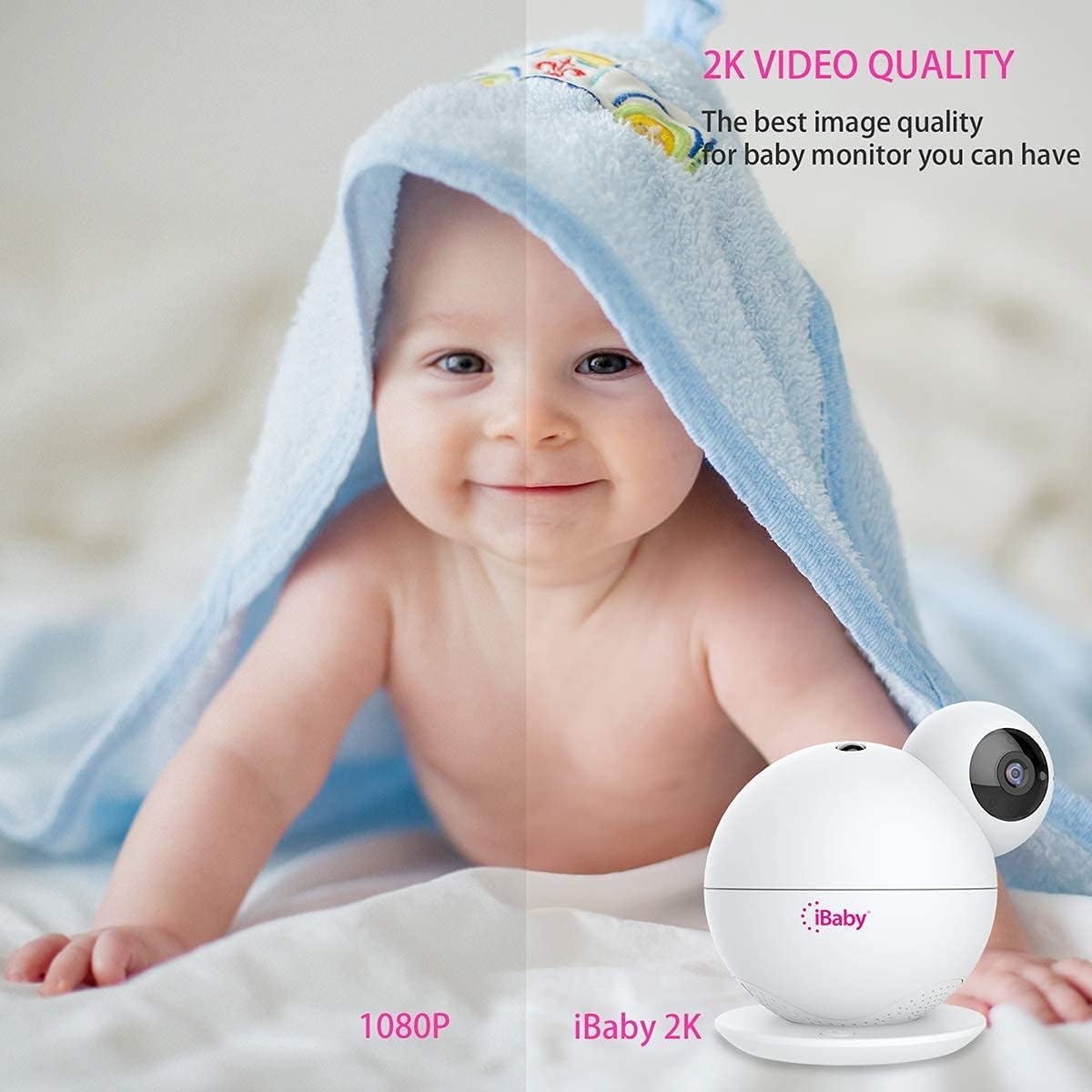
Image: A visual comparison highlighting the superior 2K video quality of the iBaby M8 monitor compared to 1080P.
5. Konfigurazio gida
5.1 Hasierako konfigurazioa
- Piztu: Connect the provided power adapter to the iBaby M8 monitor and plug it into a power outlet. The monitor will take approximately one minute to power on.
- Deskargatu aplikazioa: Download the 'iBaby Care' app from the Apple App Store or Google Play Store on your smartphone.
- Konektatu wifira: Ensure your mobile device is connected to a 2.4GHz or 5GHz Wi-Fi network.
- Open App & Select Monitor: Open the iBaby Care app, select 'iBaby M8' from the installation list, and follow the on-screen prompts.
- Sartu Wi-Fi pasahitza: Eskatzen zaizunean, idatzi zure Wi-Fi sarearen pasahitza.
- Eskaneatu QR kodea: The app will generate a QR code. Hold your smartphone screen in front of the iBaby M8 camera lens (approximately 6-8 inches away) until you hear a confirmation sound indicating the QR code has been scanned successfully.
- Parekatzea: The monitor will then connect to your Wi-Fi network. This process may take a few moments. Once connected, you can begin using your iBaby M8 monitor.
Video: A step-by-step guide on how to install and set up the iBaby M8 monitor using the iBaby Care app.
5.2 Muntatzeko aukerak
The iBaby M8 comes with a wall mount kit for flexible placement. You can place the monitor on a flat surface or mount it to a wall for an optimal view of the nursery.

Image: The iBaby M8 monitor shown with its included wall mount kit, illustrating various mounting possibilities.
6. Funtzionamendu-argibideak
6.1 Bizi View eta Kameraren Kontrola
- Open the iBaby Care app on your smartphone to access the live video feed.
- Use the on-screen controls to pan (move horizontally), tilt (move vertically), and digitally zoom the camera to get the desired view.
6.2 Bi norabideko elkarrizketa
- Tap the microphone icon in the app to speak through the monitor to your baby or a caregiver in the room.
- The monitor's built-in speaker will transmit your voice.

Image: A baby in a crib with a speech bubble, illustrating the two-way audio communication feature of the iBaby M8 monitor.
6.3 Moonlight Projector & Sound Machine
- Activate the moonlight projector feature via the app to display soothing images on the nursery ceiling.
- Access the sound machine feature in the app to play lullabies, white noise, or other calming sounds.

Image: A sleeping baby in a crib with the iBaby M8 monitor nearby, indicating the sound machine feature playing lullabies.
6.4 Alertak eta jakinarazpenak
- The iBaby M8 can send alerts for crying, motion detection, and changes in room temperature or humidity.
- Configure alert settings within the iBaby Care app to receive notifications on your smartphone, even when the screen is off.

Image: A crying baby in a crib with the iBaby M8 monitor and a smartphone displaying a crying alert notification.
7. Mantentzea
- Garbiketa: Use a soft, dry cloth to clean the monitor's surface. Do not use liquid or aerosol cleaners.
- Lenteen zainketa: Gently wipe the camera lens with a microfiber cloth to ensure clear image quality.
- Biltegiratzea: If storing the monitor for an extended period, ensure it is clean, dry, and stored in a safe place away from extreme temperatures.
8. Arazoak
8.1 Arazo eta irtenbide ohikoenak
| Gaia | Irtenbide posiblea |
|---|---|
| Monitor not connecting to Wi-Fi | Ensure your Wi-Fi network is 2.4GHz or 5GHz. Check your Wi-Fi password. Restart your router and the monitor. Make sure the monitor is within range of your Wi-Fi router. |
| Bideoaren kalitate eskasa | Egiaztatu zure Interneteko konexioaren abiadura. Ziurtatu kameraren lentea garbi dagoela. Egokitu kameraren posizioa argiztapen hobea lortzeko. |
| Monitorearen audiorik ez | Check the volume settings in the app. Ensure your phone's volume is up. Restart the app and the monitor. |
| Alerts not working | Verify alert settings in the iBaby Care app. Ensure app notifications are enabled on your smartphone. Check the monitor's sensitivity settings. |
If you encounter persistent issues, please refer to the support section for further assistance.
9. Zehaztapenak
| Ezaugarri | Xehetasuna |
|---|---|
| Eredua | M8 |
| Bideo Ebazpena | 2K (2 times higher HD than 1080P) |
| Pan Angelua | 355° |
| Inklinazio angelua | 110° |
| Konektibitatea | 2.4 GHz eta 5 GHz-ko Wi-Fia |
| Bi norabidetako solasaldia | Bai |
| Moonlight Projector | Bai |
| Soinu Makina | 1000+ lullabies and white noise |
| Alertak | Crying, Motion, Temperature, Humidity |
| Materiala | Plastikoa |
| Kolorea | Zuria |
| Bateria | Built-in, non-replaceable |
| Etxe adimendunen bateragarritasuna | Bai |
10. Bermea eta Laguntza
iBaby is committed to providing quality products and excellent customer service. If you have any questions or encounter issues with your iBaby M8 monitor, our support team is ready to assist you.
- Bermea: Please refer to the product packaging or the official iBaby webbermearen informazio zehatza lortzeko gunea.
- Itzulketak: iBaby supports a no-questions-asked return within 30 days if the product fails to satisfy you.
- Jarri harremanetan laguntzarekin: For technical assistance or customer service, visit the official iBaby webgunea: www.ibabylabs.com.