
Sarrera
Thank you for choosing the Konix FFF Wired Controller. This controller is designed to enhance your gaming experience on Nintendo Switch, Switch 2, and PC, offering an ergonomic design, vibration feedback, and a convenient screenshot button. Please read this manual carefully before use to ensure proper setup and operation.

Figure 1: Konix FFF Wired Controller (White)
Ezaugarri nagusiak
- Grip ergonomikoa: Crafted with quality materials and anti-slip grips for comfortable extended gaming sessions, reducing hand fatigue.
- Kable bidezko konexioa: Features a 3-meter cable, providing ample length for flexible gameplay without battery concerns.
- Bibrazio funtzioa: Enhances immersion during gameplay with responsive vibration feedback.
- Pantaila-argazkiaren botoia: Capture and share your in-game moments with a dedicated screenshot button, similar to official Nintendo Switch controllers.
- Plataforma anitzeko bateragarritasuna: Fully compatible with Nintendo Switch, Switch 2, and PC.

Figure 2: Controller features overview
Konfigurazio Argibideak
Connecting to Nintendo Switch / Switch 2
- Enable Pro Controller Wired Communication:
Before connecting the controller for the first time, you must enable the "Pro Controller Wired Communication" option on your Nintendo Switch console.
- HOME Menuan, hautatu "System Settings".
- Joan behera ezkerreko menuan eta hautatu "Controllers and Sensors".
- Hautatu "Pro Controller Wired Communication" to enable this feature. (Select it again to disable if needed).
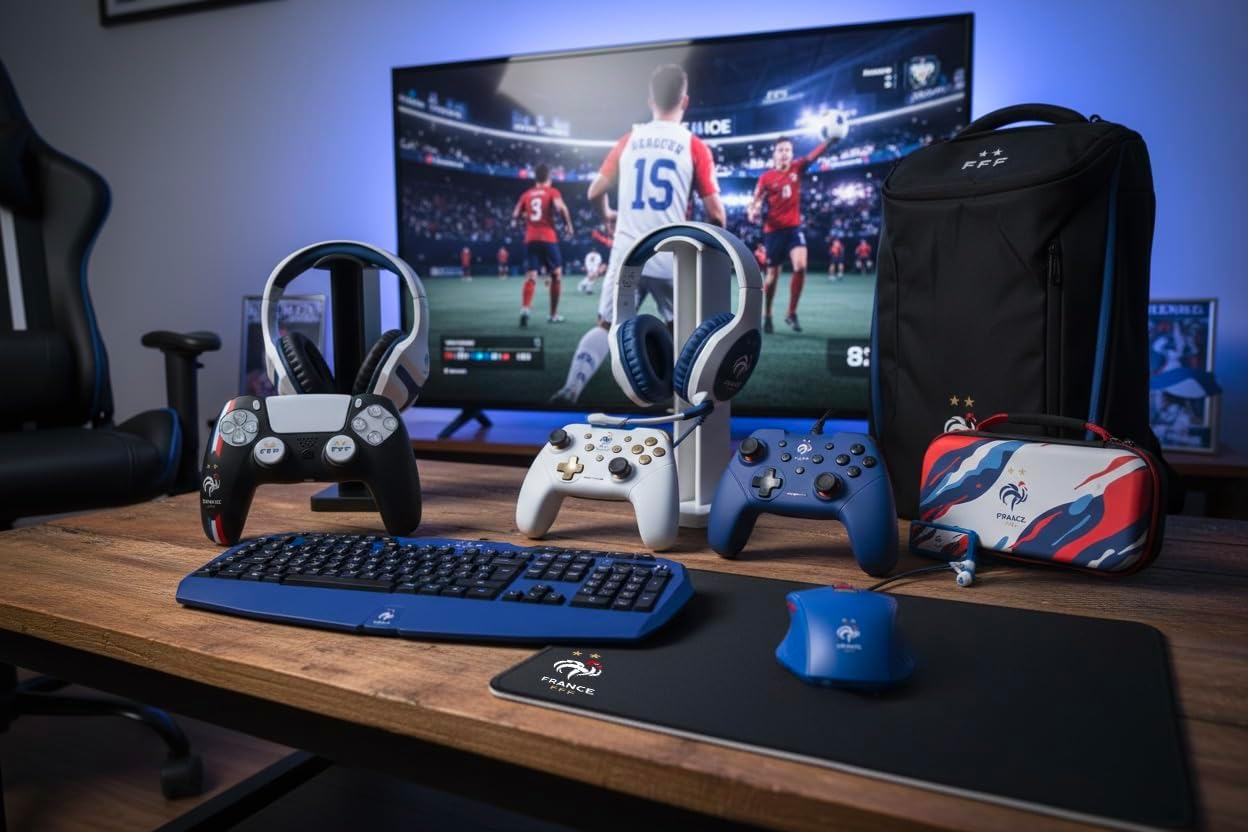
Figure 3: Enabling Pro Controller Wired Communication on Nintendo Switch
- Konektatu kontrolagailua:
Plug the USB-A end of the controller's cable into an available USB port on your Nintendo Switch dock. The controller will automatically connect and be ready for use.

Figure 4: USB cable connection point
PCra konektatzen
- Plug and Play:
Connect the USB-A end of the controller's cable to an available USB port on your PC. The operating system should automatically detect and install the necessary drivers. The controller will then be ready for use with compatible PC games.
Funtzionamendu-argibideak
The Konix FFF Wired Controller functions similarly to standard gamepads. Refer to your game's specific control scheme for button assignments.
Botoi-diseinua
The controller features standard buttons including A/B/X/Y, directional pad, left and right analog sticks, L/R shoulder buttons, ZL/ZR triggers, Home button, Plus (+), Minus (-), and a dedicated Screenshot button.
Figure 5: Controller button layout (front view)
Using the Screenshot Button
- Sakatu Pantaila-argazkia botoia (located below the directional pad) during gameplay to capture an image of your screen.
- On Nintendo Switch, captured images can be accessed and managed from the Album on the HOME Menu.
Bibrazio Funtzioa
- The controller's vibration function provides tactile feedback during compatible games.
- Vibration intensity may be adjustable within individual game settings or console system settings.
Mantentzea
- Garbiketa: Use a soft, dry cloth to clean the controller. Do not use abrasive cleaners or solvents.
- Biltegiratzea: Gorde kontrolatzailea leku fresko eta lehor batean, eguzki-argitik eta muturreko tenperaturetatik babestuta.
- Kableen zainketa: Kalteak ekiditeko, saihestu kablea gehiegi bihurritzea edo gehiegi tiratzea.
Arazoak konpontzea
| Arazoa | Balizko Kausa / Irtenbidea |
|---|---|
| Controller not recognized by Nintendo Switch. |
|
| Ordenagailuak ez du kontrolatzailea ezagutzen. |
|
| Bibrazio funtzioa ez dabil. |
|
| Botoiek ez dute erantzuten edo itsaskorrak dira. |
|
Zehaztapenak
- Modelo zenbakia: 3328170282925
- Bateragarritasuna: Nintendo Switch, Nintendo Switch 2, PC
- Konexio mota: USB kableduna
- Kablearen luzera: 3 metro
- Ezaugarriak: Vibration function, Screenshot button, Ergonomic design
- Neurriak (L x W x H): 7 x 21.5 x 17.5 cm
- Pisua: 390 gramo
- Gomendatutako adina: 3 urte edo gehiago
Bermearen informazioa
Konix products are covered by a limited warranty against defects in materials and workmanship. For specific warranty terms and conditions, please refer to the documentation included with your purchase or visit the official Konix webgunea. Gorde erosketaren egiaztagiria bermearen erreklamazioetarako.
Bezeroarentzako Arreta
If you encounter any issues or have questions regarding your Konix FFF Wired Controller, please contact Konix customer support through their official webgunea edo zure produktuaren ontziarekin emandako harremanetarako informazioa.
Informazio gehiagorako, bisitatu Konix Store on Amazon.