
1. Sarrera
This manual provides essential information for the safe and efficient operation, maintenance, and troubleshooting of your SAMSUNG Jet 90 + Clean Station Bundle Cordless Stick Vacuum. Please read this manual thoroughly before using the appliance and retain it for future reference.
2. Segurtasun informazioa
Beti jarraitu oinarrizko segurtasun neurriak etxetresna elektrikoak erabiltzean, sute, deskarga elektriko edo lesio arriskua murrizteko. Etxetresna hau etxeko erabilerarako soilik da.
- Ez erabili xurgagailua kablea edo entxufea hondatuta badago.
- Ez erabili xurgagailua gainazal bustietan edo likidoak biltzeko.
- Mantendu ilea, arropa solteak, behatzak eta gorputzeko atal guztiak irekiguneetatik eta atal mugikorretatik urrun.
- Ez hartu erretzen edo erretzen ari den ezer, hala nola zigarroak, pospoloak edo errauts beroak.
- Erabili eskuliburu honetan deskribatzen den bezala soilik. Erabili fabrikatzaileak gomendatutako osagarriak soilik.
- Deskonektatu aurretik, itzali kontrol guztiak.
3. Paketearen edukia
Egiaztatu osagai guztiak zure paketean daudela:
- SAMSUNG Jet 90 Cordless Stick Vacuum Main Unit
- Geltoki Garbia
- Ekintza biguneko eskuila
- Mini Motordun Erreminta
- Zirrikitu luzeko tresna
- Konbinazio tresna
- Tresna malgua
- Bateria kargagarria
- Kargatzeko euskarria

Image: All components included in the SAMSUNG Jet 90 + Clean Station Bundle.
4. Konfigurazioa
4.1 Xurgagailua muntatzea
Attach the desired cleaning tool or pipe to the main vacuum unit. Ensure it clicks securely into place.
4.2 Bateria kargatzea
The removable/reusable battery can be charged directly on the vacuum when docked on the charging stand, or separately on the dual charging station. A full charge takes approximately 3 hours.
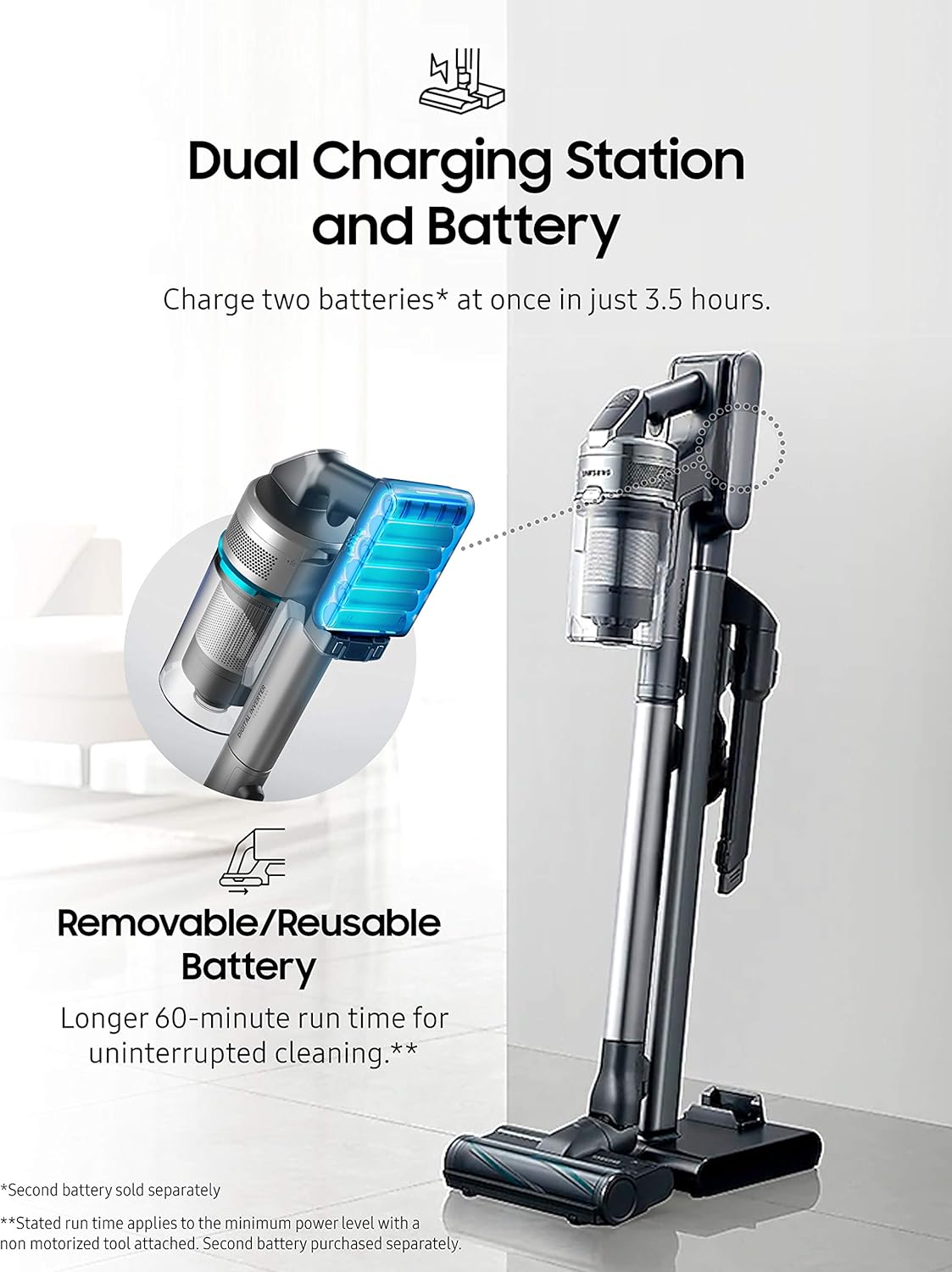
Image: The dual charging station allows for charging two batteries simultaneously.
4.3 Setting up the Clean Station
Place the Clean Station in a convenient location near a power outlet. It is designed to automatically empty the vacuum's dustbin.

Image: The Clean Station automatically empties the dust from your Jet Cordless Vacuum.
5. Funtzionamendua
5.1 Piztea eta xurgapena doitzea
Press the power button to turn on the vacuum. Use the control buttons to adjust the suction power according to your cleaning needs. The vacuum offers up to 200 Air Watts of cleaning performance.

Image: The vacuum provides powerful suction for various floor types.
5.2 Adjusting Telescopic Pipe Length
The telescopic pipe features four available length adjustments for comfortable use, allowing you to reach high or low areas with ease.

Image: The telescopic pipe can be adjusted to four different lengths for ergonomic cleaning.
5.3 Using the Soft Action Brush
The Soft Action Brush is ideal for delicate hard floors like parquet, effectively picking up dust and debris without scratching surfaces.

Image: The lightweight design allows for easy maneuverability under furniture and on stairs.
5.4 Using the Spinning Sweeper Mop Attachment (Optional)
If you have the Spinning Sweeper mop attachment, attach it to the main vacuum unit. Ensure the reusable wet pads or disposable wet pads are securely attached to the spinning discs. Fill the water tank on the attachment with water or a suitable cleaning solution. The spinning action of the pads will clean hard floors. Remember to remove and clean the pads after use.
6. Mantentzea
6.1 Emptying the Dustbin with Clean Station
Place the vacuum's dustbin into the Clean Station. The Clean Station will automatically extract dust and debris into a disposable bag, ensuring a hygienic emptying process.
6.2 Cleaning the 5-Layer Filtration System
The vacuum features a 5-layer filtration system designed to capture pet dander, pollen, and other non-living allergens, trapping 99.999% of microdust. Regularly clean or replace the filters as recommended to maintain optimal performance and air quality.

Image: Diagram illustrating the 5-layer filtration system for enhanced air purification.
6.3 Cleaning Brush Heads and Mop Pads
Periodically inspect and clean the brush heads to remove tangled hair or debris. For the Spinning Sweeper mop attachment, remove and wash the reusable mop pads after each use. Replace disposable pads as needed.
7. Arazoak
If you encounter issues with your SAMSUNG Jet 90 + Clean Station Bundle, refer to the following common solutions:
- Potentziarik gabe: Ziurtatu bateria guztiz kargatuta eta behar bezala sartuta dagoela. Egiaztatu kargatzeko euskarria behar bezala konektatuta dagoen entxufe batera.
- Xurgapen murriztua: Check the dustbin for fullness and empty it if necessary. Inspect the filters for clogs and clean them. Ensure there are no blockages in the brush head, pipe, or hose.
- Ezohiko zarata: Turn off the vacuum immediately. Check for any foreign objects caught in the brush head or air pathways.
- Garbiketa-estazioa ez da husten: Ensure the vacuum's dustbin is correctly seated in the Clean Station. Check if the Clean Station's disposable bag is full and needs replacement.
For persistent issues, please contact SAMSUNG customer support.
8. Zehaztapenak
| Ezaugarri | Xehetasuna |
|---|---|
| Marka | SAMSUNG |
| Ereduaren izena | Jet 90 + CS |
| Elementuaren eredu-zenbakia | VS20R9046P3 |
| UPC | 887276523088 |
| Kolorea | Grisa |
| Ezaugarri Berezia | Poltsarik gabe |
| Iragazki mota | Diskoa (5 geruzako iragazketa sistema) |
| Dakarten osagaiak | Geltoki Garbia |
| Haririk gabekoa al da? | Bai |
| Wattage | 500 watt |
| Kargatzeko Denbora | 3 ordu |
| Forma-faktorea | Makila |
| Produktuaren neurriak | 8.5"L x 9.8"Z x 44.7"A |
| Bateria deskribapena | Litio-Ioia |
| Zarata Maila | 78 dB |
| Elementuaren pisua | 40.2 kilo |
| Barruko/Kanpoko erabilera | Barruan |
9. Bermea eta Laguntza
For warranty information, product registration, or technical support, please refer to the official SAMSUNG webwebgunera edo jarri harremanetan zuzenean bezeroarentzako arreta-zerbitzura. Gorde erosketaren frogagiria berme-erreklamazioetarako.