
1. Sarrera
Eskerrik asko erosketagatik.asing the Generic B10 Hi-Fi Stereo Wireless Bluetooth Over-Ear Headphones. This manual provides essential information for the safe and efficient operation of your device. Please read it thoroughly before use and retain it for future reference.
2. Produktua amaitu daview
The B10 headphones offer versatile audio playback options, including wireless Bluetooth connectivity, an integrated SD card reader, FM radio, and a wired audio input. They feature an over-ear design for comfort and include a built-in microphone for hands-free calls.
Paketearen edukia:
- Generic B10 Over-Ear Headphones
- USB kargatzeko kablea
- 3.5 mm-ko audio kablea
- Erabiltzailearen eskuliburua
Headphone Diagram:
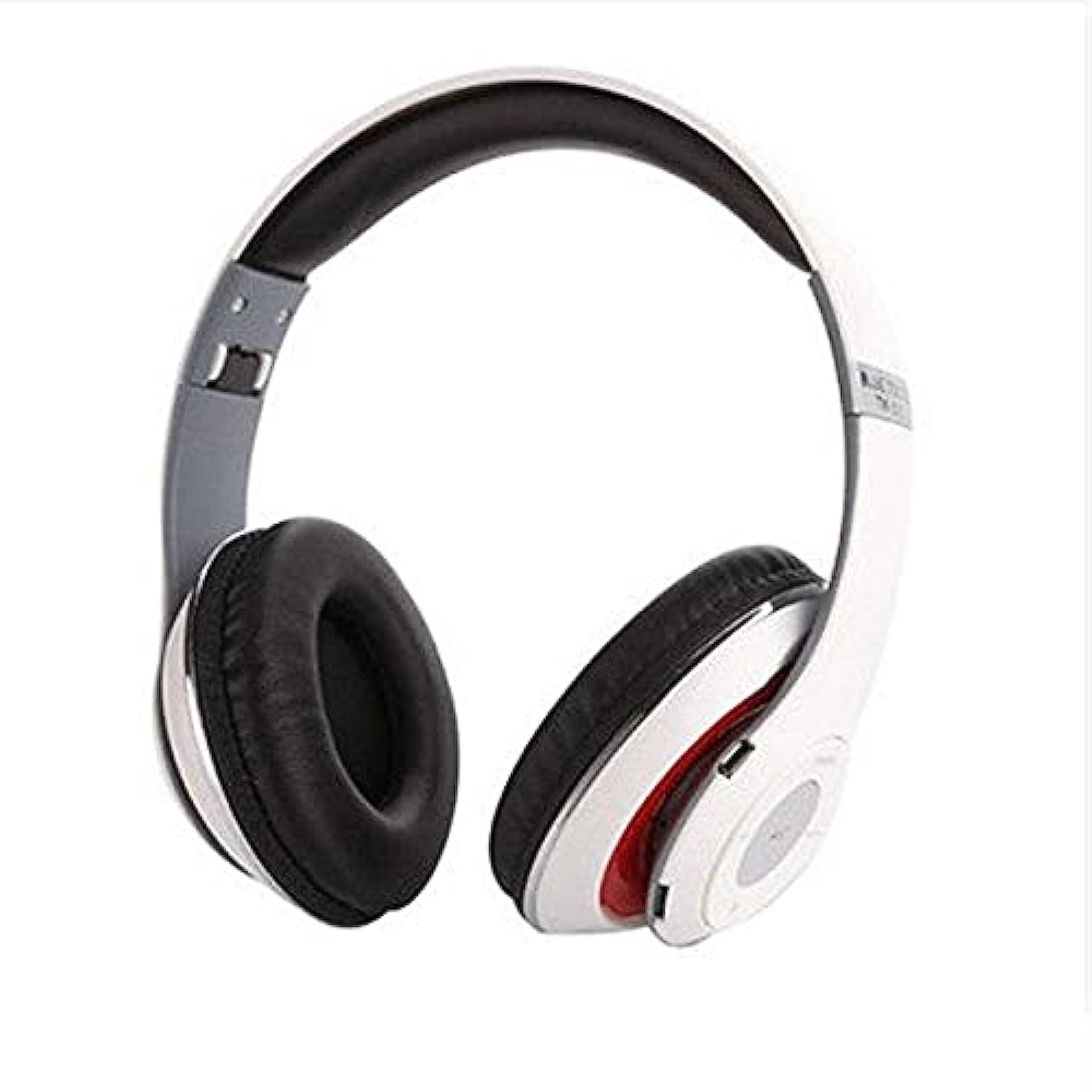
Image: The Generic B10 Over-Ear Headphones, featuring the adjustable headband, cushioned earcups, and visible control buttons on one earcup.
Ezaugarri nagusiak:
- Haririk gabeko Bluetooth konexioa
- Built-in SD Card Reader for MP3 Playback
- Integrated FM Radio Tuner
- Wired Audio Input (3.5mm AUX)
- Esku libreko deietarako mikrofono integratua
- Zarata Isolamendua
- Over-Ear Design for Comfort
3. Konfigurazioa
3.1. Entzungailuak kargatzea
- Konektatu USB kargatzeko kablearen mutur txikia entzungailuen kargatzeko atakara.
- Konektatu USB kargatzeko kablearen mutur handiena USB elikatze-egokitzaile batera (ez dago barne) edo ordenagailuaren USB ataka batera.
- The LED indicator will illuminate, typically red, during charging.
- Once fully charged, the LED indicator will change color or turn off (refer to specific LED behavior in the specifications).
- Deskonektatu kargatzeko kablea.
Oharra: Bateriaren iraupen optimoa lortzeko, kargatu guztiz entzungailuak lehen aldiz erabili aurretik.
3.2. Piztu/Itzaltzea
- Pizteko: Press and hold the Power/Multi-function button for approximately 3-5 seconds until the LED indicator flashes and an audible prompt is heard.
- Itzaltzeko: Press and hold the Power/Multi-function button for approximately 3-5 seconds until the LED indicator turns off and an audible prompt is heard.
4. Funtzionamendu-argibideak
4.1. Bluetooth parekatzea
- Ziurtatu entzungailuak itzalita daudela.
- Press and hold the Power/Multi-function button for about 5-7 seconds until the LED indicator flashes red and blue alternately, indicating pairing mode.
- Gaitu Bluetooth gailuan (smartphone, tableta, ordenagailua).
- Bilatu available Bluetooth devices. The headphones will appear as "B10" or a similar name.
- Select "B10" to connect. Once paired, the LED indicator will typically flash blue slowly, and an audible confirmation will be heard.
- Pasahitza eskatzen badizute, idatzi "0000".
4.2. SD txartelaren erreprodukzioa
- Sartu microSD txartel bat (TF txartela) MP3 audioarekin files into the SD card slot on the headphones. Ensure the card is inserted correctly until it clicks into place.
- The headphones will automatically switch to MP3 mode and begin playing music from the SD card.
- Use the 'Next Track' and 'Previous Track' buttons to navigate songs.
- Sakatu 'Erreproduzitu/Pausatu' botoia erreprodukzioa pausatzeko edo berriro hasteko.
4.3. FM Irrati modua
- With the headphones powered on, press the 'Mode' button to switch to FM Radio mode.
- Press the 'Play/Pause' button once to automatically scan and save available FM stations. This process may take a few minutes.
- Use the 'Next Track' and 'Previous Track' buttons to switch between saved FM stations.
4.4. Wired Audio Mode (AUX)
- Connect one end of the 3.5mm audio cable to the AUX input port on the headphones.
- Connect the other end of the 3.5mm audio cable to the audio output jack of your device (e.g., smartphone, computer, MP3 player).
- Entzungailuak automatikoki aldatuko dira kable bidezko modura.
- Oharra: In wired mode, the headphone controls (volume, track, play/pause) may not function. Control playback directly from your connected device.
4.5. Deitu funtzioak
- Erantzun deia: Sakatu behin pizteko/funtzio anitzeko botoia.
- Amaitu deia: Press the Power/Multi-function button once during a call.
- Deia baztertu: Sakatu eta eutsi pizteko/funtzio anitzeko botoia 2 segundo inguru.
- Berriz markatu azken zenbakia: Sakatu bi aldiz pizteko/funtzio anitzeko botoia.
4.6. Kontrol Orokorrak
| Botoia | Funtzioa |
|---|---|
| Power/Multi-function | Power On/Off, Play/Pause, Answer/End/Reject Call, Redial |
| Bolumena + / Hurrengo pista | Short press: Next Track/Station; Long press: Volume Up |
| Bolumena - / Aurreko pista | Short press: Previous Track/Station; Long press: Volume Down |
| Modua (M) | Switch between Bluetooth, SD Card, and FM Radio modes |
5. Mantentzea
- Garbitu entzungailuak oihal leun eta lehor batekin. Ez erabili garbitzaile edo disolbatzaile urratzailerik.
- Saihestu entzungailuak muturreko tenperaturen, hezetasunaren edo eguzki-argiaren eraginpean jartzea.
- Gorde entzungailuak leku fresko eta lehor batean erabiltzen ez dituzunean.
- Ez saiatu entzungailuak desmuntatzen edo aldatzen, horrek bermea baliogabetuko baitu eta kalteak eragin ditzakeelako.
6. Arazoak
| Arazoa | Irtenbide posiblea |
|---|---|
| Entzungailuak ez dira pizten. | Ziurtatu bateria kargatuta dagoela. Konektatu energia-iturri batera USB kablea erabiliz. |
| Ezin da Bluetooth bidez parekatu. | Ensure headphones are in pairing mode (flashing red/blue). Turn off and on Bluetooth on your device. Move closer to the headphones. |
| Ez dago soinurik entzungailuetatik. | Check volume levels on both headphones and connected device. Ensure headphones are correctly paired or connected via AUX cable. Check if the correct mode (Bluetooth, SD, FM) is selected. |
| SD card music not playing. | Ensure the SD card is inserted correctly and contains compatible MP3 files. Press the 'Mode' button to switch to SD card mode. |
| FM irratia ez dabil. | Ensure you are in FM mode. Perform an auto-scan for stations by pressing the Play/Pause button. Try in a location with better signal. |
7. Zehaztapenak
| Ezaugarri | Xehetasuna |
|---|---|
| Marka | Generikoa |
| Modelo zenbakia | B10 |
| Kolorea | Zuria |
| Konektibitate Teknologia | Kableatua/Haririk gabekoa (Bluetooth) |
| Belarrien Kokatzea | Belarri gainekoa |
| Forma-faktorea | Belarri gainekoa |
| Zarata Kontrola | Zarata Isolamendua |
| Mikrofonoa | Bai |
| Bateria | Rechargeable (Included) |
| Gailu bateragarriak | All devices with Bluetooth or 3.5mm audio output |
| Ezaugarri bereziak | Zarata ezeztapena, mikrofonoa barne |
| Kontrol mota | Bolumen kontrola |
| Kontrol-metodoa | Ukitu (botoiak) |
| Uraren Erresistentzia Maila | Ez Urarekiko Erresistentea |
8. Segurtasun informazioa
- Ez erabili entzungailuak bolumen altuan denbora luzez entzumen-kalteak saihesteko.
- Ez erabili entzungailuak gidatzen ari zaren bitartean, bizikletan zoazela edo inguruko soinuak entzun behar dituzun egoeretan.
- Keep the headphones away from water, moisture, and extreme temperatures.
- Dispose of the battery according to local regulations. Do not expose to fire or extreme heat.
- Mantendu haurren eskura.
9. Bermea eta Laguntza
This product comes with a standard manufacturer's warranty. For warranty claims or technical support, please refer to the contact information provided at your point of purchase. Keep your proof of purchase for warranty validation.