
lifoarey RL-XE0B5DS-PB3A9F
Lifoarey 5MP Outdoor Security Camera Instruction Manual
Marka: Lifoarey | Eredua: RL-XE0B5DS-PB3A9F
5MP Outdoor Security Camera, Full-time Color Wired Security Camera, Analog Surveillance CCTV Camera 4-in-1, TVI/CVI/AHD/CVBS, 24/7 Recording Add-On Camera with 100 ft Colorful Night Vision
1. Produktua amaitu daview
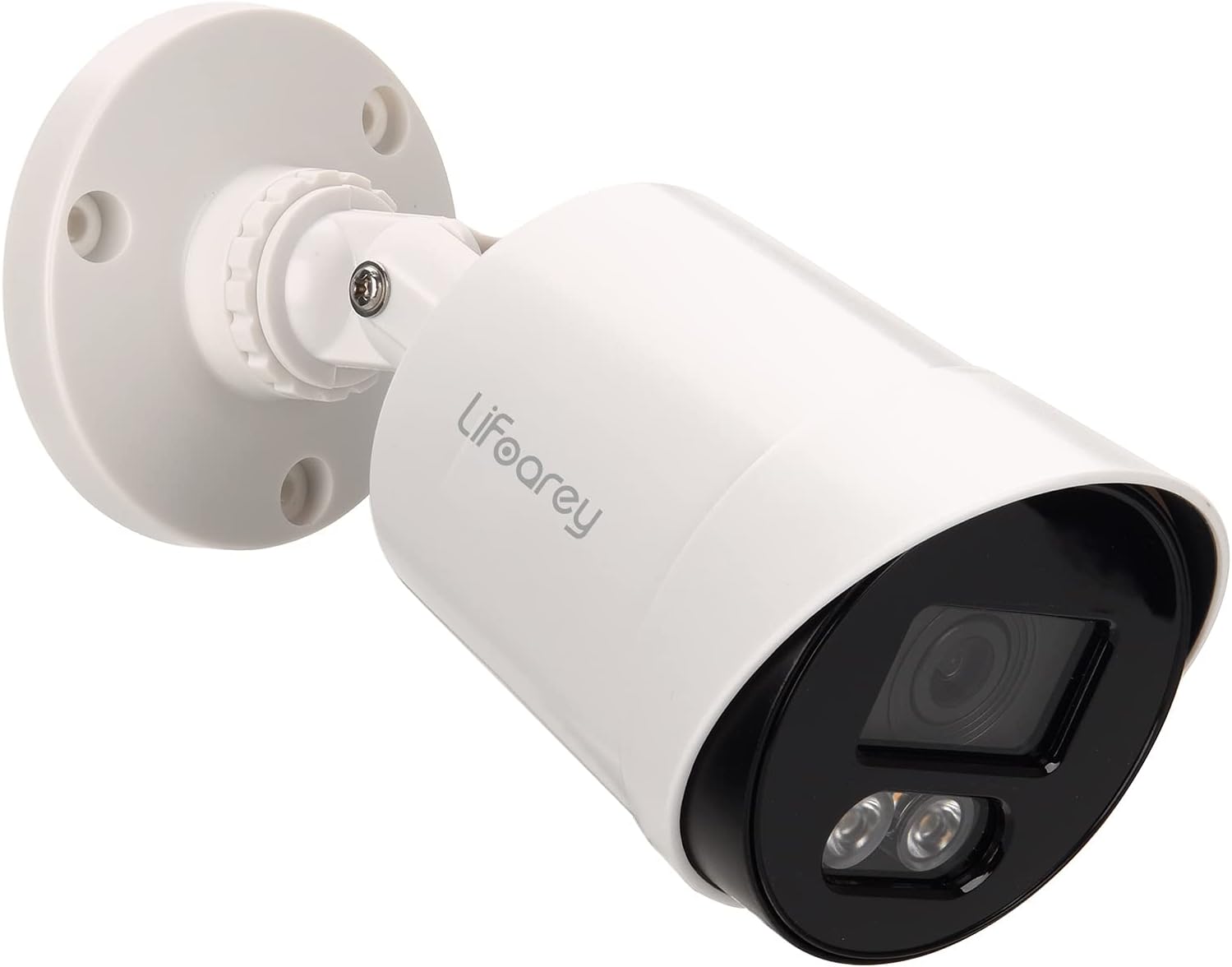
The Lifoarey 5MP Outdoor Security Camera is a high-definition surveillance solution designed for comprehensive home and property monitoring. It delivers superior image clarity and vibrant color night vision, ensuring detailed footage erloju inguruan.
Ezaugarri nagusiak:
- 5MP Super HD Bereizmena: Captures 2560 × 1920 pixel images, providing significantly more detail than 1080P cameras.
- 24/7 Colorful Night Vision: Equipped with 2 warm light LEDs, offering up to 50ft of full-color night vision, allowing for better identification of subjects and objects in low-light conditions.
- Multi-compatible 4-in-1: Supports 5MP TVI, 5MP CVI, 5MP AHD, and 960H CVBS video outputs, ensuring broad compatibility with various DVR systems.
- IP66 Iraunkorra Eguraldiarekiko Erresistentea den Diseinua: Built to withstand harsh weather conditions, suitable for both indoor and outdoor installation.
- Zabala ViewAngelua: Features an 82.2° view angle with a 3.6mm lens.
2. Zer dago kutxan
Paketea irekitzean, egiaztatu honako osagai guztiak daudela:
- 1 x Lifoarey 5MP Outdoor Security Camera
Note: This camera does not include a DVR, power adapter, or video power cable. These components must be purchased separately.
3. Konfigurazio gida
Follow these steps to set up your Lifoarey 5MP Outdoor Security Camera system. For a visual guide, please refer to the setup video below.
3.1. Konexio-diagrama
The following diagram illustrates the complete connection setup for the camera, DVR, monitor, and network components.

3.2. Instalazioa urratsez urrats
- Step 1: Power on DVR and Connect to Monitor
Power on your Digital Video Recorder (DVR) and connect it to a monitor using an HDMI cable. Ensure the monitor is powered on and set to the correct input source.
- Step 2: Connect Cameras to DVR with BNC Cables
Connect the cameras to the DVR using BNC cables. Power on the power splitters cable and connect it to the DC12VIN interface of the BNC cable. Then, connect the BNC cable to the VIDEO IN interface of the DVR. Finally, connect the cameras to the BNC cable.
- Step 3: Connect DVR to Router via Network Cable
For remote access and network features, connect the DVR to your router using a standard network (Ethernet) cable. This will enable online viewing and management of your security system.
3.3. Kamera muntatzea
The camera features a 3-axis mounting bracket for flexible installation on walls or ceilings. This allows for precise angle adjustment and provides vandal-proof wire protection.

4. Funtzionamendu-argibideak
4.1. 24/7 Colorful Night Vision
This camera is designed to produce a colorful image even in extremely dimly lit environments. The two warm light LEDs activate automatically in low light, illuminating the area to capture more details such as car color, clothes color, and hair color. This feature significantly aids in identifying individuals or objects in darkness, enhancing security.

4.2. Video Output Modes (4-in-1)
The camera supports four different video output formats: 5MP TVI, 5MP CVI, 5MP AHD, and 960H CVBS. This allows for compatibility with a wide range of DVR systems. The camera's resolution must be equal to or lower than the DVR's resolution for proper functionality.
5. Mantentzea
5.1. Kamera garbitzea
To ensure optimal performance and clear image quality, periodically clean the camera lens and housing. Use a soft, lint-free cloth. For stubborn dirt, a slightly damp oihal bat erabil daiteke, eta ondoren oihal lehor bat. Saihestu produktu kimiko gogorrak edo material urratzaileak erabiltzea.
5.2. Eguraldiarekiko erresistentzia
The camera has an IP66 weatherproof rating, meaning it is protected against dust and powerful water jets. While designed for durability in various weather conditions, regular inspection for any physical damage or blockages (e.g., spiderwebs, debris) is recommended to maintain its effectiveness.

6. Arazoak
This section addresses common questions and issues you might encounter with your security camera.
- Q: Does the camera come with a power supply or cable?
A: No, the camera does not come with a power supply or the cable that runs back to the DVR. These must be acquired separately.
- Q: What BNC cables are available?
A: A BNC is a standard coaxial cable. Note that you will still need to run a separate cable for power. Converters are available to allow the use of CAT network cable as well.
- Q: Does this camera support inserting a microSD card?
A: No, this is an analog camera designed to be run in a DVR using BNC cables with a power split. It does not support microSD cards for local storage.
- Q: Will this camera work with an older Samsung SDR-5102 DVR or Swann DVR 4-4400H?
A: This camera cannot work with 960H/720P DVRs because the camera's resolution is 5-Megapixel. In general, the resolution of the camera must be lower than or equal to the DVR's resolution for compatibility.
- Q: The product description states it can output CVI/AHD/CVBS, but it only outputs TVI.
A: While the product is advertised as 4-in-1 compatible, some users have reported that it may default to TVI format. Ensure your DVR is compatible with 5MP TVI. If you experience issues, contact customer support for assistance with mode switching or compatibility.
7. Zehaztapenak
| Atributua | Balioa |
|---|---|
| Marka | lifoarey |
| Modelo zenbakia | RL-XE0B5DS-PB3A9F |
| Bideo Harrapaketa Ebazpena | 5 MP |
| Konektibitate Teknologia | Kableatua |
| Barruko/Kanpoko erabilera | Barruan, Kanpoan |
| Ezaugarri Berezia | HD Resolution: 5MP |
| Energia iturria | Korronte zuzena (12 volt) |
| Viewangelua | 82.2 gradu |
| Gaueko Ikusmenaren barrutia | 100 Feet (Colorful Night Vision) |
| Nazioarteko Babesteko Balorazioa | IP66 |
| Materiala | Plastikoa |
| Elementuaren neurriak L x W x H | 6.1 x 2.8 x 2.8 hazbete |
| Elementuaren pisua | 9.6 ontza |
| Fotograma-tasa | 20 fps |
| Argi iturri mota | 2 pcs warm light LED |
| Gailu bateragarriak | Bideo Grabagailu Digitala |
| Gomendatutako Erabilerak | For home security, garden security, garage security |
8. Bermea eta Laguntza
Your Lifoarey 5MP Outdoor Security Camera comes with a comprehensive warranty and dedicated technical support to ensure your peace of mind.
- Bermea: 2 urteko bermea
- Laguntza teknikoa: Life-Time Tech Support
Galderarik baduzu, laguntza teknikorik baduzu edo berme-erreklamaziorik baduzu, jarri harremanetan gure bezeroarentzako arreta-taldearekin:
Posta elektronikoa: support@lifoarey.com
Ask a question about this manual
Ask about setup, troubleshooting, compatibility, parts, safety, or missing instructions. Manuals+ will review the question and use this page’s manual context to help answer it.