
1. Sarrera
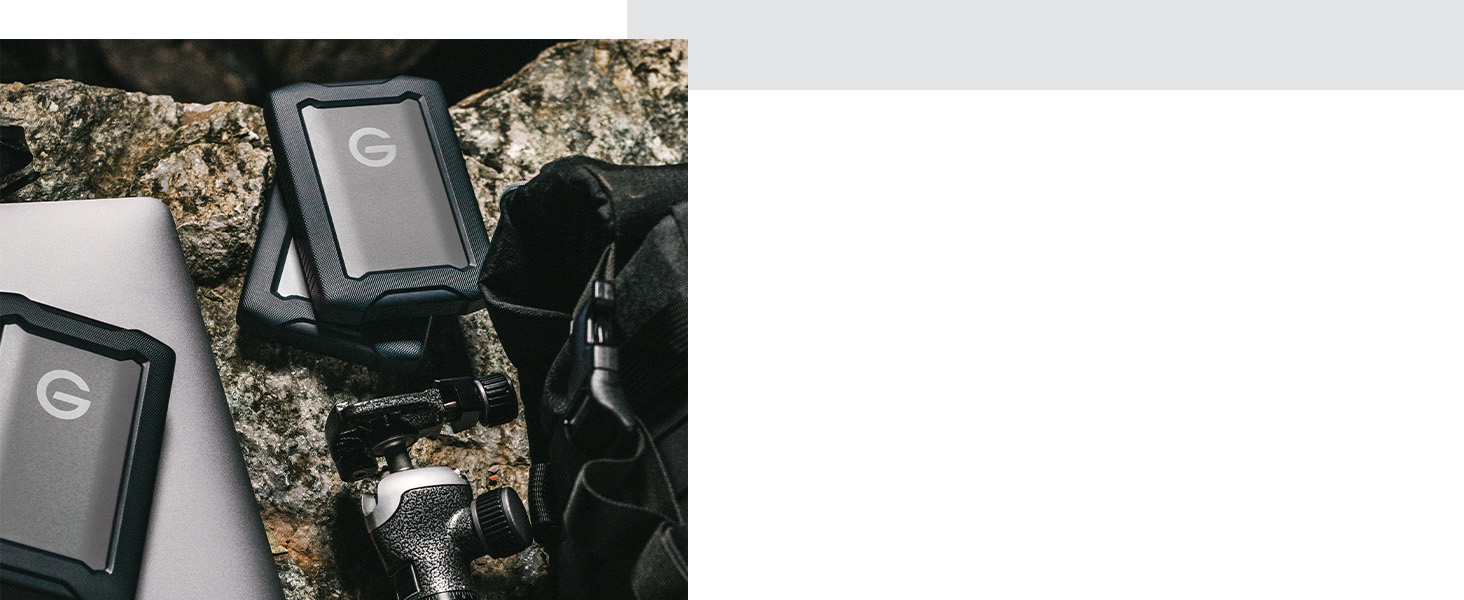
The SanDisk Professional G-DRIVE ArmorATD is a rugged, durable portable external hard drive designed for reliable storage and backup. This manual provides essential information for setting up, operating, maintaining, and troubleshooting your device.
Ezaugarri nagusiak:
- USB-C (5Gbps) interface for quick file backup and storage.
- Works with macOS out of the box, and Windows via reformat.
- Premium, anodized aluminum enclosure for enhanced durability.
- Triple-layer shock resistance guards against drops up to 1.2 meters.
- Rain- and dust-resistant (IP54) enclosure with a 1000lb crush resistance.

2. Konfigurazioa
Zer dago Kutxan:
- G-DRIVE ArmorATD
- USB-C kablea
- USB-C USB-A kablea
- Hasierako gida azkarra
Zure gailua konektatzea:
- Connect one end of the provided USB-C cable to the USB-C port on your G-DRIVE ArmorATD.
- Connect the other end of the USB-C cable to an available USB-C port on your computer. If your computer only has USB-A ports, use the provided USB-C to USB-A cable.
- The drive is bus-powered, meaning it draws power directly from your computer via the USB connection. No external power adapter is needed.

Hasierako erabilera:
- MacOS erabiltzaileentzat: The drive is pre-formatted for macOS (HFS+) and is ready to use out of the box. It is compatible with Time Machine for easy backups.
- Windows erabiltzaileentzat: The drive requires reformatting for full compatibility with Windows operating systems. Please refer to your operating system's documentation for instructions on how to reformat an external drive.
3. Funtzionamendu-argibideak
Transferitzea Files:
Once connected and recognized by your computer, the G-DRIVE ArmorATD functions like any other external storage device. You can drag and drop files and folders to and from the drive. For optimal performance, ensure you are using a USB 3.2 Gen 1 (or higher) compatible port.
Datuen babeskopia:
Regularly back up your important data to prevent loss. For macOS, utilize the built-in Time Machine feature. For Windows, consider using File History or third-party backup software.
4. Mantentzea
Kanporaketa segurua:
Always safely eject the G-DRIVE ArmorATD from your computer before disconnecting it. This prevents data corruption and ensures the longevity of the drive. On macOS, drag the drive icon to the Trash or right-click and select 'Eject'. On Windows, right-click the drive in 'This PC' and select 'Eject'.
Zaintza fisikoa:
- The drive features a triple-layer shock resistance and a robust enclosure. While designed to be durable, avoid unnecessary drops or impacts.
- The IP54 rating indicates resistance to rain and dust. However, it is not fully waterproof; avoid submerging the device in water.
- Keep the device clean by wiping it with a soft, dry cloth. Avoid harsh chemicals or abrasive materials.
- Store the drive in a cool, dry place away from extreme temperatures and direct sunlight.

5. Arazoak
Unitatea ez da ezagutzen:
- Ziurtatu USB kablea ondo konektatuta dagoela bai unitateari bai ordenagailura.
- Saiatu unitatea ordenagailuko beste USB ataka batera konektatzen.
- Probatu beste USB kable batekin, eskuragarri badago.
- Berrabiarazi ordenagailua.
- For Windows users, ensure the drive has been properly formatted for Windows. Check Disk Management to see if the drive is visible but unformatted.
Transferentzia-abiadura motelak:
- Ensure you are connected to a USB 3.2 Gen 1 (or higher) port on your computer. Older USB 2.0 ports will result in significantly slower speeds.
- Saihestu hainbat aplikazio zorrotz exekutatzea denbora luzez file transferentziak.
- Egiaztatu ordenagailuaren baliabideen erabilera (CPU, RAM) transferentzia oztopatzen ez duela ziurtatzeko.
Datuen ustelkeria:
- Beti atera unitatea segurtasunez deskonektatu aurretik.
- If data corruption occurs, try running disk utility tools (Disk Utility on macOS, Check Disk on Windows) to repair the drive.
6. Zehaztapenak
| Ezaugarri | Xehetasuna |
|---|---|
| Biltegiratze Digitalaren Ahalmena | 1000 GB (1 TB) |
| Disko gogorraren interfazea | USB 3.1 |
| Konektibitate Teknologia | USBa |
| Marka | SanDisk Professional |
| Ezaugarri Berezia | Eramangarria |
| Disko gogorraren forma-faktorea | 2.5 hazbete |
| Disko gogorraren deskribapena | Disko gogor mekanikoa |
| Gailu bateragarriak | Mahaigaina, ordenagailu eramangarria |
| Instalazio mota | Kanpoko Disko Gogorra |
| Kolorea | Espazio grisa |
| Ezaugarri gehigarriak | Eramangarria |
| Disko gogorraren biraketa-abiadura | 5400 RPM |
| Produkturako erabilera espezifikoak | Pertsonalak, jokoak, negozioak |
| Irakurri Abiadura | 500 Megabyte segundoko |
| Media Abiadura | 600 MB/s |
| Datuen transferentzia-tasa | 600 Megabyte segundoko |
| Forma-faktorea | Eramangarria |
| Hardware Konektibitatea | USBa |
| Hard-Drive Size | 1 TB |
| Elementuaren pisua | 0.51 kilo |
| Item Dimensions L x W x Thickness | 5.12"L x 3.43"Z x 0.83"Lo |
| Modelo zenbakia | SDPH81G-001T-GBAND |
| Ereduaren izena | G-DRIVE ArmorATD |
| Fabrikatzailea | Western Digital Technologies, Inc. |
7. Bermea
The SanDisk Professional G-DRIVE ArmorATD comes with a 3 urteko fabrikatzailearen berme mugatua. For detailed terms and conditions, please refer to the warranty information provided with your product or visit the official SanDisk Professional webgunea.
8. Laguntza
For technical assistance, product registration, or additional information, please visit the SanDisk Professional support website or contact their customer service. Keep your product's model number and serial number handy when seeking support.
Produktuaren bideo ofiziala: