
Sarrera
This manual provides essential information for the proper use and maintenance of your Blitzwolf BW-AT2C Smartwatch. Please read these instructions carefully before using the device to ensure optimal performance and longevity. This smartwatch features Bluetooth calling, comprehensive health monitoring, various sports modes, and smart notifications.
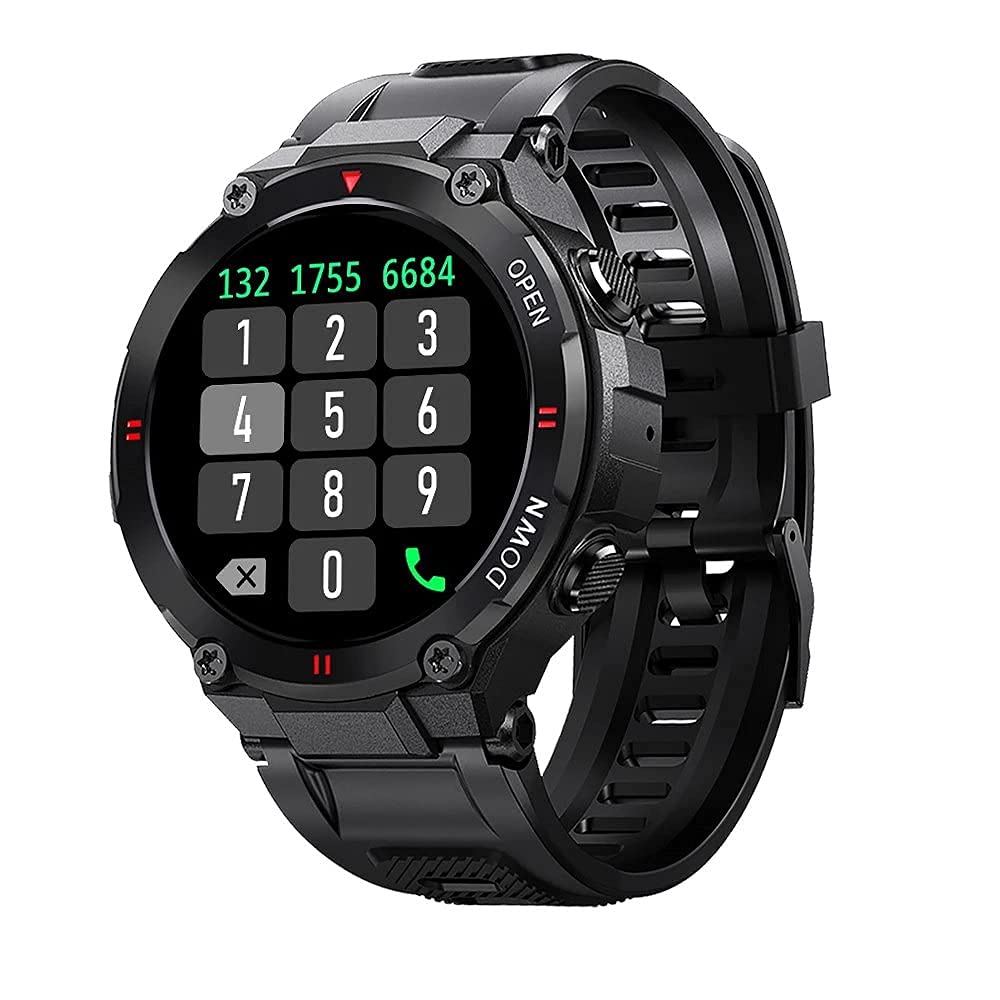
Irudia: Aurrealdea view of the Blitzwolf BW-AT2C Smartwatch, displaying a digital watch face with time, date, battery, and step count.
Produktua amaituview
The Blitzwolf BW-AT2C Smartwatch is designed for daily use, fitness tracking, and communication. It features a durable build and a clear display.
- Pantaila: 1.3-inch IPS full touch screen.
- Kontrola: Full touch screen and two side buttons.
- Sentsoreak: Heart rate, blood pressure, blood oxygen, pedometer, sleep monitor.
- Konektibitatea: Bluetooth 5.0 for calls and data synchronization.
- Iraunkortasuna: IP54 urarekiko erresistentzia.

Image: The smartwatch displaying weather information, highlighting its robust design and metal buttons.

Irudia: Atzealdea view of the smartwatch, showing the optical heart rate sensor and magnetic charging contacts, along with the model number BW-AT2C.
Konfigurazioa
1. Gailua kargatzea
Before initial use, fully charge your smartwatch. Connect the magnetic charging cable to the charging contacts on the back of the watch and plug the USB end into a power adapter (not included) or a computer's USB port. The watch screen will indicate charging status. A full charge takes approximately 2 hours.
2. Aplikazioaren instalazioa eta parekatzea
- Deskargatu aplikazioa: Bilatu "Da Fit" in your smartphone's app store (Google Play Store for Android or Apple App Store for iOS) and install it.
- Gaitu Bluetootha: Ziurtatu Bluetootha gaituta dagoela zure telefonoan.
- Ireki Da Fit aplikazioa: Launch the "Da Fit" application on your smartphone.
- Gehitu gailua: In the app, navigate to the "Device" section and select "Add Device". The app will search for available devices.
- Aukeratu zure erlojua: Choose "BW-AT2C" from the list of found devices to initiate pairing.
- Berretsi parekatzea: Follow any on-screen prompts on both your phone and watch to confirm the pairing.
- Enable Call Function: For the Bluetooth call feature, you may need to pair the watch a second time through your phone's Bluetooth settings. Look for "BW-AT2C_CALL" or similar in your phone's Bluetooth device list and connect to it.
Oharra: For full functionality, ensure the "Da Fit" app has all necessary permissions (e.g., location, notifications, contacts) enabled on your smartphone.
Funtzionamendu-argibideak
Oinarrizko Nabigazioa
- Ukipen-pantaila: Irristatu ezkerrera/eskuinera, gora/behera menuetan eta funtzioetan nabigatzeko. Sakatu hautatzeko.
- Alboko botoiak: The top button typically acts as a power/wake button and a back button. The bottom button may be a shortcut to sports modes or other functions, depending on customization.
- Esnatzeko pantaila: Raise your wrist or press a side button to wake the screen.
- Distira doitzea: Adjust screen brightness through the watch settings or the Da Fit app for better visibility in various lighting conditions.
- Erloju aurpegi pertsonalizatuak: Change watch faces directly on the watch or via the Da Fit app. You can also customize watch faces with your own photos.
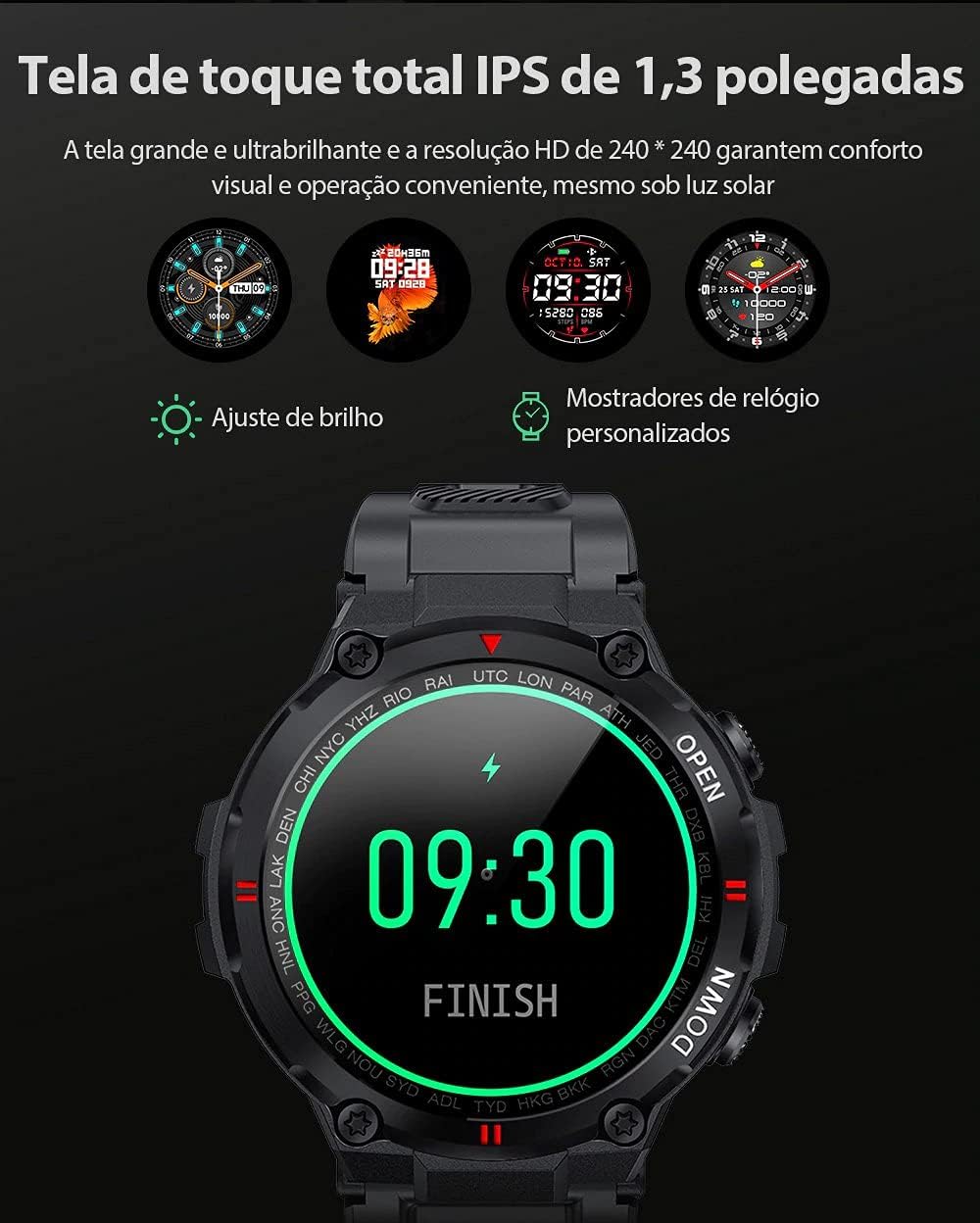
Image: The smartwatch displaying multiple customizable watch faces and options for brightness adjustment.
Deiak egitea eta jasotzea
The BW-AT2C allows you to make and receive calls directly from your wrist after successful Bluetooth pairing (including the call function pairing).
- Deiak jasotzea: Dei bat sartzen denean, erlojuak deitzailearen IDa bistaratuko du. Deiari zuzenean erantzun edo ukatu diezaiokezu erlojuaren pantailatik.
- Deiak egitea: Dei bat hasteko, sartu erlojuaren markagailura edo kontaktuen zerrendara.

Image: A comparison showing the BW-AT2C model with its Bluetooth call function (dial pad visible) next to the BW-AT2 model without this feature.
Musika Kontrola
Control music playback on your smartphone directly from your watch. Functions include play, pause, skip forward, and skip backward.
Osasunaren Jarraipena
The smartwatch continuously monitors various health metrics.
- Bihotz-taupadak: Bihotz-maiztasunaren denbora errealeko monitorizazioa. View your current heart rate and historical data in the app.
- Odol-presioa: Measure your blood pressure on demand.
- Odoleko oxigenoa (SpO2): Jarrai ezazu zure odoleko oxigeno saturazio mailak.
- Loaren jarraipena: Zure loaren ereduak kontrolatzen ditu, lo sakona, lo arina eta esnatzeko orduak barne.
- pedometer: Eguneroko urratsak, distantzia eta erretako kaloriak zenbatzen ditu.

Image: The smartwatch screen showing a graph of heart rate data, indicating current BPM and historical trends.
Kirol modalitateak
The watch supports multiple sports modes to track your workouts accurately. Available modes include Walking, Running, Cycling, Skipping Rope, Badminton, Basketball, and Football. Select your desired mode before starting an activity to record relevant data.
Jakinarazpenak
Receive notifications from your smartphone directly on your watch. This includes call reminders, message alerts, and app notifications from platforms like WhatsApp, Instagram, Facebook, and Twitter. Ensure notification permissions are granted in the Da Fit app and your phone's settings.

Image: The smartwatch on a user's wrist, showing an incoming call alert and SMS reminder, indicating its notification capabilities.
Beste Ezaugarri batzuk
- Iratzargailua: Set up to three alarms via the app.
- Kronometroa: Erabili barneko kronometroa denbora neurtzeko jardueretarako.
- Sedentarioaren abisua: The watch will alert you if you remain inactive for too long.
- Urruneko kameraren kontrola: Erabili erlojua telefonoaren kamerarentzako urrutiko obturadore gisa.
- Find Watch/Find Phone: Locate your watch or phone using the respective functions in the app or on the watch.
- Egutegia: Access calendar information.
Mantentzea
- Garbiketa: Garbitu erlojua eta uhala aldizka zapi leun eta lehor batekin. Zikinkeria egoskorra bada, erabili zapi apur bat lehorra.amp cloth and dry thoroughly. Avoid harsh chemicals.
- Urarekiko erresistentzia (IP54): The BW-AT2C is IP54 water-resistant, meaning it is protected against dust ingress and splashing water from any direction. It is suitable for daily use like hand washing or light rain. Do not submerge the watch in water, wear it while swimming, showering, or in saunas. Prolonged exposure to water or high-pressure water jets may cause damage.
- Kontaktuak kargatzeko: Keep the magnetic charging contacts clean and dry to ensure proper charging.
- Biltegiratzea: Gorde erlojua leku fresko eta lehor batean erabiltzen ez duzunean.
Arazoak konpontzea
| Arazoa | Irtenbidea |
|---|---|
| Erlojua ez da pizten. | Ziurtatu erlojua guztiz kargatuta dagoela. Konektatu kargagailura gutxienez 30 minutuz. |
| Ezin da telefonoarekin parekatu. |
|
| Jakinarazpenak ez dira jasotzen. |
|
| Call function not working. | Ensure you have paired the "BW-AT2C_CALL" device in your phone's Bluetooth settings in addition to the main watch pairing. |
| Osasun datu zehaztugabeak. | Ensure the watch is worn snugly on your wrist, not too tight or too loose. Keep the sensor clean. Note that this device is not a medical device and data is for reference only. |
Zehaztapenak

Image: Diagram illustrating the dimensions of the Blitzwolf BW-AT2C Smartwatch, including watch face diameter, strap width, and total length.
| Ezaugarri | Xehetasuna |
|---|---|
| Marka | Blitzwolf |
| Eredua | BW-AT2C |
| Kolorea | Beltza |
| Bluetooth bertsioa | 5.0 |
| OS bateragarria | Android 4.4+ / iOS 8.0+ |
| Eragiketa modua | Full Touch Screen + 2 Side Buttons |
| Lagunentzako aplikazioa | Da Fit |
| Uraren Erresistentzia | IP54 |
| Osasunaren Jarraipena | Heart Rate, Blood Pressure, Blood Oxygen, Sleep, Pedometer |
| Kirol modalitateak | Walking, Running, Cycling, Skipping Rope, Badminton, Basketball, Football |
| Pantailaren tamaina | 1.3 hazbeteko IPS |
| Ebazpena | 240 x 240 pixel |
| Bateria Edukiera | 400mAh |
| Egonean Denbora | Gutxi gorabehera. 30 egun |
| Erabilera Denbora | Approx. 4-7 days (varies by usage) |
| Kargatzeko Denbora | Gutxi gorabehera. 2 ordu |
| Kargatzeko mota | Karga magnetikoa |
| Uhalaren materiala | Silikona |
| Uhalaren zabalera | 22mm (Removable) |
| Produktuaren neurriak | 52 x 12 mm (Watch Face) |
| Produktuaren pisua | 55 gramo |
Bermea eta Laguntza
For warranty information and technical support, please refer to the documentation provided with your purchase or visit the official Blitzwolf webgunea. Gorde erosketaren egiaztagiria bermearen erreklamazioetarako.
If you encounter issues not covered in the troubleshooting section, please contact customer support for assistance.