
1. Sarrera eta Overview
The iJoy Wireless Speaker is designed for outdoor use, featuring a durable, waterproof, and dustproof construction. It offers 10 hours of playtime on a single charge and includes adjustable LED lighting modes to enhance your outdoor ambiance. This manual provides detailed instructions for setting up, operating, and maintaining your speaker.

Figure 1: iJoy Wireless Speaker with adjustable stake for outdoor placement.
Ezaugarri nagusiak:
- 10 ordu jolasteko denbora: Gozatu musika erreprodukzio luzeaz karga bakarrarekin.
- IPX4 balorazioa: Fully waterproof and dustproof, suitable for various outdoor conditions.
- True Wireless Compatibility: Connect two speakers for a stereo surround sound experience.
- Removable Adjustable Stake: Customize speaker height up to 14 inches off the ground.
- Multiple LED Options: Cycle through 5 preset LED light modes including solid, flashing, and dancing.

Figure 2: The Tiki+ Wireless Bluetooth Speaker illuminating an outdoor space.
2. Zer dago barne
Your iJoy Wireless Speaker package includes the following components:
- 1 x Bluetooth bozgorailua
- 1 x USB kargatzeko kablea
- 1 x Adjustable Stake (consisting of two pole pieces)

Figure 3: All components included in the iJoy Wireless Speaker package.
3. Konfigurazioa
Follow these steps to set up your iJoy Wireless Speaker:
- Estalkia muntatu: If using the adjustable stake, connect the two pole pieces together, then attach the assembled stake to the bottom of the speaker.
- Lekua: Insert the stake into soft ground in your desired outdoor location. Ensure the speaker is upright and stable.
- Hasierako karga: Before first use, fully charge the speaker using the provided USB charging cable. The charging port is located under a protective flap on the side of the speaker.
Video 1: Official product video demonstrating the assembly and features of the Tiki+ Outdoor Wireless Bluetooth Speaker.
4. Funtzionamendu-argibideak
The speaker features intuitive controls located on its top surface:

Figure 4: Control buttons on the top of the speaker.
Botoiaren funtzioak:
- Pizteko botoia (erdikoa): Eduki sakatuta pizteko/itzaltzeko.
- Play/Pause/Call Button (Top): Press once to play/pause music. Press once to accept or reject incoming calls.
- Volume Down/Previous Track (Left): Press once to go to the previous track. Press and hold to lower the volume.
- Volume Up/Next Track (Right): Press once to skip to the next track. Press and hold to raise the volume.
- LED Light Mode Button (Bottom): Press to cycle through 5 preset LED modes (Solid, Flashing, Dancing, and more). Double-click to turn off the LED mode.
Bluetooth bidezko lotura
1. Power on the speaker. It will automatically enter pairing mode.
2. Zure gailuan (smartphone-a, tableta, etab.), gaitu Bluetooth-a eta bilatu eskuragarri dauden gailuak.
3. Select "iJoy Tiki" from the list to connect.
True Wireless Stereo (TWS) parekatzea:
To achieve a surround sound experience with two iJoy Tiki speakers:
- Ziurtatu bi bozgorailuak itzalita daudela.
- Power on both speakers simultaneously.
- On one of the speakers, double-press the Power button. The speakers will attempt to pair with each other.
- Once successfully paired, they will function as a left and right stereo pair. Connect your device to one of the speakers via Bluetooth as described above.
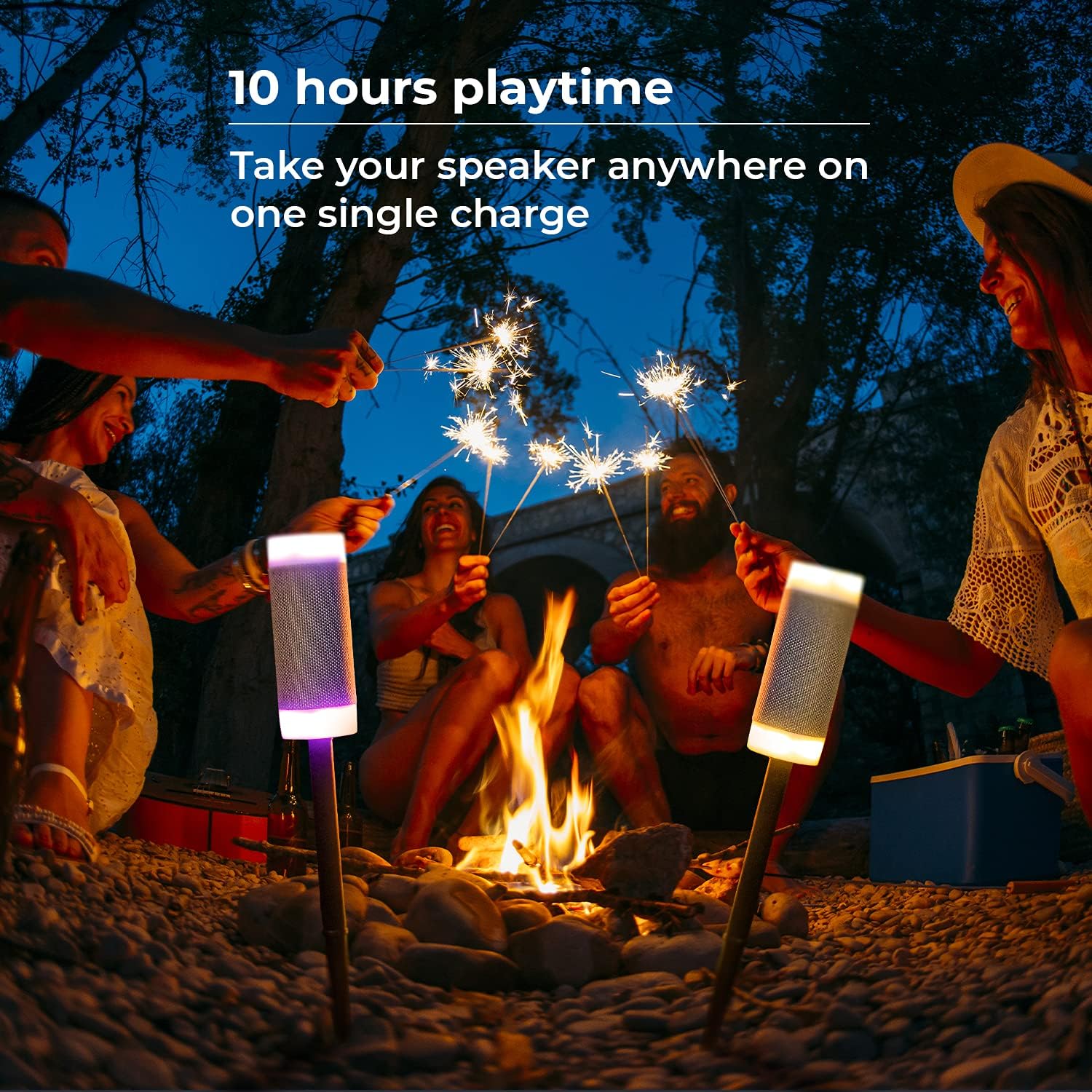
5. irudia: Hizlarien erakustaldiaasing various LED light options.
5. Mantentzea
The iJoy Wireless Speaker is designed for outdoor durability with an IPX4 rating, making it resistant to splashes and dust. To ensure longevity:
- Garbiketa: Wipe the speaker with a damp cloth to remove dirt or debris. Do not submerge the speaker in water.
- Biltegiratzea: Denbora luzez erabiltzen ez baduzu, gorde bozgorailua leku fresko eta lehor batean.
- Kargatzeko ataka: Always ensure the protective flap over the charging port is securely closed when not charging to maintain water and dust resistance.

Figure 6: The speaker's IPX4 waterproof feature.
6. Arazoak
If you encounter issues with your iJoy Wireless Speaker, refer to the following table:
| Arazoa | Kausa posiblea | Irtenbidea |
|---|---|---|
| Bozgorailuak ez du pizten. | Bateria baxua. | Kargatu bozgorailua emandako USB kablea erabiliz. |
| Ezin da Bluetooth gailuarekin parekatu. | Bozgorailua ez dago parekatze moduan; gailua Bluetooth itzalita dago; bozgorailutik urrunegi. | Ensure speaker is on and in pairing mode. Turn on Bluetooth on your device. Move device closer to speaker (within 10 meters). |
| Two speakers not pairing for TWS. | Parekatze prozedura okerra. | Ensure both speakers are off, then power them on. Double-press the power button on one speaker to initiate TWS pairing. |
| Low sound volume. | Volume settings on speaker or connected device are low. | Increase volume using the '+' button on the speaker and on your connected device. |
7. Zehaztapenak
| Ezaugarri | Xehetasuna |
|---|---|
| Ereduaren izena | Tiki |
| Muntatze Mota | Haririk gabeko bozgorailua |
| Materiala | Plastikoa |
| Hizlari mota | Kanpoko bozgorailua |
| Ezaugarri bereziak | Adjustable Stakes, Waterproof, LED Light, Stereo Pairing |
| Bateriaren iraupena | 10 ordu |
| Kargatzeko Denbora | 10 ordu |
| Uraren Erresistentzia Maila | Urarekiko erresistentea (IPX4) |
| Haririk gabeko Komunikazio Teknologia | Bluetootha |
| Bluetooth barrutia | 10 metro |
| Produktuaren neurriak | 3" L x 10" W x 3" H |
| Elementuaren pisua | 1.12 kilo |
| Fabrikatzailea | iPoza |
| UPC | 842700168488 |
8. Bermea eta Laguntza
For warranty information and customer support, please refer to the documentation included with your product or visit the official iJoy webgunea. Gorde erosketa-agiria berme-erreklamazioetarako.