
1. Sarrera
This manual provides comprehensive instructions for the assembly, operation, and maintenance of your FLEXISPOT EN2 Electric Height Adjustable Standing Desk. Please read this manual thoroughly before assembly and use to ensure safe and efficient operation.
The FLEXISPOT EN2 desk features a spacious one-piece desktop, an electric height adjustment system with memory presets, and a removable clamp power strip for convenient device charging and cable management. It is designed to support a dynamic work environment, allowing seamless transitions between sitting and standing positions.
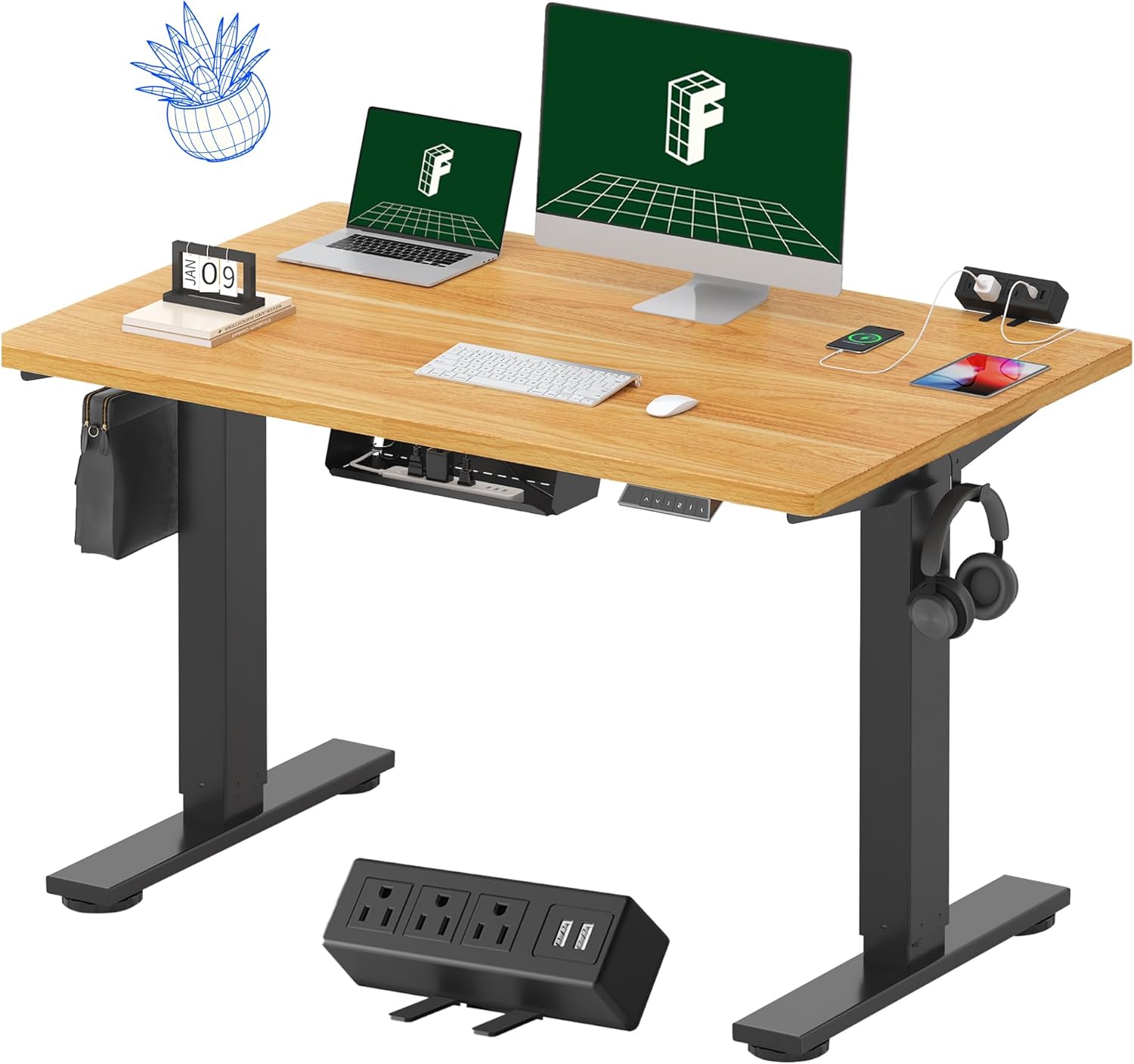
Image 1.1: FLEXISPOT EN2 Standing Desk with Maple Top and Black Frame, showcasing a typical setup with monitors, a laptop, and a clamp power strip.
2. Segurtasun informazioa
OHARRA: Segurtasun-argibide hauek ez betetzeak lesioak edo produktua kaltetu dezake.
- Jarraitu beti muntatzeko argibideak arretaz.
- An electric drill (not included) may be required for assembly.
- Ensure the desk is properly anchored to prevent tipping.
- Ez gainditu 176 libera (80 kg) gomendatutako gehienezko pisua.
- Keep the work surface clear of items that could fall and cause injury during height adjustments.
- Always unplug the desk before performing any maintenance or making adjustments to the frame or electrical components.
- Mantendu haurrak eta maskotak mahaitik urrun funtzionamenduan zehar.
3. Paketearen edukia
Your FLEXISPOT EN2 Standing Desk will arrive in two separate packages, which may be shipped separately. Please ensure you have received both packages and all components before beginning assembly.

Image 3.1: Illustration showing the desk components arriving in two separate packages: one for the desktop and one for the desk frame.
Dakarten osagaiak:
- One-piece desktop (48" x 30" Maple Top)
- Electric height-adjustable frame (Black)
- 6-button digital controller with 4 memory presets
- Removable clamp power strip (3 AC outlets, 2 USB charging ports)
- Cable management device
- Assembly hardware and tools (excluding electric drill)
4. Konfigurazioa eta Muntaketa
Assembly typically requires two people and an electric drill (not included). Follow the detailed instructions provided in the separate assembly guide included with your product. The process involves attaching the legs to the desktop and connecting the control panel and motor.
Muntatzeko aholkuak:
- Jarri osagai guztiak gainazal leun eta garbi batean marradurak saihesteko.
- Ziurtatu torloju guztiak ondo estututa daudela, baina ez gehiegi estutu.
- Properly route all cables using the provided cable management solutions to avoid interference with desk movement.
Video 4.1: Official FLEXISPOT Standing Desk Frame Installation Guide. This video demonstrates the step-by-step process of assembling the desk frame and attaching it to the desktop.
5. Funtzionamendu-argibideak
5.1 Kontrol-panela digitala
The desk is operated using a 6-button digital controller, typically mounted on the underside of the desktop. It features up/down arrows, an LED display for height, and four programmable memory presets.

Image 5.1: Digital control panel with LED display showing current height, up/down arrows, and four numbered memory preset buttons.
5.2 Altuera doitzea
- Eduki sakatuta Up Arrow (^) mahaia altxatzeko botoia.
- Eduki sakatuta Down Arrow (v) mahaia jaisteko botoia.
- The desk adjusts smoothly from 28.1 inches (71.4 cm) to 45.7 inches (116.1 cm).
- The motor operates quietly at less than 50 dB.
5.3 Memoria aurrezarpenak ezartzea
The controller allows you to save up to four preferred height settings for quick adjustments.
- Egokitu mahaia nahi duzun altuerara gora/behera geziak erabiliz.
- Sakatu Memory (M) button. The LED display will flash.
- 3 segundoren buruan, sakatu aurrezarritako zenbakidun botoietako bat (1, 2, 3 edo 4) uneko altuera aurrezarpen horretan gordetzeko.
- Gordetako altuera berreskuratzeko, sakatu dagokion zenbakidun aurrezarritako botoia. Mahaia automatikoki mugituko da gordetako posiziora.
Video 5.2: FlexiSpot Brand Store video demonstrating the desk's height adjustment and memory preset functions.
6. Ezaugarriak
6.1 One-Piece Desktop
The desk features a spacious, single-piece desktop made of FSC-Certified wood. This design provides a smooth, seamless work surface, enhancing stability and aesthetics compared to multi-piece desktops.

Image 6.1: Visual comparison highlighting the smooth surface of a single-piece desktop against the visible seams of a two-piece desktop.
6.2 Removable Clamp Power Strip
A desktop-mounted power strip is included, featuring 3 AC outlets (125V/12A) and 2 USB charging ports (5V/2A). This allows for convenient charging of electronic devices directly from your desk. The power strip can be clipped to the back or side of your desk.

Image 6.2: Close-up of the removable clamp power strip, detailing its 3 AC outlets and 2 USB-A ports, and how it attaches to the desk edge.
6.3 Kableen kudeaketa
The desk includes a cable management device to help organize and tidy up your workspace, preventing cables from dangling and interfering with desk movement.

Image 6.3: Illustration demonstrating effective cable management with an under-desk tray, showing a tidy setup compared to unmanaged cables.
7. Mantentzea
- Aldian-aldian ikuskatu torloju eta konexio guztiak ondo estuak daudela ziurtatzeko.
- Garbitu mahaigainaren gainazala oihal leun eta lehor batekinamp oihal. Saihestu akabera kaltetu dezaketen garbitzaile urratzaileak.
- Mantendu motorra eta osagai elektrikoak hauts eta hezetasunetik libre.
- Do not place hot items directly on the desktop without protective coasters.
8. Arazoak
8.1 Desk Not Moving or Displaying Error Code (e.g., "r5t")
If your desk is not responding or the LED display shows an error code like "r5t", a system reset may be required.
- Deskonektatu mahaia entxufetik.
- Wait for at least 10-15 seconds.
- Konektatu mahaia berriro entxufean.
- Press and hold the "Down Arrow (v)" button until the desk reaches its lowest position and then slightly rises. This indicates a successful reset.
- Arazoak jarraitzen badu, jarri harremanetan bezeroarentzako laguntza-zerbitzuarekin.
8.2 Desk Wobbling at Higher Heights
While the desk is designed for stability, minor wobbling can occur at maximum heights. Ensure the adjustable feet on the leg bases are properly leveled to compensate for uneven flooring.
9. Zehaztapenak
| Ezaugarri | Zehaztapena |
|---|---|
| Marka | FLEXISPOT |
| Eredua | EN2 |
| Mahaigaineko materiala | FSC-Certified Maple Wood |
| Mahaigaineko neurriak | 48" (Z) x 30" (S) |
| Mahaigainaren lodiera | 1 hazbetekoa |
| Markoaren materiala | Industrial-grade Alloy Steel (Black) |
| Altuera doitzeko tartea | 28.1"-tik 45.7"-ra (71.4 cm-tik 116.1 cm-ra) |
| Motorraren zarata maila | < 50 dB |
| Pisu Edukiera | 176 lb (80 kg) |
| Kontrol panela | 6-button digital controller with 4 memory presets |
| Korrontea | 3 AC outlets (125V/12A), 2 USB charging ports (5V/2A) |
| Muntaia Beharrezkoa | Yes (electric drill recommended) |
10. Bermea eta Laguntza
10.1 Bermearen informazioa
- 5 urteko bermea: Markoak, motorrak eta bestelako gailu mekanikoak estaltzen ditu.
- 2 urteko bermea: Kontrolatzaileak, etengailuak eta elektronika hartzen ditu barne.
Gorde erosketaren egiaztagiria berme-erreklamazioetarako. Bermeak materialen eta fabrikazioaren akatsak estaltzen ditu erabilera normalaren pean.
10.2 Bezeroarentzako laguntza
For any questions, troubleshooting assistance, or warranty claims, please contact FLEXISPOT customer support through their official webproduktua erosi duzun gunea edo dendaria.