
1. Sarrera eta Overview
The Hbada W203 Gaming Chair is designed to provide ergonomic support and comfort for extended periods of sitting, whether for gaming or office work. It features a robust construction, adjustable components, and a design focused on user well-being.
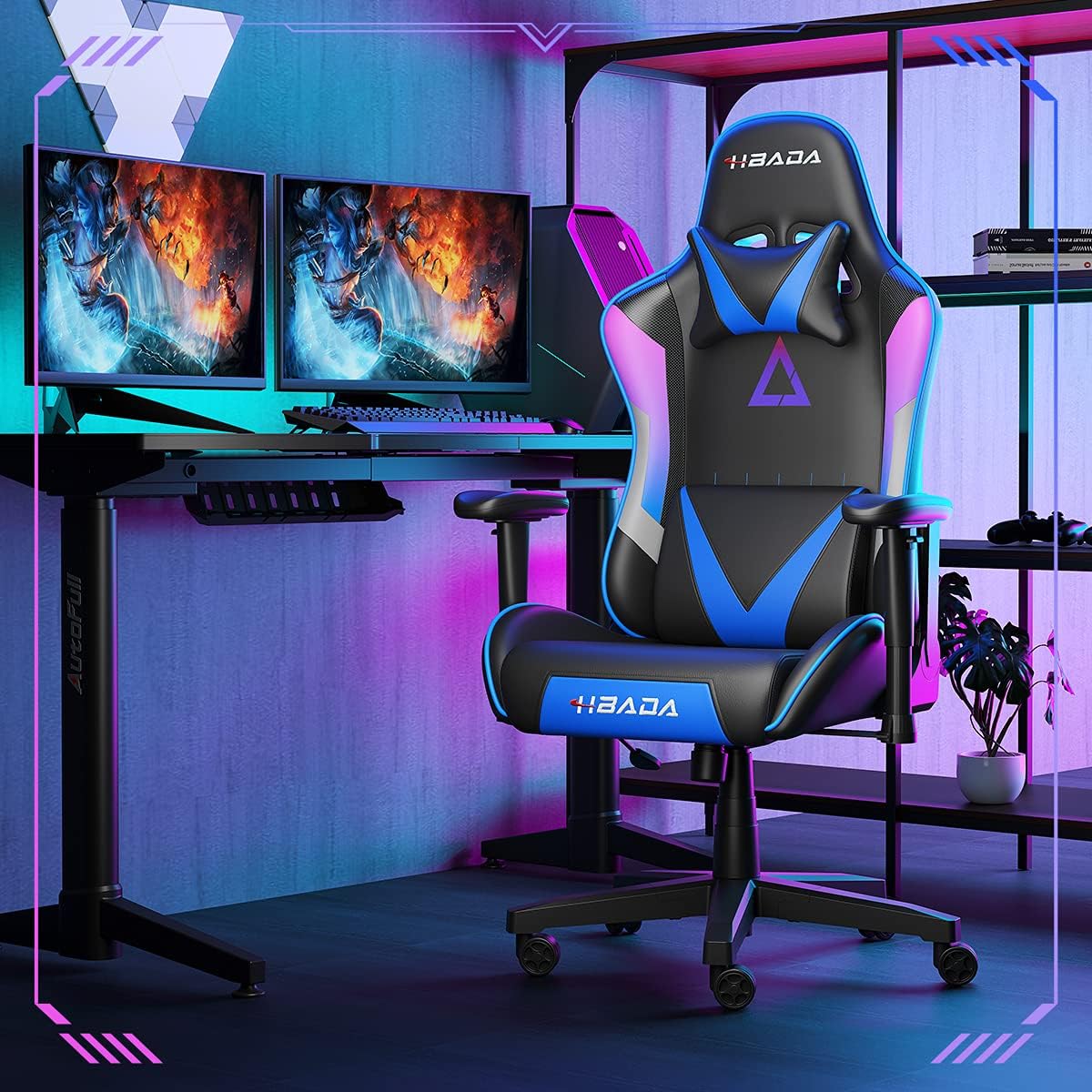
Image 1.1: The Hbada W203 Gaming Chair in a typical gaming environment, showcasinbere diseinua eta presentzia g.
2. Segurtasun informazioa
- Ez gainditu 150 kg-ko (330.7 lb) gehienezko pisu-ahalmena.
- Erabili aurretik, ziurtatu torloju eta torloju guztiak ondo estututa daudela, eta aldian-aldian egiaztatu ea askatzen diren.
- Saihestu aulkian zutik egotea edo aulki gisa erabiltzea.
- Mantendu eskuak eta hatzak mugitzen diren piezetatik urrun doikuntza bitartean.
- Erabili aulkia gainazal lau eta egonkor batean, iraultzea saihesteko.
3. Paketearen edukia
Muntaketa hasi aurretik, egiaztatu osagai guztiak daudela. Piezarik falta edo hondatuta badago, jarri harremanetan bezeroarentzako arreta-zerbitzuarekin.
- Bizkarraldea
- Eserlekuko kuxina
- Beso-euskarriak (2)
- Izar Oinarria
- Gurpilak (5)
- Gas Igogailuaren Zilindroa
- Gas Igogailuaren Estalkia
- Mekanismo Plaka
- Buru-euskarri burukoa
- Lumbar euskarria burukoa
- Hardware paketea (torlojuak, arandelak, Allen giltza)
- Argibide eskuliburua
4. Muntatzeko jarraibideak
Assembly typically requires two people due to the weight of some components. Follow these steps carefully.
- Gurpilak oinarrira lotu: Insert each of the five casters into the holes at the end of each leg of the star base until they click into place.
- Txertatu gas-igogailua: Jarri gas-igogailuaren zilindroa izar-oinarriaren erdiko zuloan. Estali gas-igogailuaren estalkiarekin.
- Lotu mekanismo-plaka eserlekuari: Align the mechanism plate with the screw holes on the underside of the seat cushion. Secure it with the provided screws and Allen wrench. Ensure the front of the mechanism faces the front of the seat.
- Lotu beso-euskarriak eserlekuari: Secure the armrests to the sides of the seat cushion using the designated screws. Do not overtighten initially to allow for minor adjustments.
- Bizkarraldea eserlekuari lotu: Align the backrest with the mounting brackets on the seat cushion. Secure it with screws.
- Konektatu eserlekuaren multzoa oinarrira: Carefully place the assembled seat onto the gas lift cylinder, ensuring it is centered. Apply downward pressure to secure it.
- Attach Headrest and Lumbar Support: Position the headrest pillow and lumbar support pillow as desired. They are typically secured with straps.
- Azken estutzea: Once fully assembled, go back and tighten all screws firmly.

4.1. irudia: Amaituview of chair features, including lift function, height-adjustable armrests, 155-degree recline, silent casters, 360-degree rotation, and durable base.
5. Funtzionamendu-argibideak
5.1. Aulkiaren altueraren doikuntza
To adjust the chair height, locate the lever on the right side, beneath the seat. While seated, pull the lever up to lower the chair. To raise the chair, stand up slightly and pull the lever up. Release the lever at the desired height.
5.2. Etzanda egoteko funtzioa
The chair offers a recline angle of up to 155 degrees with a 17-degree locking feature. To recline, pull the recline lever (typically on the left side) upwards and lean back. Release the lever to lock the backrest in position. To return to an upright position, pull the lever and lean forward.

Image 5.1: The chair's backrest can recline up to 155 degrees, allowing for various comfortable positions.
5.3. Beso-euskarriaren doikuntza
The armrests can be lifted to adjust their height. Locate the button or lever on the side of each armrest. Press or lift it and move the armrest up or down to your preferred height. Release the button/lever to lock it.
5.4. Lumbar Support and Headrest
The chair includes removable and adjustable headrest and lumbar support pillows. Adjust their position by sliding them along the backrest straps to provide optimal support for your head, neck, and lower back.
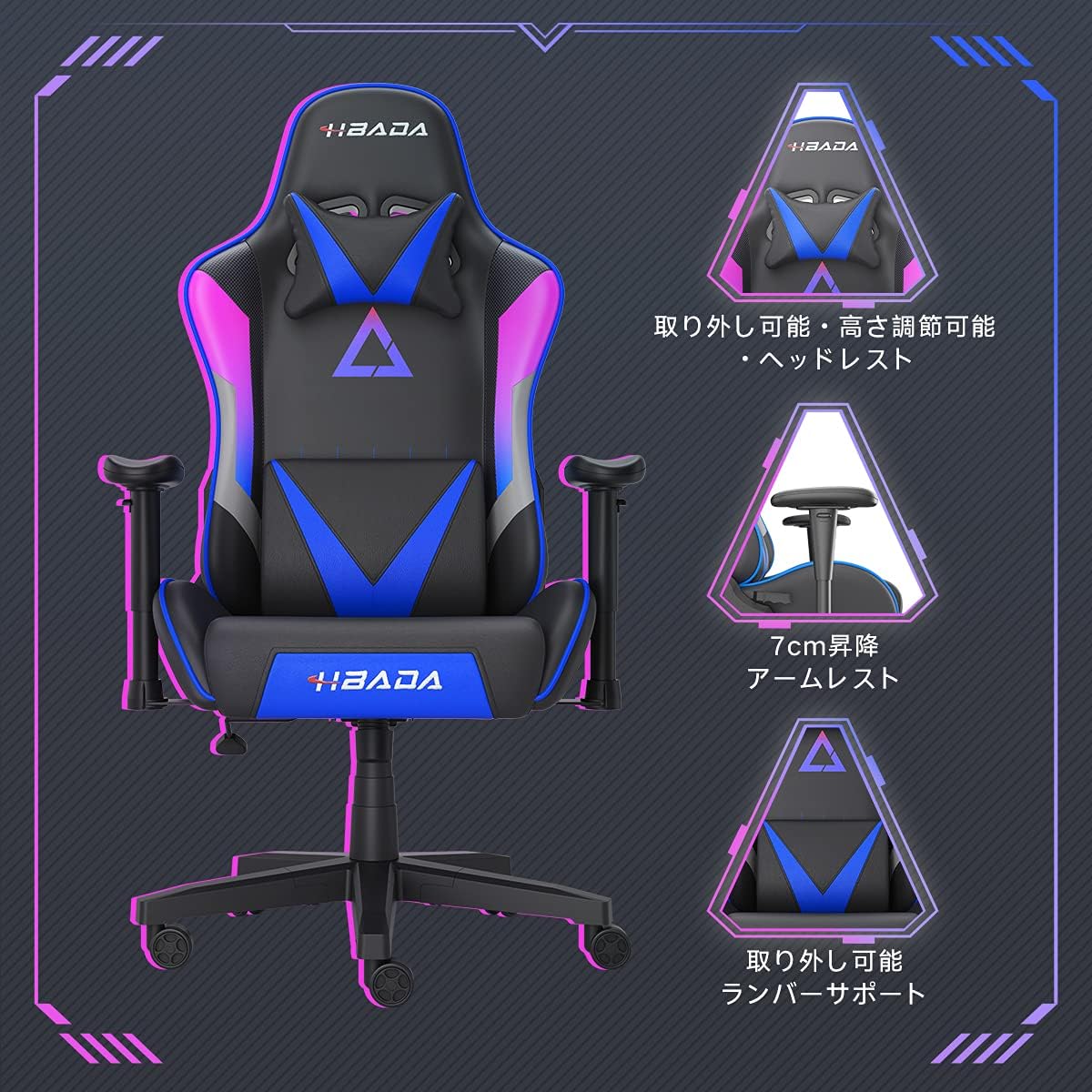
5.2 irudia: Xehetasun zehatza view of the adjustable headrest, lifting armrests, and removable lumbar support.
5.5. Biraketa funtzioa
The chair features a 360-degree swivel function, allowing for easy rotation without moving the base.
6. Mantentzea
- Garbiketa: The chair's synthetic leather (PU) material can be wiped clean with a damp oihal. Saihestu produktu kimiko gogorrak edo garbitzaile urratzaileak.
- Loturak: Periodically check all screws and bolts to ensure they remain tight. Retighten as necessary to maintain stability and prevent squeaking.
- Gurpilak: Mugimendu leuna bermatzeko, mantendu gurpilak ile eta hondakinik gabe.
7. Arazoak
- Aulkiaren kirrinka: Check and tighten all assembly screws. Applying a small amount of lubricant to moving metal parts (like the mechanism plate) may help.
- Altuera doikuntzak ez du funtzionatzen: Ensure the gas lift lever is fully engaged. If the issue persists, the gas lift cylinder may need replacement. Contact customer service.
- Aulkia ezegonkorra sentitzen da: Verify that the star base is correctly assembled and all casters are fully inserted. Ensure all screws are tightened.
- Gurpilak ez dira leunki biratzen: Garbitu gurpiletatik geratzen diren hondakinak (ilea, hautsa).
For issues not listed here or persistent problems, please contact Hbada customer service.
8. Zehaztapenak

Image 8.1: Key dimensions of the Hbada W203 Gaming Chair.
| Ezaugarri | Xehetasuna |
|---|---|
| Ereduaren izena | Hbada W203 |
| Produktuaren neurriak (L x W x H) | 70 x 70 x 128 cm (27.6 x 27.6 x 50.4 hazbete) |
| Eserlekuaren altuera erregulagarria | 40 - 48 cm (15.7 - 18.9 hazbete) |
| Elementuaren pisua | 22.5 kg (49.6 lb) |
| Gehienezko Karga Edukiera | 150 kg (330.7 lb) |
| Materiala | Synthetic leather (PU upholstery), Metal (frame), Reinforced Nylon Resin (base), High-density Urethane Foam (cushion), Silent PU Nylon Casters |
| Etzanda angelua | Up to 155 degrees with 17-degree locking |
| Besaulkiaren doikuntza | Lifting (approx. 7 cm range) |
| Ezaugarri bereziak | Adjustable Lumbar Support, Ergonomic Design |

Image 8.2: Internal construction details, showing high-density foam and a robust metal frame.
9. Bermea eta Laguntza
The Hbada W203 Gaming Chair comes with a 1 urteko berme zerbitzua. This warranty covers initial defects and manufacturing faults.
If you encounter any initial defects, malfunctions, or have any concerns regarding your product, please contact our customer service center. Our support team aims to respond within 24 hours and will assist with free exchanges or repairs as applicable.
For customer service inquiries, please refer to the contact information provided on your purchase receipt or the official Hbada webgunea.