
Sarrera
The Macally BTBLZKEYSG is a full-size backlit Bluetooth keyboard designed specifically for Mac and iOS devices. It features a MacOS-specific layout with 107 scissor-switch keys and 14 convenient shortcuts, enhancing workflow and productivity. This keyboard allows seamless pairing and switching between up to three Bluetooth-enabled devices, including MacBooks, iMacs, iPhones, and iPads. The integrated white LED backlighting offers three adjustable brightness levels for comfortable typing in various lighting conditions. Powered by a built-in 1500mAh rechargeable battery, it provides extended usage time between charges.
Paketearen edukia
- Macally BTBLZKEYSG Backlit Bluetooth Keyboard
- USB-C kargatzeko kablea
- Argibide eskuliburua
Produktuaren Ezaugarriak
- Atzeko argiztatutako teklak: Crisp white LEDs with 3 brightness levels for typing in low-light environments. Backlight can be turned off.
- MacOS Specific Layout: 107 scissor-switch keys with 14 macOS shortcuts for familiar and efficient use.
- Multi-Device Bluetooth: Easily pair and switch between up to 3 Bluetooth-enabled devices (Mac, iPhone, iPad) within a 30 ft wireless range.
- Bateria kargagarria: Built-in 1500mAh battery provides 1 to 4 weeks of runtime with backlighting on. USB-C charging cable included.
- Diseinu dotorea eta erosoa: Only 0.87 inches thin with an integrated kickstand for ergonomic typing.
Konfigurazioa
1. Teklatua kargatzea
Before initial use, fully charge the keyboard. Connect the supplied USB-C charging cable to the keyboard's USB-C port and the other end to a USB power source (e.g., computer USB port, USB wall adapter). The LED indicator will show charging status.
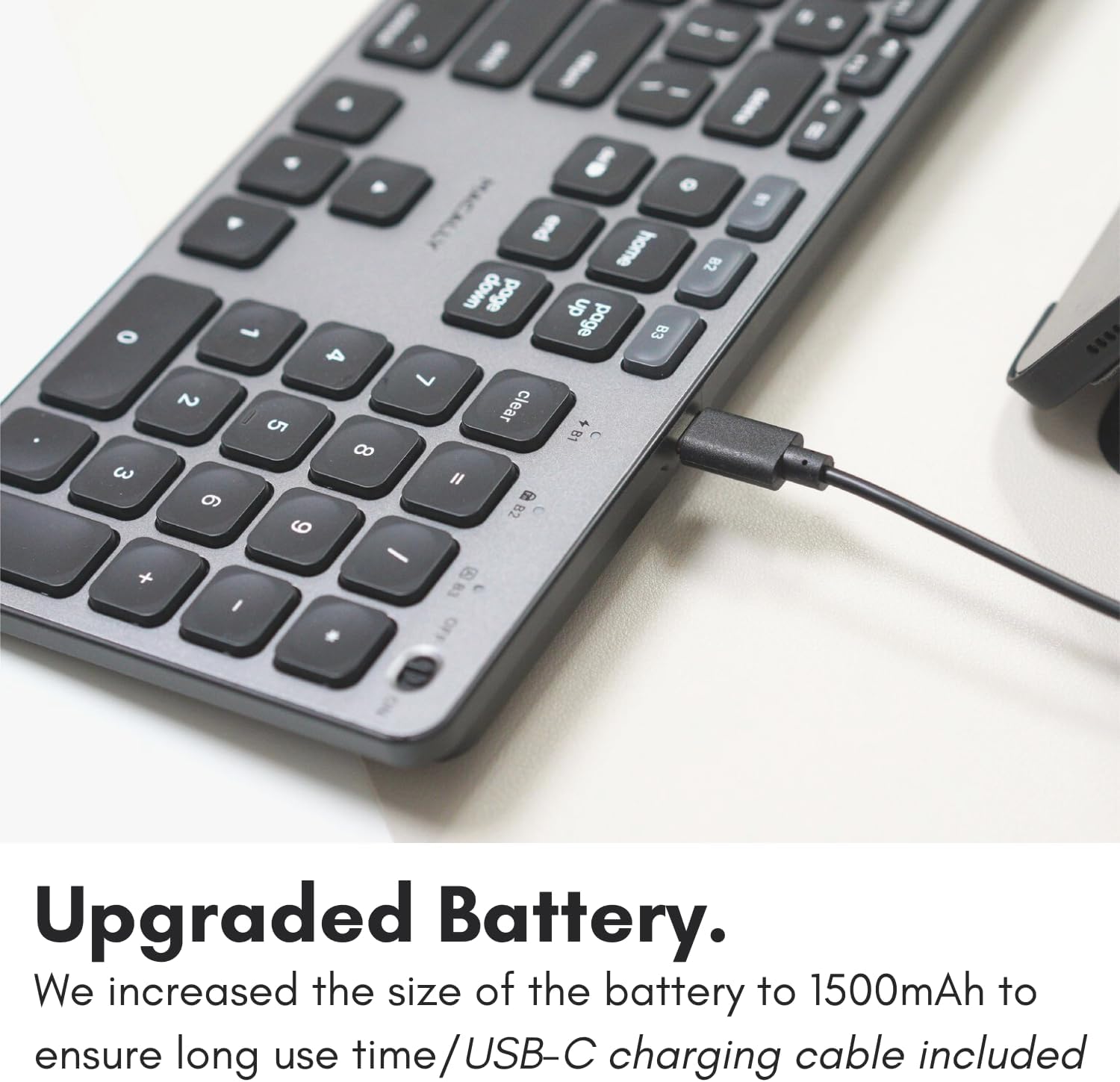
Image: The USB-C charging port on the side of the Macally BTBLZKEYSG keyboard, with the charging cable inserted.
2. Piztea
Locate the power switch on the keyboard, usually on the top right edge. Slide the switch to the 'ON' position.
3. Gailu batekin parekatzea
- Ziurtatu teklatua piztuta dagoela.
- Press and hold one of the Bluetooth pairing keys (B1, B2, or B3) for 3-5 seconds until the corresponding LED indicator above the key starts blinking rapidly. This indicates the keyboard is in pairing mode.
- On your Mac or iOS device, go to Sistemaren ezarpenak (edo Sistemaren hobespenak) > Bluetootha.
- Look for "Macally BTBLZKEYSG" (or similar name) in the list of available devices and click/tap to connect.
- Eskatzen bazaizu, idatzi pantailan agertzen den parekatze-kodea teklatua erabiliz eta sakatu Sartu.
- Once connected, the LED indicator for the selected Bluetooth channel will stop blinking and remain solid for a few seconds before turning off.

Image: The Macally BTBLZKEYSG keyboard shown with a MacBook and an iPad, illustrating its multi-device capability.
Funtzionamendu-argibideak
MacOS Specific Keys and Shortcuts
The keyboard features a standard MacOS layout, including function keys (F1-F12) that double as media and system control shortcuts. Use the Fn key in combination with these keys to access their secondary functions.
- Fn+F1: Murriztu pantailaren distira
- Fn+F2: Handitu pantailaren distira
- Fn+F3: Misioaren Kontrola
- Fn+F4: Launchpad
- Fn+F7: Aurreko Pista
- Fn+F8: Erreproduzitu/Pausatu
- Fn+F9: Hurrengo Pista
- Fn+F10: Ezkutatu bolumena
- Fn+F11: Bolumena gutxitu
- Fn+F12: Bolumena handitu
Atzeko argiaren kontrola
The keyboard's backlight can be adjusted to three brightness levels or turned off completely. Use the dedicated backlight control keys, typically located near the function keys or arrow keys, to cycle through the brightness settings.

Image: The Macally BTBLZKEYSG keyboard with its white LED backlighting illuminated at different intensity levels.
Parekatutako gailuen artean aldatzea
To switch between your paired Bluetooth devices, simply press the corresponding Bluetooth pairing key (B1, B2, or B3) that your device is connected to. The keyboard will automatically connect to the selected device.
Mantentzea
Zure teklatuaren iraupena eta errendimendu optimoa bermatzeko, jarraitu mantentze-jarraibide hauek:
- Garbiketa: Erabili lipurrik gabeko zapi leun bat dampened with water or a mild cleaning solution to wipe the keyboard surface. Avoid harsh chemicals or abrasive materials.
- Hautsa kentzea: Erabili aire konprimatua teklen arteko hautsa eta hondakinak kentzeko.
- Biltegiratzea: When not in use for extended periods, store the keyboard in a dry, cool place.
- Saihestu likidoak: Do not expose the keyboard to excessive moisture or spill liquids on it.
Arazoak konpontzea
| Arazoa | Irtenbidea |
|---|---|
| Teklatua ez da pizten. | Ensure the power switch is in the 'ON' position. Charge the keyboard using the supplied USB-C cable. |
| Keyboard does not pair with device. | Ensure the keyboard is in pairing mode (LED blinking). Check your device's Bluetooth settings to ensure Bluetooth is enabled and the keyboard is visible. Try restarting both the keyboard and your device. |
| Teklatua maiz deskonektatzen da. | Ensure the keyboard is within the 30 ft wireless range of your device. Check for interference from other wireless devices. Ensure the keyboard battery is sufficiently charged. |
| Atzeko argia ez dabil. | Press the backlight control keys to cycle through brightness levels. Ensure the keyboard battery is charged, as low battery may disable backlighting. |
| Giltzek ez dute erantzuten. | Check the Bluetooth connection. If connected, try restarting the keyboard. Ensure no debris is lodged under the keys. |
Zehaztapenak
| Ezaugarri | Xehetasuna |
|---|---|
| Modelo zenbakia | BTBLZKEYSG |
| Konektibitatea | Bluetooth, Haririk gabekoa |
| Gailu bateragarriak | Mac Mini / Pro Studio, iMac, Macbook Air, MacBook Pro, iPhone, iPad |
| Teklatuaren deskribapena | Backlit Keyboard for Mac |
| Ezaugarri bereziak | Backlit, Multi-Device Bluetooth, Rechargeable |
| Kolorea | Grisa |
| Teklatuaren atzeko argia | Single Color (White), 3 Brightness Levels |
| Produktuaren neurriak | 16.8"L x 4.6"Z x 0.87"A |
| Gako kopurua | 107 |
| Energia iturria | Bateriaz elikatua (1500 mAh kargagarria) |
| Aldatu mota | Tactile Scissor Keys |
| Teklatuaren diseinua | QWERTY (MacOS) |
| Materiala | Aluminioa |
| UPC | 701107500362 |
Produktuaren bideo ofiziala
Bideoa: Amaiera batview of the Macally Backlit Bluetooth Keyboard for Mac & iOS, highlighting its features and compatibility.
Bermea eta Laguntza
The Macally BTBLZKEYSG Backlit Bluetooth Keyboard comes with a warranty of up to two years. For technical support, warranty claims, or further assistance, please visit the official Macally webwebgunean edo jarri harremanetan bere bezeroarentzako arreta zerbitzuarekin.