
Sarrera
The Amazon Echo Dot (5th Generation) is a compact smart speaker with Alexa, designed to provide vibrant sound, smart home control, and hands-free assistance. This manual provides essential information for setting up, operating, and maintaining your device.

The Amazon Echo Dot (5th Gen) in Deep Sea Blue, a compact spherical smart speaker with a glowing light ring at its base.
Kutxan dagoena
- Echo Dot (5. belaunaldia) gailua
- Glacier White korronte egokitzailea (15W)
- Hasierako gida azkarra
Konfigurazioa
- Piztu: Plug the included power adapter into your Echo Dot and then into a wall outlet. The light ring will turn blue, then orange.
- Deskargatu Alexa aplikazioa: Download the Amazon Alexa app on your smartphone or tablet from your device's app store.
- Konektatu wifira: Open the Alexa app and follow the on-screen instructions to connect your Echo Dot to your Wi-Fi network. The device supports dual-band Wi-Fi (2.4 and 5 GHz).
- Pertsonalizatu ezarpenak: Complete the setup by personalizing your device settings, including your location, preferred language, and linking music services.
For more details on Wi-Fi simple setup, visit the Amazon Wi-Fi simple setup page.
Echo Dot-en erabilera
Ahots kontrola Alexa-rekin
To activate Alexa, simply say the wake word "Alexa". The light ring will turn blue, indicating Alexa is listening. You can then issue commands or ask questions.

The Echo Dot ready to respond to a voice command, asking about the weather.
Musika eta Audio Erreprodukzioa
Play music, audiobooks, and podcasts from various services like Amazon Music, Apple Music, Spotify, and more. You can also stream audio via Bluetooth from your mobile device.

The Echo Dot supports various music streaming services and Bluetooth connectivity for audio playback.
Smart Home Kontrola
Control compatible smart home devices using your voice. The Echo Dot supports Wi-Fi, Bluetooth Low Energy Mesh, and Matter for smart home connectivity. You can also create routines triggered by built-in motion or indoor temperature sensors.
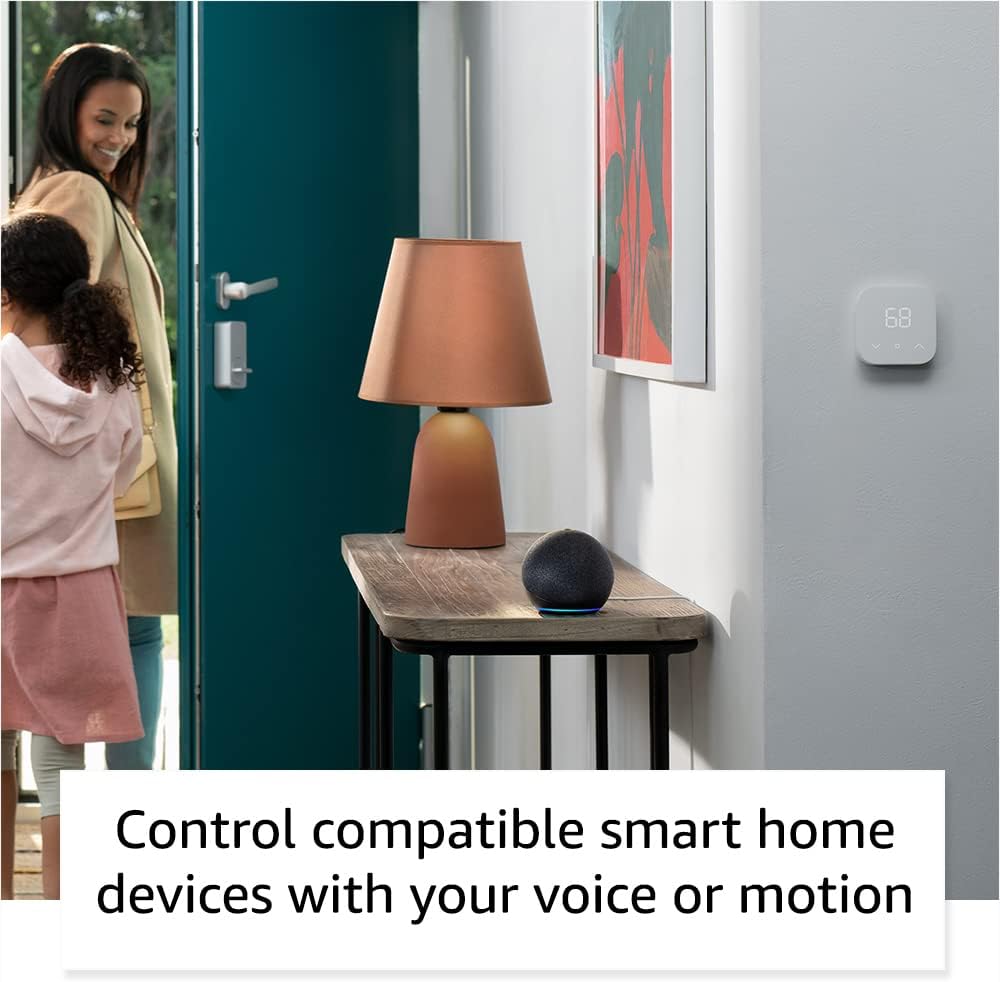
The Echo Dot can control compatible smart home devices, such as thermostats and lights, using voice commands or motion detection.
Kontrol fisikoak
- Bolumen-botoiak: Use the '+' and '-' buttons on top to adjust volume.
- Ekintza botoia: Press to wake Alexa or snooze an alarm.
- Mikrofonoa itzaltzeko botoia: Press to disconnect the microphones for privacy. The light ring will turn red.

Tapping the top of the Echo Dot can pause music or snooze an alarm.
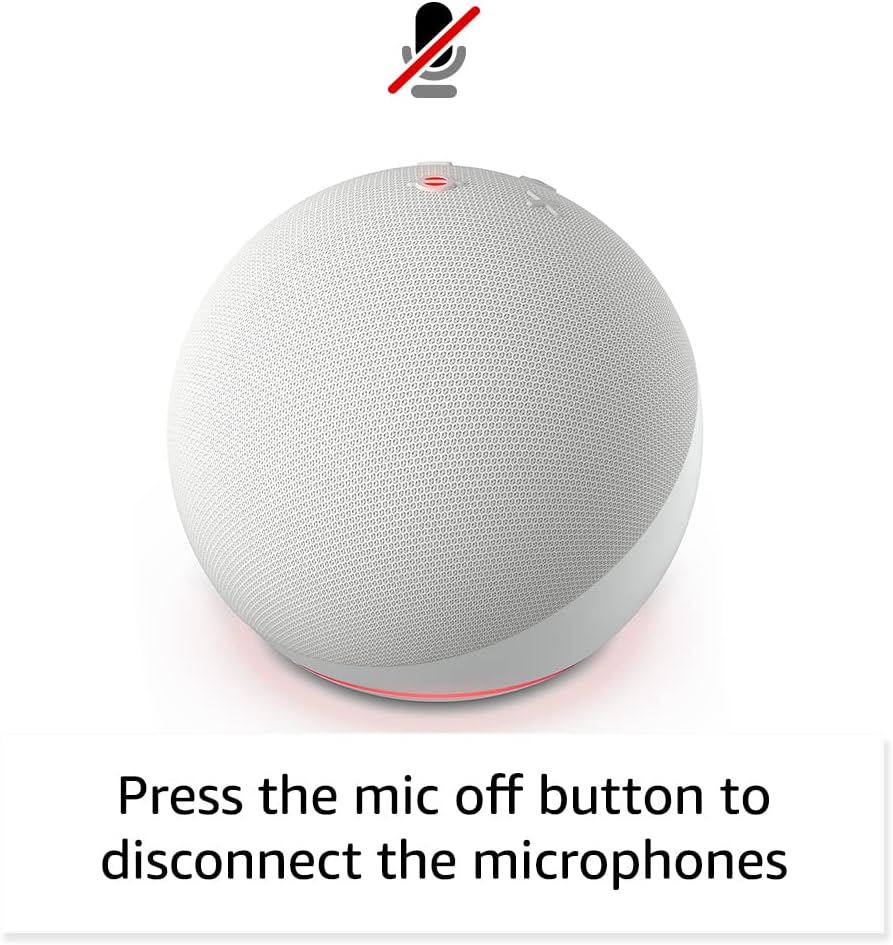
Pressing the microphone off button disconnects the microphones for enhanced privacy.
Mantentzea
The Echo Dot requires minimal maintenance. Keep the device clean by wiping it with a soft, dry cloth. Avoid using abrasive cleaners or submerging the device in water.
Ensure the device is placed in a well-ventilated area and not covered to prevent overheating.
Arazoak konpontzea
| Arazoa | Irtenbidea |
|---|---|
| Echo Dot not responding: | Ensure the microphone is not muted (red light ring). Check power connection. Restart the device by unplugging and plugging it back in. |
| Ezin da wifira konektatu: | Verify your Wi-Fi password. Ensure your router is working. Try moving the Echo Dot closer to the router. Re-run Wi-Fi setup in the Alexa app. |
| Audio kalitate eskasa: | Check device placement; avoid corners or enclosed spaces. Ensure no obstructions are blocking the speaker. Adjust volume. |
| Alexa not understanding commands: | Speak clearly and at a normal volume. Reduce background noise. Ensure you are within listening range. |
Laguntza gehiago lortzeko, jo Amazon Echo Dot Help pages or contact Amazon Customer Service.
Zehaztapenak
- Tamaina: 3.9” x 3.9” x 3.5” (100 mm x 100 mm x 89 mm)
- Pisua: 10.7 oz (304g)
- Audioa: 1.73 hazbeteko (44 mm) aurrealdeko bozgorailua, Galerarik gabeko Definizio Handia
- Wi-Fi konexioa: Dual-band Wi-Fi (802.11a/b/g/n/ac, 2.4 and 5 GHz)
- Bluetooth konexioa: A2DP euskarria audio streamingerako, eta AVRCP konektatutako gailu mugikorren ahots-kontrolerako.
- Etxe adimendunaren bateragarritasuna: Wi-Fi, Bluetooth Low Energy Mesh, Matter
- Belaunaldia: Echo Dot (5. belaunaldia) - 2022ko kaleratzea
- Hizkuntza: Alexak ingelesez eta gaztelaniaz hitz egiten du
Pribatutasun Ezaugarriak
Echo Dot pribatutasun-kontrolen hainbat geruzaz diseinatuta dago:
- Esnatzeko Hitzaren Teknologia: Alexa only starts listening after detecting the wake word.
- Mikrofonoa itzaltzeko botoia: Electronically disconnects the microphones.
- Streaming adierazleak: Adierazle bisualek erakusten dute Alexak audioa hodeira erreproduzitzen ari denean.
- Ahots-grabaketen kudeaketa: egiteko gaitasuna view eta ezabatu zure ahots-grabaketak Alexa aplikazioaren bidez.
Informazio gehiagorako, bisitatu Alexa pribatutasun zentroa.
Irisgarritasun Ezaugarriak
The Alexa app provides various accessibility settings:
- Entzute Egokitzailea: Alexak erantzun aurretik hitz egiten amaitzeko denbora gehiago ematen du.
- Hitz egiteko nahiago den tasa: Kontrolatu Alexak zein azkar edo motel hitz egiten duen.
- Soinua eskatu: Plays an audible tone when you speak to Alexa.
- Kindle-n ozen irakurtzeko: Alexak zure Kindle liburuak ozen irakur ditzake.
- Jakinarazi gertu dagoenean: Gailuaren ondoan detektatzen denean jakinarazpen-soinuak erreproduzitzen ditu.
Access these features in the Alexa App: Ezarpenak → Irisgarritasuna.
Amazonen espaloia
Amazon Sidewalk uses Echo and Ring devices to securely keep other devices connected and help find lost items. It uses a small portion of your internet bandwidth to provide these benefits. Sidewalk is turned on by default but can be turned off at any time via the Alexa app.
Learn more about Amazon Sidewalk hemen.
eero Integratua
Your Echo Dot can extend Wi-Fi coverage with a compatible eero router. This feature requires linking your eero and Amazon accounts and managing it from the eero mobile application. eero Built-in compatible Echo devices support up to 1,000 sq. ft. of additional coverage, speeds up to 100 Mbps, and 10 or fewer connected devices.
Xehetasun gehiago lortzeko, bisitatu eero Built-in information page.
Bermea eta Zerbitzua
The Echo Dot comes with a 90-day limited warranty and service. Optional 1-year, 2-year, and 3-year extended warranties are available for U.S. customers, sold separately.
Gailu honek softwarearen segurtasun-eguneraketak bermatuta jasotzen ditu gutxienez lau urtera arte, gailua Amazonen unitate berri gisa azken aldiz erosteko moduan egon eta gero. webguneak.
For warranty claims or service, please contact Amazon Customer Service or visit the Amazon gailuen laguntza orria.