
Amazon Echo Dot (5. belaunaldia)
Amazon Echo Dot (5th Gen) Smart Speaker User Manual
Model: Echo Dot (5th Gen)
1. Sarrera
This manual provides essential information for the safe and effective use of your Amazon Echo Dot (5th Gen) smart speaker. Please read these instructions thoroughly before operating the device and retain them for future reference.

Image: Amazon Echo Dot (5th Gen) in Glacier White on a wooden surface, highlighting its compact size and capabilities.
2. Zer dago kutxan
Egiaztatu elementu guztiak ontzian daudela:
- Echo Dot (5th Gen) Device
- Glacier White Power Adapter (15W)
- Hasierako gida azkarra
3. Produktua amaitu daview
The Amazon Echo Dot (5th Gen) is a compact smart speaker designed to deliver an enhanced audio experience and integrate seamlessly with your smart home ecosystem. It features a spherical design with a fabric finish and an LED light ring at the base.

Image: Amazon Echo Dot (5th Gen) in Glacier White, front view with glowing light ring.
Ezaugarri nagusiak:
- Improved Audio: Features a 1.73” (44 mm) front-firing speaker for clearer vocals, deeper bass, and vibrant sound.
- Alexa Voice Assistant: Provides hands-free control for music, information, timers, and smart home devices.
- Pribatutasun-kontrolak: Includes a microphone off button and the ability to view eta ahots-grabaketak ezabatu.
- Etxe Adimendunen Gunea: Supports WiFi, Bluetooth Low Energy Mesh, and Matter for compatible smart home device control.
- Tenperatura-sentsorea: Built-in sensor for triggering smart home routines.
- Ukitu kontrolak: Tap the top of the device to snooze alarms or pause music.
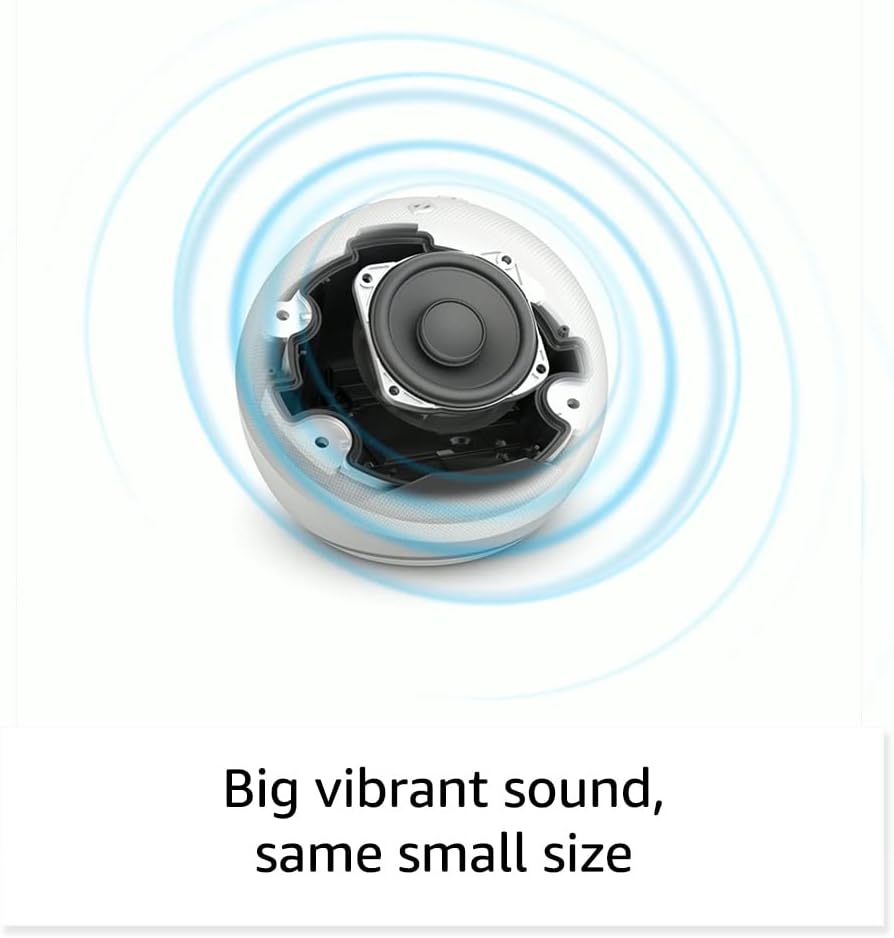
Irudia: Barnekoa view of the Amazon Echo Dot (5th Gen) speaker components, illustrating its audio design.
4. Konfigurazioa
Follow these steps to set up your Echo Dot (5th Gen):
- Konektatu zure Echo Dot-a: Connect the included power adapter to your Echo Dot and then to a power outlet. The light ring will turn blue, then orange, indicating it's ready for setup.
- Deskargatu Alexa aplikazioa: On your mobile device, download and install the Amazon Alexa app from your device's app store (compatible with Fire OS, Android, and iOS devices).
- Gehitu zure gailua: Open the Alexa app. If prompted, sign in with your Amazon account. Tap the 'Devices' icon at the bottom, then the '+' icon in the top right corner. Select 'Add Device', then 'Amazon Echo', and choose 'Echo Dot'.
- Jarraitu pantailako argibideak: The app will guide you through connecting your Echo Dot to your Wi-Fi network. Ensure your Wi-Fi network supports 802.11a/b/g/n/ac (2.4 and 5 GHz). Ad-hoc networks are not supported.
- Lekua: Place your Echo Dot in a central location within your room, away from walls or other objects that might obstruct sound.
5. Echo Dot-aren erabilera
Voice Commands with Alexa:
To interact with your Echo Dot, simply say the wake word "Alexa," followed by your command or question. The light ring will turn blue to indicate Alexa is listening.
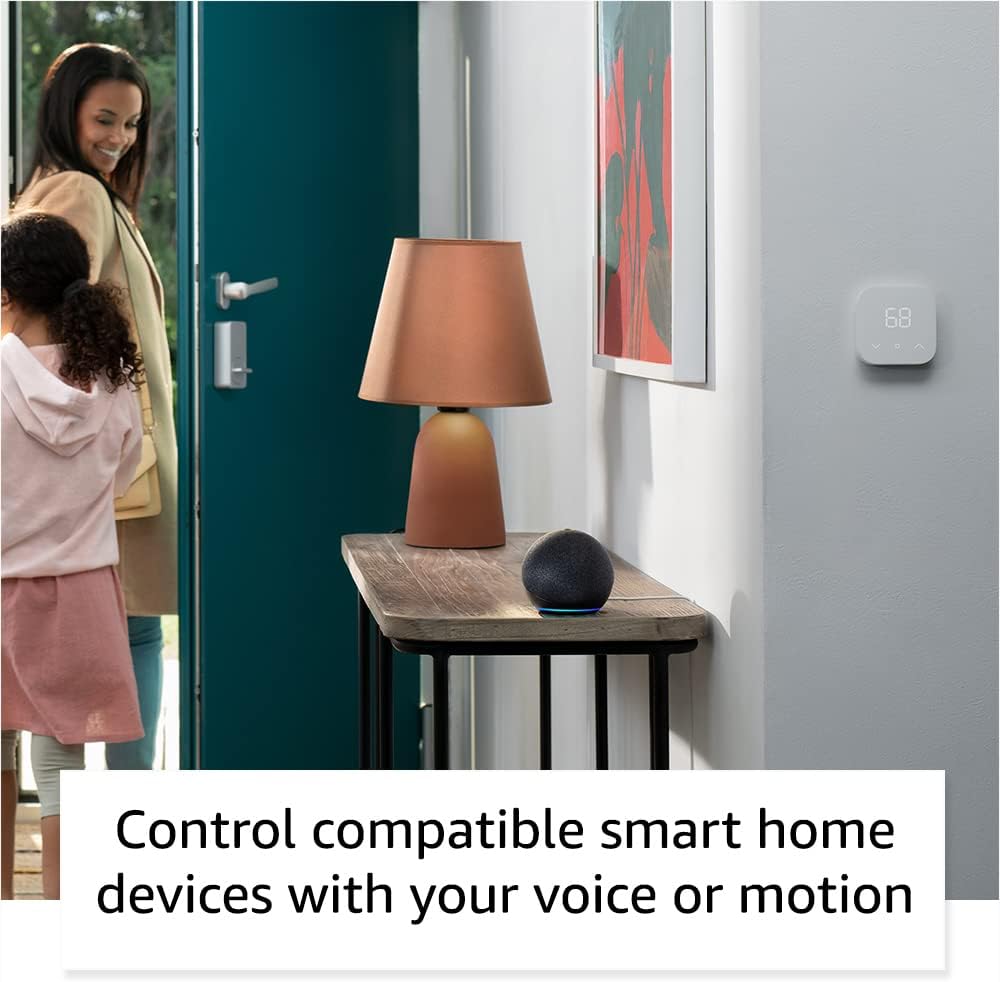
Image: Amazon Echo Dot (5th Gen) in Deep Sea Blue on a kitchen counter, demonstrating a user asking Alexa for the weather.
Komando arruntak:
- "Alexa, erreproduzitu musika."
- "Alexa, zer eguraldi dago?"
- "Alexa, ezarri tenporizadorea 10 minutuz."
- "Alexa, kontatu txiste bat."
- "Alexa, igo bolumena."
Ukitu kontrolak:
The top surface of your Echo Dot is touch-sensitive for quick actions:
- Tap to Snooze: When an alarm sounds, tap the top of the device to snooze it.
- Tap to Pause/Resume: Tap to pause or resume music playback.

Image: A hand tapping the top of the Amazon Echo Dot (5th Gen) in Glacier White, demonstrating the tap-to-snooze or pause music function.
6. Smart Home Integrazioa
Your Echo Dot can control compatible smart home devices using voice commands or routines. It supports WiFi, Bluetooth Low Energy Mesh, and Matter protocols.
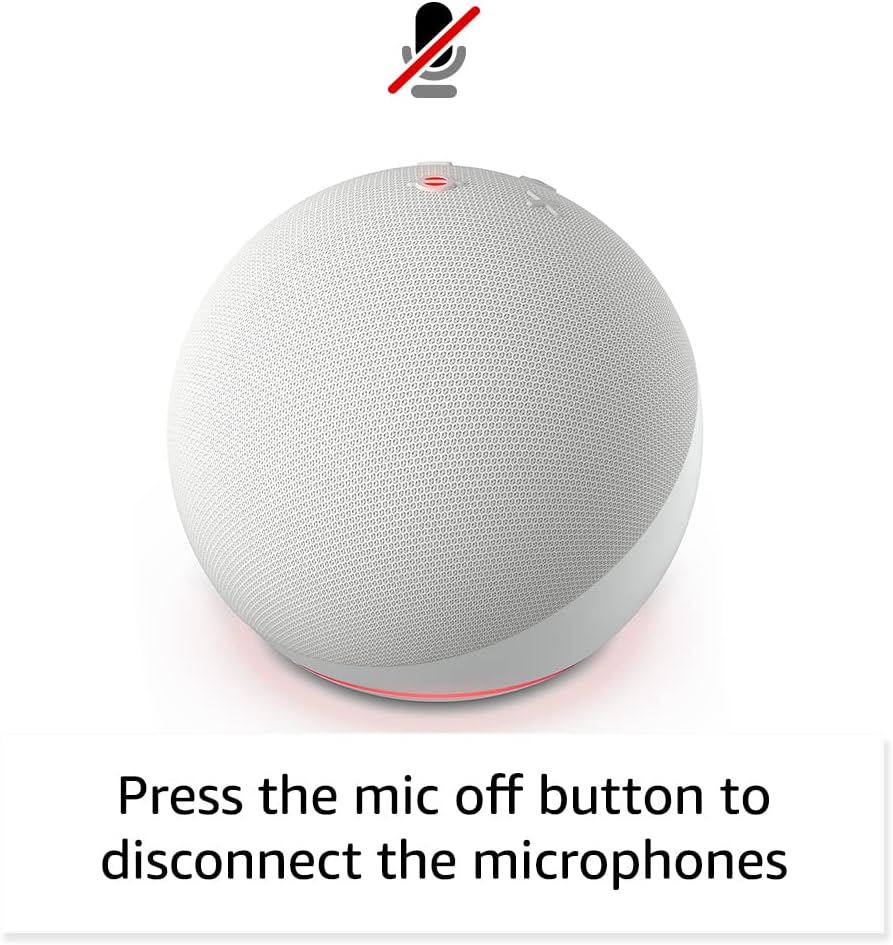
Image: Amazon Echo Dot (5th Gen) in a living space, illustrating its use for controlling compatible smart home devices.
Using the Temperature Sensor:
The built-in temperature sensor allows you to create routines in the Alexa app. For example, you can set a routine to automatically turn on a fan if the room temperature exceeds a specified comfort zone.
Amazoniako espaloia:
Amazon Sidewalk uses Echo and Ring devices to securely keep other devices connected and help find lost items. It can enable supported devices to remain connected even when Wi-Fi is lost or they are outside the range of their home Wi-Fi. Sidewalk uses a small portion of your internet bandwidth. You can manage Sidewalk settings in the Alexa app.
eero Barneratua:
If you have a compatible eero router, your Echo Dot can extend Wi-Fi coverage. This feature requires linking your eero and Amazon accounts and managing it through the eero mobile application. eero Built-in compatible Echo devices support up to 1,000 sq. ft. of additional coverage, speeds up to 100 Mbps, and 10 or fewer connected devices in the 5 GHz band.
7. Pribatutasun Ezaugarriak
Amazon Echo gailuak pribatutasun-kontrolen hainbat geruza dituzte diseinatuta:
- Mikrofonoa itzaltzeko botoia: Press the microphone off button on the top of your Echo Dot to electronically disconnect the microphones. The light ring will turn red to indicate the microphones are off.
- Ahots-grabaketak: Gaitasuna duzu. view, listen to, and delete your voice recordings through the Alexa app or your Amazon account settings.
- Esnatzeko Hitzaren Teknologia: The device only begins recording and sending audio to the cloud after it detects the wake word (e.g., "Alexa").
Image: Amazon Echo Dot (5th Gen) with a red light indicating the microphone is off, showing the privacy control feature.
8. Irisgarritasun Ezaugarriak
The Alexa app provides various accessibility features to personalize your experience. Access these settings by navigating to 'Settings' → 'Accessibility' in the Alexa App.
- Entzute Egokitzailea: Alexak erantzun aurretik hitz egiten amaitzeko denbora gehiago ematen du.
- Hitz egiteko nahiago den tasa: Kontrolatu Alexak zein azkar edo motel hitz egiten duen "Alexa, hitz egin motelago" edo "Alexa, hitz egin azkarrago" esanez.
- Soinua eskatu: Alexarekin hitz egiten duzunean, adierazle bisualaz gain, soinu entzungarri bat erreproduzitzen du. Gaitu "Alexa, aktibatu Eskaeraren Hasierako Soinua" esanez.
- Kindle-n ozen irakurtzeko: Alexak zure Kindle liburuak ozen irakur ditzake.
- Jakinarazi gertu dagoenean: Echo gailuaren ondoan zu detektatzen zaituztenean jakinarazpen-soinuak erreproduzitzen ditu.
9. Mantentzea
Zure Echo Dot-en iraupena eta errendimendu optimoa bermatzeko:
- Garbiketa: Use a soft, dry, lint-free cloth to clean the device. Do not use abrasive cleaners or sprays.
- Lekua: Saihestu gailua eguzki-argitan zuzenean, bero-iturrien ondoan edo ingurune hezeegietan jartzea.
- Software eguneraketak: Your Echo Dot automatically receives software security updates. Ensure it remains connected to Wi-Fi for these updates.
10. Arazoak
Ohiko arazoak eta irtenbideak:
- Gailuak ez du erantzuten:
- Ziurtatu mikrofonoa ez dagoela isilarazita (argi gorriko eraztunak isilarazita dagoela adierazten du).
- Check if the device is plugged in and powered on.
- Restart the device by unplugging it from the power outlet for 30 seconds and then plugging it back in.
- Ezin da Wi-Fira konektatu:
- Egiaztatu zure Wi-Fi pasahitza zuzena dela.
- Ensure your router is working and other devices can connect.
- Move the Echo Dot closer to your Wi-Fi router.
- Berrabiarazi zure bideratzailea eta modema.
- Audio kalitate eskasa:
- Doitu bolumena ahots-komandoak edo Alexa aplikazioa erabiliz.
- Ziurtatu gailua ez dagoela soinua isilarazi dezakeen leku itxi batean.
- Check for any physical obstructions around the speaker.
- Alexak ez ditu komandoak ulertzen:
- Speak clearly and at a normal pace.
- Murriztu atzeko planoko zarata.
- Ensure you are within hearing range of the device.
11. Zehaztapenak
| Ezaugarri | Xehetasuna |
|---|---|
| Tamaina | 3.9” x 3.9” x 3.5” (100 mm x 100 mm x 89 mm) |
| Pisua | 10.7 oz (304g) |
| Audioa | 1.73 hazbeteko (44 mm) aurrealdeko bozgorailua, Galerarik gabeko Definizio Handia |
| Wi-Fi konexioa | Banda bikoitzeko Wi-Fiak 802.11a/b/g/n/ac (2.4 eta 5 GHz) sareak onartzen ditu. Ez ditu ad-hoc sareak onartzen. |
| Bluetooth konexioa | A2DP euskarria audio erreprodukziorako, AVRCP konektatutako gailu mugikorren ahots-kontrolerako. PIN kodeak behar dituzten Bluetooth bozgorailuak ez dira onartzen. |
| Etxe Adimendunaren Gailuen Bateragarritasuna | WiFi, Bluetooth energia gutxiko sare eta materia |
| Sistemaren eskakizunak | Alexa aplikazioa Fire OS, Android eta iOS gailuekin bateragarria. Web browser access also available. |
| Belaunaldia | Echo Dot (5. belaunaldia) - 2022ko kaleratzea |
| Hizkuntza | Alexak ingelesez eta gaztelaniaz hitz egiten du |
12. Bermea eta Laguntza
Bermearen informazioa:
Your Echo Dot (5th Gen) comes with a 90-day limited warranty and service. Optional 1-year, 2-year, and 3-year extended warranties are available for U.S. customers and are sold separately. Use of the Echo Dot is subject to specific terms and conditions.
Softwarearen Segurtasun Eguneraketak:
Gailu honek softwarearen segurtasun-eguneraketak jasoko dituela bermatuta dago gutxienez lau urtez Amazonen unitate berri gisa azken aldiz erosteko moduan egon eta gero. websites. For more information on software security updates or to manage your device, visit the Amazon webgunea.
Bezeroarentzako laguntza:
For further assistance, please refer to the Amazon Alexa app or visit the Amazon support website. You can also find information specific to your device by visiting 'Manage Your Content and Devices' on Amazon.
Ask a question about this manual
Ask about setup, troubleshooting, compatibility, parts, safety, or missing instructions. Manuals+ will review the question and use this page’s manual context to help answer it.