
1. Sarrera
Eskerrik asko erosketagatik.asing the TOSHIBA 661 L Frost Free Inverter 2-Door Refrigerator. This manual provides essential information for the safe and efficient operation, maintenance, and troubleshooting of your new appliance. Please read this manual thoroughly before using the refrigerator and keep it for future reference.
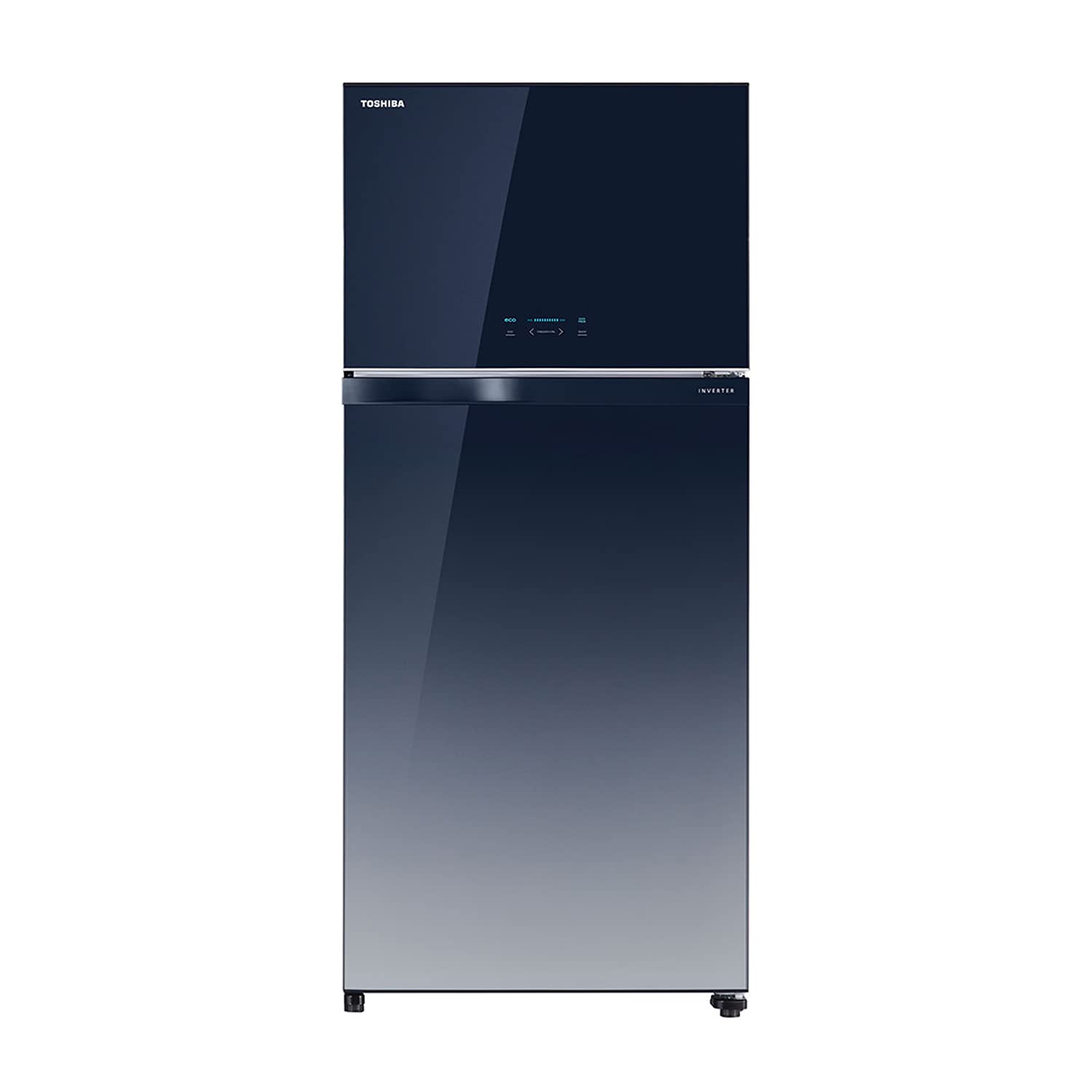
1.1. irudia: Aurrealdea view of the TOSHIBA 661 L Refrigerator.
2. Segurtasun informazioa
Funtzionamendu segurua bermatzeko, jarraitu beti neurri hauek:
- Ziurtatu hozkailua lurrera konektatutako entxufe batera konektatuta dagoela.
- Ez kaltetu hozte-zirkuitua.
- Mantendu aireztapen-zuloak oztoporik gabe.
- Ez erabili etxetresna elektrikoak elikagaiak biltegiratzeko konpartimentuen barruan fabrikatzaileak gomendatutako motakoak ez badira.
- Deskonektatu gailua garbitu edo mantentze-lanak egin aurretik.
- Mantendu haurrak tresnatik urrun funtzionamenduan eta garbiketan zehar.
3. Konfigurazioa eta instalazioa
3.1 Paketatzea
Carefully remove all packaging materials, including tape and protective films. Inspect the refrigerator for any damage incurred during transit. Retain packaging materials for potential future transport.
3.2 Jartzea
Place the refrigerator on a firm, level surface away from direct sunlight, heat sources (e.g., stoves, radiators), and moisture. Ensure adequate air circulation around the appliance. Maintain the following minimum clearances:
- Rear: 10 cm (4 inches)
- Alboak: 5 cm (2 hazbete)
- Goialdea: 30 cm (12 hazbete)

Figure 3.1: Refrigerator dimensions and recommended clearances for proper ventilation.
3.3 Konexio elektrikoa
Connect the refrigerator to a dedicated 230V AC, 50Hz power outlet. Do not use extension cords or multi-plugs. Allow the refrigerator to stand for at least 2-4 hours before plugging it in to allow refrigerants to settle.
3.4 Hasierako funtzionamendua
After plugging in, the refrigerator will begin cooling. It may take several hours for the internal temperature to reach the desired level. Avoid placing food inside until the refrigerator has reached its operating temperature.
4. Funtzionamendu-argibideak
4.1 Electronic Touch Control Panel
Your refrigerator is equipped with an intuitive electronic touch control panel located on the freezer door. This panel allows you to adjust temperature settings, activate special modes, and monitor the refrigerator's status.

Figure 4.1: Electronic Touch Control Panel for temperature and mode adjustments.
4.2 Tenperatura ezarpenak
Use the control panel to set the desired temperature for both the refrigerator and freezer compartments. Refer to the display for current settings. Recommended settings are typically 3-5°C for the refrigerator and -18°C for the freezer.
4.3 EKO modua
Activate ECO mode for energy-efficient operation. This mode optimizes cooling performance to reduce power consumption, ideal for periods of low usage or when you want to conserve energy.
4.4 Auto Ice Maker
The integrated Auto Ice Maker automatically produces ice cubes. Simply fill the water reservoir, and the system will dispense ice into the ice storage bin. Ensure the water reservoir is regularly refilled for continuous ice production.

Figure 4.2: Illustration of the Automatic Ice Maker system.
4.5 Izozte azkarra
Use the Quick Freeze function to rapidly lower the freezer temperature, ideal for freezing large quantities of fresh food or making ice quickly. This function will automatically deactivate after a set period or when the target temperature is reached.
5. Ezaugarri nagusiak
5.1 LED Hybrid Deodorizer
The LED Hybrid Deodorizer system helps to eliminate bacteria and odors, keeping your refrigerator fresh and hygienic. It uses a combination of LED lights and a photocatalyst to break down odor molecules and inhibit bacterial growth.

Figure 5.1: How the LED Hybrid Deodorizer works to maintain freshness.
5.2 Ag+ Crisper with Wheels
The Ag+ Crisper vegetable box is designed to keep fruits and vegetables fresh for longer. It features silver ions (Ag+) for antibacterial properties and wheels for easy access and movement, even when full.
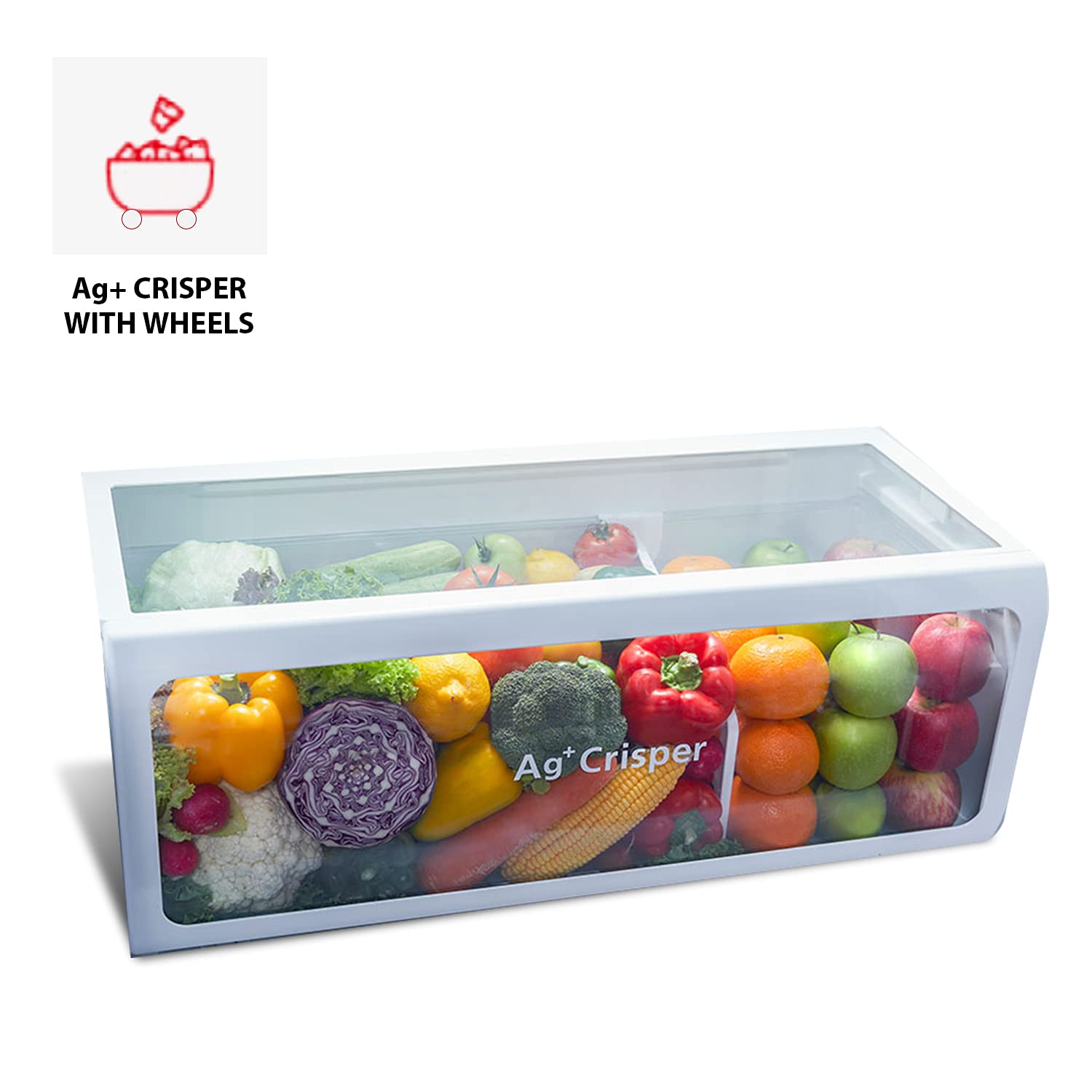
Figure 5.2: The Ag+ Crisper with wheels, designed for optimal produce storage.
5.3 Ultra Fresh Room
The Ultra Fresh Room provides a dedicated space for sensitive items, maintaining an optimal temperature and humidity level to preserve their freshness and flavor.
5.4 Real Inverter Compressor + Fan Motor
Equipped with a Real Inverter Compressor and Fan Motor, this refrigerator offers precise temperature control, reduced noise levels, and significant energy savings compared to conventional compressors. The inverter technology adjusts cooling power according to demand, leading to stable temperatures and lower electricity consumption.

Figure 5.3: Energy saving benefits of Real Inverter technology.
5.5 Adjustable Door Pocket
The door pockets are designed to be adjustable, allowing you to customize the storage space to accommodate items of various heights and sizes, providing flexible organization within the refrigerator.

5.4. Irudia: Barrualdea view highlighting the adjustable door pockets for flexible storage.
6. Mantentzea eta Garbiketa
Regular cleaning and maintenance will ensure the longevity and optimal performance of your refrigerator.
6.1 Barnealdeko garbiketa
Unplug the refrigerator before cleaning. Use a soft cloth dampened with a mild detergent solution to wipe down interior surfaces, shelves, and drawers. Rinse with clean water and dry thoroughly. Do not use abrasive cleaners or solvents.
6.2 Kanpoko garbiketa
Garbitu kanpoko gainazalak leun batekin, damp cloth. For the glass finish, use a glass cleaner if necessary, applied to the cloth first, not directly to the surface. Ensure the control panel remains dry.
6.3 Ateko junturak
Clean the door gaskets regularly with a mild detergent and warm water to ensure a tight seal. A damaged or dirty gasket can lead to inefficient cooling.
7. Arazoak
Zerbitzuarekin harremanetan jarri aurretik, mesedez, kontsultatu honako arazo ohikoenak eta haien irtenbideak:
| Arazoa | Kausa posiblea | Irtenbidea |
|---|---|---|
| Hozkailuak ez du funtzionatzen | Ez dago korronte-iturririk; kablea deskonektatuta dago; etengailu magnetotermikoa jauzi egin du. | Egiaztatu konexioa; ziurtatu entxufea funtzionatzen duela; berrezarri etengailua. |
| Tenperatura ez da nahikoa hotza | Door not closed properly; excessive door opening; warm food placed inside; poor ventilation. | Check door seal; reduce door openings; allow hot food to cool before storing; ensure proper clearances. |
| Ezohiko zaratak | Hozkailua ez dago maila berean; barruko elementuak bibratzen ari dira; funtzionamendu-hots normalak (adibidez, hozgarri-fluxua). | Egokitu mailakatzeko oinak; berrantolatu elementuak; soinu normalak espero dira. |
| Ura lurrean | Drain hose clogged; drip tray overflowing. | Clear drain hose; empty and clean drip tray. |
8. Zehaztapenak
| Zehaztapena | Balioa |
|---|---|
| Marka | TOSHIBA |
| Eredua | GR-AG66INA(GG) |
| Edukiera | 661 litro |
| Hozkailua Elikagai freskoen edukiera | 471 litro |
| Izozkailu Edukiera | 190 litro |
| Energia Eraginkortasuna | 2 Star (as per BEE guidelines) |
| Urteko Energia Kontsumoa | 344 kilowatt-ordu urtean |
| Desizozteko sistema | Automatikoa |
| Apala Mota | Beira gogortua |
| Kolorea | Gradiation Blue |
| liburukiatage | 230 voltio (AC) |
| Elementuaren pisua | 87 kg |
| Neurriak (LxWxH) | 80.3 x 73.9 x 184.8 zentimetro |
9. Bermea eta Laguntza
9.1 Bermearen informazioa
This TOSHIBA refrigerator comes with a Produktuaren urtebeteko bermea eta a 10 urteko bermea konpresorearentzat from the date of purchase. Please retain your purchase receipt for warranty claims. The warranty covers manufacturing defects under normal use conditions.
9.2 Bezeroarentzako laguntza
For any queries, service requests, or technical assistance, please contact TOSHIBA customer support:
- Doako Zenbakia: 18004191111
- Posta elektronikoa: toshibacare@midea.co.in
When contacting support, please have your product model number (GR-AG66INA(GG)) and purchase details ready.