
Baseus NGTW060001
Baseus W11 True Wireless Earbuds User Manual
Model: NGTW060001
1. Sarrera
Thank you for choosing Baseus W11 True Wireless Earbuds. This manual provides detailed instructions for the proper use and maintenance of your device. Please read it carefully before use.

Image: Baseus W11 True Wireless Earbuds and Charging Case.
2. Zer dago kutxan
Paketeak honako elementu hauek ditu:
- Baseus W11 True Wireless Earbuds (Left and Right)
- Haririk gabeko kargatzeko kaxa
- USB-C kargatzeko kablea
- Multiple sizes of silicone ear tips (XS, S, M, L)
- Erabiltzailearen eskuliburua
Video: TWS W11 Operation Guide Video, demonstrating unboxing and initial setup steps.
3. Produktua amaitu daview
Entzungailuak
- Ukitu Kontrol eremua
- Mikrofonoa
- Kontaktuak kargatzen
- Silikonazko Belarriko Punta
Kargatzeko kaxa
- Entzungailuak kargatzeko zirrikituak
- Bateriaren adierazle argia
- USB-C kargatzeko ataka
- Funtzio-botoia

Image: Baseus W11 Earbuds inside their charging case, showing the earbuds and charging contacts.
4. Konfigurazioa
4.1 Hasierako karga
Before first use, ensure the charging case and earbuds are fully charged. Remove any insulation stickers from the earbud charging contacts.
- Konektatu USB-C kablea kargatzeko zorrora eta energia-iturri batera.
- Bestela, jarri kargatzeko zorroa haririk gabeko kargatzeko oinarri bateragarri batean.
- Kaxako adierazle-argiak kargatze-egoera erakutsiko du.

Image: Baseus W11 charging case on a wireless charging pad, illustrating wireless charging capability.

Image: Baseus W11 charging case connected via USB-C cable, showing fast charging feature.
4.2 Gailu batekin parekatzea
- Ireki kargatzeko zorroa. Aurikularrak automatikoki sartuko dira parekatze moduan.
- Zure gailuan (smartphone-an, tabletan, etab.), gaitu Bluetooth-a.
- Bilatu "Baseus Encok W11" in the list of available Bluetooth devices and select it to connect.
- Behin konektatuta, audio-abisu bat entzungo duzu, eta entzungailuak erabiltzeko prest egongo dira.
4.3 Baseus aplikazioaren instalazioa
For enhanced features like anti-lost function, gesture customization, and firmware updates, download the official Baseus app from your device's app store.

Image: Baseus app interface showing anti-lost function, low latency, and button customization options.
5. Funtzionamendu-argibideak
5.1 Entzungailuak janztea
Choose the ear tips that provide the most comfortable and secure fit for your ears. Insert the earbuds into your ear canal and gently twist them to lock them in place.

Image: Man wearing Baseus W11 earbuds while running, demonstrating the secure and comfortable fit for active use.
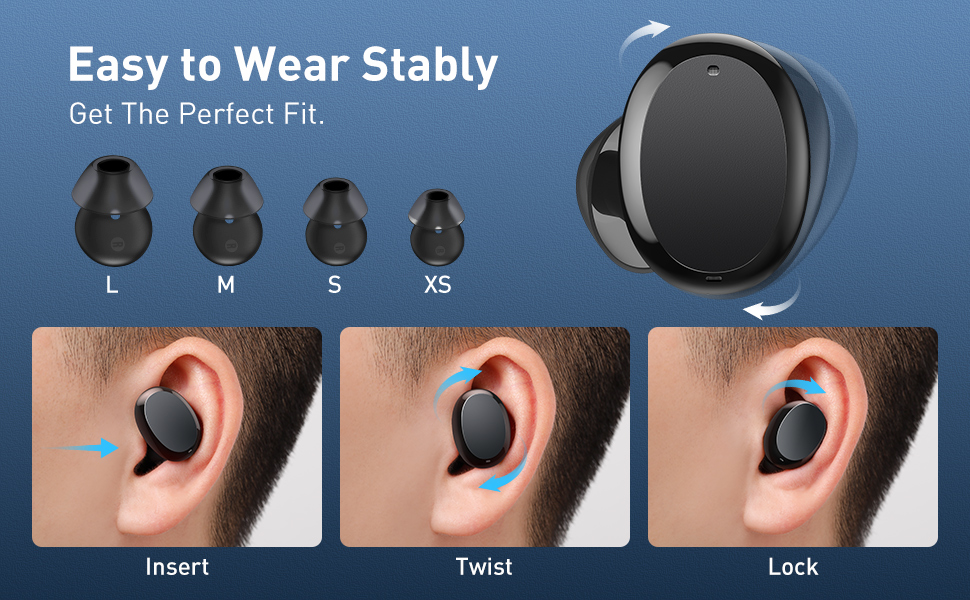
Image: Diagram illustrating the three steps to achieve a secure fit for the Baseus W11 earbuds: insert, twist, and lock.
5.2 Ukitu Kontrolak
The earbuds feature smart touch controls. Functions can be customized via the Baseus app.
- Erreproduzitu/Pausatu: Double-tap Left/Right earbud.
- Hurrengo ibilbidea: Long press Right earbud.
- Aurreko pista: Long press Left earbud.
- Aktibatu Ahots Laguntzailea: Triple-tap Left/Right earbud.
- Erantzun/Ezin egin deia: Double-tap Left/Right earbud.
- Deia baztertu: Long press Left/Right earbud.
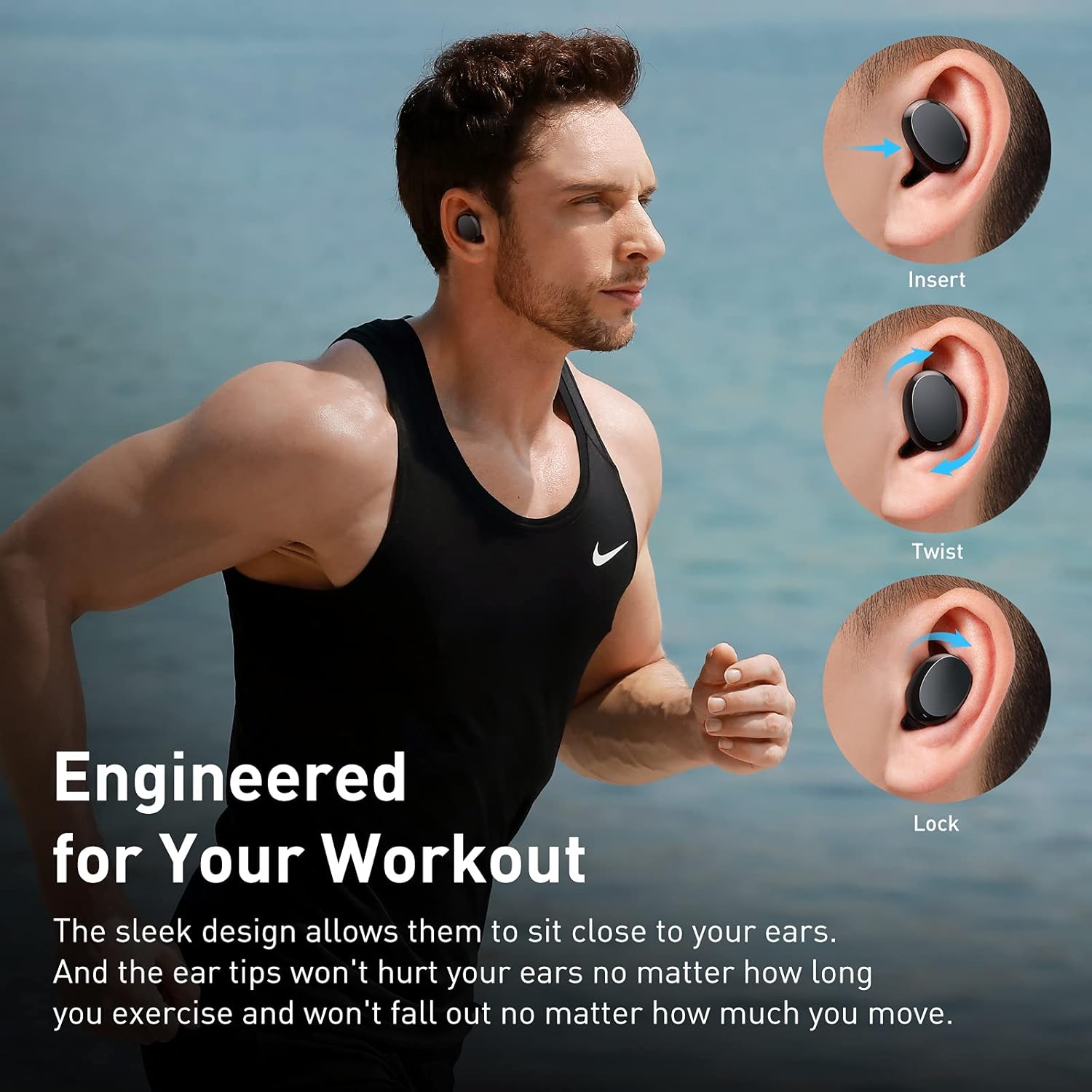
Image: Diagram illustrating the various touch control functions for the Baseus W11 earbuds, including play/pause, track skipping, voice assistant, and call management.
5.3 Entzungailu bakarreko erabilera
The Baseus W11 earbuds support independent use. You can use either the left or right earbud individually while the other is charging or stored.
6. Kargatzea
6.1 Entzungailuak kargatzea
Place the earbuds into the charging case. They will automatically begin charging. The case's indicator light will show the charging status.
6.2 Kaxa kargatzea
The charging case can be charged via the included USB-C cable or wirelessly using a compatible Qi-certified wireless charger.
6.3 Karga azkarra
The earbuds feature fast charging. A 10-minute charge can provide up to 4 hours of playback time.
7. Mantentzea
7.1 Iragazgaitza Balorazioa (IPX8)
The Baseus W11 earbuds are IPX8 waterproof, providing protection against sweat and rain. This makes them suitable for sports and outdoor activities. Avoid prolonged submersion in water.
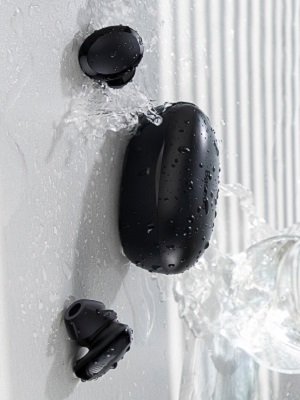
Image: Baseus W11 earbuds and case with water splashing, demonstrating IPX8 waterproof rating.
7.2 Garbiketa
Regularly clean the earbuds and charging case with a soft, dry cloth. Ensure charging contacts are free from dust and debris to maintain optimal charging performance.
8. Arazoak
- Entzungailuak ez dira parekatzen: Ensure both earbuds are fully charged and removed from the case. Check your device's Bluetooth settings and try reconnecting. If issues persist, try resetting the earbuds (refer to the app or full user manual for specific reset instructions).
- Entzungailu bat ez dabil: Ensure both earbuds are charged. Try placing them back in the case and taking them out again. If only one earbud connects, try re-pairing them as a pair.
- Soinuaren kalitatearen arazoak: Ensure ear tips are properly fitted to create a good seal. Check the audio source and volume levels on both your device and the earbuds.
- Lost Earbuds: Use the anti-lost function in the Baseus app to locate misplaced earbuds by making them emit a sound.
Video: Great Waterproof Wireless Earbuds with Locator App, demonstrating the app's anti-lost feature.
9. Zehaztapenak
| Ezaugarri | Zehaztapena |
|---|---|
| Ereduaren izena | NGTW060001 (W11) |
| Konektibitate Teknologia | Haririk gabeko (Bluetooth) |
| Haririk gabeko Komunikazio Teknologia | Bluetooth V5.0 |
| Earbud bateriaren edukiera | 40mAh (0.148Wh) |
| Kargatzeko Kutxa Bateria Edukiera | 300mAh (1.11Wh) |
| Maiztasun-erantzunaren barrutia | 20Hz-20kHz |
| Kargatzeko Interfazea | C motakoa |
| Uraren Erresistentzia Maila | IPX8 Iragazgaitza |
| Audio kontrolatzaile mota | 10 mm-ko gidari dinamikoa |
| Kontrol-metodoa | Aplikazioa, ukitu |
| Pisua | 5.1 ounces (total item weight) |
| Materiala | Durable Plastic or Rubber |
10. Bermea eta Laguntza
Baseus products come with a standard manufacturer's warranty. For warranty claims, technical support, or any product-related inquiries, please contact Baseus customer service through their official webgunea edo zure produktuaren ontzian emandako harremanetarako informazioa.
Laguntza gehiago lortzeko, bisitatu: www.baseus.com/support
Ask a question about this manual
Ask about setup, troubleshooting, compatibility, parts, safety, or missing instructions. Manuals+ will review the question and use this page’s manual context to help answer it.