
Sarrera
Thank you for choosing the Redragon S101-5 Wired Gaming Keyboard and Mouse combo. This manual provides detailed instructions to help you set up, operate, and maintain your new gaming peripherals. Please read this manual carefully before use to ensure optimal performance and longevity of your product.
Paketearen edukia
- Redragon S101-5 Wired Gaming Keyboard
- Redragon M601RGB Wired Gaming Mouse
- Erabiltzailearen eskuliburua (dokumentu hau)
Konfigurazioa
The Redragon S101-5 keyboard and mouse are designed for plug-and-play functionality. No additional drivers are typically required for basic operation on most modern operating systems.
Teklatua konektatzea
- Bilatu erabilgarri dagoen USB ataka zure ordenagailuan.
- Plug the USB connector of the Redragon S101-5 keyboard into the USB port.
- Zure sistema eragileak automatikoki detektatu eta instalatu beharko lituzke beharrezko kontrolatzaileak.
Sagua konektatzen
- Bilatu beste USB ataka erabilgarri bat zure ordenagailuan.
- Plug the USB connector of the Redragon M601RGB mouse into the USB port.
- Zure sistema eragileak automatikoki detektatu eta instalatu beharko lituzke beharrezko kontrolatzaileak.
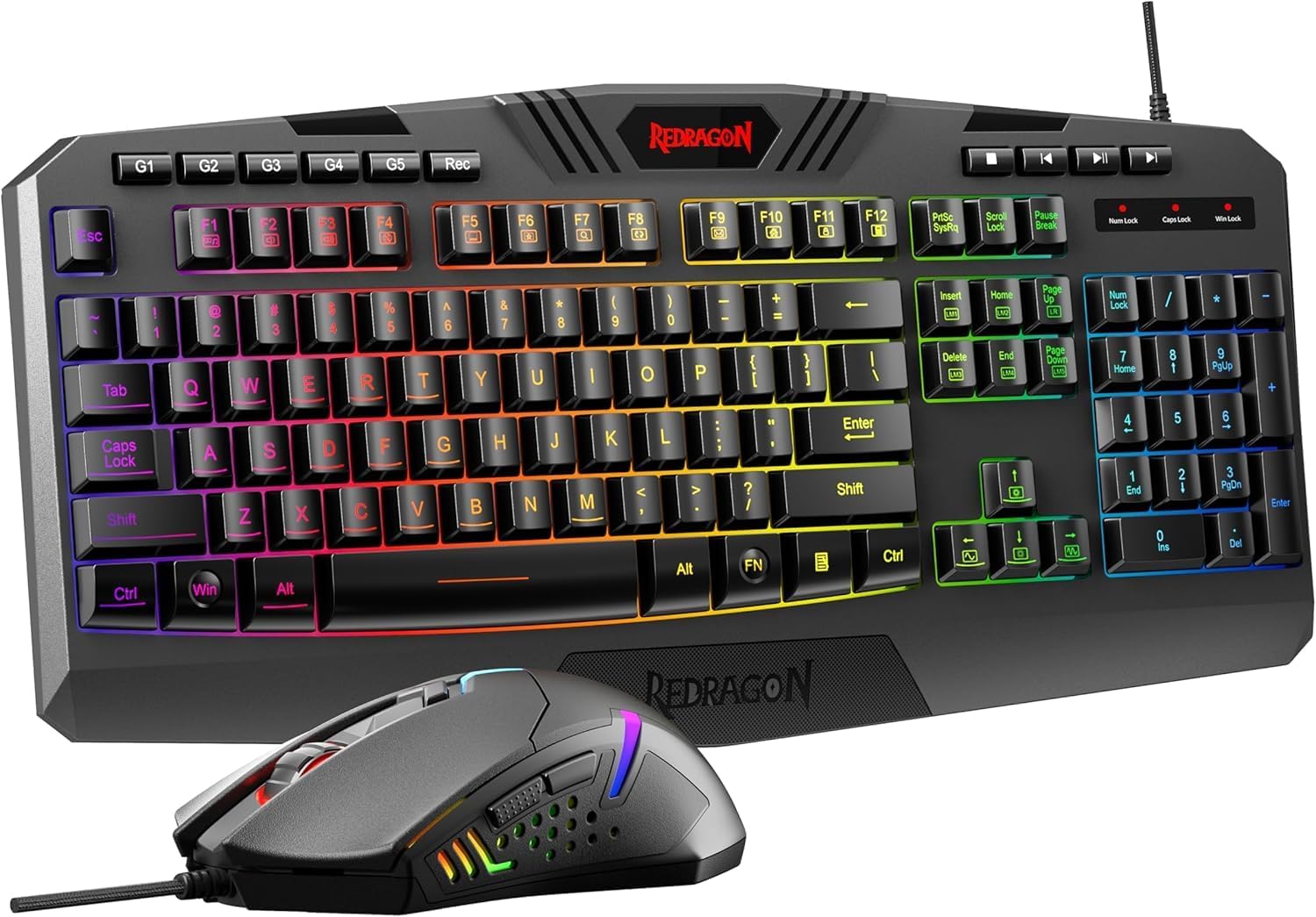
Figure 1: Redragon S101-5 Keyboard and M601RGB Mouse connected to a computer.
Teklatua funtzionatzea
The Redragon S101-5 keyboard offers a range of features designed to enhance your gaming and typing experience.
Ezaugarri nagusiak
- 104 giltza estandar: Full-size layout for comprehensive functionality.
- 25 Non-Conflict Keys: Ensures multiple key presses are registered accurately during intense gaming.
- 12 Multimedia Teklak: Dedicated keys for quick access to media controls (e.g., volume, play/pause). These are typically accessed via the FN key combined with F1-F12.
- Interchangeable WASD and Arrow Keys: Allows users to swap the functionality of the WASD keys with the arrow keys for personalized control. Refer to the keyboard's specific key combinations for this function (often FN + W).
- WIN Key Disable Function: Prevents accidental presses of the Windows key during gaming sessions. This function is usually activated by FN + IRABAZI giltza.
RGB atzeko argiaren kontrola
The keyboard features RGB full-color backlighting with adjustable breathing speed.
- Distira doitzea: Use specific key combinations (e.g., FN + Orrialdea gora/Orrialdea behera) to increase or decrease backlight brightness.
- Changing Lighting Modes/Colors: Cycle through various lighting effects and colors using dedicated keys or key combinations (e.g., FN + Insert/Home/Page Up/Delete/End/Page Down or a dedicated light bulb key).
- Arnasketa-abiadura doitzea: Modify the speed of breathing light effects using key combinations (e.g., FN + +/-).
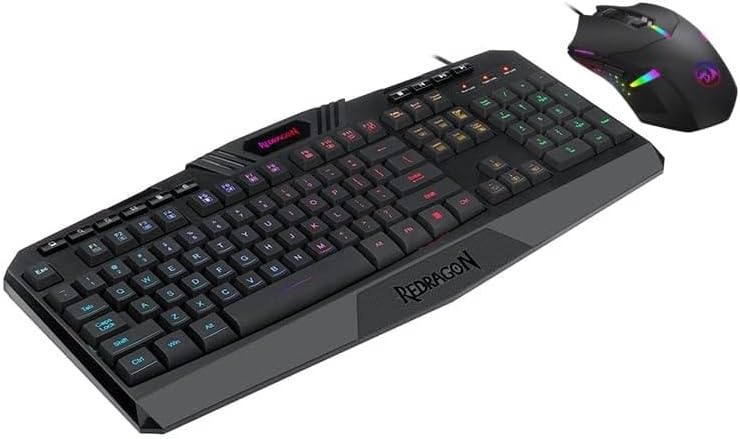
Figure 2: Redragon S101-5 Keyboard showcasinbere RGB atzeko argiztapena.
Operating the Mouse (M601RGB)
The Redragon M601RGB gaming mouse is designed for precision and customization.
Ezaugarri nagusiak
- Zehaztasun handiko sentsorea: Up to 7200 DPI (Dots Per Inch) for accurate tracking.
- Fotograma-tasa altua: 4000 FPS (Frames Per Second) ensures smooth movement.
- Azelerazioa: 10G acceleration for rapid response.
- 6 Function Buttons: Programmable buttons for various in-game actions.
- 2 Side Buttons: Conveniently placed for quick access, often programmable via software.
- Adjustable Weight System: Features 8 built-in weights to customize the mouse's feel and balance.
- Antiskid Roller: 8mm width roller for precise scrolling.
- Durable TEFLON Feet Pads: For fast and fine gliding on various surfaces.
DPI doikuntza
The mouse typically has a dedicated DPI button (often located behind the scroll wheel) to cycle through different DPI settings. Each setting may correspond to a different LED color on the mouse for easy identification.
Pisua doitzea
To adjust the mouse's weight, locate the weight compartment on the underside of the mouse. Open the compartment and add or remove the small weights as desired to achieve your preferred balance and feel.

Figure 3: Redragon M601RGB Mouse with its adjustable weight system visible.
Mantentzea
Proper maintenance ensures the longevity and optimal performance of your Redragon S101-5 gaming combo.
Teklatua garbitzea
- Deskonektatu teklatua ordenagailutik garbitu aurretik.
- Erabili aire konprimituzko lata bat tekla-tapoien arteko hautsa eta hondakinak kentzeko.
- Wipe the surface of the keyboard with a soft, slightly damp oihal. Saihestu gehiegizko hezetasuna.
- Ez erabili produktu kimiko gogorrik edo garbigailu urratzailea.
Sagua garbitzea
- Deskonektatu sagua ordenagailutik.
- Use a soft, dry cloth to wipe the body of the mouse.
- Sentsore optikorako, erabili kotoi-zapi bat arinki zipriztinduz.ampened with isopropyl alcohol to gently clean the sensor lens. Ensure it is dry before reconnecting.
- Clean the scroll wheel area with compressed air or a small brush.
Arazoak konpontzea
If you encounter issues with your Redragon S101-5 keyboard and mouse, refer to the following common solutions:
Teklatuak/Saguak ez du erantzuten
- Ziurtatu USB kableak ondo konektatuta daudela zure ordenagailuaren USB ataketan.
- Saiatu gailuak USB ataka desberdinetara konektatzen.
- Berrabiarazi ordenagailua.
- Test the keyboard/mouse on another computer to determine if the issue is with the device or your system.
Atzeko argia ez dabil edo ez dabil ondo
- Check the backlight brightness settings using the designated key combinations (e.g., FN + Orrialdea gora/Orrialdea behera).
- Cycle through different lighting modes to see if the backlight activates.
- Ensure no software is overriding the hardware lighting controls.
Saguaren Jarraipen Arazoak
- Garbitu saguaren azpialdeko sentsore optikoa.
- Ziurtatu sagua gainazal egoki batean erabiltzen ari zarela (sagu-alfonbra bat erabiltzea gomendatzen da).
- Adjust the DPI settings to see if it resolves erratic tracking.
Zehaztapenak
| Marka | Redragon |
| Eredua | S101-5 (Keyboard), M601RGB (Mouse) |
| Konektibitatea | USB kableduna |
| Teklatuaren teklak | 104 Standard Keys, 25 Non-Conflict Keys, 12 Multimedia Keys |
| Teklatuaren atzeko argia | RGB Full Color, Adjustable Breathing Speed |
| Sagua DPI | 7200 DPI arte |
| Mouse FPS | 4000 FPS |
| Saguaren azelerazioa | 10G |
| Saguaren botoiak | 6 Function Buttons, 2 Side Buttons |
| Saguaren ezaugarriak | Adjustable Weight System (8 weights), 8mm Antiskid Roller, Durable TEFLON Feet Pads |
| Sistema eragilea | Windows XP eta gehiago |
| Dimentsioak (Teklatua) | 17.81 x 10.88 x 1.9 hazbete |
| Pisua (Teklatua) | 2.29 kilo |
Bermea eta Laguntza
Redragon products are designed for durability and performance. For information regarding warranty coverage, technical support, or service inquiries, please refer to the official Redragon webwebgunera edo jarri harremanetan bezeroarentzako arreta-zerbitzuarekin zuzenean. Gorde erosketa-agiria erosketaren frogagiri gisa berme-erreklamazioetarako.
Redragon ofiziala Webgunea: www.redragonusa.com