
1. Sarrera
Thank you for choosing the COSTWAY 88-Key Digital Piano. This portable electronic keyboard is designed to provide an authentic piano playing experience with its weighted keys, versatile functions, and modern connectivity options. This manual will guide you through the setup, operation, maintenance, and troubleshooting of your new instrument, ensuring you get the most out of its features.
The COSTWAY 88-Key Digital Piano is suitable for both beginners and experienced players, offering a rich sound experience with its built-in speakers and the included sustain pedal. Enjoy the journey of music with your COSTWAY digital piano.

Irudia: A hand demonstrating the feel of the 88 weighted keys on the COSTWAY digital piano, highlighting the authentic playing experience.
2. Segurtasun-argibideak
Please read and understand these safety instructions before using the product to prevent injury to yourself or others and damage to the instrument.
- Do not expose the instrument to direct sunlight, high temperatures, or excessive humidity.
- Avoid placing the instrument near heat sources such as radiators or stoves.
- Do not use the instrument near water or in damp inguruneak.
- Keep the instrument away from strong magnetic fields.
- Erabili emandako energia-egokitzailea eta osagarriak soilik.
- Do not attempt to disassemble or modify the instrument. Refer all servicing to qualified personnel.
- Istripuak saihesteko, haur txikien eskura ez utzi.
- Ensure the instrument is placed on a stable, flat surface to prevent it from falling.
3. Paketearen edukia
Egiaztatu behean zerrendatutako elementu guztiak zure paketean sartuta daudela:
- 88 teklako teklatu digitala
- Carry Bag (Oxford cloth)
- Kargagailua
- Sustain Pedal
- Argibide eskuliburua
4. Produktua amaitu daview
4.1 Control Panel and Rear Ports

Irudia: Xehetasuna view of the COSTWAY 88-Key Digital Piano's control panel and rear connectivity ports. The control panel includes buttons for Power, Digital Display, Start/Stop, Chord, Metronome, Record, Sustain, Vibrato, Volume, Rhythm, Tone, Tempo, and Transpose. The rear panel features ports for Left Stereo Out, Right Stereo Out, Headphone, Microphone, Sustain Pedal, MP3 input, and USB.
4.2 Ezaugarri nagusiak
- 88 Weighted Keys: Provides an authentic piano playing feel with a 1:1 piano key ratio.
- Kanpoko bozgorailu bikoitza: Delivers rich, stereo surround sound.
- Anti-slip Foot Pads: Ensures stability during play.
- Gorputz iraunkorra: Constructed with aluminum alloy for longevity.
- Deep Key Depth: Features 10mm key depth for enhanced playing experience.
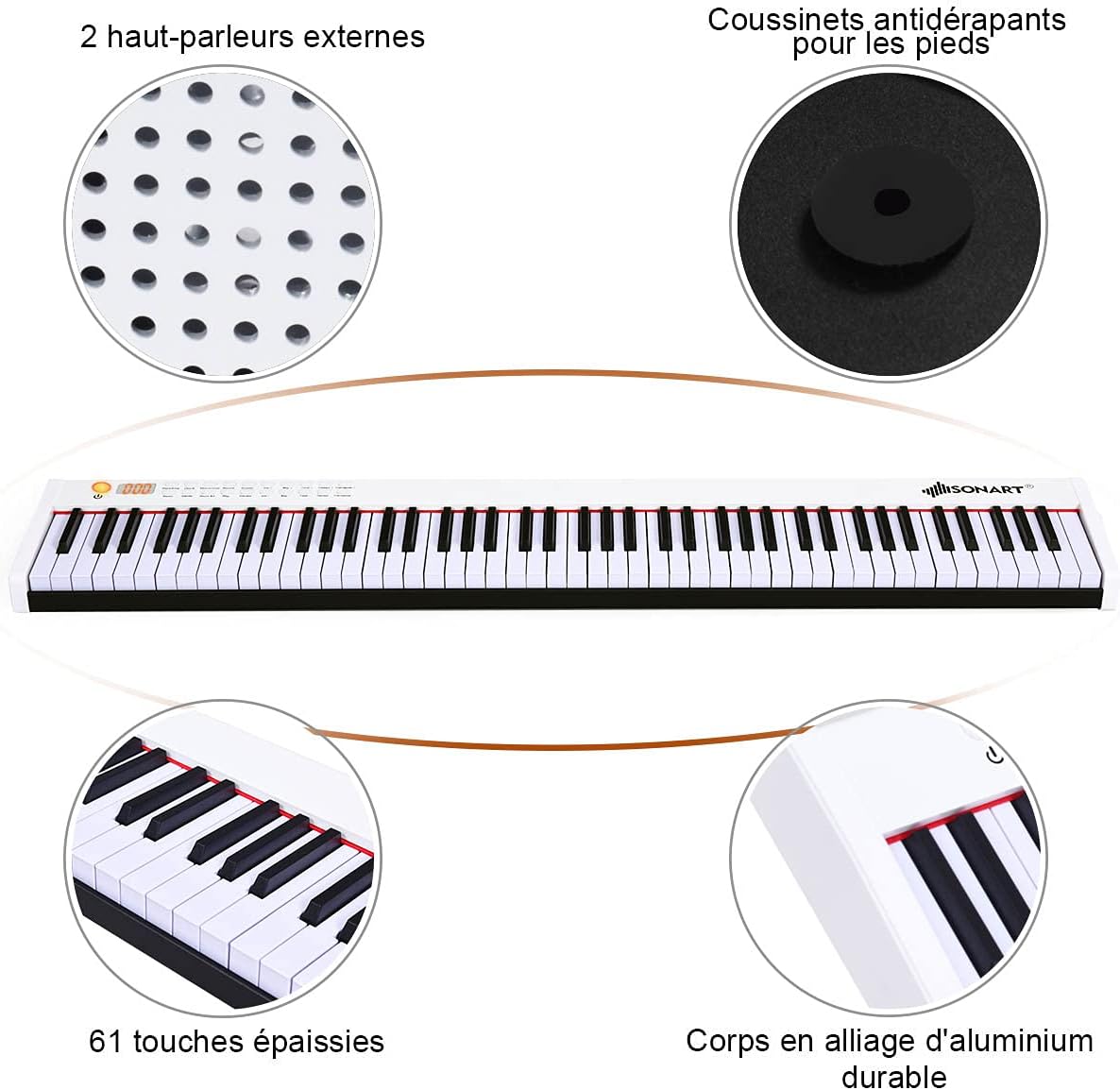
Irudia: Bat baino gehiagoview of the COSTWAY digital piano, pointing out its two external speakers, anti-slip foot pads, and durable aluminum alloy body. Note: While the image indicates '61 thickened keys', this product features 88 weighted keys as per product specifications.

Irudia: A visual comparison demonstrating the 10mm key depth of the COSTWAY digital piano, which provides a more authentic and comfortable playing experience compared to shallower keys (7mm) found on other instruments.
5. Konfigurazioa
5.1 Hasierako karga
Before first use, fully charge the digital piano. The built-in 1750 mAh lithium-ion battery provides up to 12 hours of play time on a full charge, which typically takes 5 hours.
- Connect the charger to the piano's power input port.
- Entxufatu kargagailua entxufe elektriko estandar batera.
- Kargatzeko adierazlearen argiak kargatzeko egoera erakutsiko du.
- Guztiz kargatuta dagoenean, deskonektatu kargagailua.
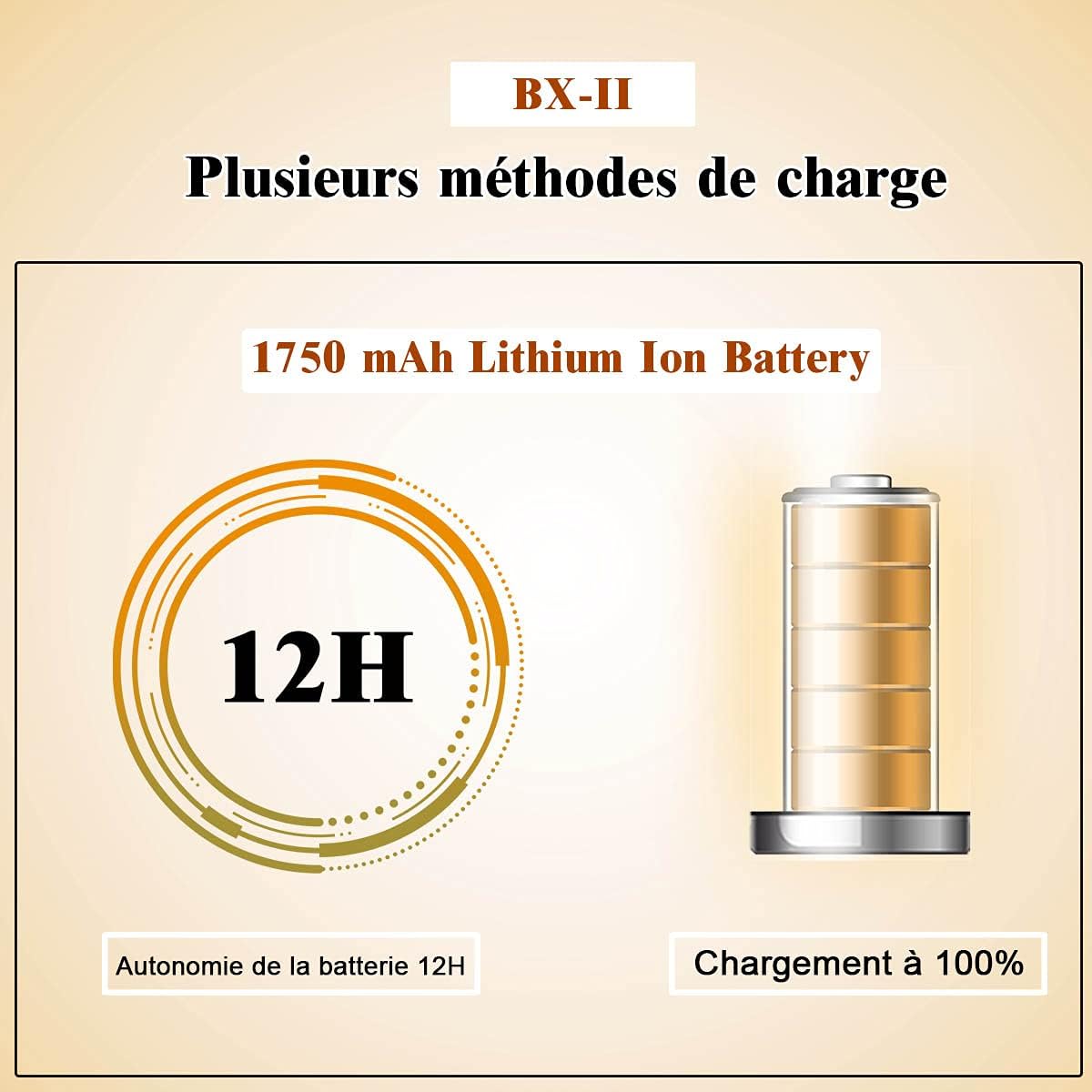
Irudia: A diagram illustrating the 1750 mAh Lithium Ion Battery, highlighting its 12-hour battery life and indicating a 100% charge status.
5.2 Iraunkortasun-pedala konektatzea
The included sustain pedal enhances your playing by allowing notes to ring out longer.
- Locate the 'SUSTAIN' port on the rear panel of the piano.
- Plug the sustain pedal cable into this port.
- Place the pedal on the floor in a comfortable position for playing.

Irudia: The sustain pedal, an essential accessory for the COSTWAY digital piano, used to prolong the sound of notes.
6. Funtzionamendu-argibideak
6.1 Piztu/Itzali
- Pizteko, eduki sakatuta Boterea button until the digital display illuminates.
- Itzaltzeko, luze sakatu Boterea botoia berriro sakatu pantaila itzali arte.
6.2 Bolumenaren doikuntza
- Erabili Vol + bolumena igotzeko botoia.
- Erabili Bolumena - bolumena jaisteko botoia.
6.3 Tone and Rhythm Selection
The piano offers 128 rhythms, 128 tones, and 20 demo songs for a comprehensive playing and learning experience.
- Sakatu Tonua botoia eta, ondoren, erabili Tone + or Tone - buttons to select from 128 different tones.
- Sakatu Erritmoa botoia eta, ondoren, erabili Rhythm + or Rhythm - buttons to select from 128 different rhythms.
- Sakatu Demo button to play through the 20 built-in demo songs.

Irudia: An infographic highlighting the key features of the COSTWAY digital piano, including 128 rhythms, 128 tones, 20 demo songs, Bluetooth connectivity, a teaching function, sound quality, and portable design.
6.4 Metronomoaren funtzioa
- Sakatu Metronomoa button to activate the metronome.
- Erabili Tempo + or Tempo - buttons to adjust the metronome tempo.
- Sakatu Metronomoa button again to deactivate it.
6.5 Grabaketa-funtzioa
- Sakatu Grabatu button to start recording your performance.
- Sakatu Jolastu botoia zure grabatutako emanaldia entzuteko.
6.6 Vibrato Function
- Sakatu Bibratoa button to add a vibrato effect to your sound.
- Sakatu Bibratoa button again to turn off the effect.
6.7 Touch Response Adjustment
You can adjust the touch response of the keys to match your playing style.
- Eduki sakatuta Transposatu + button to adjust the touch response (dynamics).
- The digital display will show the current touch response setting.

Irudia: This image demonstrates how to adjust the dynamic touch response of the piano, allowing players to customize the sensitivity of the keys to their playing style, from very soft (ppp) to very loud (fff).
6.8 Bluetooth konexioa
Connect your smartphone or tablet via Bluetooth to access learning apps and additional lessons.
- Ziurtatu Bluetootha gaituta dagoela zure gailu adimendunean.
- Turn on the digital piano.
- Bilatu available Bluetooth devices on your smart device and select the piano's name (e.g., 'COSTWAY Piano').
- Once paired, you can use compatible apps for interactive learning.
6.9 MIDI/USB Interface
The MIDI/USB interface allows connection to computers, iPads, and other smart devices for advanced music production or learning.
- Connect a USB cable from the piano's USB port to your computer or smart device.
- The piano will be recognized as a MIDI device.
- Use compatible music software or apps to record, compose, or learn.
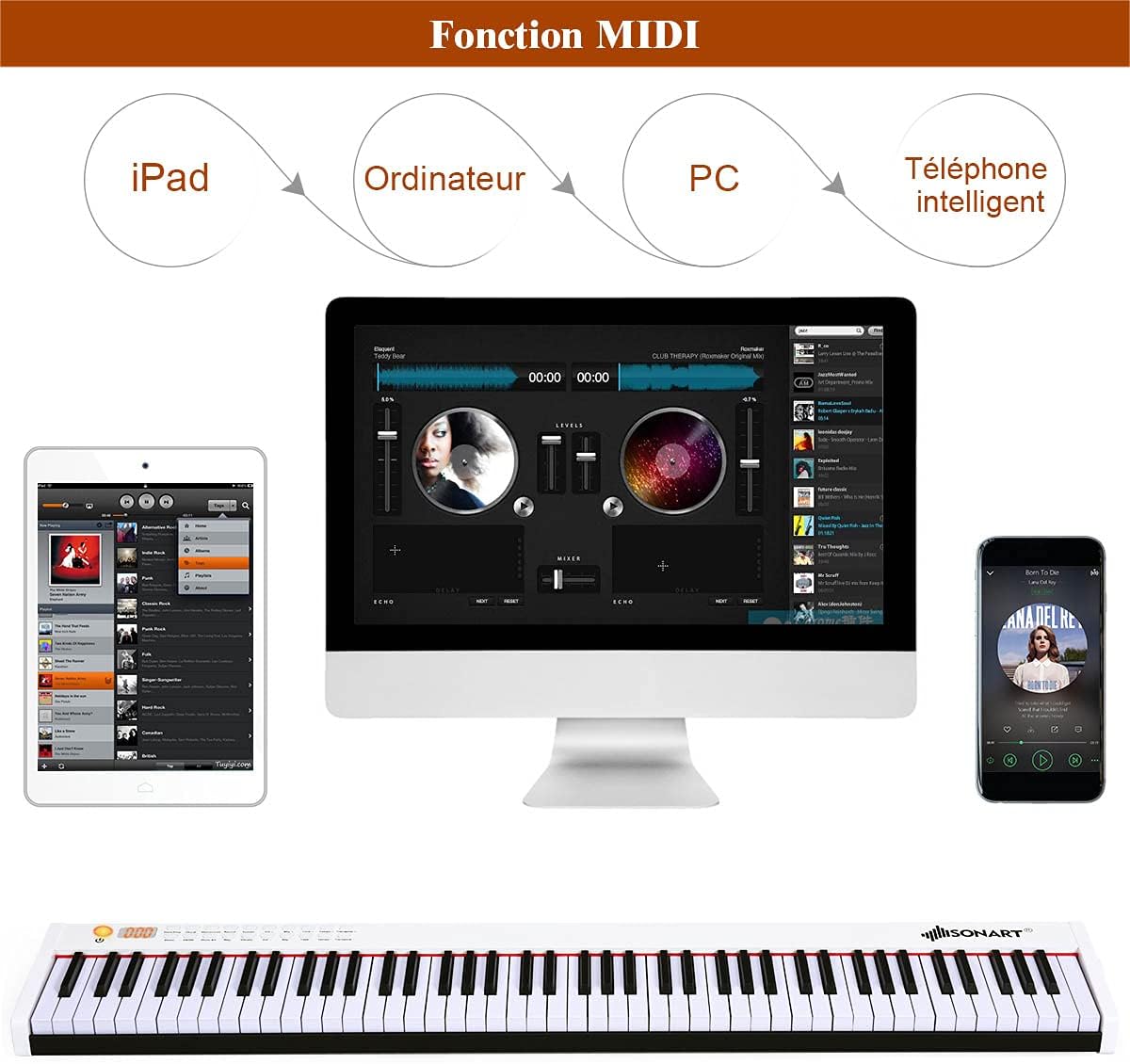
Irudia: This diagram illustrates the versatility of the MIDI function, showing how the COSTWAY digital piano can connect to various devices like iPads, computers, and smartphones for enhanced musical interaction and production.
7. Mantentzea
Proper care and maintenance will ensure the longevity and optimal performance of your digital piano.
- Garbiketa: Erabili zapi leun eta lehor bat pianoaren gainazala garbitzeko. Zikinkeria egoskorra bada, garbitu pixka bat.ampGarbitu zapi bat urarekin eta detergente leun batekin, eta gero lehortu berehala. Saihestu garbitzaile edo disolbatzaile urratzaileak.
- Giltzen garbiketa: Garbitu giltzak astiro-astiro zapi leun eta apur batekinamp oihal. Ez erabili hezetasun gehiegirik.
- Biltegiratzea: When not in use for extended periods, store the piano in its included carry bag in a cool, dry place, away from direct sunlight and extreme temperatures.
- Bateria zaintzea: To maintain battery health, avoid completely draining the battery frequently. If storing for a long time, charge the battery to about 50% every few months.
8. Arazoak
Arazoren bat izanez gero, jo ezazu honako arazo eta irtenbide ohikoenei:
| Arazoa | Kausa posiblea | Irtenbidea |
|---|---|---|
| Soinurik ez | Volume is too low; Headphones are connected; Power issue. | Increase volume; Disconnect headphones; Check power connection/battery. |
| Giltzak ez dute erantzuten | Instrument is off; Specific function mode is active. | Ensure piano is powered on; Check if in demo or record mode. |
| Bluetootha ez da konektatzen | Bluetooth not enabled on device; Piano not in pairing mode; Interference. | Enable Bluetooth on your device; Restart piano and device; Move closer to piano. |
| Sustain pedalak ez du funtzionatzen | Pedal not fully plugged in; Faulty pedal. | Ensure pedal is securely connected; Test with another compatible pedal if available. |
| Bateriaren iraupen laburra | Bateria ez dago guztiz kargatuta; Bateria zaharra. | Ensure full charge (5 hours); Contact support if battery life significantly degrades. |
9. Zehaztapenak
Detailed technical specifications for the COSTWAY 88-Key Digital Piano:

Irudia: A diagram illustrating the overall dimensions of the COSTWAY 88-Key Digital Piano (127 x 21.5 x 6.5 cm) and detailed key measurements, including key length, width, and height for both white and black keys.
| Ezaugarri | Xehetasuna |
|---|---|
| Marka | KOSTWAY |
| Ereduaren izena | 88 Ukituak |
| Gako kopurua | 88 |
| Gako mota | Gako haztatuak |
| Kolorea | Zuria |
| Produktuaren neurriak (L x W x H) | 127 x 21.5 x 6.5 cm (50 x 8.5 x 2.6 hazbete) |
| Elementuaren pisua | 7.97 kg (17.57 lb) |
| Teklatuaren materiala | ABS, aluminiozko aleazioa |
| Kasu Materiala | Oxford Cloth (for carry bag) |
| Energia iturria | Bateria (1750 mAh litio-ioizkoa) |
| Jolasteko denbora (karga osoa) | 12 ordu |
| Kargatzeko Denbora | 5 ordu |
| Irteera Potentzia | 500 MV |
| Kargagailuaren sarrerako potentzia | 220 V |
| Konektibitatea | Bluetooth, MIDI USB |
| Ezaugarri bereziak | Bluetooth Function, MIDI Interface, Sustain Pedal, Built-in Speakers, Recording, Metronome, Vibrato, 128 Rhythms, 128 Tones, 20 Demos, Touch Response Adjustment |
| Trebetasun Maila | Hasiberria |
| Adin tartearen deskribapena | Heldua |
| Jatorrizko Herrialdea | Txina |

Irudia: A visual summary of additional technical details for the COSTWAY digital piano, covering materials, power specifications, battery performance, and net weight.
10. Bermea eta Laguntza
For warranty information and customer support, please refer to the documentation provided at the time of purchase or contact COSTWAY customer service directly. Keep your purchase receipt as proof of purchase for any warranty claims.
If you have any questions or require assistance with your COSTWAY 88-Key Digital Piano, please do not hesitate to reach out to our support team.