
ProCase iPad 10.2 (9th, 8th, 7th Gen)
ProCase Smart Cover for iPad 10.2 (9th, 8th, 7th Gen) - User Manual
1. Sarrera
Thank you for choosing the ProCase Smart Cover for your iPad 10.2 inch. This protective case is designed to safeguard your device while enhancing its functionality with features like automatic sleep/wake and versatile viewing angles. This manual provides essential information for proper installation, operation, and care of your new Smart Cover.
2. Bateragarritasuna
The ProCase Smart Cover is specifically designed for the following iPad 10.2 inch models:
- 2021 iPad 10.2" 9th Generation: Model Numbers A2602, A2603, A2604, A2605
- 2020 iPad 10.2" 8th Generation: Model Numbers A2270, A2428, A2429, A2430
- 2019 iPad 10.2" 7th Generation: Model Numbers A2197, A2198, A2200
To verify your iPad model number, please check the back bottom of your device. This case is NOT compatible with any other iPad models.

Image: Compatibility chart for iPad 10.2 inch models.
3. Ezaugarri nagusiak
- Diseinu argala eta arina: Adds minimal bulk while providing robust protection.
- Hard Back Protective Cover: Offers excellent defense against accidental drops and bumps.
- Unique Brushed Texture: The exterior features a brushed texture on both the front and back covers, enhancing grip and resisting fingerprints and scratches.
- Soft Interior Lining: Protects your iPad screen from scratches.
- Auto Sleep/Wake Function: Automatically puts your iPad to sleep when the cover is closed and wakes it upon opening, conserving battery life.
- Itxiera magnetikoa: Securely fastens the case, preventing accidental opening.
- Mozketa zehatzak: Ensures full access to all ports, buttons, speakers, and cameras without removing the case.
- Dual Standing Angles: Provides two stable positions for comfortable viewidazten eta idazten.

Irudia: Xehetasun handikoa view of the case's brushed texture, soft interior, and precise cutouts.

Image: The magnetic closing clasp of the Smart Cover.

Image: The slim and lightweight profile of the ProCase Smart Cover.
4. Instalazioa
Follow these steps to properly install your iPad into the ProCase Smart Cover:
- Align your iPad with the hard back shell of the case, ensuring all ports and buttons match the precise cutouts.
- Gently press your iPad into the case, starting from one corner and working your way around until it is securely seated.
- Ensure all edges of the iPad are fully protected by the case's frame.
For a visual guide on installation and features, please watch the official product video below:
Bideoa: Produktu ofiziala amaitu daview of the ProCase iPad 10.2 Smart Cover, demonstrating installation, features, and stand functionality.
5. Funtzionamendua
5.1 Lo/Esnatzeko funtzio automatikoa
The Smart Cover utilizes magnets to automatically put your iPad to sleep when the cover is closed and instantly wake it up when opened. This feature helps conserve battery life and provides quick access to your device.
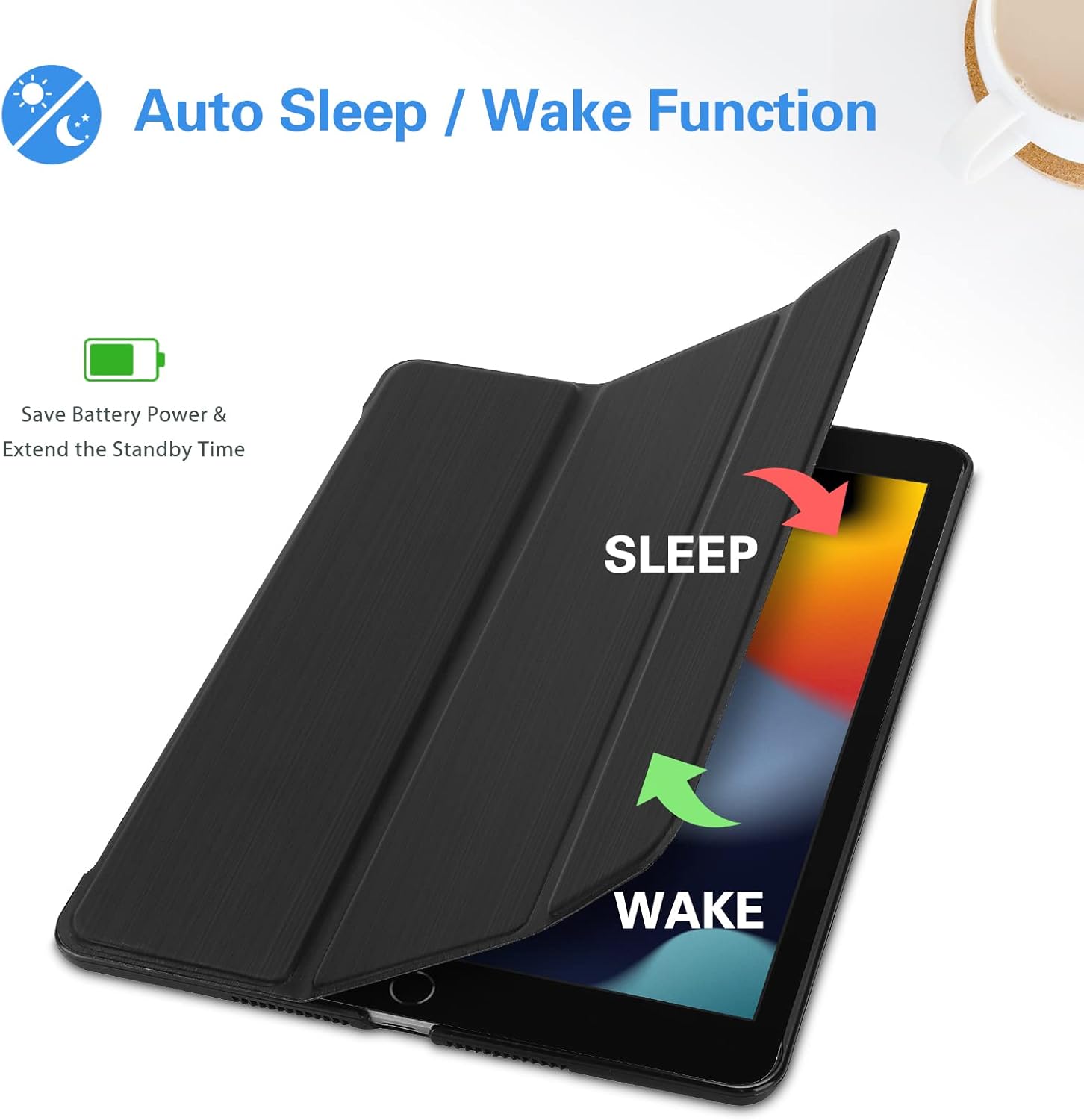
Image: Illustration of the Auto Sleep/Wake feature.
5.2 Stand Function
The tri-fold front cover can be folded into two distinct stand positions to suit your needs:
- Viewing Angle (approx. 65°): Ideal for watching videos, making video calls, or browsing content.
- Typing Angle (approx. 30°): Provides a comfortable incline for typing or drawing.

Image: The Smart Cover configured for two different viewangeluak.

Image: Diagram illustrating the two available standing positions.
6. Mantentzea
To keep your ProCase Smart Cover in optimal condition:
- Garbitu kanpoaldea leun batekin, damp cloth to remove dust and smudges. Avoid harsh chemicals or abrasive cleaners.
- For the interior, use a dry microfiber cloth to gently clean any debris.
- Avoid prolonged exposure to direct sunlight or extreme temperatures, which can affect the material's durability.
7. Arazoak
7.1 Auto Sleep/Wake Not Working
- Egiaztatu iPad-aren ezarpenak: Ensure the 'Lock/Unlock' feature is enabled in your iPad's settings (Settings > Display & Brightness > Lock/Unlock).
- Re-seat iPad: Remove your iPad from the case and re-install it, ensuring it is properly aligned and seated.
- Oztopoak ikusteko: Check if any debris is preventing the cover from fully closing or interfering with the magnetic sensors.
7.2 Stand Instability
- Ziurtatu gainazal laua dela: Place the iPad on a flat, stable surface when using the stand function.
- Proper Folding: Make sure the tri-fold cover is correctly folded into the triangular stand shape. The magnets should hold it firmly.
8. Zehaztapenak
| Marka | ProCase |
| Gailu bateragarriak | iPad 10.2 inch (9th, 8th, 7th Generation) |
| Produktuaren neurriak | 6.8 x 0.6 x 9.9 hazbete |
| Elementuaren pisua | 7 ontza |
| Kolorea | Beltza |
| Forma-faktorea | Kasua |
| Shell Mota | Gogorra |
| Ezaugarri bereziak | Heavy Duty Protection, Scratch Resistant, Auto Sleep/Wake, Magnetic Closure, Lightweight |
9. Bermea eta Laguntza
For information regarding product warranty, returns, or technical support, please refer to the documentation included with your purchase or visit the official ProCase website. Contact details for customer service are typically provided by the manufacturer.
Ask a question about this manual
Ask about setup, troubleshooting, compatibility, parts, safety, or missing instructions. Manuals+ will review the question and use this page’s manual context to help answer it.