
1. Sarrera
This manual provides essential instructions for setting up, operating, and maintaining your EBAKIN H99 Kids Smart Watch. Please read this guide thoroughly to ensure proper use and to maximize the device's features. The EBAKIN H99 is designed as a fitness tracker for children, offering features such as heart rate monitoring, sleep tracking, multiple sports modes, and IP68 waterproofing.
2. Konfigurazioa
2.1 Gailua kargatzea
Before first use, fully charge the smart watch. Connect the provided charging cable to the watch's charging port and a standard USB power adapter (not included). A full charge typically takes approximately 2 hours. The battery icon on the watch screen will indicate charging status.
2.2 Aplikazioa deskargatzea
To access all features and synchronize data, download the "H Band" application from your smartphone's app store (available for Android 4.4 & higher, and iOS 9.0 & higher).
2.3 Zure telefonoarekin parekatzea
- Ziurtatu Bluetootha gaituta dagoela zure telefonoan.
- Open the "H Band" app and follow the on-screen instructions to create an account or log in.
- Joan aplikazioaren barruko gailuak parekatzeko atalera.
- Select the EBAKIN H99 from the list of available devices. The watch will vibrate upon successful connection.
Once paired, the watch will automatically synchronize time and date with your phone.
3. Funtzionamendu-argibideak
3.1 Oinarrizko nabigazioa
The EBAKIN H99 features a touch-sensitive screen for navigation. Swipe left/right or up/down to browse different functions and tap to select. The side button typically serves as a back or home button.
3.2 Bihotz taupadaren monitorea
The watch automatically monitors heart rate in real-time for 24 hours. If the heart rate exceeds a predefined threshold, the watch will vibrate to alert the user. Detailed heart rate data can be viewed in the "H Band" app.
Image: The watch screen showing a heart rate graph and a reading of 90 BPM. The graph indicates varying heart rate levels over time.
3.3 Loaren monitorea
The smart watch tracks sleep patterns, including deep sleep, light sleep, and wake-up times. This data helps in understanding sleep quality and developing a consistent sleep schedule. Sleep data is accessible through the "H Band" app.

Image: A child sleeping, with an overlay of the watch screen showing sleep duration, categorized into deep sleep and light sleep.
3.4 Activity Tracker & Sports Modes
The watch automatically tracks daily activities such as steps taken, calories burned, and distance covered. It supports 19 different sports modes, including outdoor activities like cycling, running, and walking, as well as indoor activities like stationary bike, elliptical, and swimming. For outdoor activities, the watch can connect to your phone's GPS for more accurate tracking.

Image: A child smiling and wearing the smart watch, with icons representing 19 different sports modes displayed around them.
3.5 Customized Wallpaper
Personalize your watch face by choosing from a variety of pre-installed dials or by uploading your favorite photos through the "H Band" app. This allows for a unique and customized display.
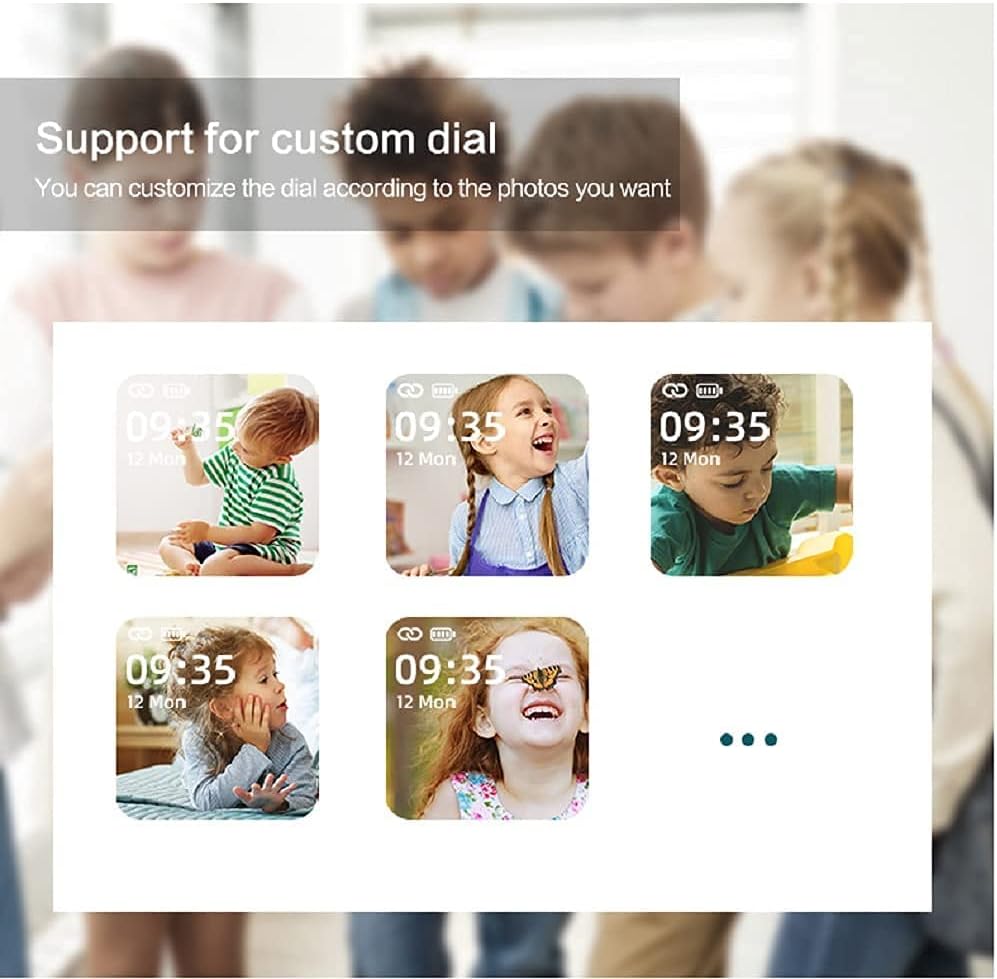
Image: Multiple watch screens showing different children's faces as customized wallpapers, demonstrating the custom dial feature.
3.6 Kameraren urrutiko kontrola
When connected to your smartphone, the watch can act as a remote shutter for your phone's camera. Simply shake your wrist to capture photos, making it convenient for group shots or selfies.
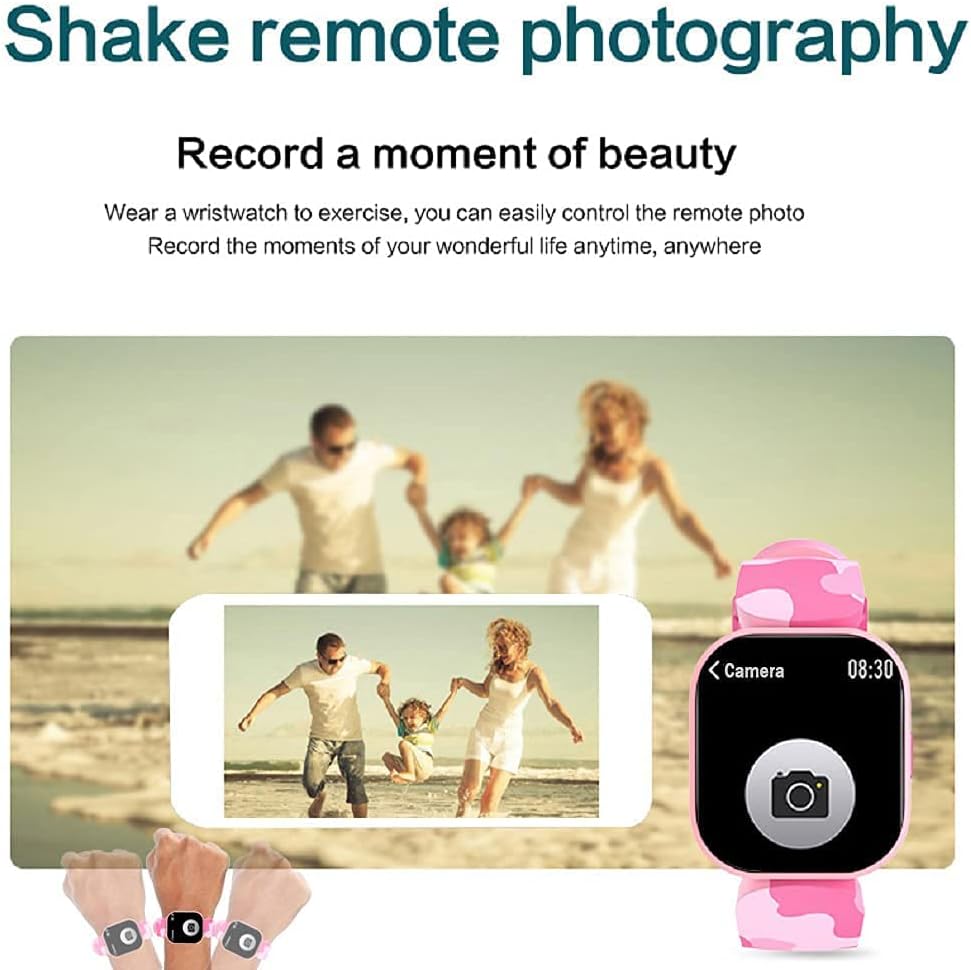
Image: A family posing for a photo, with hands wearing the smart watch shown controlling a smartphone camera remotely.
3.7 Beste funtzio batzuk
The EBAKIN H99 includes several additional useful functions:
- Deitu alerta: Deiak jasotzen dituzunean jakinarazten dizu.
- Mezuaren jakinarazpena: Displays incoming SMS and app messages.
- Sedentarioaren abisua: Jarduerarik gabeko aldi baten ondoren mugitzeko eskatzen dizu.
- Iratzargailua: Ezarri alarmak zuzenean erlojutik edo aplikaziotik.
- Musika kontrola: Kontrolatu musika erreprodukzioa zure konektatutako telefonoan.
- Kronometroa: Denbora neurtzeko kronometro integratua.
- Distira kontrola: Doitu pantailaren distira optimoa izan dadin viewing.
- APP Movement Track: View your activity routes in the app when connected to phone GPS.
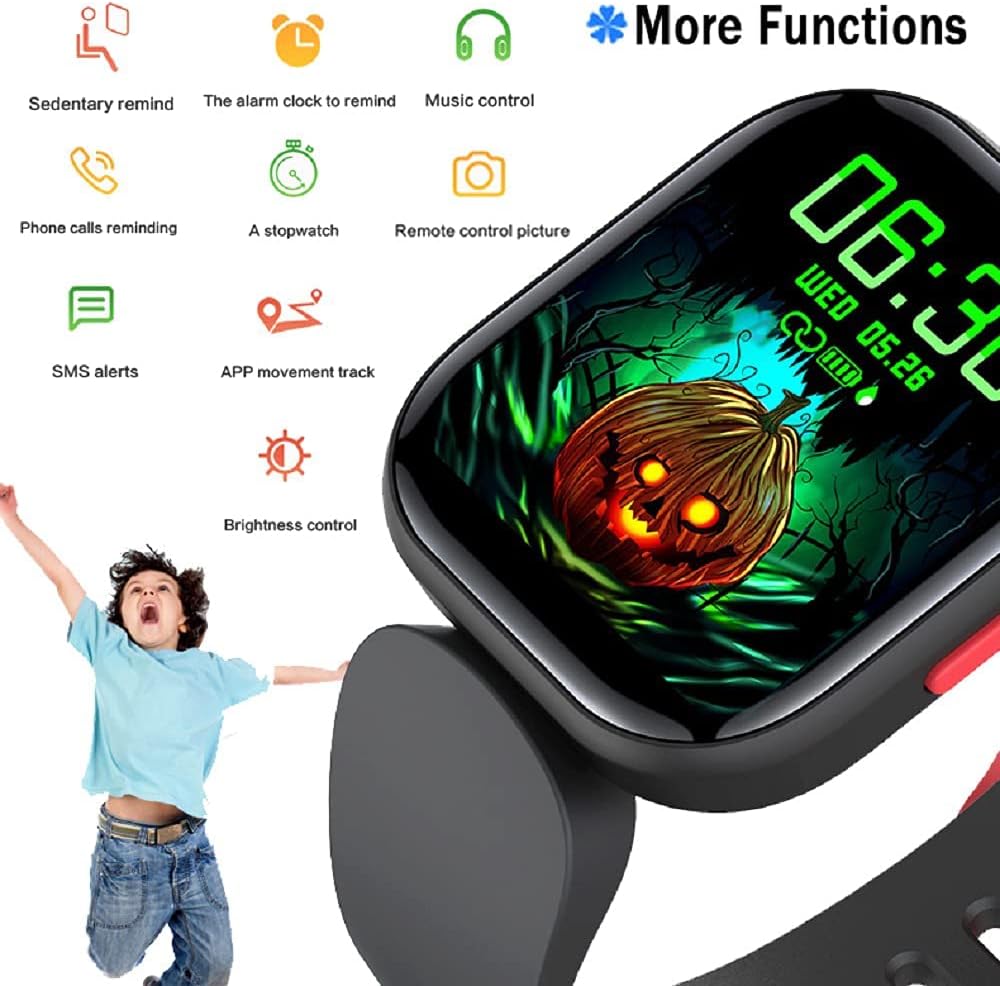
Image: The watch screen showing a Halloween-themed background with icons representing various functions such as sedentary reminder, alarm, music control, and more.
4. Mantentzea
4.1 Iragazgaitzaren balorazioa (IP68)
The EBAKIN H99 smart watch has an IP68 waterproof rating, meaning it is resistant to dust and can withstand immersion in water up to 1.5 meters for 30 minutes. It is suitable for activities like washing hands, showering (cold water), and swimming. However, it is not recommended for hot water activities, diving, or prolonged submersion.
4.2 Garbiketa eta Zainketa
- Wipe the watch screen and band regularly with a soft, dry cloth.
- Beharrezkoa bada, erabili apur bat damp cloth with mild soap for cleaning, then dry thoroughly.
- Saihestu produktu kimiko gogorrak edo material urratzaileak erabiltzea, hauek gailua kaltetu baitezakete.
4.3 Biltegiratzea
Gorde erlojua leku fresko eta lehor batean, eguzki-argitik eta muturreko tenperaturetatik babestuta, denbora luzez erabiltzen ez duzunean.
5. Arazoak
5.1 Erlojua ez da pizten
- Ziurtatu erlojua guztiz kargatuta dagoela. Konektatu kargagailura gutxienez 30 minutuz.
- Berrabiarazteko behartutako prozesua hasteko, sakatu eta eutsi alboko botoia 5-10 segundoz.
5.2 Ezin da telefonoarekin parekatu
- Ziurtatu Bluetooth-a gaituta dagoela telefonoan eta erlojua irismen-eremuan dagoela.
- Berrabiarazi telefonoa eta erlojua.
- Ensure the "H Band" app is updated to the latest version.
- If previously paired, try unpairing the device from your phone's Bluetooth settings and then re-pairing through the app.
5.3 Irakurketa zehaztugabeak (bihotz-maiztasuna, pausoak)
- Ensure the watch is worn snugly on the wrist, not too loose or too tight.
- Garbitu erlojuaren atzealdeko sentsorea.
- For heart rate, remain still during measurement for best accuracy.
5.4 Jakinarazpenak agertzen ez direnean
- Check that notification permissions are enabled for the "H Band" app in your phone's settings.
- Ziurtatu erlojua telefonora konektatuta dagoela Bluetooth bidez.
- Verify that notification alerts are enabled within the "H Band" app settings.
6. Zehaztapenak
| Ezaugarri | Zehaztapena |
|---|---|
| Ereduaren izena | H99 |
| Marka | EBAKIN |
| Pantailaren tamaina | 0.96 hazbete |
| Ebazpena | 240 x 240 |
| Uraren Erresistentzia Maila | IP68 (Waterproof up to 1.5 meters) |
| Konektibitate Teknologia | Bluetooth, GPSa (telefonoaren bidez) |
| Sistema eragileen bateragarritasuna | Android 4.4 & higher, iOS 9.0 & higher |
| Ezaugarri bereziak | Heart Rate Monitor, Sleep Monitor, Pedometer, 19 Sports Modes, Remote Camera, Message/Call Notifications |
| Banda Material Mota | Silikona |
| Kaxa material mota | Plastikoa |
| Helburu-publikoa | Unisex-Kids |
7. Bermearen informazioa
The EBAKIN H99 Kids Smart Watch typically comes with a standard manufacturer's warranty. Please refer to the product packaging or the official EBAKIN website for specific warranty terms and conditions, including coverage duration and claim procedures. Keep your proof of purchase for warranty validation.
8. Laguntza
For technical assistance, troubleshooting not covered in this manual, or general inquiries about your EBAKIN H99 Kids Smart Watch, please contact EBAKIN customer support. Contact information can usually be found on the product packaging, the official EBAKIN website, or through the "H Band" app's support section.