
Hasteko
Paketearen edukia
Upon opening the MAXTOP Smart Watch T5 package, you should find the following items:
- MAXTOP Smart Watch T5 device
- Silicone watch strap (black)
- USB kargatzeko kablea
- Erabiltzailearen eskuliburua

Image: MAXTOP Smart Watch T5 package contents, showing the watch, a black silicone strap, a USB charging cable, and the user manual.
Gailua kargatzen
Before first use, fully charge your smart watch. Connect the magnetic charging cable to the charging points on the back of the watch and plug the USB end into a standard USB power adapter (not included) or a computer's USB port. The watch display will indicate charging status.
Oharra:
- Ensure the charging contacts are clean and dry.
- Use a 5V/1A charger for optimal charging.
Piztu/Itzaltzea
- Pizteko: Press and hold the side button for a few seconds until the MAXTOP logo appears.
- Itzaltzeko: From the watch face, swipe down to access quick settings, or navigate to the "Settings" menu. Select the power icon and confirm to shut down the device.
Aplikazioen instalazioa eta parekatzea
To unlock the full functionality of your MAXTOP Smart Watch T5, you need to install the companion app on your smartphone.
- Deskargatu aplikazioa: Bilatu the "MAXTOP" app (or specified companion app in the included manual) in the Apple App Store (for iOS) or Google Play Store (for Android).
- Sortu kontua: Open the app and follow the on-screen instructions to create an account and set up your profile.
- Parekatu erlojua:
- Ziurtatu Bluetootha gaituta dagoela zure telefonoan.
- Open the app and navigate to the device pairing section.
- Select "Add Device" or similar option. The app will search for nearby devices.
- Select "MAXTOP T5" from the list of found devices.
- Berretsi parekatze eskaera bai telefonoan bai erlojuan, eskatzen bazaizu.
Garrantzitsua:
- Keep the watch close to your phone during the pairing process.
- Allow all requested permissions for the app to function correctly.
Ezaugarriak eta funtzionamendua
Interfazea nabigatzea
The MAXTOP Smart Watch T5 features a 1.54-inch full touch screen for easy navigation.
- Irristatu gora/behera: Joan menuetan edo jakinarazpenetan zehar.
- Irristatu ezkerrera/eskuinera: Access different feature screens or quick views.
- Sakatu: Hautatu elementu bat edo berretsi ekintza bat.
- Alboko botoia: Press to return to the main watch face or wake the screen.

Image: The MAXTOP Smart Watch T5 display showcasing multiple functions including heart rate, blood pressure, music control, and various sports modes.
Daily Activity Tracking
Your smart watch automatically tracks your daily activities, including steps, distance, and calories burned. You can view detailed summaries in the companion app.

Image: The MAXTOP Smart Watch T5 tracking daily activities such as steps, calories, and distance, alongside icons representing various sports modes like hiking, cycling, and running.
Kirol moduak
The watch supports 10 different sport modes to accurately track your workouts. To start a sport mode:
- Swipe on the watch face to find the "Sport" icon or menu.
- Tap to select your desired activity (e.g., Outdoor Run, Indoor Walk, Cycling).
- The watch will begin tracking your activity. Tap to pause or end the workout.

Image: The MAXTOP Smart Watch T5 interface showing 10 distinct sport modes, such as hiking, outdoor cycling, indoor running, and elliptical training.
Heart Rate and Blood Pressure Monitoring
The watch can monitor your heart rate (HR) and blood pressure (BP). For accurate readings:
- Wear the watch snugly on your wrist, about one finger's width from your wrist bone.
- Neurketan zehar geldi egon.
- To measure: Navigate to the HR or BP icon on the watch and tap to start.

Image: The MAXTOP Smart Watch T5 displaying heart rate in beats per minute (BPM) and illustrating different sleep stages (awake, light, deep sleep).
Loaren jarraipena
The watch automatically tracks your sleep patterns, including awake time, light sleep, and deep sleep. View your sleep quality report in the companion app.

Image: The MAXTOP Smart Watch T5's sleep monitoring feature, displaying sleep duration and a detailed sleep quality analysis within the companion application.
Mezuen jakinarazpenak
Receive notifications from your smartphone directly on your watch. Ensure the watch is paired and app notifications are enabled in your phone's settings and the companion app.
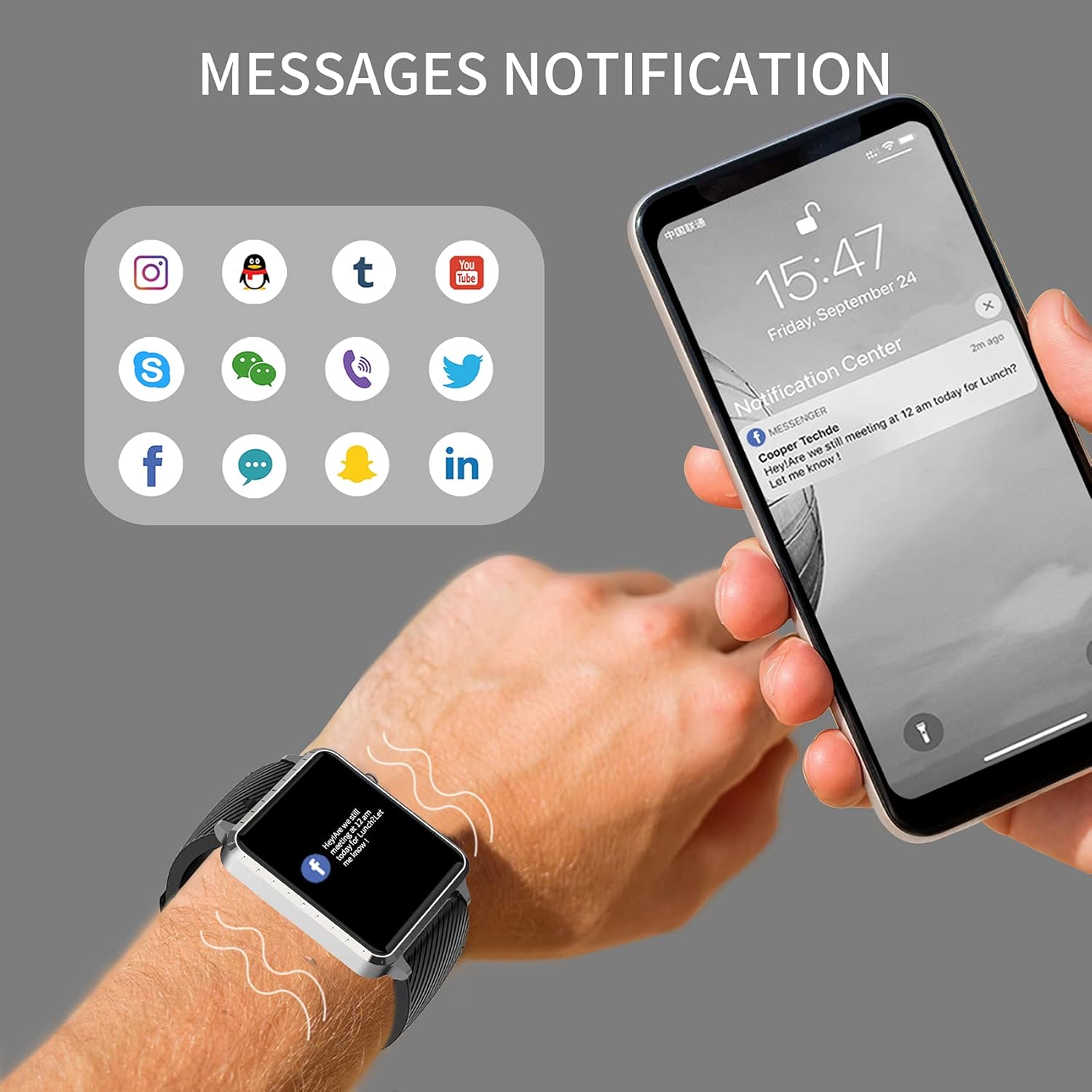
Image: The MAXTOP Smart Watch T5 showing incoming message notifications from popular social media and communication applications on its screen.
Musika Kontrola
Control music playback on your smartphone directly from your watch. This feature allows you to play, pause, skip tracks, and adjust volume without taking out your phone.

Image: The MAXTOP Smart Watch T5 demonstrating various features including music control, message notifications, sedentary reminders, and the 'find phone' function.
Beste Funtzio batzuk
- Sedentarioen abisuak: Set reminders in the app to encourage movement after periods of inactivity.
- Aurkitu telefonoa: Use this feature on your watch to make your paired phone ring, helping you locate it.
- Kronometroa eta atzerako kontaketa: Access these tools from the watch's menu for timing activities.
Mantentzea eta zaintzea
Uraren Erresistentzia
The MAXTOP Smart Watch T5 is rated IP67 waterproof. This means it is resistant to splashes, rain, and brief immersion in water. It is suitable for daily use and can withstand hand washing or light rain.
Kontuz:
- Do not use the watch for swimming, diving, or showering with hot water.
- Avoid exposing the watch to high-pressure water or steam.
- Urarekiko erresistentzia ez da egoera iraunkorra eta denborarekin gutxitu egin daiteke higadura normalarekin.
Garbiketa
Regularly clean your watch and strap to maintain hygiene and prevent skin irritation.
- Garbitu erlojuaren pantaila eta gorputza oihal leun batekin,amp, litxarrik gabeko oihala.
- For the silicone strap, you can wash it with mild soap and water, then rinse thoroughly and dry completely before reattaching to your wrist.
- Saihestu produktu kimiko gogorrak edo material urratzaileak erabiltzea.
Bateria zaintzea
Bateriaren iraupena luzatzeko:
- Kargatu erlojua guztiz lehen aldiz erabili aurretik.
- Saihestu muturreko tenperaturak.
- If not using the watch for an extended period, charge it to about 50% before storing.
Arazoak konpontzea
Erlojua ez da pizten
- Ziurtatu erlojua guztiz kargatuta dagoela. Konektatu kargagailura gutxienez 30 minutuz.
- Berrabiarazteko, sakatu eta eutsi alboko botoia 10-15 segundoz.
Ezin da telefonoarekin parekatu
- Ziurtatu Bluetooth-a gaituta dagoela telefonoan eta erlojua irismen-eremuan dagoela.
- Berrabiarazi telefonoa eta erlojua.
- Ensure the companion app is installed and updated to the latest version.
- Forget the device from your phone's Bluetooth settings and try pairing again through the app.
- Egiaztatu erlojua beste gailu batekin parekatuta dagoen.
Inaccurate Readings (HR/BP/Sleep)
- Ensure the watch is worn correctly: snug on the wrist, not too tight or too loose.
- Egon geldirik neurketak egiten diren bitartean.
- Note that smart watch readings are for reference only and should not be used for medical diagnosis.
Jakinarazpenak agertzen ez direnak
- Verify that the watch is successfully paired with your phone.
- Check app notification settings on your phone and within the companion app.
- Ensure the app is running in the background and not being closed by your phone's power-saving features.
Zehaztapenak
| Ezaugarri | Xehetasuna |
|---|---|
| Marka | MAXTOP |
| Eredua | T5 |
| Pantailaren tamaina | 1.54 hazbete |
| Produktuaren neurriak | 1.46 x 1.57 x 0.28 hazbete |
| Elementuaren pisua | 1.87 ontza (53 gramo) |
| Sistema eragilea | Android eta iOSekin bateragarria |
| Haririk gabeko komunikazioa | Bluetootha |
| Bateria mota | Litio polimeroa (1 barne) |
| Bateriaren iraupena | 10 egun arte |
| Uraren Erresistentzia Maila | Iragazgaitza (IP67) |
| Eskuragarri dagoen lehen data | 6ko uztailaren 2022a |

Image: Detailed physical dimensions of the MAXTOP Smart Watch T5, including the watch face width, height, and the adjustable strap length.
Bermea eta Laguntza
For warranty information and customer support, please refer to the official MAXTOP website or contact their customer service directly. Details are typically provided in the packaging or on the manufacturer's webgunea.
Gorde erosketa-agiria erosketaren frogagiri gisa, berme-erreklamazioetarako.