
1. Segurtasun informazioa
Mesedez, irakurri arretaz argibide guztiak tresna hau erabili aurretik eta gorde etorkizunean erreferentzia gisa. Argibide hauek ez jarraitzen badituzu, deskarga elektrikoak, suteak edo lesio larriak gerta daitezke.
- Deskonektatu beti haizagailua korronte-hartunetik garbitu, konpondu edo mugitu aurretik.
- Do not operate the fan with a damaged cord or plug. If the cord or plug is damaged, contact customer service for repair or replacement.
- This fan is intended for indoor use only. Do not use outdoors or in wet locations.
- Mantendu haizagailua uretatik eta beste likido batzuetatik urrun. Ez murgildu haizagailua uretan.
- Ziurtatu haizagailua gainazal egonkor eta lau batean jartzen dela, iraultzea saihesteko.
- Mantendu haurrak eta maskotak haizagailutik urrun funtzionatzen ari den bitartean.
- Ez sartu hatzak edo bestelako objekturik parrillan haizagailua martxan dagoenean.
- Do not block air openings or operate near curtains, drapes, or other objects that could block airflow.
- Do not use the fan in areas where flammable liquids or gases are stored.
2. Produktua amaitu daview
The Amazon Basics 40" 70-Degree Oscillating Digital Tower Fan is designed to provide efficient and customizable cooling for various indoor spaces. It features a sleek, compact design and user-friendly controls.
Osagaiak
- Dorrearen haizagailu unitatea
- Base (requires assembly)
- Urruneko Kontrola
Ezaugarri nagusiak
- Hozte eraginkorra: Delivers powerful airflow for effective cooling in enclosed spaces.
- Abiadura pertsonalizagarriak: Four intuitive speed settings to adjust airflow.
- Hainbat modu: Includes Standard, Breeze, and Nature modes for varied airflow patterns.
- Oszilazioak: 70-degree oscillation for wide-range air flow coverage.
- Tenporizadorearen funtzioa: Programmable timer up to 15 hours for energy saving and convenience.
- Urruneko kontrola: Convenient remote for adjusting settings from a distance.
- Kontrol digitalak: Easy-to-use digital control panel located on the top of the fan.
- Diseinu trinkoa: Slim tower design (11.4"D x 11.4"W x 39.3"H) fits easily into any room.

2.1. irudia: The Amazon Basics 40-inch Digital Tower Fan shown with its remote control. The fan is black with a sleek, tall design, and the remote is compact with clearly labeled buttons for power, speed, mode, oscillation, and timer.

2.2. irudia: A diagram illustrating the key features of the tower fan, including its 40-inch height, 4 customizable airflow speed settings, timer with auto shutoff (1h, 2h, 4h, 8h options), and convenient remote control for adjusting speed, oscillation, and timer. The diagram highlights the digital display and control panel on top of the fan.
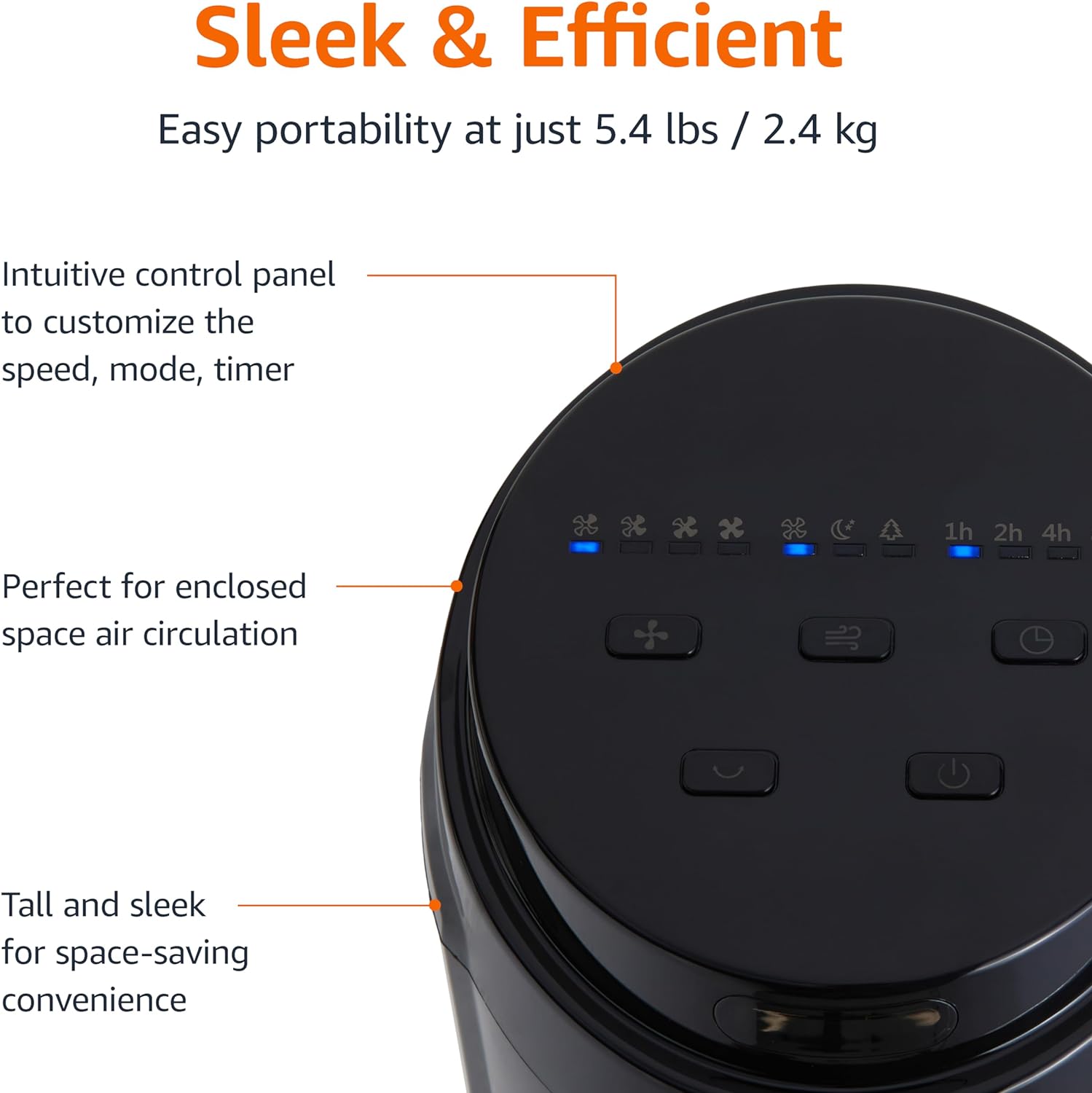
2.3. irudia: Gertu bat view of the intuitive control panel located on the top of the Amazon Basics Tower Fan. The panel features buttons for speed, mode, power, oscillation, and timer, along with LED indicators for selected settings. This design allows for easy customization of fan operation.
3. Konfigurazioa
3.1 Muntaketa
- Kontu handiz kendu osagai guztiak ontzitik.
- Attach the fan base to the main tower unit. Align the slots on the base with the corresponding tabs on the bottom of the fan.
- Secure the base using the provided screws, if any, ensuring it is firmly attached.
3.2 Jartzea
- Jarri haizagailua gainazal sendo eta mailakatu batean.
- Ensure there is adequate space around the fan for proper air circulation, especially for the oscillation feature.
- Keep the fan at least 1 foot (30 cm) away from walls, furniture, and other objects.
- Plug the power cord into a standard NEMA 5-15 (US Standard Wall Outlet) electrical outlet.
4. Funtzionamendu-argibideak
The fan can be operated using either the control panel on top of the unit or the included remote control.
4.1 Control Panel & Remote Control Functions
| Botoia/Funtzioa | Deskribapena |
|---|---|
| Piztu (Piztu/Itzali) | Haizagailua pizten edo itzaltzen du. |
| Abiadura | Cycles through 4 fan speed settings (Low, Medium, High, Max). |
| Modua | Selects between 3 operating modes:
|
| Oszilazioak | 70 graduko oszilazio funtzioa aktibatzen edo desaktibatzen du, haizagailuak airea eremu zabalago batean zehar barreiatzeko aukera emanez. |
| Tenporizadorea | Sets the fan to automatically turn off after a specified period (up to 15 hours in 1-hour increments). |
4.2 Urruneko kontrolaren erabilera
The remote control allows for convenient operation of all fan functions from a distance. Ensure the remote is pointed towards the fan's control panel for optimal response.
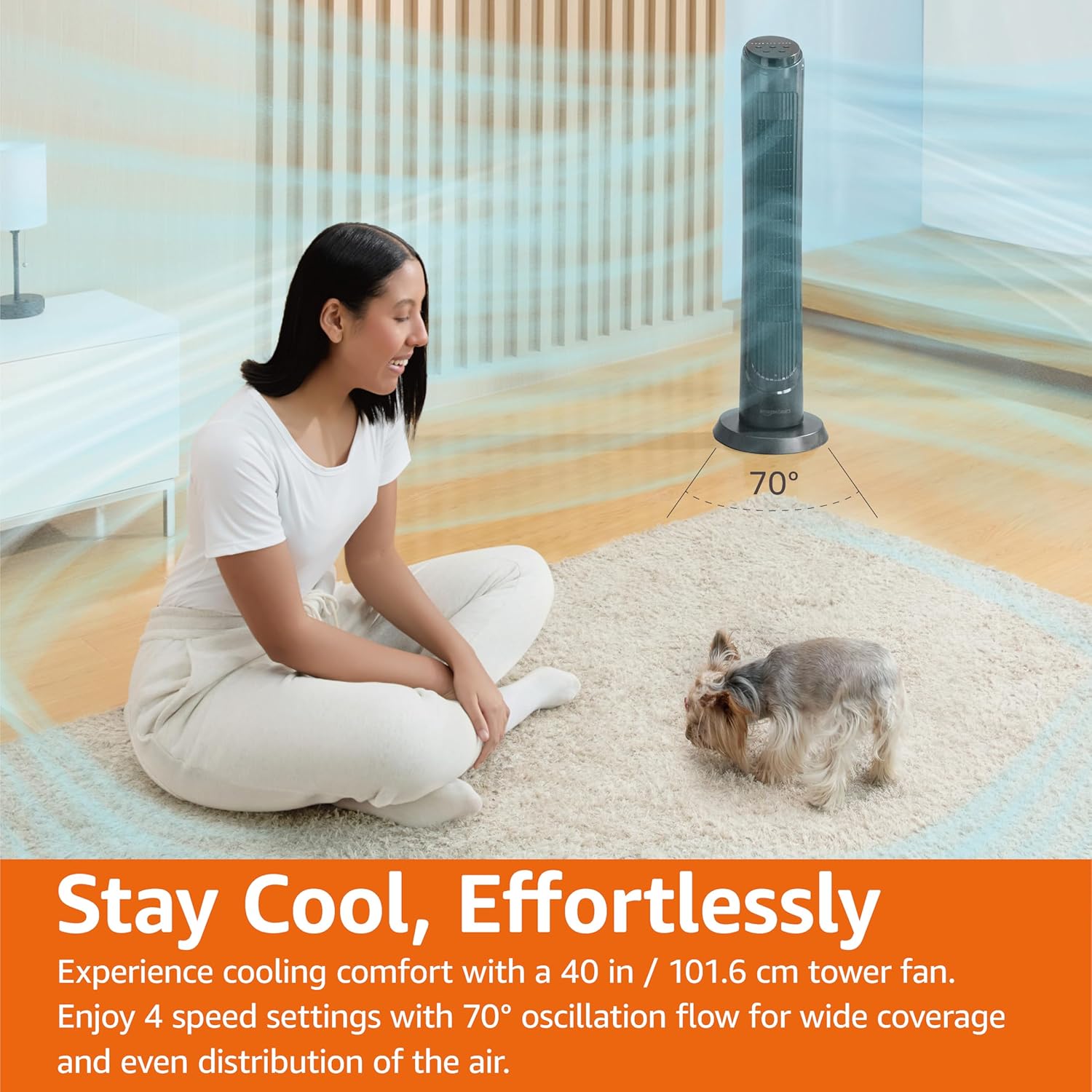
4.1. irudia: The Amazon Basics Tower Fan oscillating 70 degrees, providing wide coverage and even air distribution in a room. A person and a small dog are comfortably seated on a rug, benefiting from the airflow.

4.2. irudia: The Amazon Basics Tower Fan positioned in a modern living space, demonstrating its effective airflow. The image visually represents the air movement from the fan, highlighting its ability to circulate air throughout the room.
5. Mantentzea
5.1 Garbiketa
- Deskonektatu beti haizagailua garbitu aurretik.
- Erabili biguna, damp zapi bat haizagailuaren kanpoko gainazalak garbitzeko.
- Do not use abrasive cleaners or harsh chemicals, as these may damage the fan's finish.
- For dust accumulation on the air intake or output grilles, use a vacuum cleaner with a brush attachment to gently remove dust.
- Ziurtatu haizagailua guztiz lehor dagoela berriro konektatu aurretik.
5.2 Biltegiratzea
- If storing the fan for an extended period, clean it thoroughly as described above.
- Gorde haizagailua jatorrizko ontzian edo kaxa egoki batean hautsetik eta kalteetatik babesteko.
- Leku fresko eta lehor batean gorde.
6. Arazoak
Zure haizagailuarekin arazoak badituzu, jo ezazu honako arazo eta irtenbide ohikoenei:
| Arazoa | Kausa posiblea | Irtenbidea |
|---|---|---|
| Haizagailua ez da pizten. | Ez dago energia-iturririk; ez da pizteko botoia sakatu. | Ensure the power cord is securely plugged into a working outlet. Press the Power button on the control panel or remote. |
| Aire-fluxu ahula edo batere ez. | Air intake/output blocked; Fan speed too low. | Check for any obstructions around the fan grilles. Increase the fan speed setting. |
| Oszilazioa ez dabil. | Oscillation feature not activated. | Press the Oscillation button on the control panel or remote. Ensure the fan is on a flat surface. |
| Urruneko kontrola ez dabil. | Batteries are dead; Remote not pointed correctly. | Replace the remote control batteries. Ensure the remote is pointed directly at the fan's control panel. |
| Ezohiko zarata. | Fan not on a level surface; Internal obstruction. | Place the fan on a stable, level surface. Unplug the fan and check for any foreign objects inside the grilles (do not attempt to disassemble). |
Irtenbide hauek probatu ondoren arazoa konpontzen ez bada, jarri harremanetan bezeroarentzako arreta-zerbitzuarekin.
7. Zehaztapenak
| Atributua | Xehetasuna |
|---|---|
| Marka | Amazon Oinarrizkoak |
| Ereduaren izena | DC2021 |
| Kolorea | Beltza |
| Haizagailu elektrikoaren diseinua | Solairuko haizagailua |
| Energia iturria | AC potentzia |
| Estiloa | 40" - Digital |
| Produktuaren neurriak | 11.4" L x 11.4" W x 39.3" H |
| Gela Mota | Logela, egongela, bulegoa |
| Ezaugarri Berezia | Oscillating, 4 Speeds, 3 Modes, Timer, Remote Control |
| Gomendatutako Erabilerak | Cooling and Air Circulation for Indoor Spaces |
| Zarata Maila | 60 dB |
| Wattage | 50 watt |
| Elementuaren pisua | 7.5 libra (gutxi gorabehera 3.4 kg) |
| Dakarten osagaiak | Urrunekoa |
| Barruko/Kanpoko erabilera | Barruan |
| Kontrol-metodoa | Urrunekoa |
| Pala Materiala | Plastikoa |
| Potentzia-maila kopurua | 4 |
| Potentzia-konektore mota nagusia | NEMA 5-15 (US Standard Wall Outlet) |
| Fabrikatzailea | Amazon |
| UPC | 840095880428 |
| Jatorrizko Herrialdea | Txina |
8. Bermea eta Laguntza
For detailed warranty information, please refer to the official Warranty PDF document provided by Amazon Basics. This document outlines the terms and conditions of your product's warranty.
For further assistance, troubleshooting not covered in this manual, or to inquire about replacement parts, please contact Amazon Basics customer support.
- Erabiltzailearen eskuliburu ofiziala (PDF): Deskargatu PDFa
- Official Warranty (PDF): Deskargatu PDFa
- Amazon Basics Store: Bisitatu denda