
Sarrera
This manual provides detailed instructions for the TAOPON Smartwatch ZL02G. Please read this guide thoroughly to ensure proper setup, operation, and maintenance of your device. This smartwatch is designed to assist with health monitoring, activity tracking, and smart notifications, compatible with both Android and iOS smartphones.
Paketearen edukia
Paketea irekitzean, egiaztatu elementu guztiak bertan daudela:
- TAOPON Smartwatch ZL02G
- Silikonazko uhala
- Kargatzeko kable magnetikoa
- Erabiltzailearen eskuliburua

Image: Package contents of the TAOPON Smartwatch ZL02G.
Konfigurazio Gida
1. Hasierako kargatzea
Before first use, fully charge the smartwatch. Connect the magnetic charging cable to the charging points on the back of the watch and plug the USB end into a standard USB power adapter (not included). A full charge typically takes approximately 2 hours.

Image: Smartwatch displaying charging status and battery life details.
2. Aplikazioaren instalazioa
Download and install the "Da Fit" application on your smartphone. You can find it on the App Store (for iOS devices) or Google Play Store (for Android devices).
3. Gailuaren parekatzea
- Ziurtatu Bluetootha gaituta dagoela zure telefonoan.
- Ireki "Da Fit" aplikazioa.
- Follow the in-app instructions to search for and connect to your TAOPON Smartwatch ZL02G. The effective connection distance is approximately 10 meters.
- Berretsi parekatze eskaera zure telefonoan eta erloju adimendunean.
Bateragarritasuna: The smartwatch is compatible with smartphones running iOS 9.0 or later, and Android 5.0 or later.
Funtzionamendu-argibideak
1. Oinarrizko nabigazioa
The smartwatch features a 1.28-inch IPS color touchscreen. Swipe left, right, up, or down to navigate through menus and functions. Tap to select an option.
2. Erloju-aurpegiak pertsonalizatzea
The smartwatch offers multiple watch faces. You can select from 5 main interfaces directly on the watch or choose from over 75 customizable options within the "Da Fit" app. The app also allows you to set personal photos as your watch face.

Irudia: Adibamperloju-esfera pertsonalizagarri gutxiago.

Image: Customizing watch faces using the companion app.
3. Osasunaren jarraipena
The smartwatch is equipped with sensors to monitor various health metrics:
- Bihotz-taupadak: Zure bihotz-maiztasuna etengabe kontrolatzen du.
- Odol-presioa: Odol-presioaren irakurketa estimatuak ematen ditu.
- Odoleko oxigenoa (SpO2): Odoleko oxigeno saturazio mailak neurtzen ditu.
- Loaren jarraipena: Tracks your sleep patterns, including total sleep, light sleep, and restful sleep, to help analyze and improve sleep quality.

Image: Health and sleep monitoring features.

Image: Detailed health data display.
Oharra: Osasun-monitorizazioko datuak erreferentzia gisa baino ez dira erabili behar eta ez dira diagnostiko medikoetarako erabili behar.
4. Jardueren jarraipena
The smartwatch tracks your daily activities and supports multiple sports modes:
- Urratsen kontagailua: Records the number of steps taken.
- Distantzia: Calculates the distance covered.
- Kaloriak: Erretako kaloriak kalkulatzen ditu.
- Kirol moduak: Includes modes for walking, running, cycling, skipping, badminton, basketball, football, and swimming.
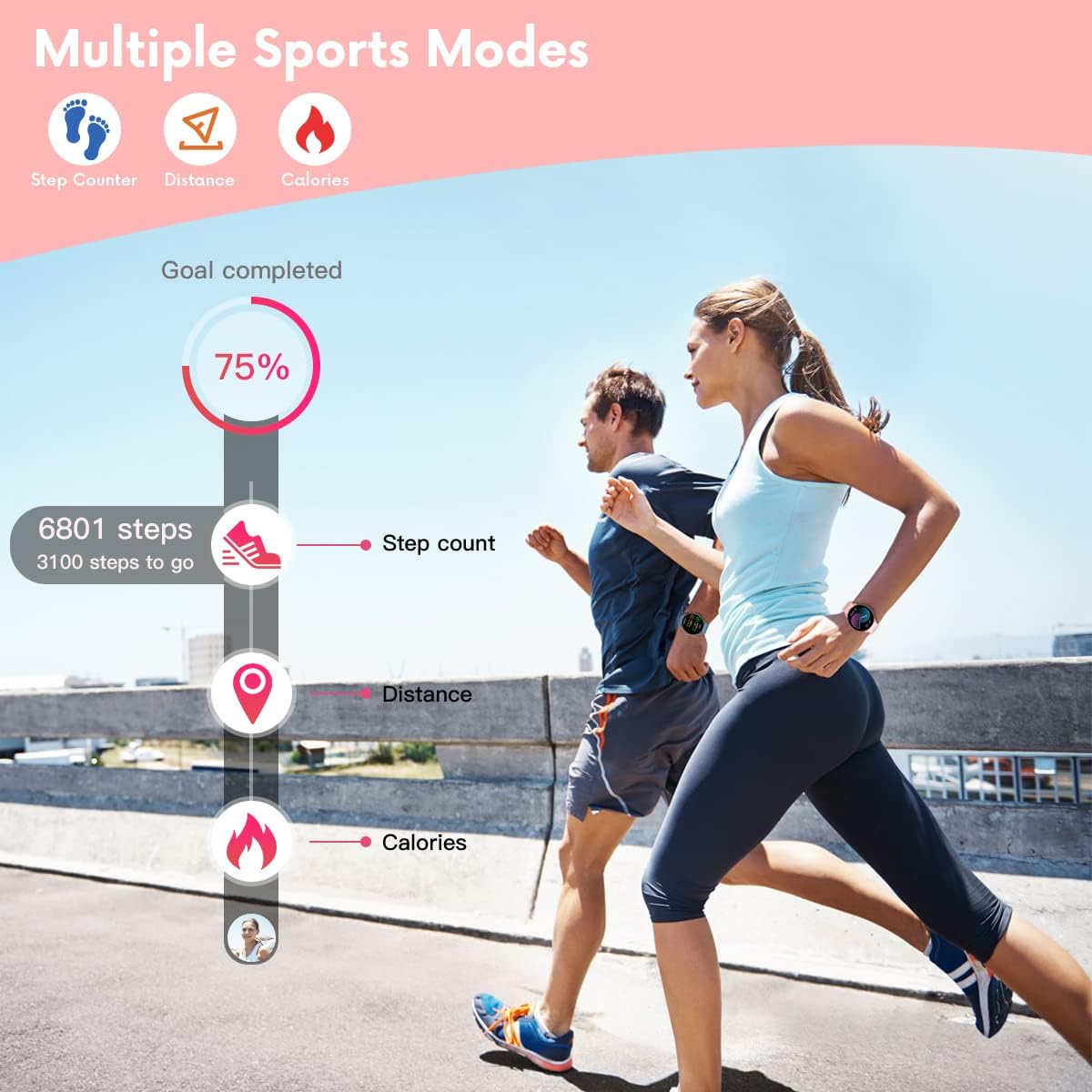
Image: Activity tracking features in action.

Image: Smartwatch supporting 8 different sports modes.
5. Jakinarazpenak eta alertak
Once connected to your smartphone via the "Da Fit" app, the smartwatch will display notifications:
- Deien jakinarazpenak: Displays caller ID with options to answer or hang up (on the phone).
- Mezuen jakinarazpenak: Shows SMS and SNS messages (e.g., Facebook, WhatsApp, Twitter, Instagram, Messenger, email, Skype).
- The watch will vibrate to alert you to incoming calls and messages.

Image: Smartwatch displaying call and message notifications.
6. Funtzio osagarriak
Erloju adimendunak beste hainbat funtzio erabilgarri ditu:
- Aurkitu telefonoa: Zure parekatutako telefonoa aurkitzen laguntzen du.
- Kronometroa: Denboraren araberako jardueretarako.
- Iratzargailua: Ezarri alarmak zuzenean erlojutik edo aplikaziotik.
- Musika kontrola: Kontrolatu musika erreprodukzioa zure telefonoan (erreproduzitu, pausatu, abestiak saltatu).
- Sedentarioaren abisua: Jarduerarik gabeko aldi baten ondoren mugitzeko abisatzen dizu.
- Urruneko kameraren kontrola: Erabili erlojua zure telefonoaren kamerarentzako urrutiko obturadore gisa.
- Jolasak: The watch may include simple games.

Urruneko kamera

Musika Kontrola

Jolasak
Mantentzea
1. Garbiketa
Garbitu aldizka zure erloju adimenduna eta uhala oihal leun eta lehor batekin. Beharrezkoa bada, erabili oihal apur bat lehorra.amp cloth and mild soap, then wipe dry. Avoid harsh chemicals or abrasive materials.
2. Urarekiko erresistentzia
The TAOPON Smartwatch ZL02G is rated IP67 water-resistant, meaning it is protected against dust and can withstand immersion in water up to 1 meter for up to 30 minutes. It is suitable for daily use, such as washing hands or light rain. However, it is not recommended for swimming, showering with hot water, or diving, as steam and high water pressure can compromise the seal.

Image: Smartwatch demonstrating water resistance during hand washing.
3. Bateria zaintzea
To prolong battery life, avoid extreme temperatures. Charge the watch fully when the battery is low. The battery capacity is 200mAh, providing 7-10 days of typical use and up to 30 days of standby time.
Arazoak konpontzea
Zure erloju adimendunarekin arazoak badituzu, jo ezazu honako ohiko irtenbide hauetara:
- Erlojua ez da pizten: Ziurtatu erlojua guztiz kargatuta dagoela. Konektatu kargagailura gutxienez 30 minutuz.
- Cannot connect to smartphone:
- Ensure Bluetooth is enabled on your phone and the watch is within 10 meters.
- Check if the "Da Fit" app is running and has necessary permissions.
- Berrabiarazi zure telefonoa eta erloju adimenduna.
- Try unpairing and re-pairing the device through the "Da Fit" app.
- Jakinarazpenik ez:
- Verify that notifications are enabled in the "Da Fit" app for the specific applications.
- Check your phone's notification settings to ensure the "Da Fit" app has permission to send notifications.
- Ziurtatu erlojua Bluetooth bidez konektatuta dagoela.
- Osasun-datu okerrak: Ziurtatu erlojua eskumuturrean ondo estututa dagoela, ez gehiegi estututa ez gehiegi solte. Garbitu erlojuaren atzealdeko sentsorea.
- Weather function not working: Ensure the "Da Fit" app has location permissions and is connected to the internet to fetch weather data.
- Bracelet detaching: If the strap repeatedly detaches, inspect the spring bars for damage. Contact customer support if the issue persists.
Zehaztapenak
| Marka | TAOPON |
| Modelo zenbakia | ZL02G |
| Bistaratzea | 1.28-inch IPS Color Touchscreen, 240x240 resolution |
| Bateria Edukiera | 200mAh polimeroa |
| Bateriaren iraupena | 7-10 egun (ohiko erabilera), 30 egun (egoteko moduan) |
| Kargatzeko Denbora | 2 ordu gutxi gorabehera |
| Uraren Erresistentzia | IP67 |
| Konektibitatea | Bluetootha |
| Bateragarritasuna | Android 5.0+ / iOS 9.0+ |
| Uhalaren Luzera | Gutxienez: 160 mm, Gehienez: 228 mm |
| Markagailuaren lodiera | 10.8 mm |
Bermea eta Laguntza
For information regarding warranty coverage, please refer to the warranty card included with your purchase or contact the retailer/manufacturer directly. Keep your proof of purchase for any warranty claims.
If you require further assistance or have questions not covered in this manual, please contact TAOPON customer support through the contact information provided on their official webgunea edo zure erosketa plataforma.