
Sarrera
The Ozeri Pro Digital Kitchen Food Scale is engineered for precise measurement in culinary applications. This manual provides essential information for the proper setup, operation, and maintenance of your scale to ensure optimal performance and longevity.
Produktuaren Ezaugarriak
- Graduazio zehatzak: Measures with accuracy of 0.05 oz or 1 gram.
- Wide Capacity Range: Supports weights from 0.05 oz up to 12 lbs (1 gram to 5.4 kg).
- Erabiltzaileentzako interfazea: Features oversized buttons for easy operation.
- LCD pantaila handia: Provides clear weight readings in pounds (lbs), kilograms (kg), grams (g), and ounces (oz).
- Automatic Tare Function: Calculates net weight by subtracting the container's weight.
- Itzaltze automatikoa: Conserves battery life with a 3-minute auto turn-off feature.
- Diseinu trinkoa: Lightweight and easy to store.
Konfigurazioa
Bateriaren instalazioa
The Ozeri Pro Digital Kitchen Food Scale requires two (2) AAA batteries for operation. These batteries are included with your purchase.
- Kokatu bateriaren konpartimendua balaren azpialdean.
- Ireki bateriaren konpartimenduaren estalkia.
- Sartu bi AAA pilak, polaritate zuzena ziurtatuz (+/-).
- Itxi bateriaren konpartimenduaren estalkia ondo.

Video: Demonstrating battery installation on the Ozeri Digital Kitchen Scale.
Oharra: For optimal performance, use fresh batteries. Remove batteries if the scale will not be used for an extended period.
Funtzionamendu-argibideak
Piztu/Itzaltzea
- Sakatu ON/OFF/TARE button to turn the scale on. The LCD will display '0.00' when ready.
- Itzaltzeko, sakatu eta eutsi botoiari ON/OFF/TARE button for a few seconds, or allow the automatic 3-minute shut-off feature to activate.
Neurri-unitateak aldatzea
The scale can display measurements in grams (g), ounces (oz), pounds (lb), and kilograms (kg).
- Balantza piztuta duzula, sakatu botoia UNITATEA botoia erabilgarri dauden unitateetatik pasatzeko.
- Select your desired unit (g, oz, lb, kg) before weighing.
Tara funtzioa erabiliz
The Tare function allows you to subtract the weight of a container or previous ingredients, ensuring you measure only the new item.
- Jarri ontzi huts bat pisatzeko plataforman. Pantailak bere pisua erakutsiko du.
- Sakatu ON/OFF/TARE botoia. Pantaila '0.00'-ra berrezarriko da.
- Add your ingredients to the container. The display will now show only the weight of the added ingredients.
- Repeat the Tare function as needed for multiple ingredients.
Video: Demonstrating the unit and tare functions of the Ozeri Digital Kitchen Scale.
Bideoa: Amaitu daview of the Ozeri Pro Digital Food Scale, highlighting its features and ease of use.
Pisatzeko elementuak
- Ensure the scale is on and displaying '0.00' in your desired unit.
- Carefully place the item(s) to be weighed onto the center of the weighing platform.
- Irakurri LCD pantailan bistaratzen den pisua.
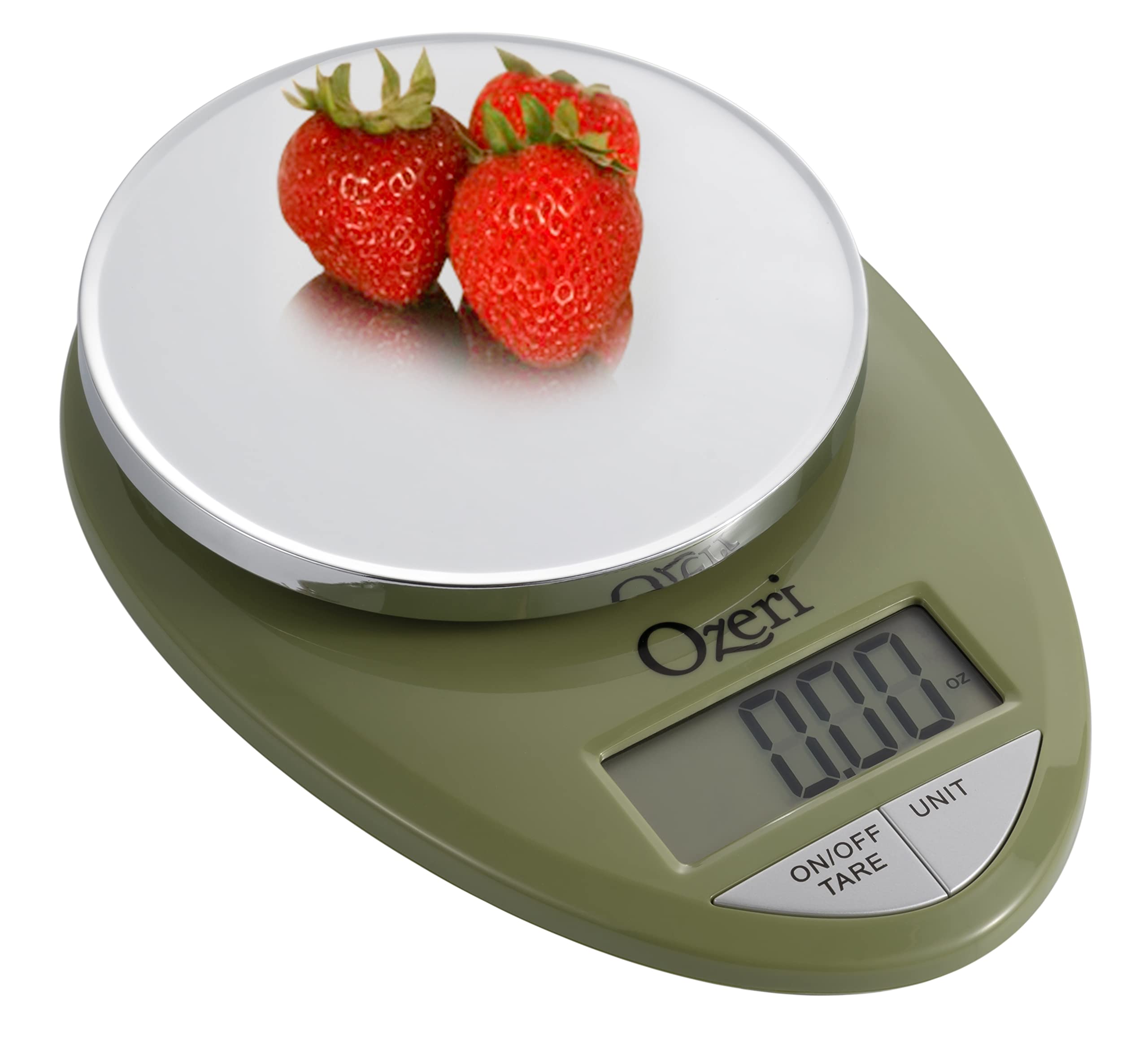
Image: The Ozeri Pro Digital Kitchen Food Scale displaying a weight with a small bowl of herbs on its platform.

Image: The Ozeri Pro Digital Kitchen Food Scale displaying a weight with a small ramekin of blueberries on its platform.
Mantentzea
Garbiketa
- Wipe the scale surface clean with a damp cloth. Avoid abrasive cleaners or submerging the unit in water.
- Ziurtatu balantza lehor dagoela gorde edo hurrengo erabileraren aurretik.
Biltegiratzea
The compact design of the Ozeri Pro Digital Kitchen Food Scale allows for easy storage in a drawer or cabinet when not in use.

Irudia: Alde bat view of the Ozeri Pro Digital Kitchen Food Scale, demonstrating its slim profile biltegiratze erosoa izateko.
Arazoak konpontzea
- Irakurketa okerrak: Ensure the scale is placed on a flat, stable surface. Avoid placing items that exceed the maximum weight capacity.
- Pantaila ez da pizten: Egiaztatu bateriak behar bezala instalatuta dauden eta nahikoa karga duten. Beharrezkoa bada, ordezkatu bateriak.
- Erakutsi errore-mezuak: Refer to the full product manual (if available) or contact Ozeri customer support for specific error code interpretations.
Zehaztapenak
| Ezaugarri | Xehetasuna |
|---|---|
| Marka | Ozeri |
| Modelo zenbakia | ZK12-GN |
| Edukiera | 0.05 oz to 12 lbs (1 gram to 5.4 kg) |
| Graduazioa | 0.05 oz or 1 gram |
| Bistaratzeko mota | LCDa |
| Neurketa-unitateak | grams, ounces, pounds, kilograms |
| Ezaugarri bereziak | Automatic Tare, 3-minute Auto Shut-off, Large Display |
| Energia iturria | 2 AAA bateria (barne) |
| Materiala | Polikarbonatoa |
| Produktuaren neurriak | 10 x 7 x 4 hazbete |
| Elementuaren pisua | 9.6 ontza |
Bermea eta Laguntza
For information regarding product warranty, returns, or technical support, please refer to the official Ozeri website or contact their customer service directly. Details are typically provided in the packaging or on the manufacturer's official support pages.