1. Sarrera
This manual provides essential information for the safe and efficient operation of your LG 98UH5F-H 98-inch UHD LCD Monitor. Please read this manual thoroughly before using the product and retain it for future reference. The LG 98UH5F-H is a high-performance 98-inch Ultra High Definition (UHD) LCD display designed for various professional applications, featuring a 3840x2160 resolution, multiple input options including HDMI, DisplayPort, and DVI-D, built-in speakers, and Wi-Fi connectivity.
2. Segurtasun informazioa
Jarraitu segurtasun neurri hauek deskarga elektrikoak, suteak edo produktuari kalteak saihesteko.
- Energia iturria: Use only the power cord and adapter supplied with the unit. Connect to a grounded power outlet.
- Aireztapena: Ziurtatu aireztapen egokia dagoela pantailaren inguruan. Ez blokeatu aireztapen-irekidurak.
- Likidoa eta hezetasuna: Do not expose the display to rain or moisture. Do not place objects filled with liquids on the display.
- Garbiketa: Disconnect the power cord before cleaning. Use a soft, dry cloth. Avoid liquid cleaners or aerosol sprays.
- Instalazioa: Due to its size and weight (approximately 343 pounds), this display requires professional installation. Ensure the mounting surface or stand can safely support the weight.
- Zerbitzua: Ez saiatu produktu hau zuk zeuk ematen. Bidali zerbitzu guztiak zerbitzu kualifikatuko langileengana.
3. Zer dago kutxan
Kontu handiz deskonprimitu kutxa eta ziurtatu elementu guztiak bertan daudela eta kalterik gabe daudela.
- LG 98UH5F-H 98-inch UHD LCD Monitor
- Stand (if included with your specific package)
- Elikatze kablea
- Urruneko kontrola (pilekin)
- Erabiltzailearen eskuliburua (dokumentu hau)
- Berme Txartela
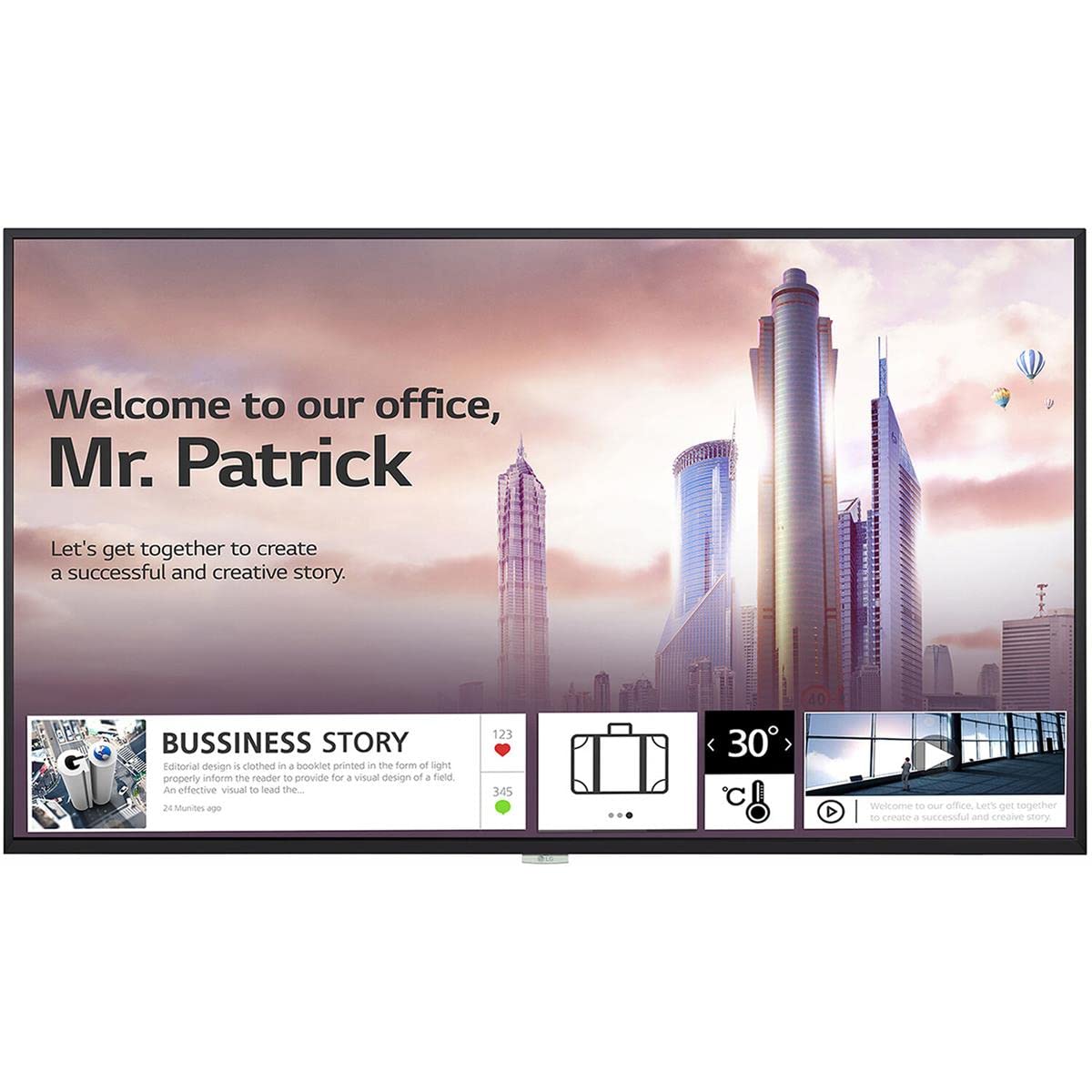
1. irudia: Aurrealdea view of the LG 98UH5F-H 98-inch UHD LCD Monitor. The display is black with a thin bezel.
4. Konfigurazioa
4.1. Instalazio fisikoa
Due to the large size and weight of the 98UH5F-H monitor, professional installation is highly recommended. Ensure the chosen location and mounting hardware (if wall-mounted) can support the display's weight of approximately 343 pounds (155 kg). Maintain adequate space around the display for ventilation.
4.2. Konektatzeko kableak
Before connecting any cables, ensure the monitor and all connected devices are powered off.
- Bideoaren sarrera: Connect your video source (PC, media player, etc.) to one of the available input ports: HDMI (3 ports), DisplayPort (DP), or DVI-D.
- Audio sarrera/irteera: If using external audio devices, connect them to the appropriate audio ports. The monitor also has built-in speakers.
- USB gailuak: Connect USB storage devices or peripherals to the USB 2.0 ports (2 ports).
- Sare-konexioa: For network features and updates, connect an Ethernet cable to the LAN port or use the built-in Wi-Fi.
- Potentzia-konexioa: After all other connections are made, connect the power cord to the monitor and then to a grounded electrical outlet.

2 irudia: Albokoa view of the LG 98UH5F-H monitor, illustrating the location of various input ports including HDMI, DisplayPort, DVI-D, and USB.
5. Funtzionamendu-argibideak
5.1. Piztu/Itzali
Press the power button on the remote control or on the monitor's control panel to turn the display on or off. A power indicator light will illuminate when the monitor is on.
5.2. Sarrera-iturria hautatzea
Use the 'Input' or 'Source' button on the remote control to cycle through available input sources (HDMI1, HDMI2, HDMI3, DP, DVI-D). Select the input corresponding to your connected device.
5.3. Pantailako pantaila (OSD) menua
The OSD menu allows you to adjust various display settings. Press the 'Menu' button on the remote control to access the OSD. Use the arrow buttons to navigate and 'OK' or 'Enter' to select options.
- Irudiaren ezarpenak: Adjust brightness, contrast, sharpness, color temperature, and aspect ratio.
- Audio ezarpenak: Control volume, balance, and select audio output modes (Off/Fixed/Variable).
- Ezarpen orokorrak: Configure language, time, power-saving options, and network settings (Wi-Fi).
- USB erreprodukzioa: Access content from connected USB storage devices. The monitor has 8GB internal memory (3.6GB available for user content).
5.4. Landscape and Portrait Mode
The LG 98UH5F-H supports both landscape and portrait orientations. Ensure the content source is configured to match the display's physical orientation for optimal viewing.
6. Mantentzea
6.1. Pantaila garbitzea
Always unplug the power cord before cleaning. Use a soft, lint-free cloth to gently wipe the screen and exterior surfaces. For stubborn marks, lightly dampen the cloth with water or a mild, non-abrasive screen cleaner. Never spray liquid directly onto the screen or into any openings.
6.2. Biltegiratzea
Monitorea denbora luzez gordetzen baduzu, deskonektatu kable guztiak eta gorde leku fresko eta lehor batean, hobe jatorrizko ontzian hautsetik eta kalte fisikoetatik babesteko.
7. Arazoak
If you encounter issues with your LG 98UH5F-H monitor, refer to the following common problems and solutions.
| Arazoa | Kausa posiblea | Irtenbidea |
|---|---|---|
| Botererik ez | Kable elektrikoa deskonektatuta; Entxufea akastuna. | Ziurtatu kablea ondo konektatuta dagoela. Probatu entxufea beste gailu batekin. |
| Seinalerik ez | Incorrect input source selected; Video cable loose or faulty; Source device off. | Hautatu sarrera-iturri zuzena. Egiaztatu bideo-kablearen konexioak. Ziurtatu iturri-gailua piztuta dagoela. |
| Irudiaren kalitate eskasa | Incorrect resolution; Picture settings misconfigured; Faulty cable. | Set source device to 3840x2160 resolution. Adjust picture settings in OSD. Try a different video cable. |
| Soinurik ez | Volume too low or muted; Incorrect audio output selected; External speakers off. | Increase volume. Check audio settings in OSD. Ensure external speakers are powered on and connected. |
| Wi-Fi konexio-arazoak | Pasahitz okerra; Routerraren arazoak; Seinalearen interferentziak. | Verify Wi-Fi password. Restart your router. Move monitor closer to router or reduce interference. |
8. Zehaztapenak
Key technical specifications for the LG 98UH5F-H monitor.
| Ezaugarri | Zehaztapena |
|---|---|
| Modelo zenbakia | 98UH5F-H |
| Pantailaren tamaina | 98 hazbetekoa |
| Ebazpena | 3840 x 2160 (UHD) |
| Freskatze tasa | 60Hz |
| Panel mota | LCDa |
| Lainoa | %28 |
| Bideo Sarrerak | 3x HDMI, 1x DisplayPort, 1x DVI-D |
| Audioa | Audio In/Out, Built-in Speaker |
| USB atakak | 2x USB 2.0 |
| Barne Memoria | 8GB (System 4GB + Available 3.6GB) |
| Konektibitatea | Wi-Fi integratua |
| Funtzionamendu Orduak | 24/7 (50,000 hours) |
| Orientazioa | Paisaia eta Erretratua |
| Viewangelua | 178 x 178 gradu |
| Elementuaren pisua | 343 libra (gutxi gorabehera 155 kg) |
| Produktuaren neurriak (LxWxH) | 92.2 x 54.6 x 15.8 hazbete |
9. Bermea eta Laguntza
Bermeari buruzko informazioa lortzeko, kontsultatu zure produktuarekin batera datorren berme-txartela edo bisitatu LGren webgune ofiziala. website. For technical support, service inquiries, or to download the latest drivers and software, please visit the LG support portal or contact LG customer service directly. Contact details can typically be found on the LG official webgunean edo zure produktuaren dokumentazioan.
LG Ofiziala Webgunea: www.lg.com