
Streamplify SPMC-MZ1C12711
Streamplify MIC Tripod RGB Cardioid Microphone User Manual
Model: SPMC-MZ1C12711
Sarrera
This manual provides comprehensive instructions for the setup, operation, and maintenance of your Streamplify MIC Tripod RGB Cardioid Microphone. Please read this manual thoroughly before using the product to ensure optimal performance and longevity.
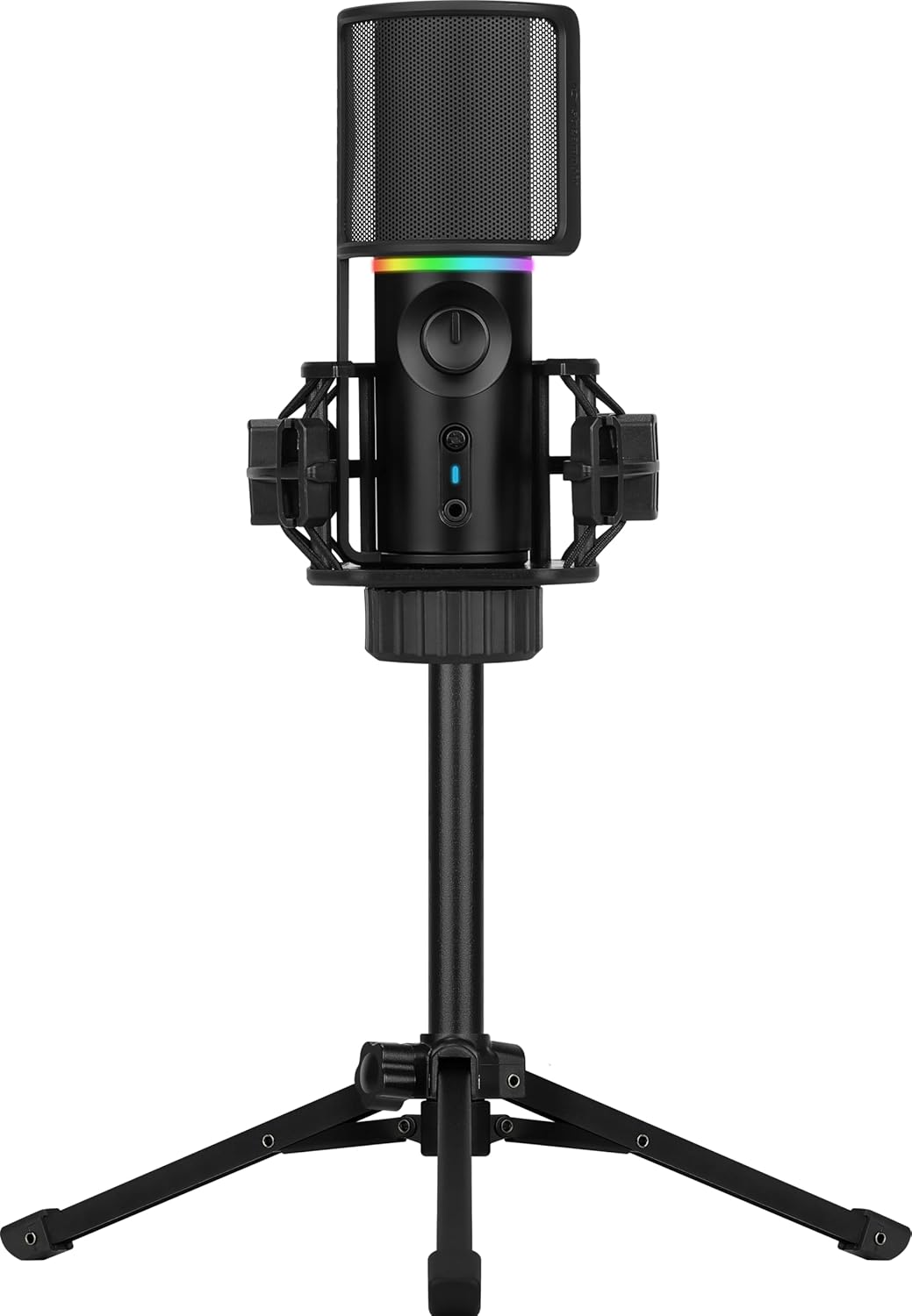
Image: The Streamplify MIC Tripod RGB Cardioid Microphone, fully assembled with its pop filter and tripod stand.
Paketearen edukia
Egiaztatu behean zerrendatutako elementu guztiak zure produktuaren ontzian daudela:
- Streamplify MIC Cardioid Microphone
- Foldable Tripod Stand
- Shock Mount
- Pop iragazkia
- USB Type-A to USB Type-C Cable

Image: All individual components of the microphone system, including the microphone unit, tripod, shock mount, pop filter, and USB cable, displayed separately.
Konfigurazio Argibideak
- Muntatu tripodea: Unfold the legs of the tripod stand and place it on a stable, flat surface.
- Lotu kolpe-euskarria: Screw the shock mount onto the tripod stand's threaded connector. Ensure it is securely fastened.
- Sartu mikrofonoa: Carefully place the Streamplify MIC into the shock mount. The shock mount is designed to reduce vibrations.
- Lotu pop iragazkia: Position the pop filter in front of the microphone. The pop filter helps to reduce plosive sounds (e.g., 'p' and 'b' sounds) during recording.
- Konektatu gailura: Connect the USB Type-C end of the provided cable to the microphone and the USB Type-A end to an available USB port on your computer (PC, Laptop) or compatible gaming console (PS4/PS5/Xbox).
- Gidariaren instalazioa: The microphone is Plug & Play. Your operating system should automatically detect and install the necessary drivers.

Image: The microphone fully assembled with its shock mount, tripod, and pop filter, ready for connection.
Funtzionamendu-argibideak
Audio Playback Modes
The microphone offers two distinct audio playback modes:
- Full Playback Podcast Mode: This mode plays back your input audio, allowing you to monitor your audio levels while simultaneously capturing ambient sounds. The LED ring will blink blue in this mode.
- One-way Playback Gaming Mode: Designed for gaming, this mode cancels background noise, enabling clear communication without distractions. The LED ring will blink green in this mode.

Image: Visual representation explaining the Full Playback Podcast Mode (LED blue) and One-way Playback Gaming Mode (LED green).
Quick Mute Function
The microphone features a convenient mute button with an LED indicator. Press the mute button to rapidly cut off voice recording. When muted, the microphone's LED will blink red, accompanied by an audible notification sound.
Dynamic RGB Lighting Modes
Cycle between various preset RGB and LED lighting modes to personalize your setup. Refer to the product's quick start guide or manufacturer's website for specific button presses to change lighting effects.

Image: A composite image highlighting the microphone's features: clear audio capture, high sound quality, and customizable dynamic RGB lighting modes.
Bilketa kardioidearen eredua
The microphone utilizes a cardioid pickup pattern, which is highly sensitive to sound coming directly from the front of the microphone. It exhibits nearly zero sensitivity to sounds from directly behind and reduced sensitivity to sounds from the sides. This design effectively blocks out unwanted noise and focuses on the primary sound source.

Image: A polar pattern diagram demonstrating the cardioid pickup characteristic, showing highest sensitivity at the front and reduced sensitivity at the sides and rear.
Mantentzea
- Garbiketa: Use a soft, dry cloth to clean the microphone and tripod. Avoid using abrasive cleaners or solvents.
- Biltegiratzea: Erabiltzen ez duzunean, gorde mikrofonoa leku lehor eta hautsik gabeko batean.
- Manipulazioa: Handle the microphone and its components with care to prevent damage. Avoid dropping or subjecting it to strong impacts.
Arazoak konpontzea
- Soinu-irteerarik ez:
- Ziurtatu USB kablea mikrofonora eta gailura ondo konektatuta dagoela.
- Verify that the microphone is selected as the default input device in your operating system's sound settings.
- Check if the microphone is muted (red LED indicator).
- Test with a different USB port or computer if possible.
- Soinu kalitate eskasa:
- Ziurtatu pop iragazkia behar bezala kokatuta dagoela lehergailuak murrizteko.
- Adjust microphone gain settings in your software to avoid clipping or low volume.
- Confirm the microphone is positioned correctly, facing the sound source directly due to its cardioid pattern.
- Minimize background noise in your recording environment.
- RGB argia ez dabil:
- Ziurtatu mikrofonoa behar bezala konektatuta eta elikatuta dagoela.
- Refer to the product's quick start guide for instructions on cycling through RGB modes.
Zehaztapenak
Detailed technical specifications for the Streamplify MIC Tripod RGB Cardioid Microphone:

Image: A comprehensive table detailing the technical specifications of the microphone, including sensor type, sampling rate, connectivity, and compatibility.
| Sentsore mota | Ø16 mm condenser capsules |
| Number of Condensers | 1 |
| Bilketa eredua | Cardioid |
| Sampling Tarifa | 16 bit, 48 kHz |
| Maiztasun Erantzuna | 100Hz-18kHz |
| Seinaleen eta zarataren arteko erlazioa | > 85 dB |
| Sentikortasuna | -36dB±3dB |
| Soinu Presio Maila | 120 dB |
| Inpedantzia | <680Ω |
| THD | <% 0.1 (1 kHz-tan) |
| Audio-irteera | Yes, 3.5mm Jack |
| Mutu funtzioa | Bai |
| Argiztapen Efektua | 8 Modes, 2 RGB modes |
| Beharrezko potentzia | 5V 500mA |
| Plug & Play | Yes, standard UVC & UVA protocol |
| Konexio mota | USB 2.0 type A, Compatible to type 3.0 connector |
| Kablearen luzera | 180 cm |
| Gailu bateragarria | Laptop, PC, Gaming Consoles (PS4/PS5/Xbox) |
| Compatible Software & OS | Windows 10/8/7/Vista/XP, Mac OS, Chrome OS |
| Elementuaren neurriak L x W x H | 23.62 x 23.62 x 33.46 hazbete |
| Elementuaren pisua | 1.87 kilo |
| Materiala | Plastikoa |
| Fabrikatzailea | AeroCool Advanced Technologies Corp. |
Bermea eta Laguntza
For warranty information, technical support, or service inquiries, please refer to the official Streampbizitu webwebgunera edo jarri harremanetan bezeroarentzako arreta-zerbitzuarekin zuzenean. Gorde erosketa-agiria erosketaren frogagiri gisa berme-erreklamazioetarako.
Lineako laguntza: Visit the official Streampbizitu website for FAQs, driver downloads, and further assistance.
Harremanetarako informazioa: Refer to your product packaging or the Streampbizitu webkontaktu zehatzetarako gunea.
Ask a question about this manual
Ask about setup, troubleshooting, compatibility, parts, safety, or missing instructions. Manuals+ will review the question and use this page’s manual context to help answer it.