Sarrera
This manual provides essential information for the safe and efficient operation of your iHome Magnetic Power Station. Please read these instructions thoroughly before using the device and retain them for future reference.

Image: The iHome Magnetic Power Station, a compact device designed to charge multiple Apple devices simultaneously. It features a magnetic stand for an iPhone, a flat charging pad for AirPods, and a color-changing LED lamp.
Ezaugarri nagusiak
- Magnetic Wireless Charging Stand: Provides up to 7.5W wireless charging for compatible iPhones (iPhone 12/13 series) with perfect magnetic alignment.
- 5W-ko haririk gabeko kargatzeko plataforma: Designed for Qi-enabled devices, ideal for AirPods or other compatible accessories.
- Color Changing LED Lamp: Full-color RGBW LED lights with touch control for adjusting color and brightness.
- Aldibereko karga: Charge up to two devices concurrently.
- Built-in Safeguards: Includes temperature control, overcurrent protection, and charging indicators for safe operation.
- Diseinu trinkoa: Thoughtfully designed with a premium non-slip base.
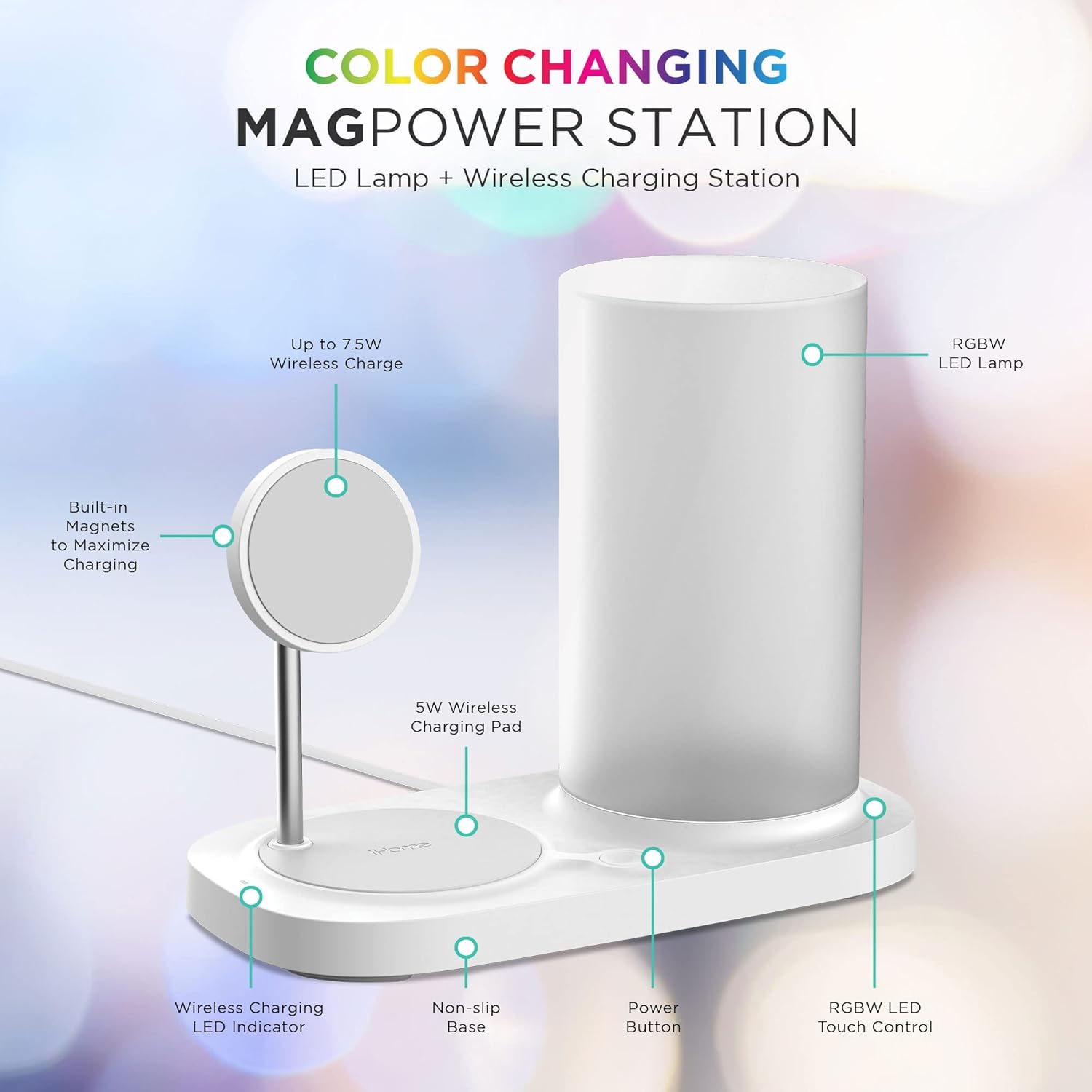
Image: A detailed diagram highlighting the features of the iHome Magnetic Power Station, including the 7.5W wireless charge area, 5W wireless charging pad, RGBW LED lamp, power button, and touch control.
Kutxan dagoena
- iHome Magnetic Power Station with Color Changing LED Lamp
- USB-C kargatzeko kablea
- Erabiltzailearen eskuliburua (dokumentu hau)
Note: A USB power adapter is required and sold separately.
Konfigurazio Argibideak
- Konektatu energia: Plug the provided USB-C charging cable into the USB-C port on the back of the iHome Magnetic Power Station. Connect the other end of the cable to a compatible USB power adapter (not included).
- Lekua: Place the power station on a stable, flat surface. Ensure there is adequate ventilation around the device.
Funtzionamendu-argibideak
Magnetic Wireless Charging (for iPhone 12/13 series)
- Ensure the power station is connected to a power source.
- Align your compatible iPhone (iPhone 12/13 series) with the magnetic charging stand. The built-in magnets will automatically align your device for optimal charging.
- A charging indicator on your iPhone screen will confirm charging has begun.
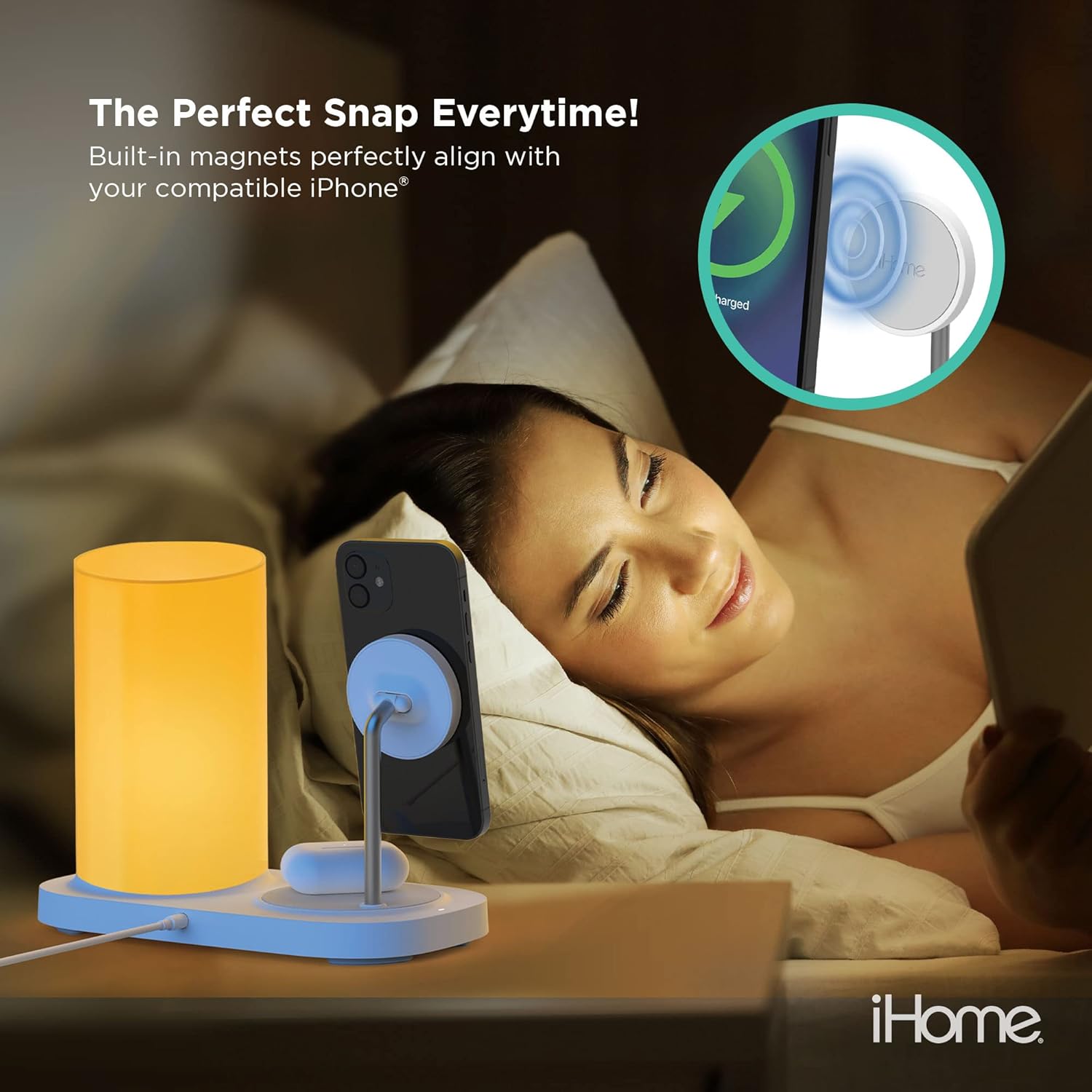
Image: An iPhone is shown magnetically attached to the charging stand, illustrating the "Perfect Snap" feature for secure and efficient charging.
5W Wireless Charging Pad (for Qi-enabled devices)
- Place your Qi-enabled device (e.g., AirPods, other compatible smartphones) on the flat charging pad located on the base of the power station.
- Ensure the device is centered on the pad for proper charging.
- A charging indicator on your device or the power station (if applicable) will confirm charging.

Image: The iHome Magnetic Power Station charging an iPhone on its magnetic stand and a pair of AirPods on the flat charging pad, demonstrating simultaneous charging.
Color Changing LED Lamp
- Locate the touch control area on the base of the power station, near the LED lamp.
- Tap the touch control to cycle through various colors or activate the continuous color-changing mode.
- Press and hold the touch control to adjust the brightness of the LED lamp.

Image: A hand is shown interacting with the touch control on the base of the power station to adjust the color and brightness of the integrated LED lamp.
Bateragarritasuna
The iHome Magnetic Power Station is designed for optimal compatibility with the following devices:
- 7.5W Magnetic Charging Stand: Compatible with iPhone 12 series and iPhone 13 series.
- 5W-ko haririk gabeko kargatzeko plataforma: Engineered for all Qi-enabled devices, including AirPods with wireless charging cases.

Image: A visual representation of compatible devices, showing various iPhone 12 and 13 models for the magnetic charger, and a selection of Qi-enabled phones and AirPods for the wireless charging pad.
Segurtasun Informazioa
Your iHome Magnetic Power Station includes a comprehensive suite of protections to ensure safety during use:
- Tenperatura kontrola: Prevents overheating of the device and your charging items.
- Gainkorrontearen babesa: Safeguards against excessive electrical current.
- Kargatzeko adierazleak: Karga-egoeraren inguruko iritzi bisuala ematen du.
- Atzerriko objektuak hautematea: Do not place metal phone cases or other metal objects in the wireless charging area.
WARNING: Do not place metal objects, credit cards, or other foreign objects between your device and the charging surface, as this may cause damage or interfere with charging.
Arazoak konpontzea
- Gailua ez da kargatzen:
- Ensure the power station is properly connected to a working power outlet.
- Verify that your device is correctly aligned on the magnetic stand or centered on the charging pad.
- Remove any thick cases or metal objects from your device that might interfere with wireless charging.
- Try a different USB power adapter (ensure it meets the recommended power output).
- LED lamp ez dabil:
- Check if the power station is connected to power.
- Tap the touch control area to turn on or cycle through colors.
- Press and hold the touch control to adjust brightness.
- Karga motela:
- Ensure you are using a compatible power adapter with sufficient wattage.
- Check for proper device alignment on the charging surface.
Zehaztapenak
| Modelo zenbakia | 2IHQI0966W0L2 |
| Konektibitate Teknologia | Haririk gabekoa |
| Magnetic Charging Output | Gehienez 7.5W |
| Wireless Charging Pad Output | 5W |
| Sarrera boltage | 12 Volts (via USB-C) |
| Ezaugarri bereziak | Wireless Charging, Adjustable, Magnetic, Color Changing LED Lamp |
| Forma-faktorea | Mahai gaineko muntaia |
| Kolorea | Zuria |
| Elementuaren pisua | 2.51 kilo |
| Paketearen neurriak | 13.98 x 12.32 x 7.6 hazbete |
Mantentzea
- Garbiketa: Use a soft, dry cloth to clean the surface of the power station. Do not use abrasive cleaners or solvents.
- Biltegiratzea: Gorde gailua leku fresko eta lehor batean erabiltzen ez duzunean.
- Saihestu likidoak: Keep the power station away from water and other liquids.
Bermea eta Laguntza
The iHome Magnetic Power Station comes with a 2-year complimentary warranty. To register your product and access support, please refer to the information provided in the product packaging or visit the official iHome webgunea.
For further assistance, please contact iHome customer support.