
1. Segurtasun informazio garrantzitsua
Please read all safety and operating instructions carefully before using this television. Keep this manual for future reference. Always follow basic safety precautions to reduce the risk of fire, electric shock, and injury.
- Ez jarri aparatu hau euri edo hezetasunera.
- Ez blokeatu aireztapen-irekidurak. Instalatu fabrikatzailearen argibideen arabera.
- Ez instalatu bero-iturri inongo ondoan, esate baterako, erradiadoreak, bero-erregistroak, sukaldeak edo beste aparatu batzuk (barne ampberoa sortzen duten argitzaileak).
- Babestu korronte-kablea zapaldu edo estutu ez dadin, batez ere entxufeetan, erosotasun-hartuneetan eta aparailutik ateratzen diren puntuan.
- Erabili soilik fabrikatzaileak zehaztutako eranskinak/osagarriak.
- Bidali zerbitzu guztiak zerbitzu kualifikatuko langileengana. Aparatuak edozein modutan hondatu direnean mantenimendua egin behar da.
2. Zer dago kutxan
Carefully unpack your new Sansui TV and ensure all items listed below are present.
- 1 x Sansui 4K Ultra HD Android LED TV (JSW50ASUHD)
- 2 x Mahai-euskarri oinarria
- 1 x Wall Mounting Set
- 4 x Screws for stand/mount
- 1 x Erabiltzailearen eskuliburua
- 1 x Berme Txartela
- 1 x Urruneko kontrola
- 2 x AAA bateria (urrutiko agintearentzat)
- 1 x kablea
- 1 x Mini AV kablea
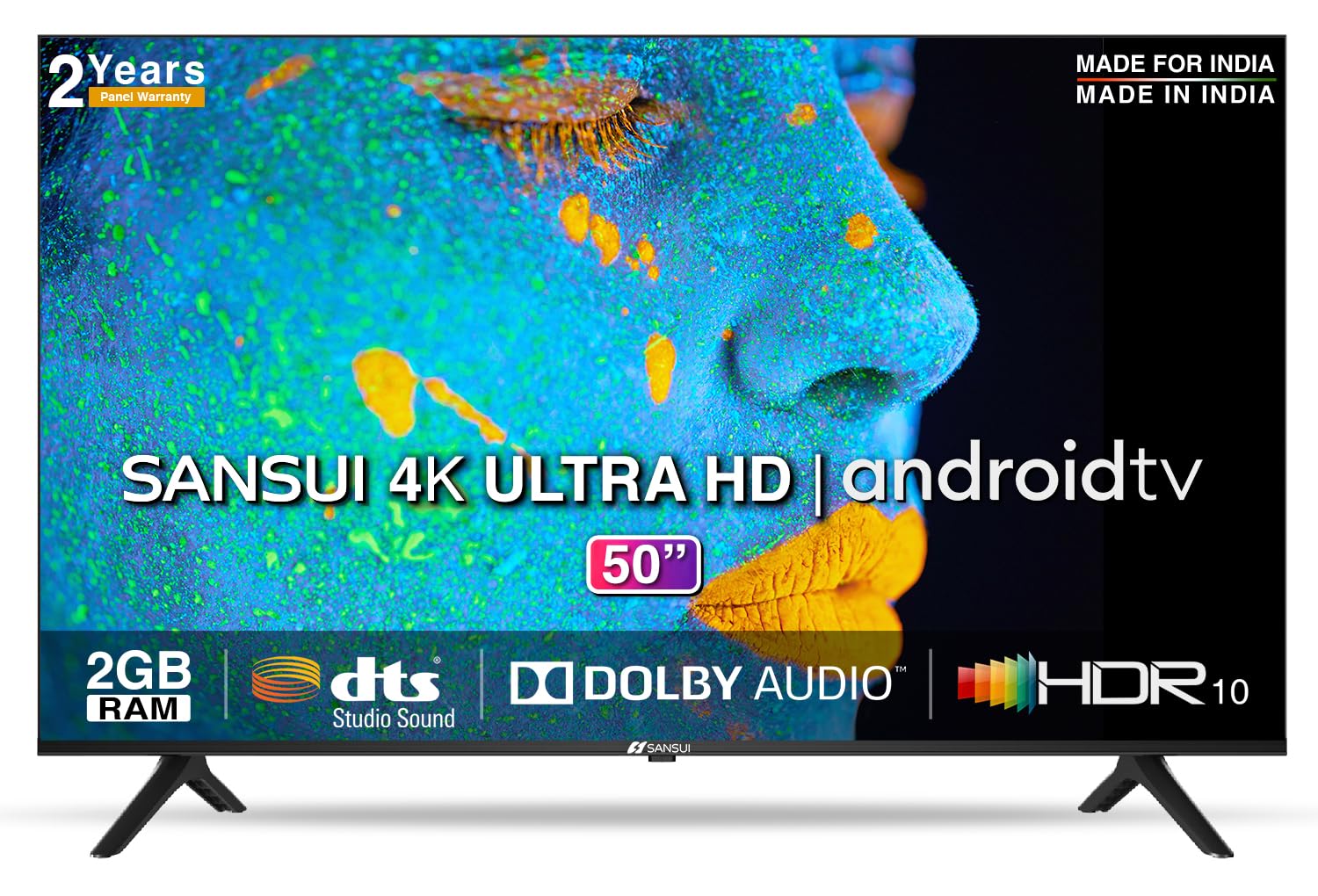
Image: Sansui 50-inch 4K Ultra HD Android LED TV with its table stand.
3. Produktua amaitu daview
3.1. Ezaugarri nagusiak
- Pantaila: 4K Ultra HD (3840x2160) resolution, 60Hz refresh rate, Wide Viewing Angle, A+ Grade Panel, Wide Colour Gamut, HDR 10, Crystal Clear Display, High Brightness, Bezel-less Design.
- Audioa: Dolby Audio, DTS Studio Sound, 20 Watts Audio Output.
- Smart TV Ezaugarriak: Android 10.0 (Certified by Google), Google Assistant, Alexa Enabled Support, Built-in Chromecast, CA53 Quad Core Processor, 2GB RAM, 8GB ROM.
- Onartutako aplikazioak: Prime Video, Netflix, Disney + Hotstar, YouTube, Google Play.
- Konektibitatea: 3 HDMI ports, 2 USB ports, 3.5mm audio jack, Bluetooth, Wi-Fi, RJ45 (Ethernet), Antenna.

Image: Visual representation of the TV's main features and capabilities.
3.2. Neurriak
The TV features a 50-inch screen (127 cm diagonal) with a bezel-less design for an immersive viewesperientzia.

Image: Detailed dimensions of the Sansui 50-inch TV, including width, height, and depth with and without the stand.
4. Konfigurazioa
4.1. Mahai-euskarria instalatzea
- Jarri telebistaren pantaila beherantz gainazal bigun eta lau batean, kalteak saihesteko.
- Lerrokatu mahai-euskarriaren oinarriak telebistaren behealdeko dagokien zirrikituekin.
- Secure the bases using the provided screws. Ensure they are tightened firmly.
4.2. Horman muntatzea (aukerakoa)
If you choose to wall mount your TV, please use the provided wall mounting set and screws. The VESA mount standard is 800 x 400 mm. It is recommended to seek professional assistance for wall mounting to ensure proper and safe installation.
4.3. Gailuak konektatzea
The TV offers various connectivity options for your external devices.
- Potentzia: Konektatu elikatze-kablea telebistaren elikatze-sarrerara eta gero hormako entxufe batera.
- HDMI: Use HDMI cables to connect devices like set-top boxes, gaming consoles, or Blu-ray players to the 3 HDMI ports.
- USBa: Connect USB drives or other USB devices to the 2 USB ports for media playback.
- Audio irteera: Use the 3.5mm jack to connect headphones or external audio systems.
- Ethernet (RJ45): For a stable internet connection, connect an Ethernet cable from your router to the RJ45 port.
- Antena: Connect your antenna cable to the RF input for terrestrial broadcasting.
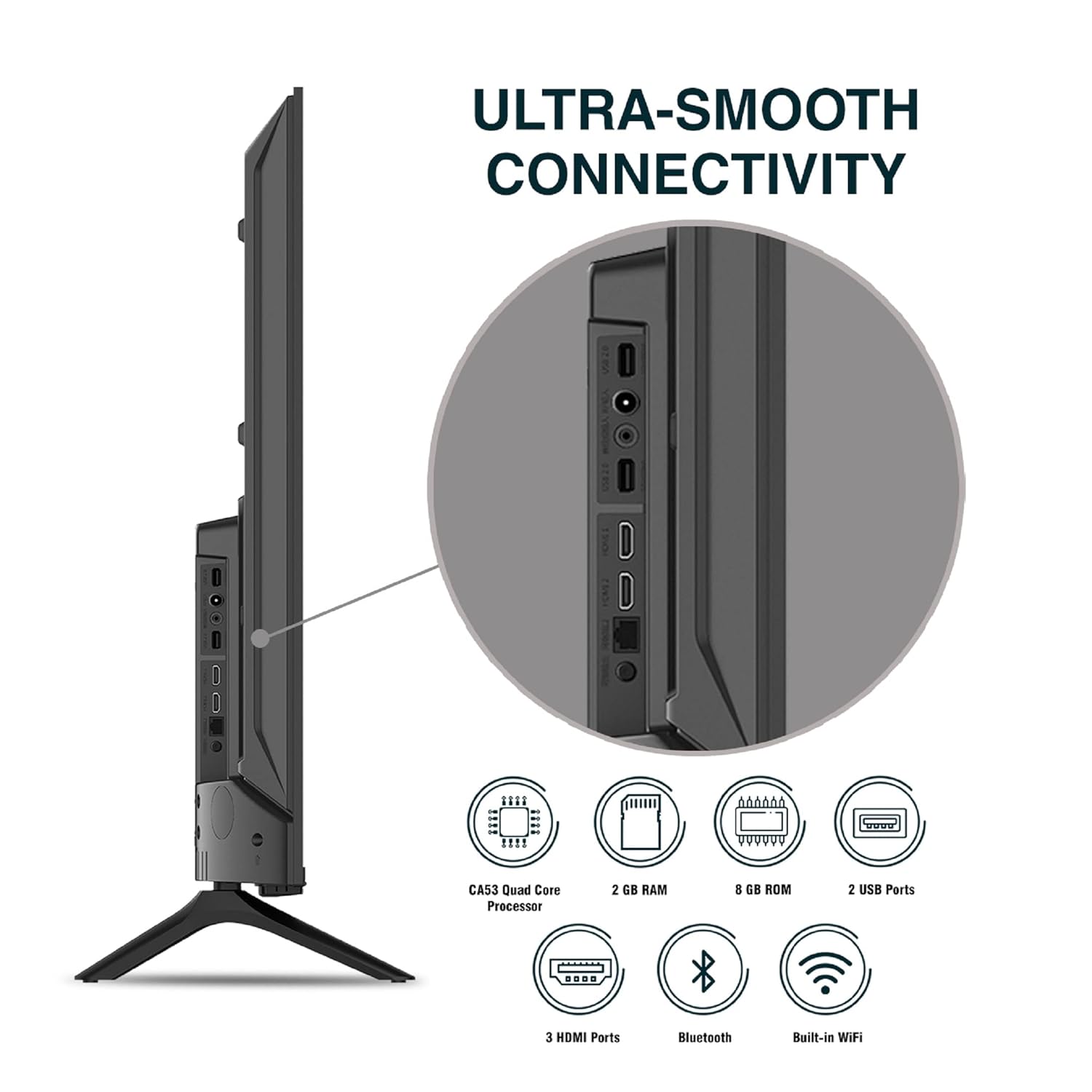
Irudia: Xehetasun handikoa view telebistaren konexio-ataken artean.
5. Funtzionamendu-argibideak
5.1. Oinarrizko Funtzionamendua
- Piztu/Itzali: Sakatu urrutiko agintearen edo telebistaren pizteko botoia pizteko edo itzaltzeko.
- Hasierako konfigurazioa: Upon first power-on, follow the on-screen instructions to set up language, network connection, and Google account.
- Sarrera iturria: Press the 'Input' button on the remote to select between HDMI, AV, TV, or other connected sources.
- Bolumen kontrola: Erabili urrutiko agintearen bolumena igotzeko/jaisteko botoiak.
5.2. Urrutiko aginte adimenduna erabiltzea
The included remote control features voice control and dedicated hotkeys for quick access to popular streaming services.
- Ahots kontrola: Press the Google Assistant button (microphone icon) and speak your commands to search for content, control smart home devices, or ask questions.
- Laster-teklak: Directly launch Netflix, Prime Video, YouTube, and Google Play with a single press.
- Nabigazioa: Use the directional pad and 'OK' button to navigate the Android TV interface.

Image: Sansui Smart Remote Control with voice control and app hotkeys.
5.3. Android TV Interface and Smart Features
Your Sansui TV runs on Android 10.0, providing access to a wide range of apps and smart functionalities.
- Hasierako pantaila: The home screen displays your favorite apps, recommended content, and input sources.
- Google Play Store: Download and install additional apps, games, and content from the Google Play Store.
- Chromecast integratua: Cast content (videos, photos, music) from your smartphone, tablet, or computer directly to the TV.
- Google Laguntzailea/Alexa: Use voice commands via the remote or a compatible Alexa device to control your TV and other smart home devices.

Image: Android TV home screen showing available applications.
6. Mantentzea
Zaintza eta mantentze egokiak zure telebistaren bizitza luzatuko du.
- Pantaila garbitzea: Garbitu pantaila astiro-astiro zapi leun eta pelusik gabeko batekin. Orban egoskorrak lortzeko, erabili telebistetarako bereziki diseinatutako pantaila-garbitzaile bat, zapiari aplikatuz, ez zuzenean pantailari.
- Armairua garbitzea: Erabili zapi leun eta lehor bat telebistaren armairua garbitzeko. Ez erabili garbitzaile edo disolbatzaile urratzailerik.
- Aireztapena: Ziurtatu aireztapen-irekidurak hautsik eta hondakinik gabe daudela gehiegi berotzea saihesteko.
- Elikatze kablea: Regularly check the power cord for any damage. If damaged, replace it with an authorized part.
7. Arazoak
Arazorik izanez gero, jo ezazu honako arazo eta irtenbide ohikoenei.
| Arazoa | Kausa posiblea | Irtenbidea |
|---|---|---|
| Botererik ez | Kable elektrikoa deskonektatuta; Entxufearen arazoa | Egiaztatu kablearen konexioa; Probatu entxufea beste gailu batekin. |
| Irudirik ez, soinua bakarrik | Sarrera-iturri okerra; Kanpoko gailuaren arazoa | Select correct input source; Check external device connection and power. |
| Soinurik ez, irudia bakarrik | Volume muted/low; External audio system issue | Unmute or increase volume; Check external audio system connections. |
| Urruneko kontrola ez dabil | Bateriak agortuta; Oztopoa urrutiko agintearen eta telebistaren artean | Ordeztu bateriak; kendu oztopo guztiak. |
| Wi-Fi konexio-arazoak | Pasahitz okerra; Routerraren arazoak; Seinalearen interferentziak | Sartu pasahitza berriro; Berrabiarazi bideratzailea; Gerturatu telebista bideratzailera edo erabili Ethernet. |
Irtenbide hauek probatu ondoren arazoa konpontzen ez bada, jarri harremanetan bezeroarentzako arreta-zerbitzuarekin.
8. Zehaztapenak
Detailed technical specifications for the Sansui JSW50ASUHD TV.
| Ezaugarri | Deskribapena |
|---|---|
| Ereduaren izena | SANSUI LED - JSW50ASUHD |
| Pantailaren tamaina | 50 hazbete (127 cm) |
| Bistaratzeko Teknologia | LED |
| Ebazpena | 4K Ultra HD (3840x2160) |
| Freskatze tasa | 60 Hz |
| Sistema eragilea | Android 10.0 (Certified by Google) |
| Prozesadorea | CA53 Quad Core |
| RAM | 2 GB |
| ROM (Biltegiratzea) | 8 GB |
| Audio Irteera | 20 Watt |
| Soinuaren teknologia | Dolby Audio, DTS Studio soinua |
| HDMI atakak | 3 |
| USB atakak | 2 |
| Haririk gabeko konexioa | Wi-Fi, Bluetootha |
| Beste konexio batzuk | Ethernet (RJ45), 3.5mm Audio Jack, Antenna |
| HDR euskarria | HDR10 |
| Muntatze Mota | Hormako euskarria eta mahaiko euskarria |
| VESA muntaketa estandarra | 800 x 400 mm |
| Energia-kontsumoa | 120 Watt |
| Elementuaren pisua | 9650 gramo |
| Kolorea | Mystique Black |
9. Bermea eta Laguntza
Your Sansui TV comes with a comprehensive warranty and dedicated customer support.
- Bermea: 1 year comprehensive warranty and 1 year additional on panel from the date of purchase.
- Bermearen laguntza: For warranty-related queries, please contact Sansui Toll Free No.: 1800-419-3777.
- Inportatzailearen kontaktua: Jaina India Pvt Ltd., D170, Okhla Industrial Area, Phase-1, New Delhi-110020 INDIA | Email: sansuicare@jainaindia.com.
Gorde erosketa-agiria berme-erreklamazioetarako.