
1. Sarrera
Thank you for choosing the TRONIC 61-Key Mechanical Gaming Keyboard. This manual provides essential information for setting up, operating, maintaining, and troubleshooting your new keyboard. Please read this manual thoroughly before use to ensure optimal performance and longevity of your device.
2. Produktua amaitu daview
The TRONIC 61-Key Mechanical Gaming Keyboard is a compact, wired keyboard designed for gaming and typing efficiency. It features professional mechanical keys, vibrant RGB backlighting, and full anti-ghosting capabilities. Its ergonomic design ensures comfort during extended use, and the durable ABS construction provides resistance against accidental drops and splashes.
Buru bat view of the TRONIC 61-Key Mechanical Gaming Keyboard, showcasing its compact layout and vibrant RGB backlighting across all keys.
Ezaugarri nagusiak:
- 61 teklako diseinu trinkoa: Provides more desk space for mouse movement and other peripherals.
- Giltza mekanikoak: Professional mechanical switches for responsive and tactile feedback.
- RGB atzeko argiztapena: Customizable rainbow backlighting with various effects and colors (red, green, yellow, blue, purple, cyan, pink).
- Ghosting-aren aurkako sistema osoa: Allows multiple key presses to be registered simultaneously without conflict, crucial for gaming.
- Eraikuntza iraunkorra: Made from high-resistance ABS thermoplastic material, designed to withstand daily use and minor liquid splashes.
- Laser-Engraved Keycaps: Characters are clear and luminous, ensuring visibility in dark environments.
- Diseinu ergonomikoa: Engineered for comfort during long typing and gaming sessions.

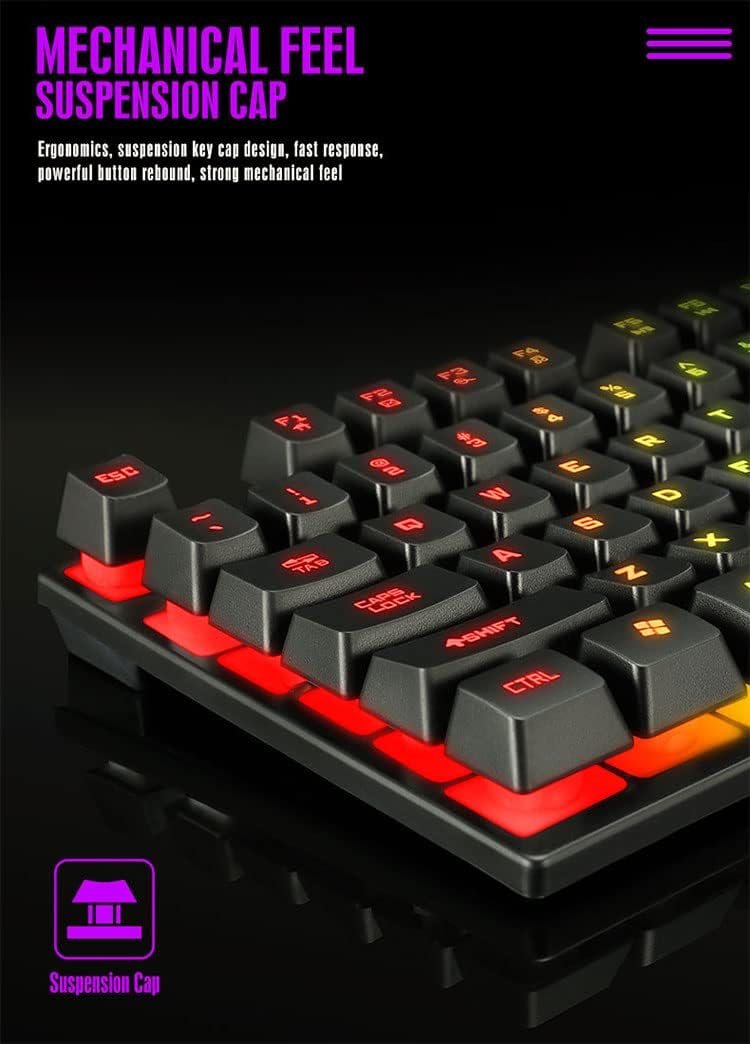
Xehetasun bat view of the keyboard's suspension keycap design, highlighting the mechanical feel and ergonomic profile for comfortable typing and gaming.
3. Konfigurazioa
Setting up your TRONIC Mechanical Gaming Keyboard is a straightforward process.
Teklatua konektatzea:
- Deskonprimitu teklatua eta bere USB kablea paketetik.
- Connect the USB cable to the keyboard's USB port.
- Plug the other end of the USB cable into an available USB port on your computer or laptop.
- The keyboard is plug-and-play; your operating system (Windows or Linux) should automatically detect and install the necessary drivers.
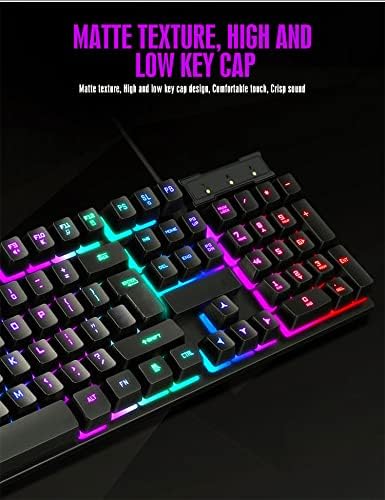
The TRONIC keyboard connected to a device via its integrated USB cable, ready for use.
Bateragarritasuna:
The keyboard is compatible with Windows and Linux operating systems. Oharra: This keyboard is not compatible with PS4 or XBOX gaming consoles.
4. Funtzionamendu-argibideak
Basic Keyboard Use:
Once connected, the keyboard functions as a standard QWERTY layout keyboard. The 61-key compact design includes all essential keys for typing and gaming. The UK layout ensures familiarity for users accustomed to this standard.
Atzeko argiaren kontrola:
The keyboard features dynamic RGB backlighting. You can control the lighting effects and turn them on or off using a dedicated button on the keyboard. This button typically cycles through various rainbow lighting modes, including a cyclical breathing effect, and allows you to disable the lighting when not needed.

This image illustrates the location of the dedicated button for controlling the keyboard's RGB backlighting, allowing users to easily switch the lighting effects on or off.
Anti-Ghosting Function:
The full anti-ghosting feature ensures that every key press is registered accurately, even when multiple keys are pressed simultaneously. This is particularly beneficial in fast-paced gaming scenarios where complex key combinations are common.
5. Mantentzea
Proper maintenance will help extend the life and performance of your TRONIC keyboard.
Garbiketa:
- Deskonektatu teklatua ordenagailutik garbitu aurretik.
- Use a soft, dry cloth to wipe down the keycaps and keyboard surface.
- Zikinkeria egoskorrerako, pixka bat damp Garbiketa-soluzio leun batekin egindako zapi bat erabil daiteke, likidorik teklatuan sartzen ez dela ziurtatuz.
- Compressed air can be used to remove dust and debris from between the keys.
Iraunkortasuna:
The keyboard's ABS construction provides a degree of resistance to minor impacts and liquid splashes. However, it is not fully waterproof. Avoid submerging the keyboard in liquid or exposing it to excessive moisture.
6. Arazoak
If you encounter issues with your TRONIC keyboard, refer to the following common solutions:
- Teklatuak ez du erantzuten:
- Ziurtatu USB kablea ondo konektatuta dagoela bai teklatuan bai ordenagailuan.
- Saiatu teklatua ordenagailuko beste USB ataka batera konektatzen.
- Berrabiarazi ordenagailua.
- Atzeko argia ez dabil:
- Press the dedicated backlight control button to cycle through lighting modes or turn the backlight on.
- Ziurtatu teklatua behar bezala konektatuta dagoela eta energia jasotzen duela.
- Giltzak ez dira erregistratzen:
- Egiaztatu tekla-tapen azpian oztopo fisikorik dagoen.
- Ensure the keyboard drivers are correctly installed (usually automatic).
- Bateragarritasun arazoak:
- Remember, the keyboard is compatible with Windows and Linux. It is ez compatible with PS4 or XBOX consoles.
If these steps do not resolve your issue, please contact TRONIC customer support for further assistance.
7. Zehaztapenak
| Ezaugarri | Zehaztapena |
|---|---|
| Marka | TRONIKOA |
| Modelo zenbakia | B09MH9ZC6M |
| Konektibitate Teknologia | USB kableduna |
| Teklatuaren deskribapena | Mekanikoa |
| Teklatuaren diseinua | QWERTY (UK Layout) |
| Gako kopurua | 61 |
| Atzeko argiaren euskarria | RGB (Rainbow) |
| Sistema eragile bateragarriak | Windows, Linux |
| Energia iturria | Cable Powered |
| Ezaugarri bereziak | Backlit, Anti-Ghosting |
| Materiala | ABS Termoplastikoa |
| Tekla-sakatzearen iraupena | 10,000,000 tekla sakatzea |
| Erantzun Denbora | 2 ms |
| UPC / GTIN | 793072706689 |
8. Bermea eta Laguntza
For warranty information and customer support, please refer to the documentation included with your purchase or visit the official TRONIC webgunea. Gorde erosketaren egiaztagiria berme-erreklamazioetarako.