
1. Produktua amaitu daview
The VNNBBS Wireless CarPlay Adapter (Model CPC200-CP2A) converts your car's existing wired Apple CarPlay system into a wireless connection. This device allows for seamless integration of your iPhone with your car's infotainment system without the need for a physical cable connection after initial setup. Enjoy navigation, music, calls, and more directly on your car's display.

Image: The VNNBBS Wireless CarPlay Adapter, showing its compact design, USB-A to USB-C converter, and how it enables wireless CarPlay on a car's display.
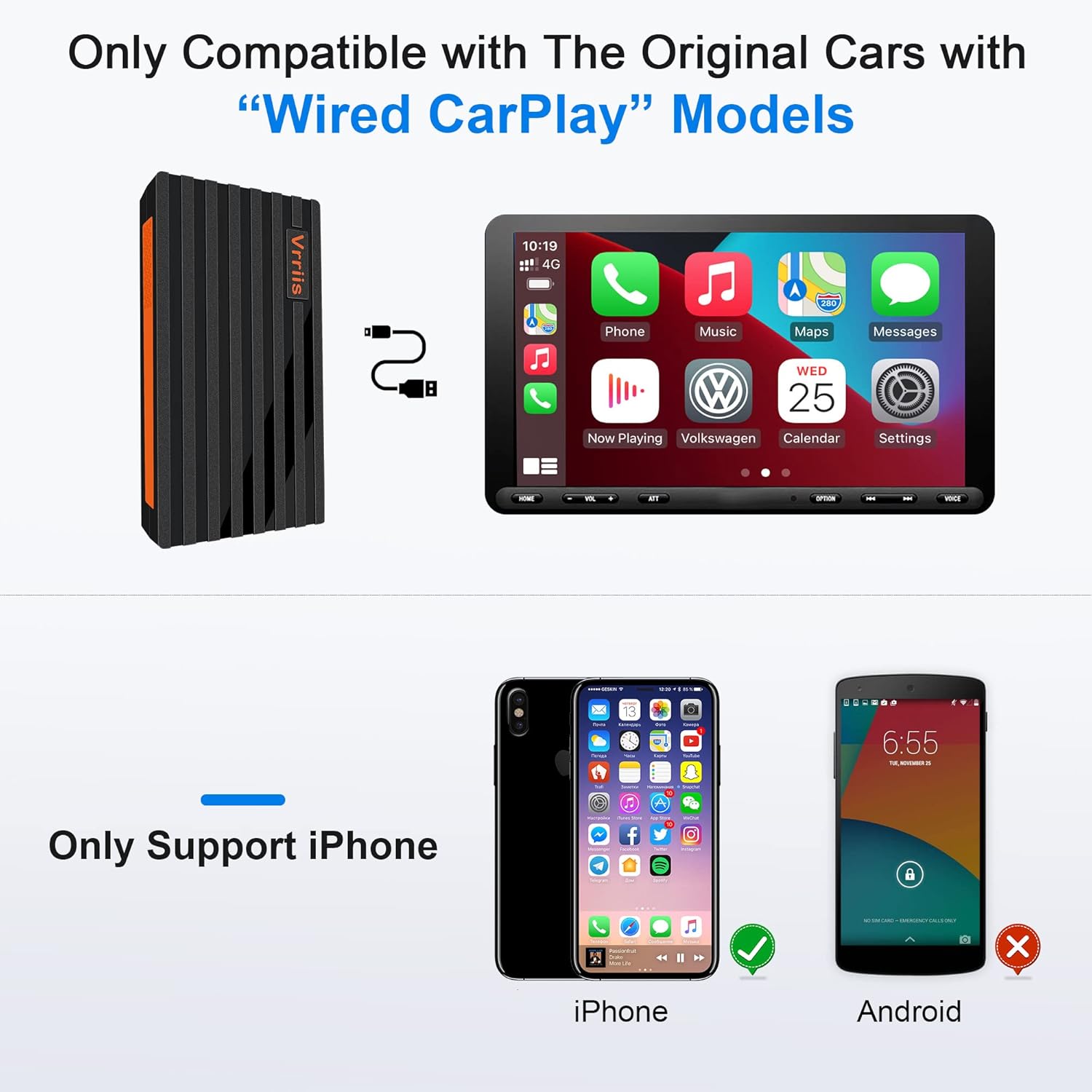
Image: Key features of the Wireless CarPlay Dongle, including Plug and Play, Wifi & Bluetooth connectivity, Fast Transmission, No audio delay, High Compatibility, and Steady Pairing.
2. Konfiguratzeko argibideak
Follow these steps to set up your VNNBBS Wireless CarPlay Adapter:
- Konektatu egokitzailea: Plug the USB dongle into your car's head unit USB port. If your car stereo only has a Type-C port, use the included USB-A to Type-C converter.
- Activate Bluetooth & Wi-Fi: On your iPhone, turn on both Bluetooth and Wi-Fi.
- Pair with Your Car: On your car's display, click "Search" for Bluetooth devices. Your phone's Bluetooth signal should appear. Select it to connect.
- Confirm CarPlay Connection: On your iPhone, click "Pair" and then "Use CarPlay" to establish the wireless connection.

Image: Visual guide demonstrating the three main steps for connecting the wireless CarPlay adapter: plugging it into the car's USB port, enabling Bluetooth and Wi-Fi on the iPhone, and confirming the pairing on both devices.
Video: An official seller video demonstrating the setup process for the Wireless CarPlay Adapter for Factory Wired Apple CarPlay, showing how to connect the device and pair it with an iPhone.
Bideoa: Saltzaile ofizial baten bideo-erakustaldiaasing the upgraded 2022 Wireless CarPlay Adapter and its quick connection capabilities.
Video: An official seller video highlighting the features and ease of use of the 2022 Hot Sell Wireless Apple CarPlay Dongle.
Video: An official seller video demonstrating the USB Wireless CarPlay Dongle Adapter for iPhone, showing its connection and functionality.
3. Funtzionamendu-argibideak
Once connected, the VNNBBS Wireless CarPlay Adapter allows you to control your iPhone's CarPlay interface using your car's native controls.
3.1 Kontrol-metodoak
- Original Car Button Operation: Use your car's existing physical buttons to navigate the CarPlay interface.
- Original Car Touchscreen Operation: Interact directly with the CarPlay display if your car has a touchscreen.
- Original Car Knob Operation: Utilize the car's control knob for precise navigation within CarPlay menus.
- Siri Ahots Kontrola: Activate Siri for hands-free commands, such as making calls, sending messages, getting directions, or playing music.

Image: Demonstrates how to control CarPlay using the car's original buttons, touchscreen, control knob, and Siri voice commands for a seamless user experience.
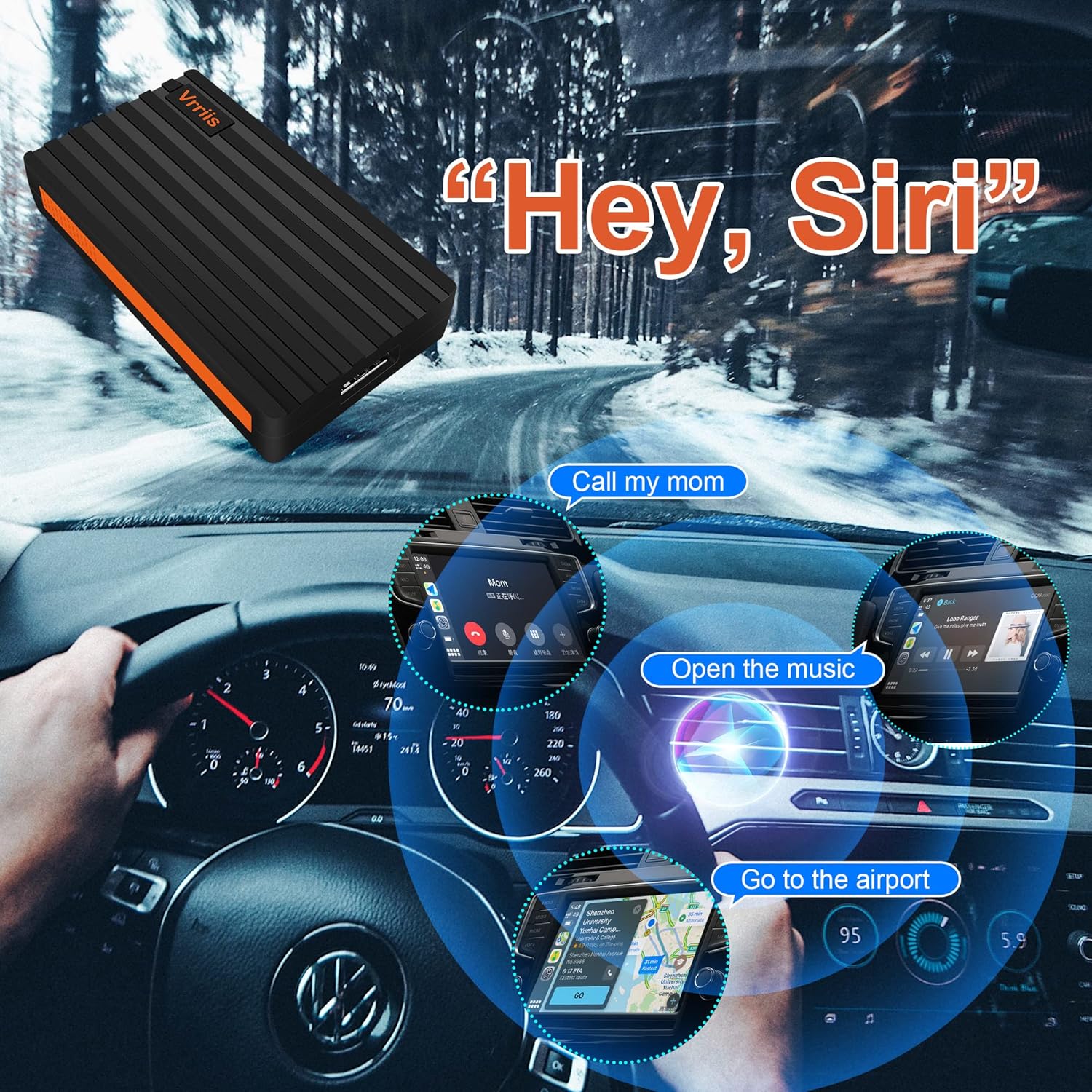
Image: Illustrates the use of Siri Voice Control with CarPlay, showing examples like 'Call my mom', 'Open the music', and 'Go to the airport' for hands-free operation.
3.2 Konexio automatikoa
After the initial pairing, the adapter will automatically connect to your iPhone when you start your car, providing a hassle-free wireless CarPlay experience.

Image: A visual comparison showing the clutter of a wired CarPlay connection (BEFORE) versus the clean, seamless experience of a wireless CarPlay connection (AFTER) enabled by the adapter.
4. Bateragarritasuna
The VNNBBS Wireless CarPlay Adapter is designed for specific car and phone configurations:
- Autoen bateragarritasuna: Only compatible with original cars that come with factory-installed wired Apple CarPlay models.
- Telefonoaren bateragarritasuna: Only supports iPhone devices. Android phones are not supported.
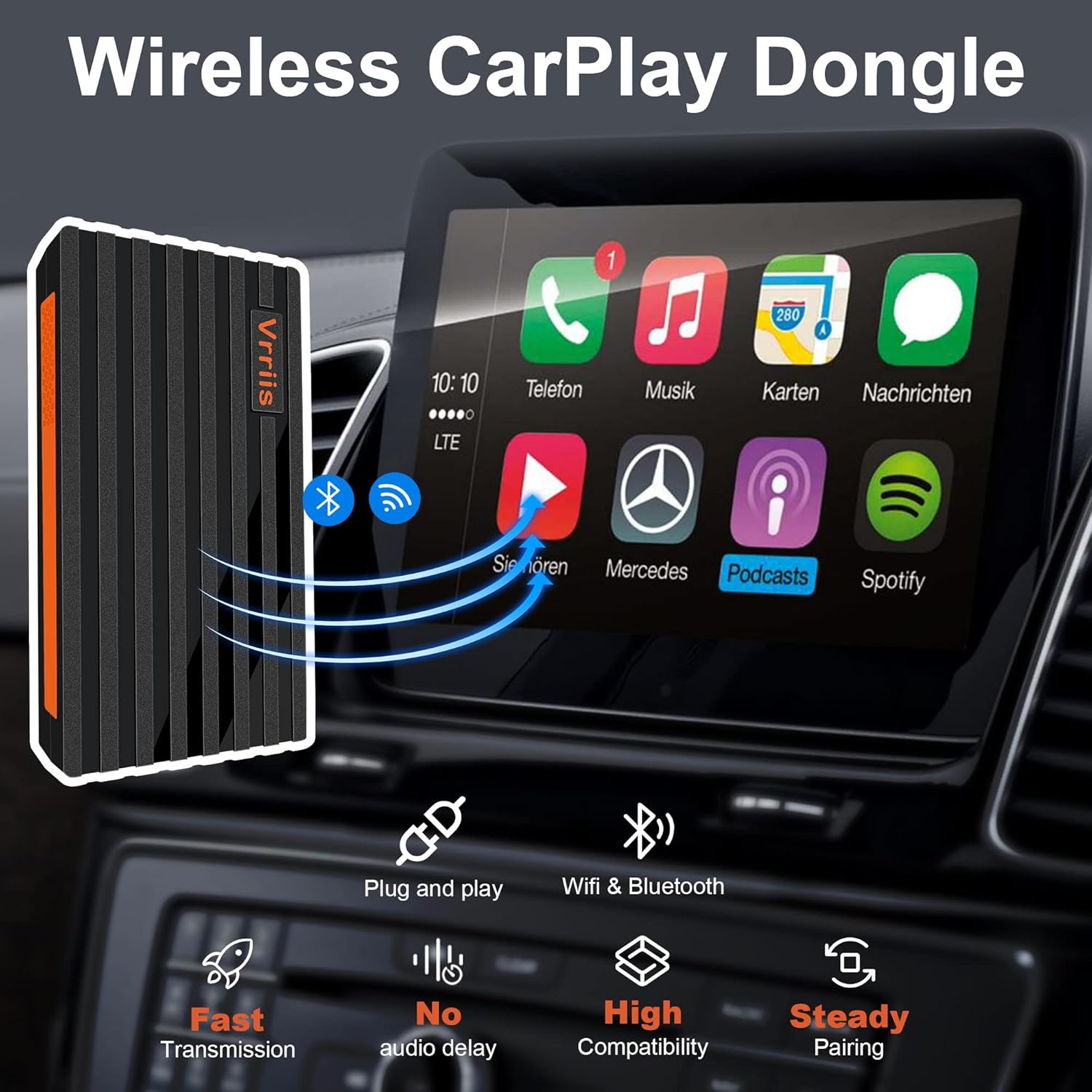
Image: Clearly states that the adapter is only compatible with original cars featuring wired CarPlay and exclusively supports iPhone devices, with Android devices explicitly shown as incompatible.
5. Mantentzea
To ensure the longevity and optimal performance of your VNNBBS Wireless CarPlay Adapter, please follow these maintenance guidelines:
- Mantendu garbi: Garbitu egokitzailea aldizka zapi leun eta lehor batekin hautsa eta hondakinak kentzeko. Saihestu garbitzaile likidoak erabiltzea.
- Saihestu muturreko tenperaturak: Do not expose the device to extreme heat or cold, as this can affect its internal components.
- Kontuz maneiatu: Saihestu egokitzailea erortzea edo kolpe gogorren eraginpean jartzea.
- Biltegiratze egokia: When not in use for extended periods, store the adapter in a cool, dry place away from direct sunlight.
6. Arazoak
If you encounter issues with your VNNBBS Wireless CarPlay Adapter, try the following solutions:
- Ez dago konexiorik:
- Ensure your car supports wired Apple CarPlay.
- Verify that Bluetooth and Wi-Fi are enabled on your iPhone.
- Unplug the adapter from the car's USB port, wait 10 seconds, and plug it back in.
- Restart your iPhone and your car's infotainment system.
- Check if your iPhone's Bluetooth is paired directly with the car's system. If so, unpair it and try connecting via the adapter again.
- Intermittent Connection/Dropped Connection:
- Ziurtatu egokitzailea USB atakan ondo konektatuta dagoela.
- Minimize potential interference from other wireless devices in the car.
- Update your iPhone's iOS to the latest version.
- Deskonektatu eta konektatu egokigailua.
- Lag or Delay:
- Ensure your iPhone is not running too many background applications.
- Check for any available firmware updates for the adapter (refer to manufacturer's website if applicable).
7. Zehaztapenak
| Ezaugarri | Xehetasuna |
|---|---|
| Produktuaren neurriak | 2.6 x 0.4 x 0.31 hazbete |
| Elementuaren pisua | 3.56 ontza |
| ASIN | B09MN4BCWJ |
| Elementuaren eredu-zenbakia | CPC200-CP2A |
| Eskuragarri dagoen lehen data | 24ko abenduaren 2021a |
| Fabrikatzailea | VNNBBS |
| Gailu bateragarriak | Smartphone (iPhone only) |
| Produkturako erabilera espezifikoak | Cell Phone (CarPlay integration) |
| Konektore mota | USB Type C (with USB-A to USB-C converter included) |
| Kolorea | Beltza |
8. Bermea eta Laguntza
For warranty information and technical support, please refer to the documentation included with your product or visit the official VNNBBS webgunea. Gorde erosketa-agiria berme-erreklamazioetarako.