
OMTech B09MQKFSLL
OMTech 50W CO2 laser grabagailuaren erabiltzailearen eskuliburua
Marka: OMTech
Model: B09MQKFSLL
Produktua amaituview
The OMTech 50W CO2 Laser Engraver is a versatile machine designed for engraving and cutting various non-metallic materials such as wood, glass, acrylic, and leather. It features a 300x500mm work area, a powerful 50W DC laser tube, and advanced digital control for precise and efficient operation. This manual provides essential information for setting up, operating, maintaining, and troubleshooting your laser engraver to ensure safe and optimal performance.

1. irudia: Aurrealdea view of the OMTech 50W CO2 Laser Engraver, highlighting its compact design and accessible work area.
Konfigurazioa eta Instalazioa
Before operating your OMTech laser engraver, follow these steps carefully to ensure proper setup and safety.
1. Desontziratzea eta kokatzea
- Kontu handiz atera makina eta osagarri guztiak paketetik.
- Place the engraver on a stable, level surface capable of supporting its weight (approximately 75 kg). Ensure adequate ventilation around the machine.
- Keep the machine away from flammable materials and direct sunlight.
2. Osagaiak konektatzea
- Potentzia-konexioa: Connect the power cable to the machine and a grounded 220V outlet.
- Aireko laguntza: The built-in air assist helps clear debris during engraving. Ensure the air pump is connected and functioning.
- Ura hoztea: Connect the water pump and tubing for the laser tube cooling system. Ensure the water reservoir is filled with distilled water and the pump is submerged and circulating water before turning on the laser.
- Ihes-sistema: Connect the exhaust hose to the machine and vent it to the outside to remove smoke and fumes.

Figure 2: Essential accessories included with your laser engraver, crucial for proper setup and operation.
3. Softwarearen instalazioa eta konektibitatea
- Install the provided laser control software (e.g., LightBurn, CorelDRAW, AutoCAD compatible) on your computer.
- Connect the engraver to your computer via USB or Ethernet cable. The machine also supports U-Flash disk for offline operation.
- Familiarize yourself with the control panel for basic machine functions.
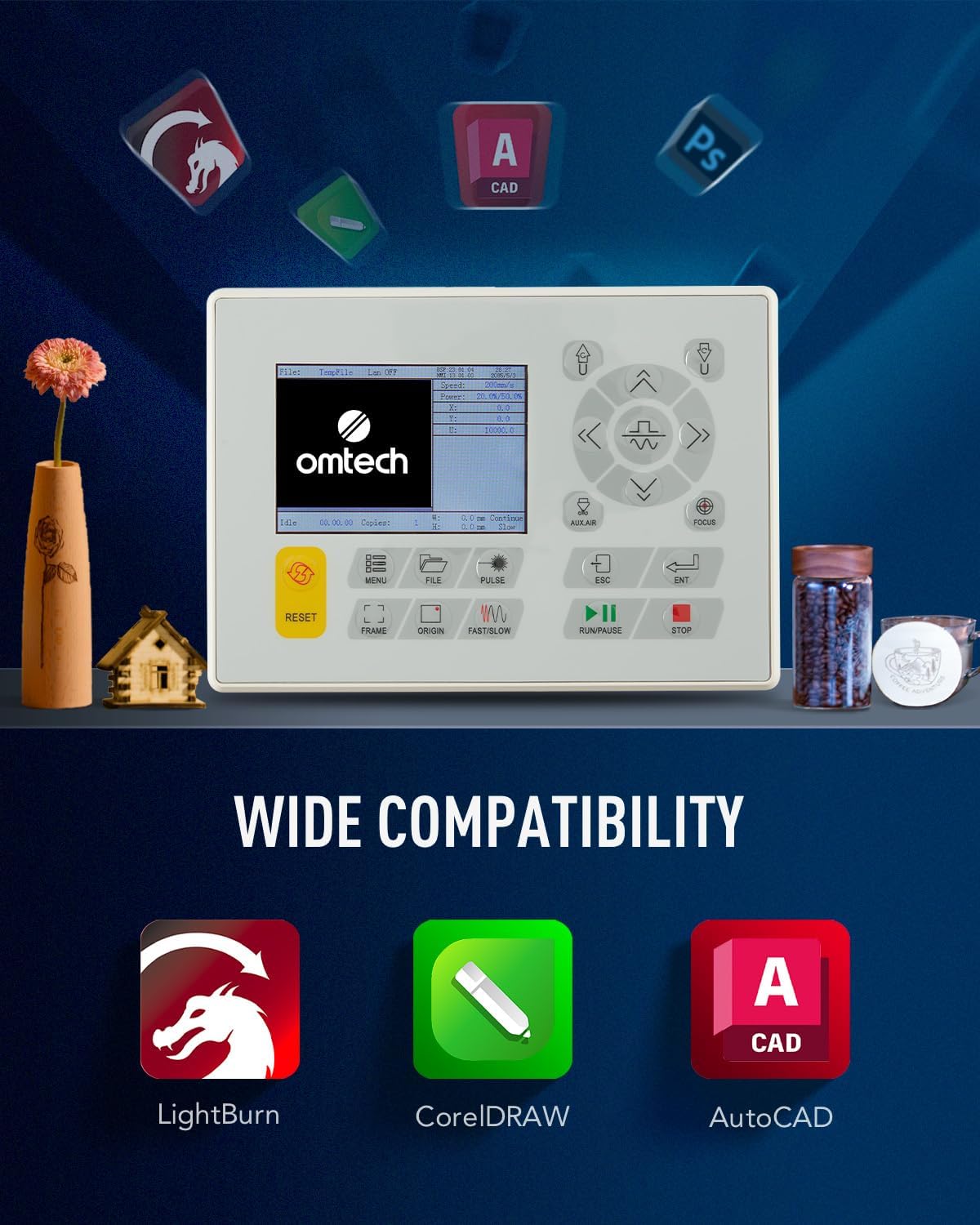
Figure 3: The machine's control panel and icons representing compatible software for design and operation.
Funtzionamendu-argibideak
Jarraitu urrats hauek zure laser grabagailua modu seguru eta eraginkorrean erabiltzeko.
1. Preparing Your Design and Material
- Create or import your design using the laser software.
- Select the appropriate material (e.g., wood, acrylic, leather) and place it securely on the honeycomb or aluminum blade workbed.
- Adjust the laser focus using the red dot pointer for optimal engraving/cutting results.

Figure 4: The laser head with its red dot pointer, used for precise material positioning and focus adjustment.
2. Executing Engraving/Cutting
- Set the desired power and speed settings in the software based on your material and desired outcome. The machine supports speeds up to 600 mm/s.
- Ensure the lid is closed. The machine has a safety interlock that cuts the laser beam if the lid is opened during operation.
- Initiate the engraving or cutting process from the software or control panel.
- Monitor the process through the flame-retardant viewleihoa.

Figure 5: The laser engraver actively processing a design on a wooden surface, demonstrating its precision.
3. Post-Operation
- Once the process is complete, wait for the exhaust system to clear any remaining fumes.
- Carefully remove the engraved or cut material.
- Turn off the machine and disconnect power if not in use for an extended period.
Mantentzea
Regular maintenance is crucial for extending the lifespan and ensuring the optimal performance of your laser engraver.
1. Cleaning Laser Lenses and Mirrors
- Periodically clean the laser lenses and reflective mirrors with a lint-free cloth and lens cleaning solution. This prevents residue buildup that can affect laser beam quality.
- The built-in air assist helps reduce debris on lenses during operation.

Figure 6: The CO2 laser tube, a critical component requiring proper cooling and care.
2. Water Cooling System
- Regularly check the water level in the cooling reservoir and refill with distilled water as needed.
- Change the water periodically to prevent algae growth and maintain cooling efficiency.
3. Garbiketa orokorra
- Keep the work area and the interior of the machine clean from dust and debris.
- Clean the honeycomb and aluminum blade workbeds regularly to ensure proper material placement and airflow.
Arazoak konpontzea
Atal honek aurki ditzakezun arazo ohikoenak eta haien irtenbide posibleak jorratzen ditu.
| Arazoa | Kausa posiblea | Irtenbidea |
|---|---|---|
| Laserrak ez du jaurtitzen | Lid open, water cooling issue, laser tube failure, power supply issue. | Ensure lid is closed. Check water flow and temperature. Inspect laser tube for damage. Verify power supply connections. |
| Grabaketa/ebaketa kalitate eskasa | Incorrect focus, dirty lenses/mirrors, incorrect power/speed settings, material issues. | Adjust focus. Clean optical components. Calibrate power and speed settings for the material. Ensure material is flat. |
| Machine not responding | Software communication error, emergency stop engaged, power issue. | Restart software and machine. Check USB/Ethernet connection. Disengage emergency stop button. Verify power supply. |
If you encounter issues not listed here or require further assistance, please contact OMTech customer support.
Zehaztapenak
Key technical specifications for the OMTech 50W CO2 Laser Engraver.
| Ezaugarri | Xehetasuna |
|---|---|
| Fabrikatzailea | OMTech |
| Produktuaren neurriak | 102 x 65 x 63 cm |
| Pisua | 75 kg |
| Laser Potentzia | 50 Watt |
| liburukiatage | 220 Volt |
| Max. Grabatu Abiadura | 600 mm/s |
| Prozesatzeko eremua | 300 x 500 mm |
| Workbeds | Honeycomb and Aluminum Blade |
| Konektibitatea | USB Cable, Ethernet Cable, U-Flash Drive, Offline |

Figure 7: Visual representation of the machine's dimensions and a summary of its technical specifications.
Bermea eta Laguntza
OMTech provides support for its products. For any issues or inquiries, please refer to the following information:
- Itzultzeko politika: The product is eligible for a refund or replacement within 30 days of purchase.
- Bezeroarentzako laguntza: For technical assistance, troubleshooting, or warranty claims, please contact OMTech Direct NL, the seller, or visit the official OMTech store on Amazon.
- OMTech Store: Visit the OMTech Store
Ask a question about this manual
Ask about setup, troubleshooting, compatibility, parts, safety, or missing instructions. Manuals+ will review the question and use this page’s manual context to help answer it.