
Sarrera
Eskerrik asko erosketagatik.asing the Gemmac Astronaut Galaxy Projector Star Night Light. This device is designed to project a captivating nebula and starry sky onto your walls and ceiling, creating a relaxing and immersive atmosphere. Please read this manual carefully before use to ensure proper operation and to maximize your enjoyment of the product.
Segurtasun Informazioa
Funtzionamendu segurua bermatzeko eta kalteak saihesteko, jarraitu neurri hauek:
- Ez begiratu zuzenean argi-iturrira. The projector uses bright lights that can cause eye discomfort or damage.
- Mantendu gailua uretatik edo beste likido batzuetatik urrun deskarga elektrikoak saihesteko.
- Ez desmuntatu edo konpontzen saiatu gailua zeuk. Jarri harremanetan langile kualifikatuekin zerbitzua jasotzeko.
- Use only the provided power adapter or one with compatible specifications.
- Keep out of reach of small children to prevent accidental ingestion of small parts or direct exposure to the light source.
- Ziurtatu gailua gainazal egonkor eta lau batean jartzen dela, eror ez dadin.
- Saihestu proiektorea bero-iturrietatik gertu edo eguzki-argia zuzenean jartzen.
Paketearen edukia
Egiaztatu elementu guztiak paketean daudela:
- 1 x Gemmac Astronaut Galaxy Projector
- 1 x Urruneko kontrola
- 1 x USB Power Cable
- 1 x Erabiltzailearen eskuliburua

Image: The package includes the astronaut projector, remote control, USB power cable, and user manual.
Produktua amaituview
The Gemmac Astronaut Galaxy Projector features a unique astronaut design with a flexible head that can be rotated to adjust the projection angle. It combines nebula and star projections for a dynamic visual experience.

Image: The Gemmac Astronaut Galaxy Projector and its remote control.

Irudia: Xehetasun handikoa view of the astronaut projector's flexible design and remote control functions.
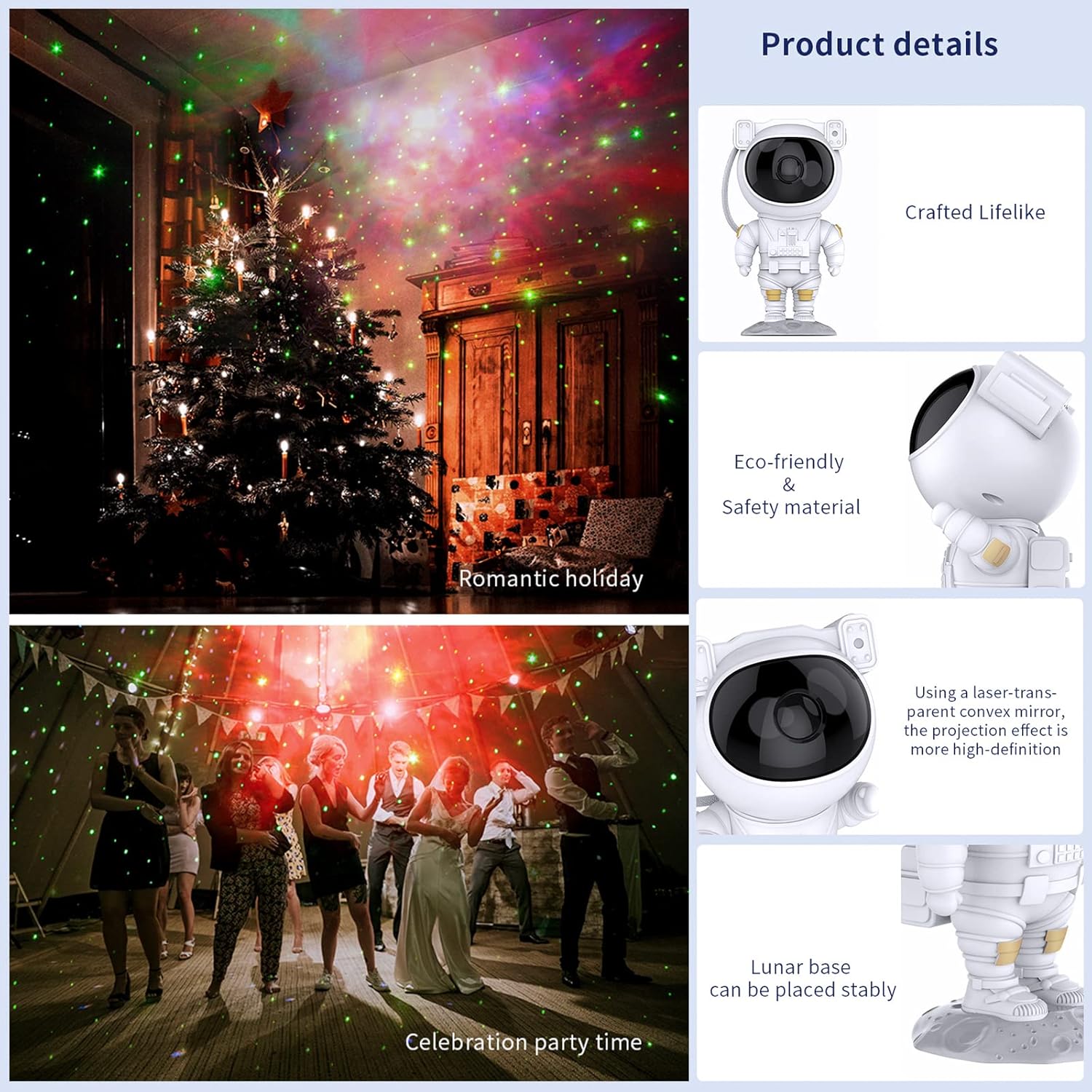
Image: Key product details including design, materials, projection lens, and stable base.
Konfigurazioa
Potentzia-konexioa
- Place the astronaut projector on a stable, flat surface.
- Connect the USB power cable to the projector's power input port (located on the backpack).
- Plug the other end of the USB cable into a compatible USB power adapter (not included) or a USB port.
- Ziurtatu energia-iturria egonkorra dela.
Funtzionamendu-argibideak
Gailuaren botoiak
The buttons on the back of the astronaut's backpack allow for basic control:
- Pizteko botoia: Proiektorea pizten edo itzaltzen du.
- Nebula Mode Button: Cycles through different nebula colors and effects.
- Star Mode Button: Turns the star projection on or off.
Urruneko Kontrol Funtzioak
The included remote control provides comprehensive control over the projector's features:
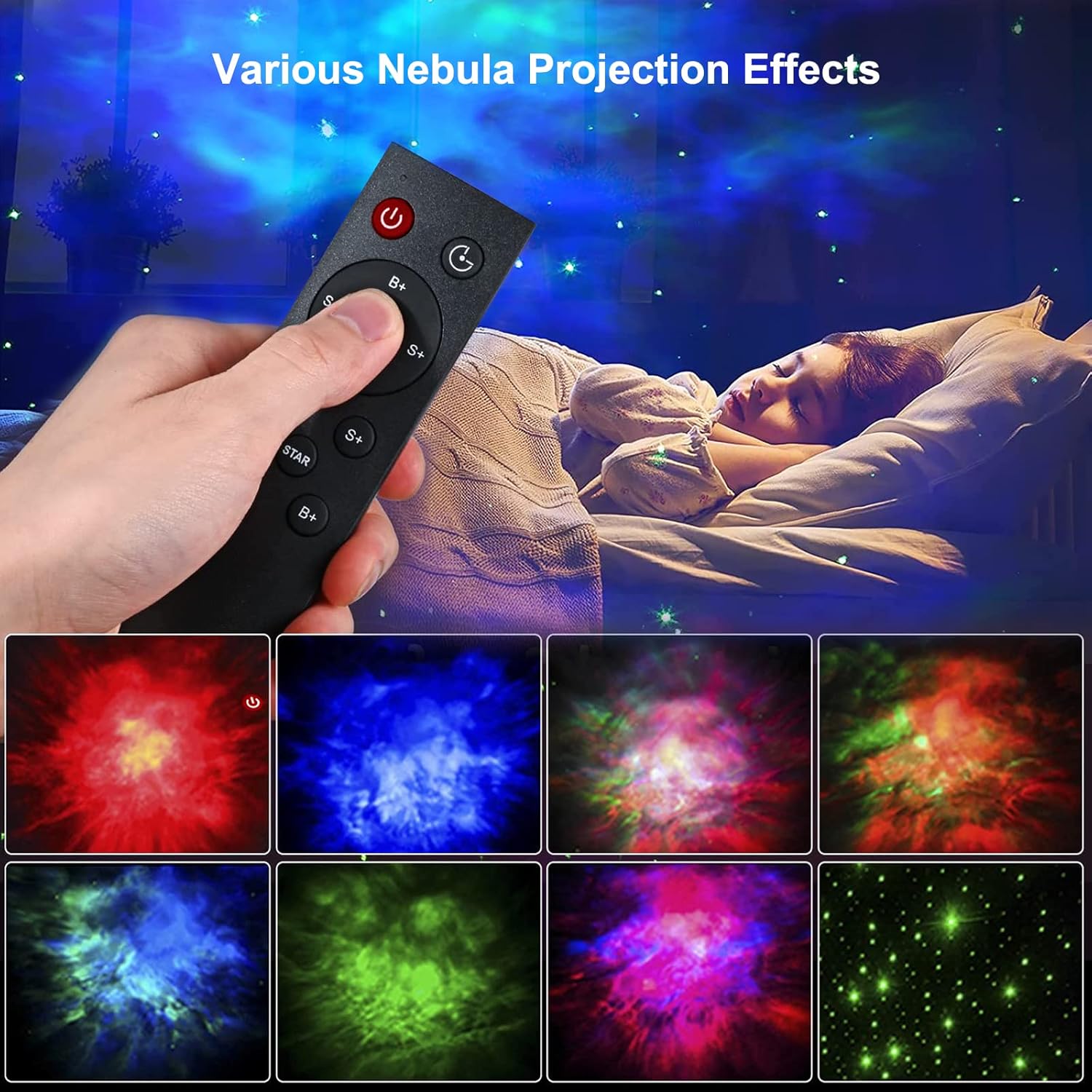
Image: Remote control in use, demonstrating various projection effects.
- Piztu/Itzali: Proiektorea pizten edo itzaltzen du.
- Ordu aldaketa: Sets the automatic shut-off timer (e.g., 45 minutes, 90 minutes).
- Nebula Brightness (B+/B-): Adjusts the brightness of the nebula projection.
- Nebula Change Speed (S+/S-): Controls the speed of nebula movement.
- Nebula Color Switching (NEBULA): Cycles through different nebula colors.
- Star Breathing Rate (S+/S-): Adjusts the fading speed of the stars.
- Star Switch (STAR): Turns the star projection on or off.
- Star Brightness (B+/B-): Adjusts the brightness of the star projection.
Ezaugarriak
Nebula and Star Projection
The projector offers a combination of colorful nebula clouds and twinkling stars. These can be displayed together or independently, providing a variety of celestial scenes. The nebula colors and star brightness are adjustable to suit your preference.
Video: Demonstration of the Gemmac Astronaut Galaxy Projector's nebula and star light effects.

Image: The projector creating a green nebula and star effect in a living room setting.

Image: The projector creating a colorful nebula and star effect inside a car.
Tenporizadorearen funtzioa
Utilize the timer function on the remote control to set the projector to automatically turn off after a specified duration (e.g., 45 or 90 minutes). This is ideal for bedtime use.
Proiekzio angelu erregulagarria
The astronaut's head is magnetically connected to its body, allowing you to rotate it 360 degrees. This flexibility enables you to direct the projection to any desired angle on your ceiling or walls.
Mantentzea
Mantentze egokiak zure proiektorearen iraupena eta errendimendu optimoa bermatzen ditu:
- Garbiketa: Erabili oihal leun eta lehor bat proiektorearen kanpoaldea garbitzeko. Ez erabili garbitzaile edo disolbatzaile urratzailerik.
- Lenteen zainketa: Gently clean the projection lenses with a soft, lint-free cloth to maintain clear projection quality. Avoid touching the lenses directly with your fingers.
- Biltegiratzea: When not in use for extended periods, store the projector in a cool, dry place, away from direct sunlight and moisture.
Arazoak konpontzea
Arazoren bat izanez gero, jo ezazu honako arazo eta irtenbide ohikoenei:
| Arazoa | Kausa posiblea | Irtenbidea |
|---|---|---|
| Proiektorea ez da pizten. | Argindarrik ez, konexio soltea, egokitzaile akastuna. | Check power cable connection. Ensure power adapter is working. Try a different USB port or adapter. |
| Urruneko kontrola ez dabil. | Bateria agortuak, urrutiko agintea irismenetik kanpo, oztopoa. | Replace remote control batteries. Ensure remote is pointed at the projector and within range. Remove any obstructions between the remote and projector. |
| Projection is blurry or dim. | Dirty lens, incorrect focus, too much ambient light. | Gently clean the projection lenses. Ensure the room is dark enough for optimal projection. Adjust brightness settings via remote. |
| Stars or nebula not appearing. | Feature turned off. | Use the remote control to turn on the star or nebula projection modes. |
Zehaztapenak
| Ezaugarri | Xehetasuna |
|---|---|
| Marka | Gemmac |
| Eredua | Astronauta Galaxia proiektorea |
| Produktuaren neurriak | 9.6" L x 4.5" W x 4.7" H |
| Elementuaren pisua | 2.4 ontza (0.15 libra) |
| Argi iturri mota | LED |
| Materiala | Akrilonitrilo Butadieno Estirenoa (ABS) |
| Energia iturria | Kable elektrikoa |
| Wattage | 5 watt |
| Kontrol-metodoa | Remote, Device Buttons |
| Ezaugarri bereziak | Color Changing, Timer, Dimmable |
| Barruko/Kanpoko erabilera | Barruan |
| UPC | 755419178313 |
Bermea eta Laguntza
For warranty information or technical support, please refer to the contact details provided with your purchase documentation or visit the official Gemmac webgunea. Gorde erosketa-agiria erosketaren frogagiri gisa.