
BTMETER BT-570T-APP
BTMETER BT-570T-APP Clamp Multimetroaren erabiltzailearen eskuliburua
Eragiketa eta Mantentze Gida Osoa
1. Sarrera
The BTMETER BT-570T-APP is a versatile AC/DC 1000A Clamp Multimeter designed for accurate electrical measurements. It features 4000 counts digital display, data logging capabilities, and Bluetooth connectivity for remote monitoring via a smartphone or tablet application. This manual provides detailed instructions for the safe and effective use of your device.
Key functionalities include measuring AC/DC current, AC/DC voltage, resistance, capacitance, frequency, temperature, and continuity. It is suitable for various applications including HVAC, household electrical work, and commercial troubleshooting.
2. Segurtasun informazioa
Always adhere to the following safety precautions to prevent personal injury or damage to the meter:
- Ez gainditu neurketa-tarteetarako sarrera-muga maximoak.
- Kontu handiz ibili zirkuitu biziekin lan egitean.
- Neurketak egin aurretik, ziurtatu neurgailua funtzio eta tarte zuzenetarako konfiguratuta dagoela.
- Erabili aurretik, egiaztatu proba-kableak kaltetuta dauden. Isolamendua hondatuta badago, ordeztu.
- Ez erabili neurgailua hondatuta dagoela edo behar bezala funtzionatzen ez badu.
- Adhere to IEC 61010-1, CAT IV 600V, CAT III 1000V safety standards.
- When measuring current, ensure only the LIVE conductor is clamped for accurate readings. Clamping both hot and neutral conductors will result in a zero reading.
3. Produktua amaitu daview
The BTMETER BT-570T-APP is designed for ease of use and durability. Familiarize yourself with its components:

Figure 3.1: Key Components of the BT-570T-APP
- AC / DC Clamp: For non-contact current measurement. Jaw caliber size is 1.77 inches (45mm).
- Trigger: Ireki eta ixten du clamp masailezurra.
- Funtzio-markagailua: Selects measurement modes (Voltage, Current, Resistance, etc.).
- Argiztatutako LCD pantaila: Shows measurement readings clearly, even in low light.
- Sarrerako Jackak: For connecting test leads and temperature probe.
- Botoiak: HOLD, SELECT RANGE, REL/Duty, Max/Min/Average.
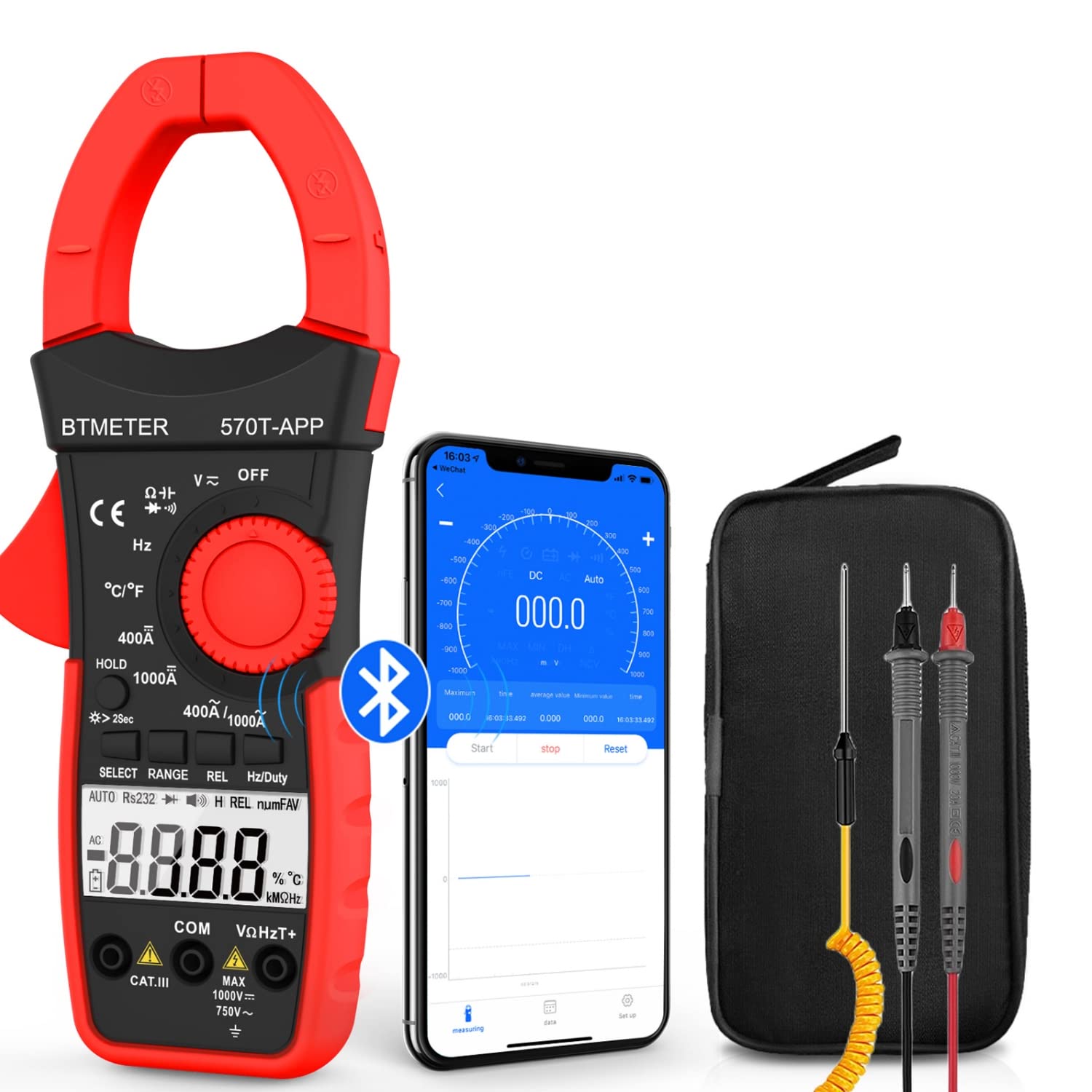
Figure 3.2: Product Contents and Bluetooth Connectivity
The package includes the BT-570T-APP clamp multimeter, test leads, a thermocouple probe, and a carrying case for convenient storage and transport.
4. Konfigurazioa
4.1 Bateriaren instalazioa
The meter requires batteries for operation. Open the battery compartment on the back of the device, insert the batteries according to the polarity indicators, and secure the cover.
4.2 Aplikazioaren instalazioa eta Bluetooth konexioa
The BT-570T-APP supports remote control and data logging via a mobile application. Follow these steps to connect:
- Download the "Intelligent Clamp Meter" app from the App Store (iOS) or Google Play (Android).
- Ziurtatu Bluetooth gaituta dagoela zure telefonoan edo tabletan.
- Turn on the BT-570T-APP multimeter.
- Open the app on your device. It should automatically detect and connect to the multimeter.
- Konektatu ondoren, egin dezakezu view measurements, graph data, and save readings in Excel or TXT format.
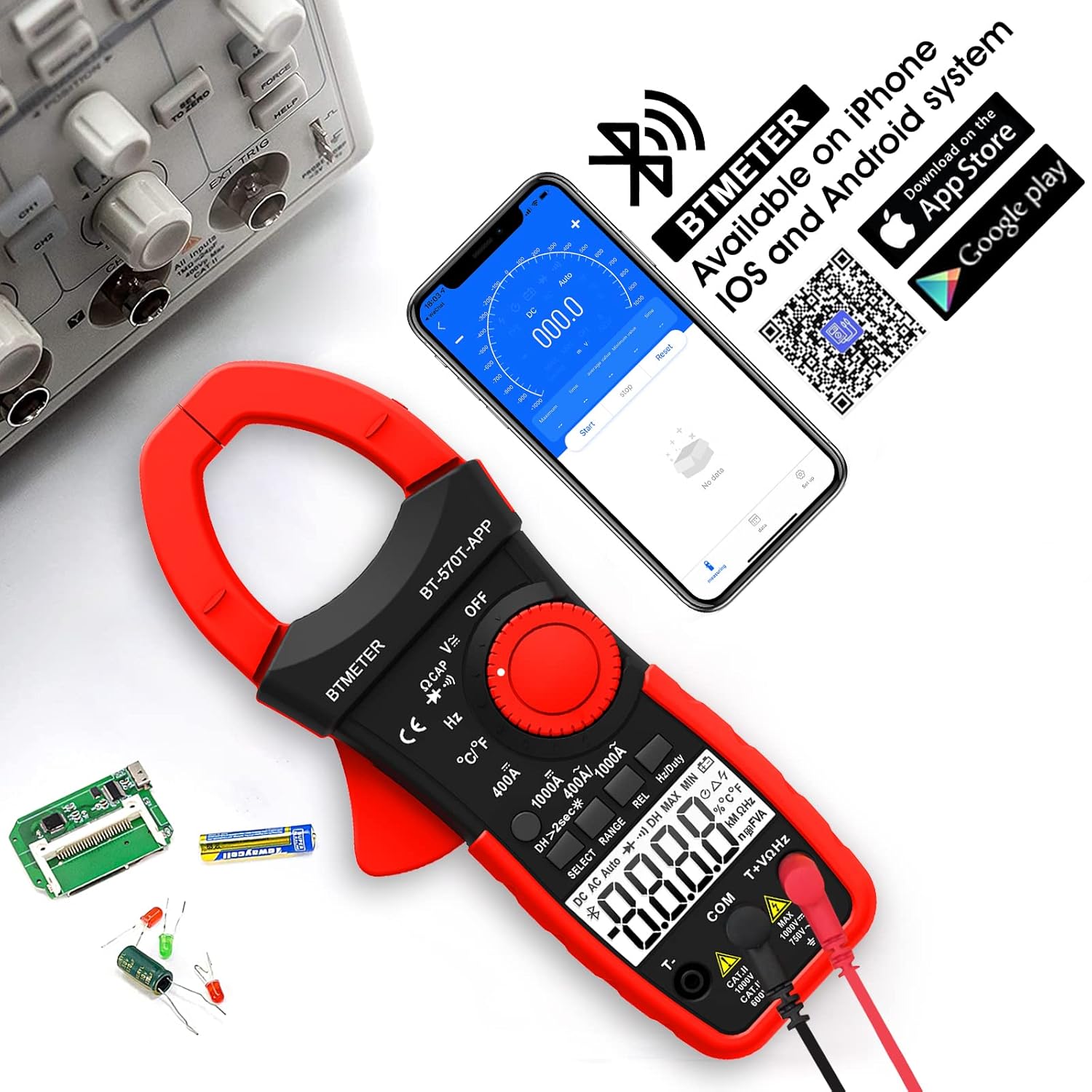
Figure 4.1: App Download and Bluetooth Pairing
5. Funtzionamendu-argibideak
5.1 AC/DC korrontearen neurketa (Clamp)
To measure AC or DC current up to 1000A:
- Turn the function dial to the "400A" or "1000A" AC/DC current range.
- Press the SELECT button to toggle between AC and DC current if necessary.
- Ireki clamp jaw using the trigger.
- Enclose only one conductor (e.g., the live wire) within the clamp. Ez clamp multiple wires as this will result in inaccurate readings.
- Irakurri uneko balioa LCD pantailan.

Figure 5.1: Measuring AC/DC Current with the Clamp
5.2 liburukiatage Neurketa (AC/DC)
AC edo DC bolumena neurtzekotage up to 1000V:
- Insert the red test lead into the VΩHzT+ jack and the black test lead into the COM jack.
- Turn the function dial to the "V~" (AC Voltage) edo "V-" (DC bolumenatage) barrutia.
- Konektatu proba-kableak zirkuitu edo probatu beharreko osagaiarekin paraleloan.
- Irakurri liburukiatage balioa LCD pantailan.
5.3 Erresistentzia Neurketa
To measure resistance up to 60M ohms:
- Insert the red test lead into the VΩHzT+ jack and the black test lead into the COM jack.
- Turn the function dial to the "Ω" (Resistance) range.
- Ziurtatu zirkuitua deskonektatuta dagoela proba-kableak osagaira konektatu aurretik.
- Irakurri erresistentziaren balioa LCD pantailan.
5.4 Kapazitatearen Neurketa
To measure capacitance up to 200µF:
- Insert the red test lead into the VΩHzT+ jack and the black test lead into the COM jack.
- Turn the function dial to the "CAP" (Capacitance) range.
- Discharge the capacitor completely before connecting the test leads.
- Konektatu proba-kableak kondentsadorearen terminaletara.
- Irakurri kapazitate-balioa LCD pantailan.
5.5 Maiztasunaren Neurketa
To measure frequency up to 9.999MHz:
- Insert the red test lead into the VΩHzT+ jack and the black test lead into the COM jack.
- Turn the function dial to the "Hz" (Frequency) range.
- Konektatu proba-kableak seinale-iturrira.
- Irakurri maiztasunaren balioa LCD pantailan.
5.6 Tenperaturaren Neurketa
To measure temperature from -4°F to 1832°F (-20°C to 1000°C):
- Insert the thermocouple probe into the T+ and COM jacks, observing polarity.
- Turn the function dial to the "°C/°F" (Temperature) range.
- Press the SELECT button to switch between Celsius and Fahrenheit.
- Jarri termopare zundaren punta neurtu beharreko tenperatura duen objektuaren gainean edo barruan.
- Irakurri tenperaturaren balioa LCD pantailan.

Figure 5.2: Temperature Measurement
5.7 Jarraitasun proba
To test for circuit continuity:
- Insert the red test lead into the VΩHzT+ jack and the black test lead into the COM jack.
- Turn the function dial to the "Diode/Continuity" range.
- Konektatu proba-kableak zirkuituan edo osagaian zehar.
- The buzzer will sound if the resistance is less than 50Ω, indicating continuity.

Figure 5.3: Auditory Continuity Test
5.8 Data Logging and Bluetooth Features
The BT-570T-APP offers advanced data logging capabilities via its mobile application:
- Urruneko monitorizazioa: View real-time measurements on your phone or tablet from a distance.
- Trend Chart: The app automatically graphs measurement trends over time.
- Datuen esportazioa: Export logged data in Excel (.xlsx) or TXT (.txt) formats for analysis.
- Datuak gordetzea: Press the "HOLD" button to freeze the current reading on the display.
- REL (Neurketa Erlatiboa): Press "REL" to zero out the current reading, useful for measuring changes relative to a reference point.
- Max/Min/Average: Record the maximum, minimum, and average values during a measurement session.

Figure 5.4: Remote Control and Data Download via App
6. Mantentzea
- Garbiketa: Wipe the meter with a dry, clean cloth. Do not use abrasive cleaners or solvents.
- Bateria ordezkatzea: Replace batteries when the low battery indicator appears on the display. Ensure proper polarity.
- Biltegiratzea: If storing for extended periods, remove the batteries to prevent leakage. Store in a cool, dry place away from direct sunlight.
- Kalibrazioa: Erabilera profesionalerako, zehaztasuna mantentzeko, teknikari kualifikatu batek aldizka kalibratzea gomendatzen da.
7. Arazoak
| Arazoa | Kausa posiblea | Irtenbidea |
|---|---|---|
| Neurgailua ez da pizten. | Bateriak hilda edo gaizki instalatuta. | Ordeztu bateriak, polaritate zuzena ziurtatuz. |
| Inaccurate current reading (e.g., zero reading). | Clamping multiple conductors (hot and neutral). | Ensure only a single live conductor is clamped. |
| Bluetooth konexioak huts egin du. | Bluetooth disabled on phone/tablet; app issue; meter too far. | Ensure Bluetooth is on, restart app/meter, move closer, check app permissions. |
| Data not saving/exporting from app. | App bug; insufficient storage; incorrect save location. | Ensure app is updated. Check phone storage. Refer to app's help section for data export paths. Some users report issues with iOS data saving, try Android if available. |
| Pantailak "OL" (gainkarga) erakusten du. | Neurketak hautatutako tartea gainditzen du. | Hautatu tarte handiago bat edo ziurtatu sarrera neurgailuaren gaitasunen barruan dagoela. |
8. Zehaztapenak
| Parametroa | Balioa |
|---|---|
| Modelo zenbakia | BT-570T-APP |
| AC/DC korronte-tartea | 400A / 1000A (100mA / 1A resolution) |
| AC / DC boltage Barrutia | 1000V arte |
| Erresistentzia sorta | 60MΩ arte |
| Kapazitate-sorta | Up to 200µF |
| Maiztasun barrutia | 9.999MHz arte |
| Tenperatura tartea | -4°F eta 1832°F (-20°C eta 1000°C) |
| Bistaratu zenbaketak | 4000 zenbaketa |
| Jaw Caliber Size | 1.77 hazbete (45 mm) |
| Segurtasun Balorazioa | IEC 61010-1, CAT IV 600V, CAT III 1000V, Class 2, Double insulation |
| Energia iturria | Bateriaren bidez |
| Elementuaren pisua | 11.68 ontza |
| Paketearen neurriak | 10.2 x 5 x 2.28 hazbete |
9. Bermea eta Laguntza
BTMETER provides a 12-month quality warranty for the BT-570T-APP Clamp Multimeter. Life-time technical support is also available.
For technical assistance, warranty claims, or any inquiries, please contact BTMETER customer support through their official webwebgunea edo zure erosketarekin emandako harremanetarako informazioa.
Babes-plan aukerakoak daude estaldura luzatzeko:
- 3 Urteko Babes Plana
- 4 Urteko Babes Plana
- Complete Protect Plan (monthly billing)
Mesedez, kontsultatu babes-plan hauen baldintza zehatzak xehetasun guztietarako.