
1. Sarrera eta Overview
The Brickhouse Security Spark Nano 7 GPS Tracker is a compact, portable device designed for real-time tracking of vehicles, assets, and individuals. It operates on a 4G LTE cellular network, providing extensive coverage and reliable location updates. This manual provides essential information for setting up, operating, maintaining, and troubleshooting your Spark Nano 7 GPS Tracker.
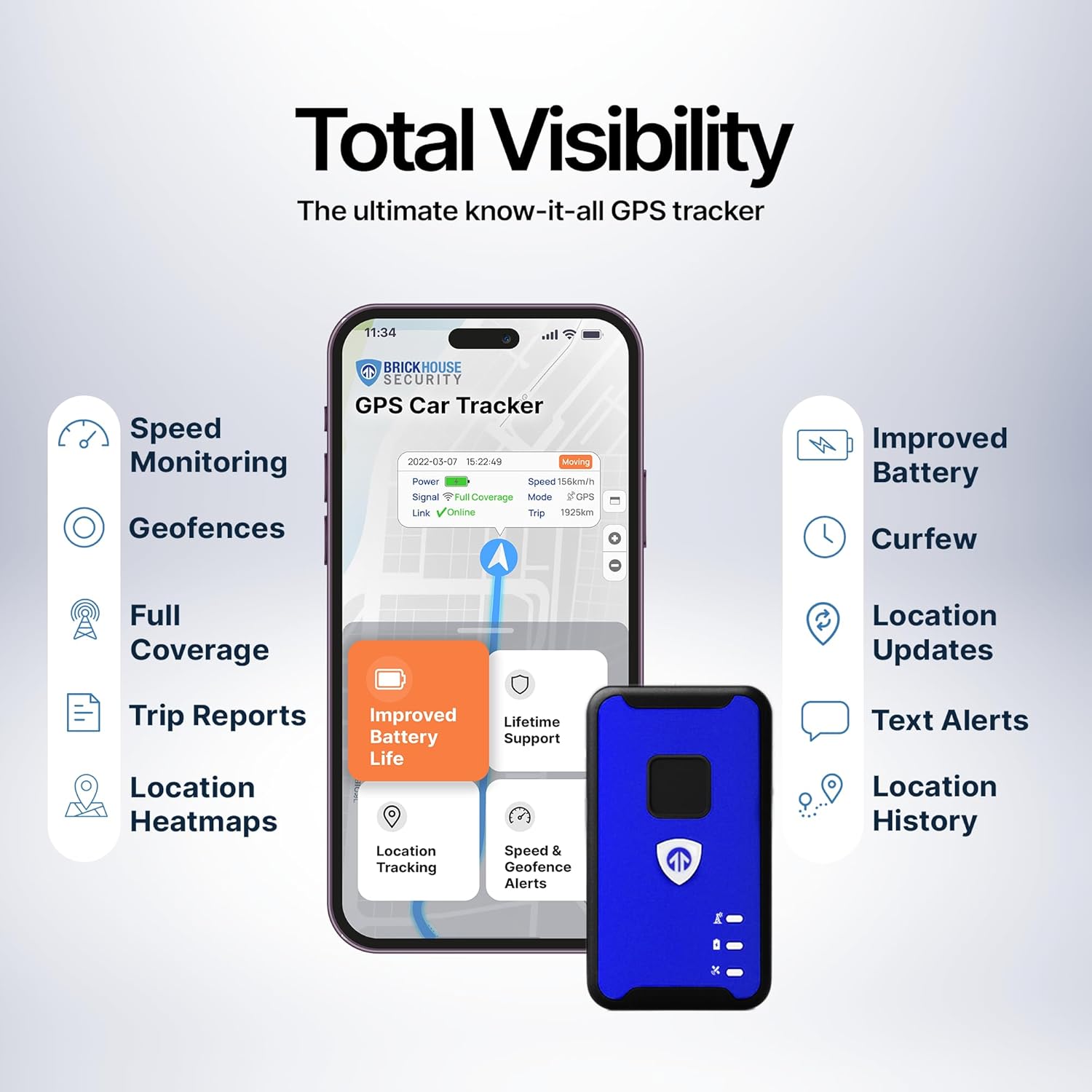
Key features include real-time location tracking, geofencing capabilities, speed alerts, and detailed historical reports accessible via a mobile app or web platform. A one-year subscription is included with the device, ensuring immediate functionality.
Official product video demonstrating the features and benefits of the Spark Nano 7 GPS Tracker.
2. Zer dago kutxan
Upon unboxing your Brickhouse Security Spark Nano 7 GPS Tracker, verify that all the following items are included:
- Spark Nano 7.0 GPS Tracker Unit
- Hormako kargagailua
- Erabiltzailearen gida (eskuliburu hau)
- Aurrez instalatutako SIM txartela

Image showing the Spark Nano 7 GPS Tracker, Quick Start Guide, and Charger Cable.
3. Konfiguratzeko argibideak
- Gailua kargatu: Before first use, fully charge your Spark Nano 7 using the provided wall charger. The device features a USB-C charging port.
- Aktibatu harpidetza: Your device includes a one-year subscription. Follow the instructions in the Quick Start Guide to activate your service online. This typically involves creating an account on the Brickhouse Security tracking platform.
- Deskargatu mugikorretarako aplikazioa: Download the official Brickhouse Security tracking app from your device's app store (available for iOS and Android) or access the web platform via a browser.
- Hasi saioa: Use your activated account credentials to log in to the mobile app or web plataforma.
- Hasierako Kokapena: For optimal performance, place the tracker in a location with a clear view of the sky, such as under the dashboard, in the glove compartment, or in a backpack. Avoid placing it in enclosed metal containers that may obstruct GPS signals.
The Spark Nano 7 features a USB-C charging port for convenient power replenishment.
4. Funtzionamendu-argibideak
The Spark Nano 7 GPS Tracker provides real-time location data and various alert features through its intuitive platform.
4.1 Denbora errealeko jarraipena
- Access the mobile app or web plataforma.
- The map interface will display the current location of your device.
- Location updates are provided every 60 seconds by default. Faster 5-second updates may be available with certain subscription plans.
4.2 Geofencing
Set up virtual boundaries to receive alerts when the tracker enters or exits a defined area.
- In the app/web platform, navigate to the 'Geofences' section.
- Define a new geofence by drawing a perimeter on the map.
- Name the geofence and configure notification preferences (e.g., email, text message).
4.3 Speed Alerts
Receive notifications if the tracker exceeds a pre-set speed limit.
- Go to the 'Settings' or 'Notifications' section in the app/web plataforma.
- Set a maximum speed threshold.
- Configure alert delivery methods.
4.4 Izua botoia
The Spark Nano 7 is equipped with a panic button. In an emergency, pressing this button will send an immediate alert to pre-configured contacts with the device's current location.

The mobile app and web platform provide comprehensive control and monitoring features.
5. Mantentzea
- Kargatzen: The device has an average battery life of 14 days. Recharge as needed using the provided USB-C wall charger.
- Garbiketa: Garbitu gailua zapi leun eta lehor batekin. Saihestu produktu kimiko gogorrak edo material urratzaileak erabiltzea.
- Uraren erresistentzia: The Spark Nano 7 is water-resistant, but it is not fully waterproof. Avoid submerging the device in water.
- Biltegiratzea: Gorde gailua leku fresko eta lehor batean erabiltzen ez duzunean.
6. Arazoak
- Kokapenaren eguneratzerik ez:
- Ziurtatu gailua kargatuta eta piztuta dagoela.
- Check for cellular signal in the device's current location.
- Verify that the subscription is active.
- Relocate the device to an area with a clearer view zeruko.
- Bateria azkar husten da:
- Frequent updates (e.g., 5-second intervals) consume more battery. Adjust update frequency in settings if possible.
- Ensure the device is fully charged before deployment.
- Aplikazioa/Web Plataformaren arazoak:
- Ziurtatu zure Interneteko konexioa egonkorra dela.
- Try logging out and logging back in.
- Clear your browser cache or reinstall the mobile app.
7. Zehaztapenak
| Ezaugarri | Zehaztapena |
|---|---|
| Marka | Brickhouse Segurtasuna |
| Modelo zenbakia | Spark Nano 7 |
| Konektibitate Teknologia | Zelularra (4G LTE) |
| Onartutako aplikazioa | GPS, iOS iPhone, Android, Web App, Alexa |
| Bateriaren batez besteko bizitza | 14 egun |
| Bateria Edukiera | 2600 milioiamp Orduak |
| Itxituraren Materiala | Akrilonitrilo Butadieno Estirenoa (ABS) |
| Neurriak | Approximately 3 x 1.58 x 1 inch |

The Spark Nano 7 is designed to be compact and easily concealable.
8. Bermea eta Laguntza
The Brickhouse Security Spark Nano 7 GPS Tracker comes with a Bizi osorako bermea. For detailed warranty information, technical support, or further assistance, please visit the official Brickhouse Security webwebgunean edo jarri harremanetan bere bezeroarentzako zerbitzuarekin.
Lineako laguntza: Visit the Brickhouse Security Store on Amazon