
uraview 7be222b8-da02-4a5f-a41b-23f4b96dfb67
Wansview Kanpoko bateria-segurtasun kameretarako eguzki-panelaren erabiltzailearen eskuliburua
Model: 7be222b8-da02-4a5f-a41b-23f4b96dfb67
Sarrera
Eskuliburu honek zure WANen instalazio, funtzionamendu eta mantentze-lanetarako argibideak ematen ditu.view Eguzki-panela. Eguzki-panel hau kanpoko bateriaz elikatzen diren segurtasun-kamerak etengabe hornitzeko diseinatuta dago, etengabeko zaintza bermatuz, maiz eskuz kargatu beharrik gabe.

Irudia: Wanakview Eguzki-panel bat, muntatzeko euskarri batekin lotutako panel beltz angeluzuzena.
Konfigurazioa eta Instalazioa
Wansview Eguzki-panela erraz instalatzeko diseinatuta dago. Jarraitu urrats hauek zure eguzki-panela konfiguratzeko:
Paketearen edukia:
- Wansview Eguzki-panel C motako kablearekin x 1
- Hormako euskarria x 1
- Muntatzeko torlojuak x 1 multzo
- C motatik mikro USBrako egokitzailea x 1
- Erabiltzailearen eskuliburua x 1
Instalazio urratsak:
- Muntatu euskarria: Lotu hormako euskarria nahi duzun tokian emandako torlojuak erabiliz. Aukeratu egunean zehar eguzki-argia zuzenean gehien jasotzen duen toki bat.
- Erantsi eguzki-panela: Konektatu eguzki-panela muntatutako euskarrira.
- Panelaren norabidea doitu: Egokitu panelaren angelua eta orientazioa eguzki-argiarekiko esposizio optimoa bermatzeko. Euskarriak 360 graduko biraketa eta 90 graduko inklinazioa ahalbidetzen ditu.
- Kamerara konektatu: Konektatu eguzki-panelak bateriaz elikatzen den segurtasun-kamerarekin C motako kablea erabiliz. Zure kamerak mikro USB ataka bat erabiltzen badu, erabili C motatik mikro USBrako egokitzailea.

Irudia: Segurtasun-kamera bati konektatutako eguzki-panel bat erakusten duen ilustrazioa, muntaketa-euskarriaren 90 graduko inklinazio eta 360 graduko biraketa gaitasunak nabarmenduz.

Irudia: Instalazio prozesua ilustratzen duen lau urratseko diagrama: 1. Euskarria muntatu, 2. Eguzki-panela lotu, 3. Panela eguzkirako egokitu, 4. Panela bateriaren kamerara konektatu.
Funtzionamendua
Behin instalatuta eta konektatuta, WANakview Eguzki-panelak automatikoki hasiko da zure bateriaz elikatzen den segurtasun-kamera bateragarria kargatzen eguzki-argiaren eraginpean dagoenean. Panelak silizio monokristalinoa erabiltzen du eguzki-energia xurgatzeko modu eraginkorrean, zure kamerari etengabeko energia emanez.
Bateragarritasuna:
Eguzki-panelak kanpoko haririk gabeko bateriaz elikatzen diren hainbat segurtasun-kamerarekin bateragarritasun unibertsala izateko diseinatuta dago. C motako kable bat eta C motako mikro USB egokitzaile bat ditu, kameraren sarrera-ataka desberdinak egokitzeko.

Irudia: C motako eta mikro USB egokitzaileekin eguzki-panelaren erdiko irudia, segurtasun-kameraren hainbat modeloz inguratuta, bateragarritasun zabala erakusten duena.

Irudia: A Wansview Etxe baten alboan muntatutako eguzki-panel bat, segurtasun-kamera bati konektatuta, kanpoko ingurune batean etengabeko energia-hornidura erakusten duena.
Mantentzea
Wansview Eguzki-panela kalitate handiko material iragazgaitzekin eraikita dago, eguraldi gogorrei aurre egiteko modukoa izan dadin, hala nola euria eta elurra. Horrek mantentze-lan minimoarekin etengabeko funtzionamendua bermatzen du.
Garbiketa:
- Aldian-aldian ikuskatu eguzki-panelaren gainazala zikinkeria, hautsa, hostoak edo eguzki-argia oztopatu dezaketen bestelako hondakinik dagoen ikusteko.
- Garbitu panelaren gainazala astiro-astiro zapi leun batekin,amp oihal. Saihestu panela kaltetu dezaketen garbitzaile urratzaileak edo produktu kimiko gogorrak erabiltzea.
- Ziurtatu panela lehor dagoela garbitu ondoren, ur-orbanek eraginkortasunari eragin ez diezaioten.
Ikuskapena:
- Aldian-aldian egiaztatu muntatzeko euskarria eta torlojuak ondo lotuta daudela ziurtatzeko.
- Egiaztatu kablea eta egokitzailea higadura, kalte edo korrosio zantzurik duten. Beharrezkoa bada, ordezkatu.
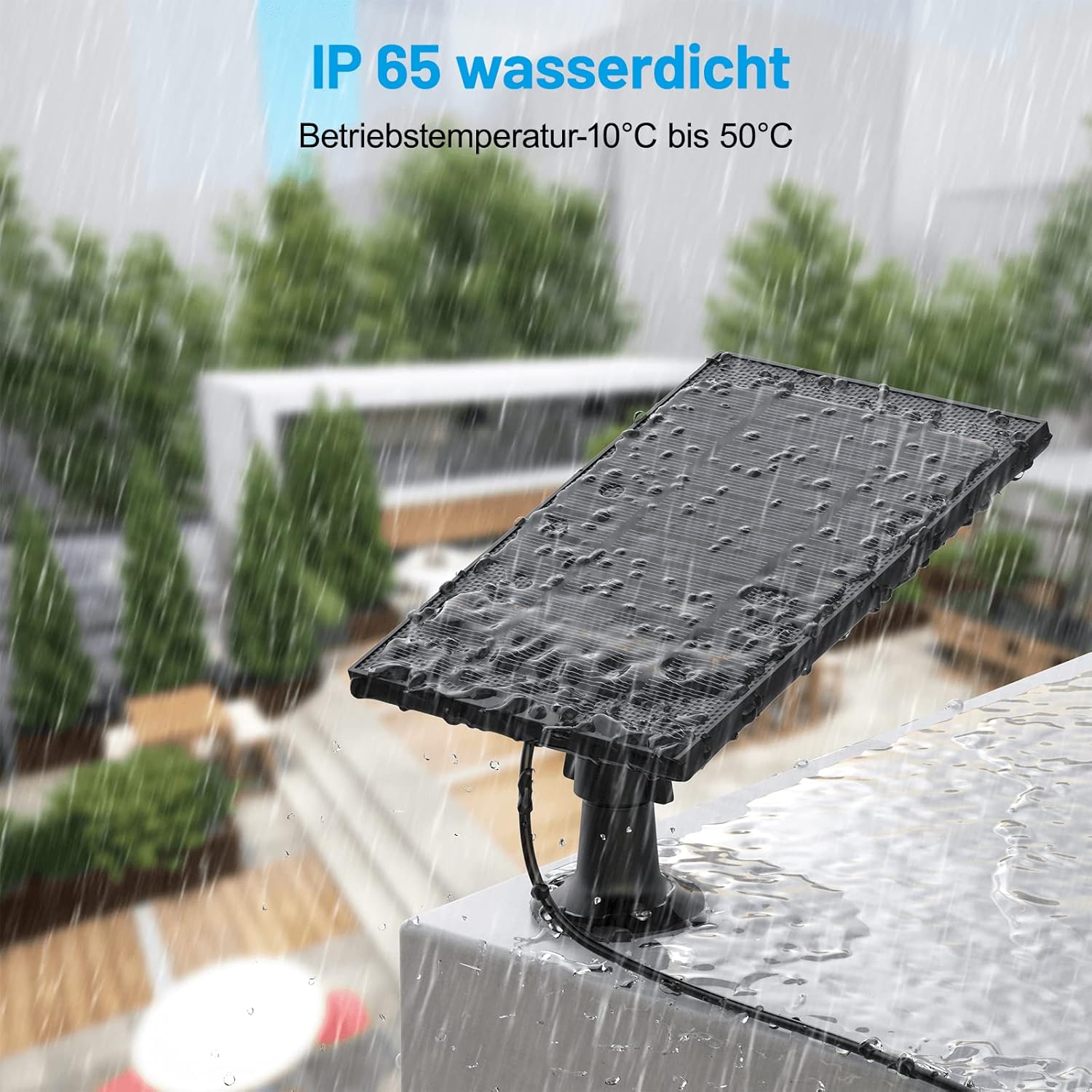
Irudia: Wanakview Eguzki-panel bat kanpoan erakusten da euria egiten ari den bitartean, IP65 iragazgaitza den sailkapena eta hezetasun-baldintzei aurre egiteko gaitasuna erakutsiz.

Irudia: Eguzki-panelaren alde batetik eguzki-argia eta bestetik euri-argia erakusten duen irudi zatitua, eguzki zein hezetasun baldintzetarako eguraldiarekiko erresistentea den diseinua azpimarratuz.
Arazoak konpontzea
Kamera ez da kargatzen:
- Eguzki-argiaren esposizioa egiaztatu: Ziurtatu eguzki-panelak egunean hainbat orduz eguzki-argia zuzenean jasotzen duela. Egokitu haren posizioa beharrezkoa bada.
- Garbitu panela: Panelaren gainazalean hautsak, zikinkeriak edo hondakinek kargatzeko eraginkortasuna murriztu dezakete. Garbitu panela Mantentze-lanak atalean azaltzen den bezala.
- Egiaztatu konexioak: Ziurtatu kablea eguzki-panelera eta kamerara ondo konektatuta dagoela. Egiaztatu C motatik mikro USBrako egokitzailea (erabiltzen bada) behar bezala sartuta dagoen.
- Egiaztatu kablea kaltetuta dagoen ikusteko: Bilatu kable edo egokigailuan kalterik dagoen. Kable hondatu batek kargatzea eragotzi dezake.
- Kameraren bateragarritasuna: Ziurtatu zure segurtasun kamera bateriaz elikatzen den modeloa dela, WANekin bateragarria.view Eguzki Panel.
Panela solte agertzen da:
- Muntatzeko torlojuak estutu: Egiaztatu eta estutu hormako euskarria gainazalera eta panela euskarriari lotzen dituzten torlojuak.
Zehaztapenak
| Marka | uraview |
| Modelo zenbakia | 7be222b8-da02-4a5f-a41b-23f4b96dfb67 |
| Fabrikatzailea | SHENZHEN ZJ ARGIZTAPEN TEKNOLOGIA.CO.,LTD. |
| Kolorea | Beltza |
| Materiala | Plastikoa |
| Energia iturria | Eguzki-energia |
| Eraginkortasuna | Eraginkortasun handia |
| Paketearen neurriak | 30.9 x 23.5 x 10.9 cm |
| Elementuaren pisua | 530 gramo |
| Pilak barne | Ez |
Bermearen informazioa
Produktu honen bermearen xehetasun espezifikoak eskualdearen eta saltzailearen arabera alda daitezke. Mesedez, kontsultatu produktuaren ontzian dagoen berme-txartela edo jarri harremanetan Wans-ekin.view bezeroarentzako arreta-zerbitzura, bermearen estaldurari eta baldintzei buruzko informazio zehatza lortzeko.
Bezeroarentzako Arreta
Laguntza teknikoa, arazoak konpontzea edo zure WAN-ei buruzko edozein galderatarakoview Eguzki-panela, bisitatu Wans ofizialaview webwebgunera edo jarri harremanetan bezeroarentzako arreta-taldearekin. Harremanetarako informazioa normalean produktuaren ontzian edo Wan-en aurki daiteke.view laguntza orria linean.
Lotutako dokumentuak7be222b8-da02-4a5f-a41b-23f4b96dfb67


Ask a question about this manual
Ask about setup, troubleshooting, compatibility, parts, safety, or missing instructions. Manuals+ will review the question and use this page’s manual context to help answer it.