
Sarrera
The TELE System TS6815 is a DVB-T2 HEVC 10-bit digital terrestrial decoder designed to receive digital television broadcasts. It supports HD, HDR, and HLG technologies, offering enhanced viewing experiences. This manual provides essential information for setting up, operating, and maintaining your decoder.
Kutxan dagoena
- TELE System TS6815 Decoder
- Urruneko Kontrola
- Kanpoko elikadura iturria
- Hasierako gida azkarra
Produktua amaituview
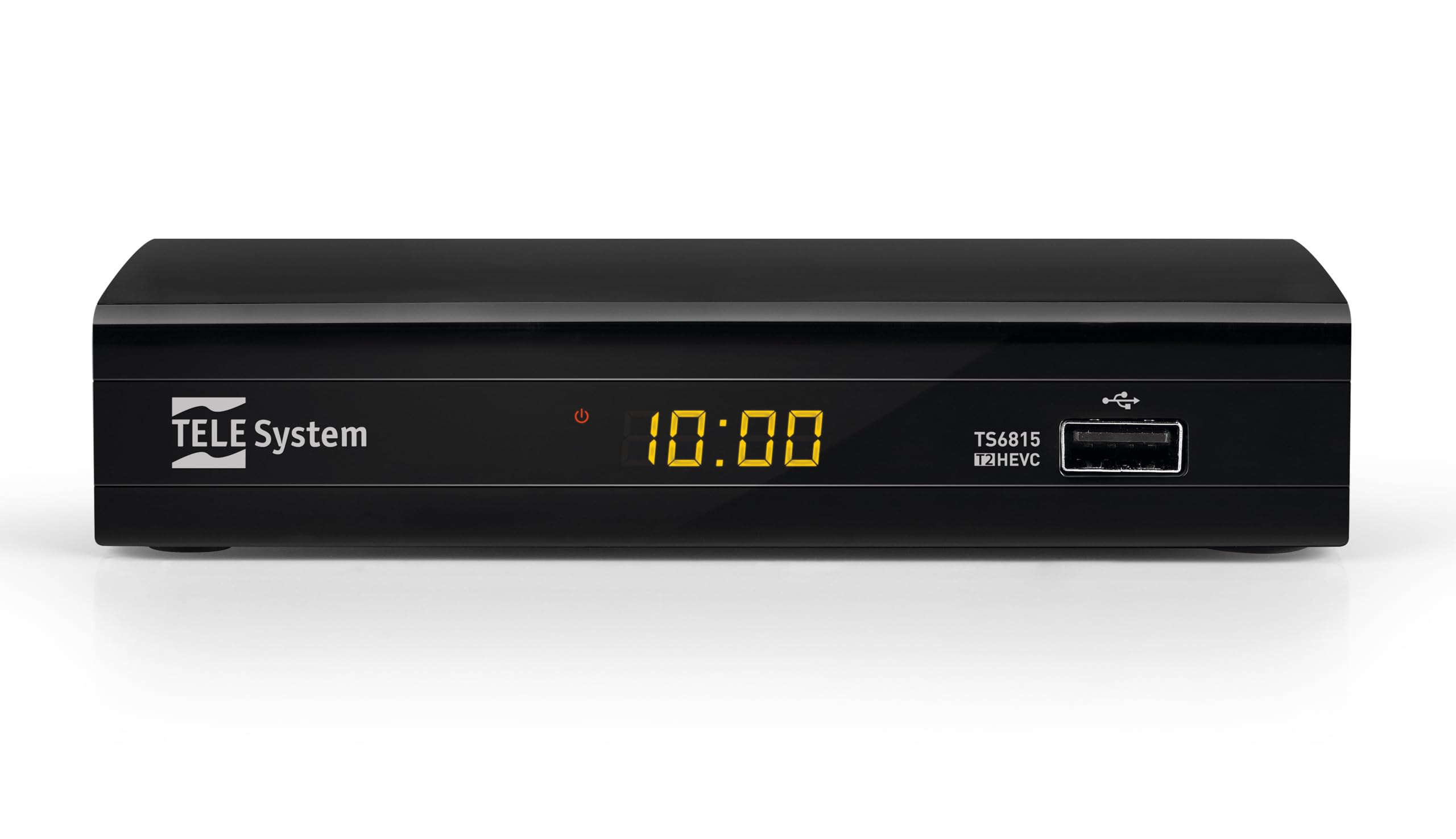
Aurrealdea View: The front panel features the TELE System logo, model number TS6815, DVB-T2 HEVC branding, and a USB port for media playback and updates.

Atzekoa View: The rear panel includes an RF IN port for antenna connection, an HDMI output, a TV SCART connector, and a DC IN port for power.

Urruneko kontrola: The included remote control allows for full functionality, including power, channel selection, volume adjustment, EPG access, and media playback controls.

Produktuaren etiketa: This label provides important information such as the model number (TS6815 T2HEVC/02), power input (DC 5V = 1A), and maximum power consumption (5W Max).
Konfigurazio Argibideak
- Antena konektatu: Connect your terrestrial antenna cable to the RF IN port on the back of the decoder.
- Telebistara konektatu: Use an HDMI cable to connect the decoder's HDMI OUT port to an HDMI IN port on your television. Alternatively, use a SCART cable to connect the TV SCART port to your TV's SCART input.
- Konektatu energia: Plug the external power supply into the DC IN port on the decoder, then plug the power adapter into a wall outlet.
- Piztu: Turn on your television and select the correct HDMI or SCART input source. The decoder should power on automatically or can be turned on using the remote control.
- Initial Channel Scan (AUTOSCAN): Upon first use, the decoder will typically initiate an automatic channel scan. Follow the on-screen prompts. The AUTOSCAN feature will find all available channels, and LCN (Logical Channel Numbering) will organize them into a logical order.
- Language and Region Settings: Select your preferred language and region during the initial setup process.
Funtzionamendu-argibideak
Oinarrizko Funtzionamendua
- Piztu/Itzali: Sakatu BOTEREA urrutiko aginteko botoia.
- Kanalaren hautaketa: Erabili CH+ / CH- buttons or the numeric keypad to change channels.
- Bolumen kontrola: Erabili VOL+ / Boluntario bolumena doitzeko botoiak.
- Menurako sarbidea: Sakatu MENUA botoia ezarpenen eta funtzioen menu nagusira sartzeko.
- Programaren Gida Elektronikoa (EPG): Sakatu EPG botoia view the program schedule for current and upcoming broadcasts.
Multimedia erreprodukzioa USB bidez
The decoder supports media playback from a USB storage device. Insert a USB drive into the front USB port.
- Sakatu HEDABIDEAK button on the remote control to access the media player interface.
- Nabigatu zure bidez files (videos, music, photos) using the arrow keys and press OK to select and play.
Timeshift Function
The Timeshift function allows you to pause live TV and resume watching later. A USB storage device is required for this feature.
- Programa bat ikusten ari zaren bitartean, sakatu botoia PAUSENA button on the remote control to activate Timeshift.
- Sakatu JOLASTU erreprodukzioa berriro hasteko.
Arazoak konpontzea
- No Signal / Poor Image Quality:
- Ensure the antenna cable is securely connected to the RF IN port.
- Check your TV's HDCP compatibility.
- Try replacing the HDMI or SCART cable.
- In the decoder's AV settings, try changing the "color-space" option to RGB.
- If experiencing image fluidity issues, navigate to AV SET > Screen > Screen Options > Resolution and select a 50Hz format.
- Perform a new channel scan (AUTOSCAN) to refresh the channel list.
- HDMI Signal Issues (e.g., no signal after changing TV source):
- If the signal does not return after switching TV sources, try powering off and on both the TV and the decoder.
- Ensure the HDMI cable is not faulty.
- Urruneko kontrolak ez du erantzuten:
- Egiaztatu bateriak behar bezala sartuta daudela eta ez daudela agortuta. Beharrezkoa bada, ordezkatu.
- Ensure there are no obstructions between the remote control and the decoder's IR sensor.
- Decoder Not Compatible with UHD Channels:
- The TS6815 is an HD decoder, not a 4K (UHD) decoder. It is not designed to receive or display UHD channels.
Zehaztapenak
| Ezaugarri | Deskribapena |
|---|---|
| Eredua | TS6815 |
| Sintonizatzaile mota | DVB-T/T2 |
| Bideo Deskodetzea | MPEG-2, MPEG-4 H264/AVC, H.265/HEVC Main10 |
| Bideo Ebazpena | Max. 1080p@50/60Hz |
| Ezaugarri bereziak | HD, HDR, HLG, AUTOSCAN, LCN, EPG, Timeshift, Media Player |
| Konektibitatea | 1x HDMI, 1x SCART, 1x USB, Ethernet |
| Audio irteera modua | Surround (5.1 channels) |
| Potentzia Sarrera | DC 5V = 1A |
| Energia-kontsumoa | 5W gehienez |
| Kolorea | Beltza |
Bermea eta Laguntza
The TELE System TS6815 decoder comes with a 2-year manufacturer's warranty. For technical support, further assistance, or to access detailed instruction manuals in various languages, please refer to the official TELE System webwebgunean edo jarri harremanetan bere bezeroarentzako zerbitzuarekin.
You can find additional information and support resources by visiting the TELE System Brand Store.