
Sarrera
This manual provides essential instructions for the safe and efficient use of your Juice Jumbo Marshmallow Portable Bluetooth Speaker. Please read this manual thoroughly before operating the device and retain it for future reference.
Segurtasun Informazioa
- Ez jarri bozgorailua tenperatura altuen, eguzki-argiaren eraginpean edo hezetasun handiaren eraginpean.
- Saihestu bozgorailua kolpe gogorrak erortzea edo jasaten.
- Keep the speaker away from water and other liquids. If it gets wet, power it off immediately and allow it to dry completely before reuse.
- Ez saiatu bozgorailua desmuntatzen, konpontzen edo aldatzen. Honek bermea baliogabetuko du eta kalteak edo lesioak eragin ditzake.
- Erabili emandako kargatzeko kablea edo baliokide ziurtatu bat soilik.
- Mantendu haurren eskura.
- Tokiko araudien arabera bota bateria eta bozgorailua.
Paketearen edukia
Egiaztatu elementu guztiak paketean daudela:
- Juice Jumbo Marshmallow Portable Bluetooth Speaker
- USB kargatzeko kablea
- Erabiltzailearen eskuliburua
Produktua amaituview
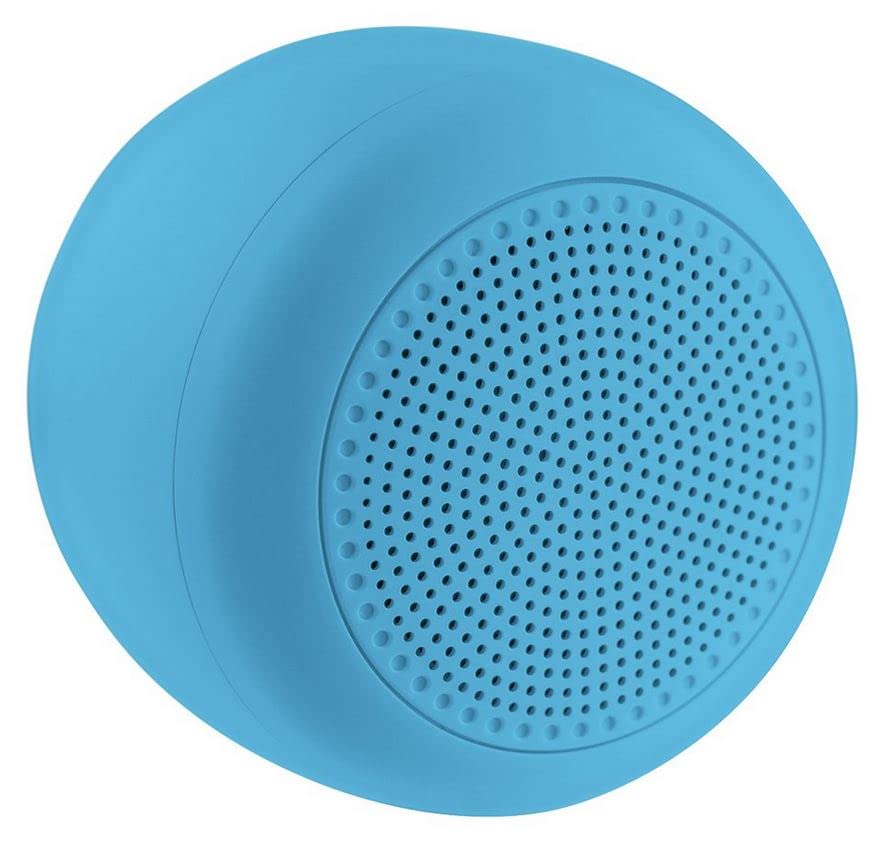
Image: The Juice Jumbo Marshmallow Portable Bluetooth Speaker. This image displays the speaker's compact, cylindrical design in blue, highlighting its fabric grille and the location of its control panel.
- Pizteko botoia: Bozgorailua pizteko edo itzaltzeko erabiltzen da.
- Bolumena igotzeko/hurrengo abestiaren botoia: Sakatuz gero, bolumena igotzen du, eta sakatuz gero, hurrengo abestira salto egiten du.
- Bolumena jaisteko/aurreko abestiaren botoia: Sakatuz gero, bolumena jaisten da, eta sakatuz gero, aurreko abestira joaten da.
- Erreproduzitu/Pausatu botoia: Audio erreprodukzioa kontrolatzen du.
- Kargatzeko ataka: USB kargatzeko kablea konektatzeko.
- LED adierazlea: Kargatze-egoera eta Bluetooth konexioaren egoera erakusten ditu.
Konfigurazioa
1. Bozgorailua kargatzea
- Konektatu USB kargatzeko kablearen mutur txikia bozgorailuaren kargatzeko atakara.
- Konektatu USB kargatzeko kablearen mutur handia USB elikatze-egokitzaile batera (ez dago barne) edo ordenagailuaren USB ataka batera.
- The LED indicator will illuminate to show charging status. It will typically turn off or change color when fully charged.
- Karga osoak 2-3 ordu behar ditu gutxi gorabehera.
2. Bluetooth parekatzea
- Ziurtatu bozgorailua guztiz kargatuta dagoela.
- Eduki sakatuta Pizteko botoia for a few seconds to turn on the speaker. The LED indicator will flash, indicating it is in pairing mode.
- Zure telefonoan edo tabletan, joan Bluetooth ezarpenetara.
- Gaitu Bluetootha eta bilatu eskuragarri dauden gailuak.
- Select "Juice Jumbo Marshmallow" from the list of devices.
- Once paired, the LED indicator will stop flashing and remain solid, and you may hear a confirmation tone.
- The speaker will automatically connect to the last paired device when powered on, if that device's Bluetooth is active and within range.
Funtzionamendu-argibideak
- Piztu/Itzali: Eduki sakatuta Pizteko botoia gutxi gorabehera 3 segundoz.
- Erreproduzitu/Pausatu: Sakatu Erreproduzitu/Pausatu botoia behin audioa erreproduzitzeko edo pausatzeko.
- Bolumen kontrola:
- Sakatu laburra Bolumena igotzeko botoia bolumena handitzeko.
- Sakatu laburra Bolumenaren beherako botoia bolumena gutxitzeko.
- Pista kontrola:
- Luze sakatu Bolumena igotzeko botoia hurrengo pistara joateko.
- Luze sakatu Bolumenaren beherako botoia aurreko pistara joateko.
Mantentzea
- Garbiketa: Use a soft, dry cloth to wipe the speaker. Do not use abrasive cleaners or solvents.
- Biltegiratzea: Denbora luzez erabiltzen ez duzunean, gorde bozgorailua leku fresko eta lehor batean, eguzki-argitik eta muturreko tenperaturetatik babestuta.
- Bateria zaintzea: Bateriaren iraupena luzatzeko, saihestu bozgorailua maiz erabat deskargatzea. Kargatu aldizka, erabiltzen ez bada ere.
Arazoak konpontzea
| Arazoa | Kausa posiblea | Irtenbidea |
|---|---|---|
| Bozgorailua ez da pizten. | Bateria baxua. | Kargatu bozgorailua guztiz. |
| Ezin da Bluetooth gailuarekin parekatu. | Bluetooth is off on the device; speaker is not in pairing mode; device is too far. | Ensure Bluetooth is enabled on your device. Turn the speaker off and on again to re-enter pairing mode. Move the device closer to the speaker (within 10 meters). |
| Soinurik ez edo bolumen baxua. | Bolumena baxuegia da bozgorailuan edo gailuan; bozgorailua ez dago konektatuta. | Increase volume on both the speaker and your connected device. Ensure the speaker is successfully paired. |
| Soinu distortsioa. | Volume too high; device too far from speaker. | Reduce volume on both the speaker and your connected device. Move the device closer to the speaker. |
Zehaztapenak
| Modelo zenbakia | JUI-SPKER-JMBMALOW |
| Marka | Zukua |
| Konektibitate Teknologia | Bluetootha |
| Bozgorailuen irteerako potentzia maximoa | 6 Watt |
| Bateria mota | 1 Lithium-ion (required) |
| Elementuaren pisua | 222.2 gramo |
| Paketearen neurriak | 13.8 x 8.2 x 6.5 cm |
| Erabilera gomendatua | Smartphone edo tableterako |
Bermea eta Laguntza
This product comes with a standard manufacturer's warranty. For detailed warranty information, please refer to the warranty card included in your package or visit the official Juice website. For technical support or customer service inquiries, please contact Juice customer support through their official channels.
Oharra: Bermearen baldintzak eta zehaztapenak eskualdearen arabera alda daitezke.