
Twinkly TWW210STP-TUS
Twinkly Curtain LED Light Chain User Manual
Model: TWW210STP-TUS
Marka: Twinkly
1. Sarrera
This manual provides essential information for the safe and effective use of your Twinkly Curtain LED Light Chain. This smart lighting product features 210 RGB LEDs, suitable for both indoor and outdoor use, offering customizable lighting effects via the Twinkly app and compatibility with smart home systems like Alexa and Google Home.

Image: Twinkly Curtain LED Light Chain, showing the bundled lights, controller, and power adapter.
2. Zer dago kutxan
- Twinkly Curtain LED Light Chain (210 RGB LEDs, 5x7 ft)
- Kontrolatzailea
- Elikatze-moldagailua
- User Guide (PDF available online)
3. Konfigurazioa
3.1 Desontziratzea eta kokatzea
Carefully remove the Twinkly Curtain from its packaging. The lights are designed for both indoor and outdoor use, with IP44 certification for weather resistance. Choose a suitable location for installation, considering the 5x7 ft dimensions and power source proximity.

Image: Two individuals installing the Twinkly Curtain lights in an outdoor setting, demonstrating their versatility.
3.2 Energia-konexioa
Connect the controller to the light chain and then plug the power adapter into a standard electrical outlet. Ensure all connections are secure.
3.3 App Installation and Initial Pairing
Download the Twinkly app from your device's app store. The app is available for both iOS and Android. Follow the in-app instructions to pair your Twinkly Curtain. This typically involves connecting to the Twinkly device's Wi-Fi network.
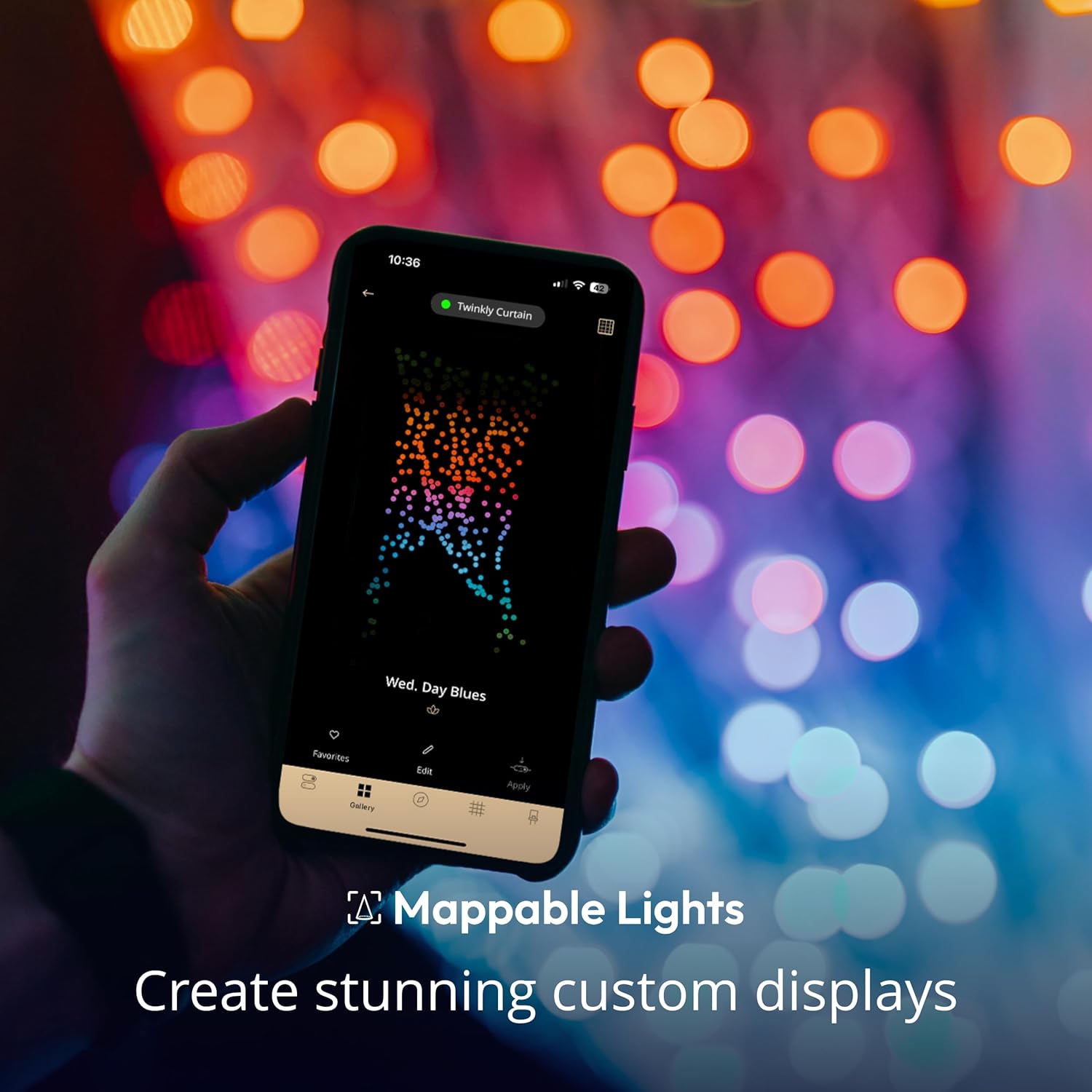
Image: A hand holding a smartphone showing the Twinkly app interface, illustrating the light mapping feature.
3.4 Argiaren mapaketa
The Twinkly app features an automatic mapping function. Position your smartphone camera to capture the entire light display. The app will then create a virtual map of each LED, allowing for precise control and custom effects.
4. Funtzionamendu-argibideak
4.1 Using the Twinkly App
The Twinkly app is the primary interface for controlling your lights.
- Efektuen galeria: Arakatu eta aplikatu aurrez ezarritako argiztapen efektu ugari.
- Pertsonalizazioa: Create your own unique effects using the color palette of over 16 million colors.
- Distira kontrola: Argien intentsitatea egokitu.
- Tenporizadoreak: Schedule on/off times for automated operation.
- Erreprodukzio zerrenda: Create sequences of effects to play automatically.

Image: A woman using the Twinkly app on her smartphone to control the vibrant light effects of the Twinkly Curtain.
4.2 Ahots kontrola
The Twinkly Curtain is compatible with Amazon Alexa and Google Assistant. Ensure your Twinkly device firmware is updated for full compatibility, including HomeKit.
- Amazon Alexa: Gaitu Twinkly trebetasuna Alexa aplikazioan eta lotu zure kontua.
- Google Laguntzailea: Lotu zure Twinkly kontua Google Home aplikazioaren bidez.

Image: People gathered outdoors with Twinkly lights in the background, featuring logos for Amazon Alexa and Google Home, indicating voice control compatibility.
4.3 Physical Controller Button
A button on the physical controller allows you to cycle through pre-set patterns without using the app.
4.4 Sync with Music (Optional Accessory)
For dynamic light shows synchronized with music, the Twinkly Music accessory (sold separately) is required.

Image: A hand interacting with a Twinkly Music device, which enables the lights to synchronize with audio.
4.5 Jokoen integrazioa
Twinkly lights can be integrated with certain gaming setups for an immersive experience. Refer to the Twinkly app or website for compatible platforms and setup instructions.

Image: A person wearing headphones and playing video games, with Twinkly lights illuminating the background, demonstrating gaming integration.
4.6 Expanding Your Light System
Multiple Twinkly light sets of various styles can be virtually connected and grouped within the app to create larger, synchronized displays.

Image: A living room decorated for Christmas, featuring a Christmas tree and Twinkly Curtain lights, showcasing an expandable light system.
5. Mantentzea
The Twinkly Curtain LED Light Chain requires minimal maintenance.
- Garbiketa: Garbitu argiak astiro-astiro zapi leun eta lehor batekin. Ez erabili produktu kimiko gogorrik edo garbitzaile urratzailerik.
- Biltegiratzea: When not in use, store the lights in their original packaging or a protective container in a cool, dry place, away from direct sunlight.
- Ikuskapena: Periodically inspect the wires and LEDs for any signs of damage. Do not use if damaged.
6. Arazoak
| Arazoa | Irtenbidea |
|---|---|
| Argiak ez dira pizten. |
|
| Ezin da Twinkly aplikaziora konektatu. |
|
| Argiek ez dituzte efektuak behar bezala erakusten mapatu ondoren. |
|
| Ahots-kontrola ez dabil. |
|
Video: This video demonstrates the various color and effect capabilities of the Twinkly Curtain App-Controlled Christmas Lights. It shows the lights changing colors and patterns, highlighting their dynamic nature.
7. Zehaztapenak
| Eredua | TWW210STP-TUS |
| Marka | Twinkly |
| Argi Mota | LED |
| LED zenbaketa | 210 |
| Argi Kolorea | RGB (gorria, berdea, urdina) |
| Neurriak | 5x7 oin |
| Barruko/Kanpoko erabilera | Outdoor, Indoor (IP44 Certified) |
| Energia iturria | Kable elektrikoa |
| liburukiatage | 24 Volt |
| Wattage | 36 watt |
| Konektibitatea | Bluetooth konexioa, Wi-Fi |
| Kontrol-metodoa | Aplikazioa, Ahotsa (Alexa, Google Assistant) |
| Elementuaren pisua | 1.68 kilo |
8. Bermea eta Laguntza
For warranty information and technical support, please refer to the official Twinkly website or the documentation included with your product. You can also find additional resources and FAQs within the Twinkly app.
Erabiltzailearen gida (PDF): Deskargatu Erabiltzailearen Gida
Erabiltzailearen eskuliburua (PDF): Deskargatu Erabiltzailearen eskuliburua
Ask a question about this manual
Ask about setup, troubleshooting, compatibility, parts, safety, or missing instructions. Manuals+ will review the question and use this page’s manual context to help answer it.