
1. Sarrera
This instruction manual provides comprehensive guidance for the CODi Noise-Cancelling USB-A Headset, Model A04508. It covers essential information regarding the headset's features, proper setup, operational procedures, maintenance tips, and troubleshooting steps to ensure optimal performance and longevity. Please read this manual thoroughly before using your headset.
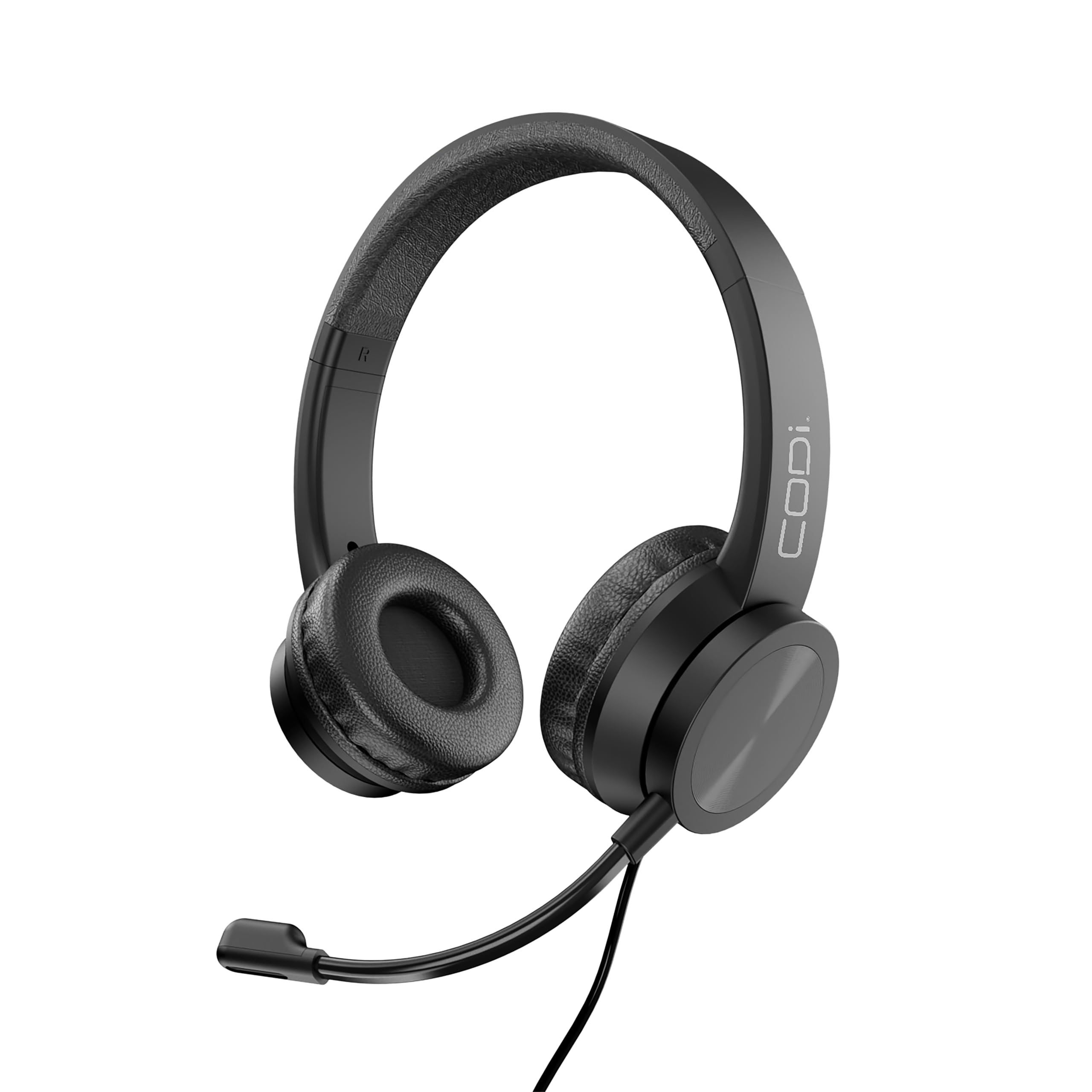
Figure 1: CODi Noise-Cancelling USB-A Headset (Model A04508)
2. Ezaugarri nagusiak
The CODi Noise-Cancelling USB-A Headset is designed for clear communication and comfortable extended use. Key features include:
- Zarata-ezabatzeko mikrofonoa: Equipped with HD audio sound for clear voice transmission, minimizing background noise.
- Pivoting Boom Microphone: Offers 135-degree movement for precise positioning and user comfort.
- USB-A Connectivity: Ensures broad compatibility and simple plug-and-play functionality without requiring additional drivers.
- Lineako kontrolak: Conveniently located on the cable for easy access to volume adjustment and microphone mute functions.
- Aplikazio polifazetikoa: Suitable for various environments including offices, call centers, schools, and gaming.
- Diseinu erosoa: Features soft, durable PU leather ear pads and an adjustable headband for extended wear.
- Kablearen luzera hedatua: A 5-foot cable provides increased mobility during use.
- Bateragarritasun zabala: Works with popular video conferencing and chat applications such as Skype, Zoom, GoToMeeting, and Cisco applications.
3. Konfigurazio gida
Setting up your CODi Noise-Cancelling USB-A Headset is a straightforward process due to its plug-and-play design.
- Konektatu entzungailuak: Locate an available USB-A port on your computer or device. Insert the USB-A connector of the headset firmly into the port.
- Gidariaren instalazio automatikoa: Your operating system should automatically detect the headset and install any necessary drivers. This process typically takes a few moments. No manual driver installation is required.
- Egokitu buruko banda: Place the headset on your head and adjust the headband to a comfortable fit. The headband is adjustable to accommodate most users.
- Mikrofonoaren posizioa: Adjust the flexible boom microphone to position it approximately 1-2 inches from your mouth for optimal voice clarity. The microphone pivots 135 degrees.
- Egiaztatu audio ezarpenak: After connecting, check your computer's audio settings to ensure the CODi headset is selected as the default input (microphone) and output (speaker) device. This is usually found in your system's Sound or Audio settings.
- Proba funtzionaltasuna: Make a test call or use a voice recording application to confirm that both the microphone and speakers are working correctly.

Figure 2: Connecting the USB-A Headset
1. bideoa: Amaitu daview of CODi Noise-Cancelling USB Headset features and basic setup. This video demonstrates the headset's design and key functionalities.
4. Funtzionamendu-argibideak
The CODi headset features intuitive in-line controls for managing your audio during calls and media playback.
- Bolumen kontrola: Erabili + eta - buttons on the in-line control unit to increase or decrease the listening volume.
- Mikrofonoa isiltzea: Sakatu Isildu button (often indicated by a microphone icon) on the in-line control to mute or unmute your microphone. An indicator light (if present) may show the mute status.
- Deien kontrola: Some applications may allow you to answer or end calls using a dedicated button on the in-line control (if present). Refer to your specific application's documentation for compatibility.
- Mikrofonoaren kokapena: For optimal clarity, ensure the boom microphone is positioned correctly near your mouth. Adjust its 135-degree pivot as needed.

Figure 3: In-line Control Unit

Figure 4: Headset with adjustable boom microphone
5. Mantentzea
Proper care and maintenance will help extend the life of your CODi headset.
- Belarri-kuxintxoak garbitzea: The headset features durable PU leather ear pads. Gently wipe them with a soft, damp oihal. Saihestu produktu kimiko gogorrak edo garbitzaile urratzaileak erabiltzea.
- Garbiketa orokorra: Use a dry, soft cloth to clean the rest of the headset, including the headband and microphone boom.
- Saihestu hezetasuna: Entzungailu hau da EZ da urarekiko erresistentea. Do not expose it to liquids, excessive moisture, or extreme temperatures.
- Biltegiratzea: When not in use, store the headset in a clean, dry place away from direct sunlight and extreme temperatures.
- Kableen zainketa: Saihestu kablea gehiegi tolestea edo gehiegi tiratzea barneko kalteak saihesteko.
6. Arazoak
If you encounter issues with your CODi headset, refer to the following common troubleshooting steps:
| Arazoa | Kausa posiblea | Irtenbidea |
|---|---|---|
| No sound from headset speakers. | Headset not properly connected; volume too low; incorrect audio output device selected. | Ensure USB-A connector is fully inserted. Increase volume using in-line controls or computer settings. Verify CODi headset is selected as default playback device in your computer's sound settings. Try a different USB port. |
| Microphone not picking up audio. | Microphone muted; incorrect audio input device selected; microphone positioned incorrectly. | Press the mute button on the in-line control to unmute. Verify CODi headset is selected as default recording device in your computer's sound settings. Adjust the boom microphone closer to your mouth. |
| Poor audio quality (static, distortion). | Loose connection; interference; software issues. | Ensure USB-A connection is secure. Avoid placing the headset near other electronic devices that may cause interference. Restart your computer and test again. Update audio drivers if available (though typically not needed for plug-and-play). |
| Headset not recognized by computer. | Faulty USB port; operating system issue. | Try connecting the headset to a different USB-A port on your computer. Restart your computer. Check for any pending operating system updates. |
7. Zehaztapenak
Detailed technical specifications for the CODi Noise-Cancelling USB-A Headset (Model A04508):
| Ezaugarri | Xehetasuna |
|---|---|
| Modelo zenbakia | A04508 |
| Marka | CODi |
| Konektibitate Teknologia | Kable bidezkoa (USB-A) |
| Aurikularretarako Jack | USBa |
| Zarata Kontrola | Zarata aktiboaren ezeztapena (mikrofonoa) |
| Mikrofono Mota | Boom, Pivoting (135-degree movement) |
| Kontrol mota | In-Line Volume Control, Mute |
| Kablearen luzera | 5 oin |
| Belarrien Kokatzea | Belarri gainean |
| Forma-faktorea | Belarri gainean |
| Materiala | Larruzko artifiziala (belarrietako babesak) |
| Elementuaren pisua | 0.5 ontza |
| Produktuaren neurriak | 7.5 x 7 x 2.75 hazbete |
| Uraren Erresistentzia Maila | Ez Urarekiko Erresistentea |
| Gailu bateragarriak | Computers, Video Conferencing Apps (Skype, Zoom, GoToMeeting, Cisco) |
| Ezaugarri bereziak | Adjustable Headband, Comfortable, Durable, Lightweight, Plug and Play |
| Fabrikatzailea | CODi Worldwide |
8. Bermea eta Laguntza
For specific warranty information regarding your CODi Noise-Cancelling USB-A Headset (Model A04508), please refer to the warranty card included with your product or visit the official CODi Worldwide website. Support resources, including FAQs and contact information, can also be found on the manufacturer's webgunea.
Fabrikatzailea: CODi Worldwide
For further assistance, please contact CODi customer support directly.