
1. Sarrera
This manual provides essential instructions for the proper use and maintenance of your LOTUS Smartwatch Model 50003/A. Please read this guide thoroughly before using your smartwatch to ensure optimal performance and longevity.
The LOTUS Smartwatch 50003/A features an intuitive interface and elegant design, offering a variety of smart functions. It is equipped with Bluetooth connectivity, allowing seamless synchronization with your mobile devices. This synchronization enables features such as call and message notifications, music control, and other practical functions for daily life.
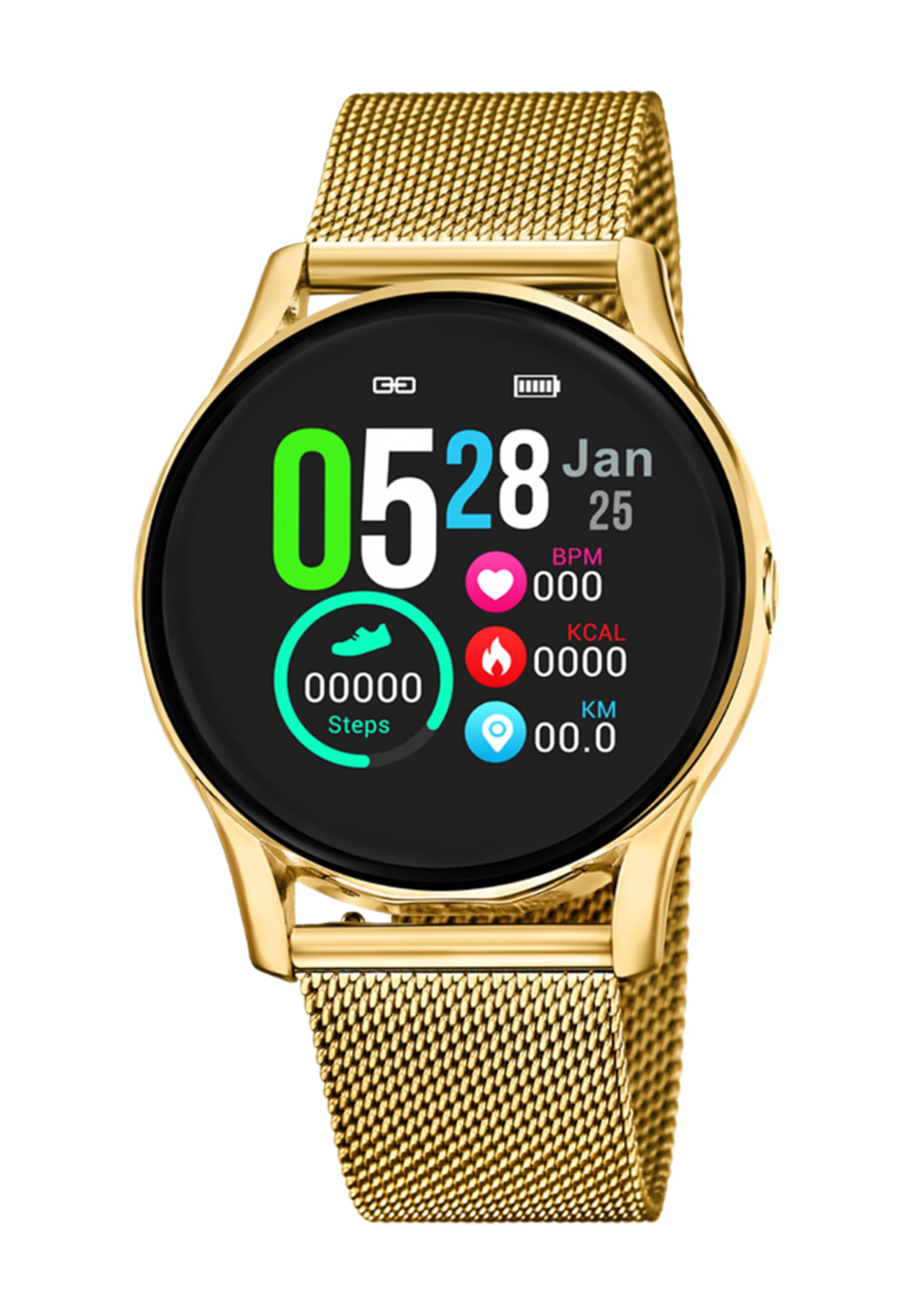
1.1. irudia: Aurrealdea view of the LOTUS Smartwatch 50003/A.
2. Paketearen edukia
Please check the package contents upon unboxing. The standard package for the LOTUS Smartwatch 50003/A should include:
- LOTUS Smartwatch 50003/A
- Kargatzeko kablea
- Erabiltzailearen eskuliburua (dokumentu hau)
3. Konfigurazio gida
3.1. Erloju adimenduna kargatzea
Lehenengo aldiz erabili aurretik, kargatu guztiz zure erloju adimenduna.
- Konektatu kargatzeko kablea erloju adimendunaren atzealdeko kargatzeko atakara.
- Kargatzeko kablearen beste muturra USB egokitzaile batera (ez dago barne) edo ordenagailuaren USB ataka batera konektatu.
- Erlojuaren pantailak kargatze-egoera adieraziko du. Itxaron 2-3 ordu inguru karga osoa lortzeko.
3.2. Installing the Companion App
To unlock all features and synchronize your smartwatch with your smartphone, you need to install the official LOTUS Connected app.
- Scan the QR code provided in the watch packaging or search for "LOTUS Connected" in your smartphone's app store (Google Play Store for Android, Apple App Store for iOS).
- Deskargatu eta instalatu aplikazioa.
- Jarraitu pantailako argibideei kontu bat sortzeko edo saioa hasteko.

Image 3.2: Synchronizing the smartwatch with the companion app on a smartphone.
3.3. Zure telefonoarekin parekatzea
Ensure Bluetooth is enabled on your smartphone and the smartwatch is charged.
- Open the LOTUS Connected app on your smartphone.
- Follow the app's instructions to add a new device.
- The app will search for available smartwatches. Select "LOTUS 50003/A" from the list.
- Eskatzen bazaizu, berretsi parekatze eskaera zure telefonoan eta erloju adimendunean.
- Behin parekatuta, erlojuak ordua eta datuak zure telefonoarekin sinkronizatuko ditu.
4. Funtzionamendu-argibideak
4.1. Oinarrizko nabigazioa
- Ukipen-pantaila: Irristatu ezkerrera/eskuinera, gora/behera menuetan eta funtzioetan nabigatzeko. Sakatu hautatzeko.
- Alboko botoiak: The smartwatch may have one or more physical buttons. Typically, one button serves as a power on/off, back, or home button. Refer to the on-screen prompts for specific button functions.

4.1 irudia: Adibideaample of a smartwatch display showing activity data.
4.2. Ezaugarri nagusiak
- Jakinarazpenak: Receive alerts for incoming calls, messages, and app notifications directly on your wrist. Manage notification settings via the LOTUS Connected app.
- Musika kontrola: Kontrolatu musika erreprodukzioa zure konektatutako telefonoan (erreproduzitu, pausatu, abestiak saltatu, bolumena doitu).
- Jardueren jarraipena: Monitor steps, distance, calories burned, and sleep patterns. View detailed statistics in the companion app.
- Uraren erresistentzia: The smartwatch is water resistant. Avoid prolonged submersion or use in hot water/steam. Refer to specifications for exact water resistance rating.
5. Mantentzea
5.1. Zure erloju adimenduna garbitzea
- Garbitu erlojuaren pantaila eta gorputza zapi leun eta lihorik gabeko batekin.
- Zikinkeria egoskorrerako, apur bat lehortuampGarbitu oihalak urarekin. Saihestu produktu kimiko gogorrak edo material urratzaileak.
- Kargatu aurretik, ziurtatu kargatzeko kontaktuak garbi eta lehor daudela.
5.2. Bateria zaintzea
- Charge the smartwatch regularly. Avoid letting the battery completely drain for extended periods.
- Do not expose the smartwatch to extreme temperatures, as this can affect battery life and performance.
- If the watch will not be used for a long time, charge it to about 50% before storing.
6. Arazoak
6.1. Arazo arruntak eta irtenbideak
- Erlojua ez da pizten: Ziurtatu erlojua guztiz kargatuta dagoela. Konektatu kargagailura eta itxaron minutu batzuk pizten saiatu aurretik.
- Ezin da telefonoarekin parekatu:
- Ziurtatu Bluetootha gaituta dagoela zure telefonoan.
- Make sure the smartwatch is within range of your phone.
- Berrabiarazi zure telefonoa eta erloju adimenduna.
- Saiatu gailua aplikazioaren bidez desparekatzen eta berriro parekatzen.
- Jaso ez diren jakinarazpenak:
- Check notification settings in the LOTUS Connected app.
- Ensure the app has necessary permissions on your smartphone.
- Verify that the smartwatch is properly connected via Bluetooth.
- Bateriaren iraupen laburra:
- Murriztu pantailaren distira.
- Disable unnecessary notifications or features.
- Ziurtatu erlojua guztiz kargatuta dagoela erabili aurretik.
6.2. Fabrika berrezarri
If issues persist, a factory reset may resolve them. This will erase all data on the smartwatch and restore it to its original settings.
- Navigate to the "Settings" menu on your smartwatch.
- Look for an option like "System," "Reset," or "Factory Reset."
- Berretsi berrezartzea eskatzen zaizunean.
- After resetting, you will need to re-pair the smartwatch with your phone and set it up again.
7. Zehaztapenak
| Ezaugarri | Xehetasuna |
|---|---|
| Marka | LOTO |
| Modelo zenbakia | 50003/A |
| Kolorea | Beltza |
| Sistema eragileen bateragarritasuna | Android, iOS |
| Pantailaren tamaina | 39.65 milimetro |
| Ezaugarri bereziak | Urarekiko erresistentea |
| Gailu bateragarriak | Smartphone |
| Bateriaren konposizioa | Litio metala |
| Ordezko piezen erabilgarritasuna | 5 Urte |
8. Bermea eta Laguntza
Your LOTUS Smartwatch 50003/A comes with a manufacturer's warranty. Please refer to the warranty card included in your product packaging for specific terms and conditions.
Modelo honen ordezko piezak erosketa-datatik 5 urtera arte daude eskuragarri.
For technical support, service, or warranty claims, please contact LOTUS customer service through their official webgunea edo bermearen dokumentazioan emandako harremanetarako informazioa.