

1. Sarrera
This manual provides comprehensive instructions for the CALYPSO K5818/4 X-trem digital watch. This sporty and functional timepiece is designed for daily wear and various activities, featuring a durable plastic case, a comfortable black plastic strap, and 10 ATM water resistance. Please read this manual carefully to ensure proper use and maintenance of your watch.
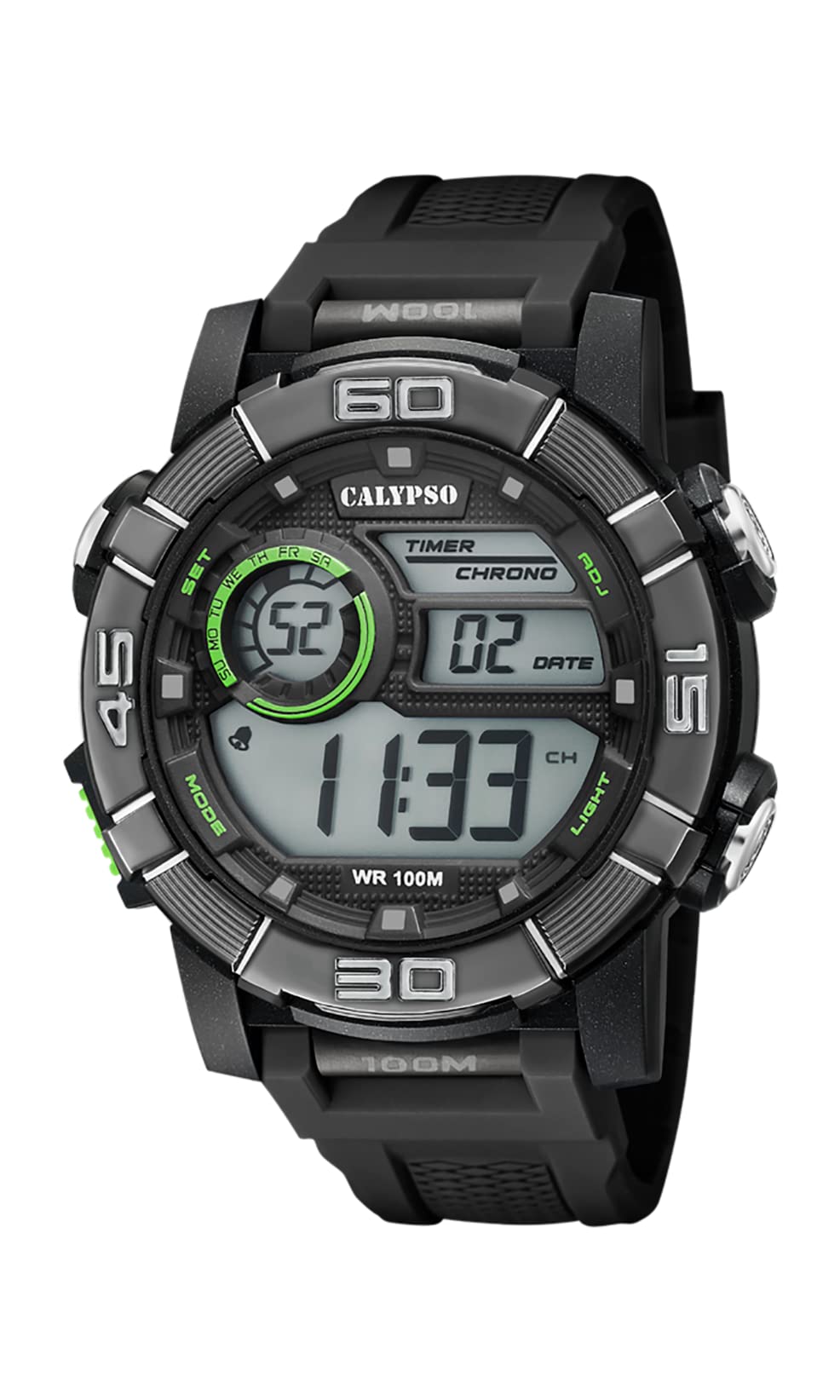
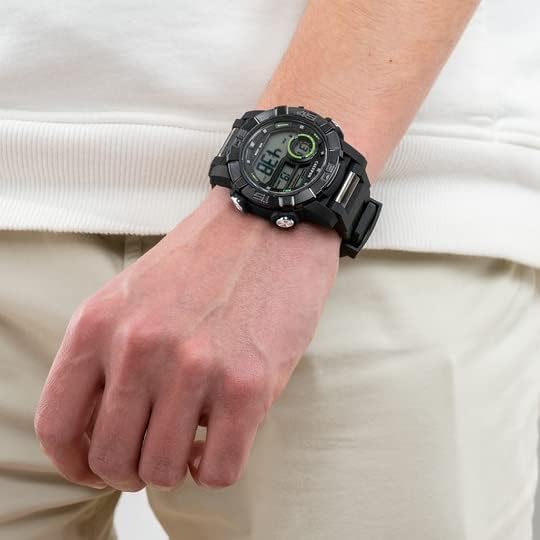
Image 1.1: CALYPSO K5818/4 X-trem Digital Watch on a wrist, showcasinbere diseinua.
Paketearen edukia:
- CALYPSO K5818/4 X-trem Digital Watch
- Erabiltzailearen eskuliburua (dokumentu hau)

Image 1.2: The watch is typically supplied in a clear cylindrical packaging.
2. Watch Overview eta botoien funtzioak
Familiarize yourself with the buttons and their functions before operating your watch.
2.1. irudia: Aurrealdea view of the watch, highlighting button locations.
- MODE Button (Left-Bottom): Cycles through different modes (Time, Chronograph, Alarm).
- SET Button (Left-Top): Used to enter and confirm settings in various modes.
- ADJ Button (Right-Top): Adjusts values during setting, starts/stops chronograph.
- LIGHT Button (Right-Bottom): Atzeko argia aktibatzen du argiztatzeko.
3. Konfigurazioa eta oinarrizko funtzionamendua
3.1. Ordua eta data ezartzea
- In Time Mode (normal time display), press and hold the EZARTU botoia sakatu segundoak keinuka hasi arte. Horrek ezarpen moduan zaudela adierazten du.
- Sakatu ARGIA botoia ezarpenen artean aldatzeko: Segundoak → Ordua → Minutua → Urtea → Hilabetea → Eguna → 12/24 orduko formatua.
- Erabili ADJ botoia keinuka ari den balioa handitzeko.
- Ezarpen guztiak doitu ondoren, sakatu botoia EZARTU botoia ezarpen modutik irteteko.
3.2. Kronografoa erabiltzea (kronometroa)
- Ordu modutik, sakatu MODUA button once to enter Chronograph Mode. The display will show '00:00:00'.
- Sakatu ADJ botoia kronometroa abiarazteko.
- Sakatu ADJ botoia berriro sakatu kronometroa gelditzeko.
- While the stopwatch is stopped, press the EZARTU button to reset it to '00:00:00'.
- Sakatu MODUA button to return to Time Mode.
3.3. Alarma ezartzea
- Ordu modutik, sakatu MODUA button twice to enter Alarm Mode. The display will show the alarm time.
- Eduki sakatuta EZARTU botoia sakatu orduko digituak keinuka hasi arte.
- Erabili ADJ botoia nahi duzun alarmaren ordua ezartzeko.
- Sakatu ARGIA button to move to the minute digits, then use the ADJ botoia nahi duzun alarma minutua ezartzeko.
- Sakatu EZARTU botoia alarmaren ordua berresteko eta ezarpen modutik irteteko.
- Alarma moduan, sakatu tekla ADJ button to toggle the alarm ON or OFF. An alarm icon will appear/disappear on the display.
3.4. Atzeko argia erabiltzea
Sakatu ARGIA button at any time to illuminate the display for a few seconds, making it visible in low-light conditions.
4. Urarekiko erresistentzia
Your CALYPSO K5818/4 X-trem watch has a water resistance rating of 10 ATM (100 meters).
- This means the watch is suitable for swimming, snorkeling, and water sports.
- Hala da ez suitable for high-impact water sports or diving.
- Garrantzitsua: Do not operate any buttons while the watch is submerged in water or wet, as this can compromise the water seal and cause damage.
- Ur gazian egon ondoren, garbitu erlojua ur gezarekin eta lehortu ondo.
5. Mantentzea
5.1. Garbiketa
To keep your watch in good condition:
- Garbitu erlojuaren kaxa eta uhala aldizka zapi leun eta lehor batekinamp oihal.
- Avoid using harsh chemicals, solvents, or abrasive cleaners, as these can damage the watch materials.
5.2. Bateria ordezkatzea
The watch is powered by a quartz movement with a battery. When the display becomes dim or stops functioning, the battery may need replacement. It is recommended to have the battery replaced by a qualified watch technician to ensure the water resistance seal is properly maintained.
5.3. Biltegiratzea
When not in use, store your watch in a cool, dry place away from direct sunlight and extreme temperatures.
6. Arazoak
- Display is blank or faint: Bateria baxua edo agortuta egon daiteke. Ordeztu bateria.
- Ordua okerra da: Reset the time and date according to the instructions in Section 3.1.
- Botoiek ez dute erantzuten: Ensure the watch is dry. If the issue persists, there may be internal damage, and professional inspection is recommended.
- Erlojuaren barruko kondentsazioa: This indicates a breach in the water resistance. Stop using the watch immediately and seek professional service to prevent further damage.
7. Zehaztapenak
| Ezaugarri | Zehaztapena |
|---|---|
| Modelo zenbakia | K5818/4 |
| Bistaratzeko mota | Digitala |
| Mugimendu Mota | Kuartzoa |
| Uraren Erresistentzia | 10 kutxazain automatiko (100 metro) |
| Kasu Materiala | Polycarbonate (Plastic) |
| Banda Materiala | Polycarbonate (Plastic) |
| Markaketaren leihoaren materiala | Plastikoa |
| Kasuaren Diametroa | 35 milimetro |
| Bandaren Zabalera | 23 milimetro |
| Kasuen lodiera | 16.3 milimetro |
| Pisua | 40 gramo |
| Ezaugarri bereziak | 24-hour Display, Chronograph |
8. Bermea eta Laguntza
8.1. Fabrikatzailearen bermea
Your CALYPSO K5818/4 X-trem watch is covered by a manufacturer's warranty. Please refer to the warranty card included with your purchase or visit the official CALYPSO webtermino eta baldintza zehatzetarako webgunea.
8.2. Spare Parts Availability
Modelo honen ordezko piezak erosketa-datatik 5 urtera arte daude eskuragarri.
8.3. Bezeroarentzako arreta
For any questions, service requests, or technical support, please contact CALYPSO customer service through their official webgune edo baimendutako zerbitzu-zentroetan. Gorde erosketa-agiria erosketaren frogagiri gisa berme-erreklamazioetarako.