
1. Produktua amaitu daview
The STABILA LD220 is a compact and easy-to-use laser distance measuring tool designed for quick and accurate measurements. It features an impact-resistant housing with a shock-absorbent STABILA soft grip casing, ensuring durability in various working conditions. The large digits on the display facilitate easy reading of measurements.
Ezaugarri nagusiak:
- Compact, easy-to-use laser.
- 4 basic measuring functions: length, area, volume, and continuous measurement.
- Calculates measuring results quickly.
- Large digits for easy readability.
- Impact-resistant housing with shock-absorbent STABILA soft grip casing.
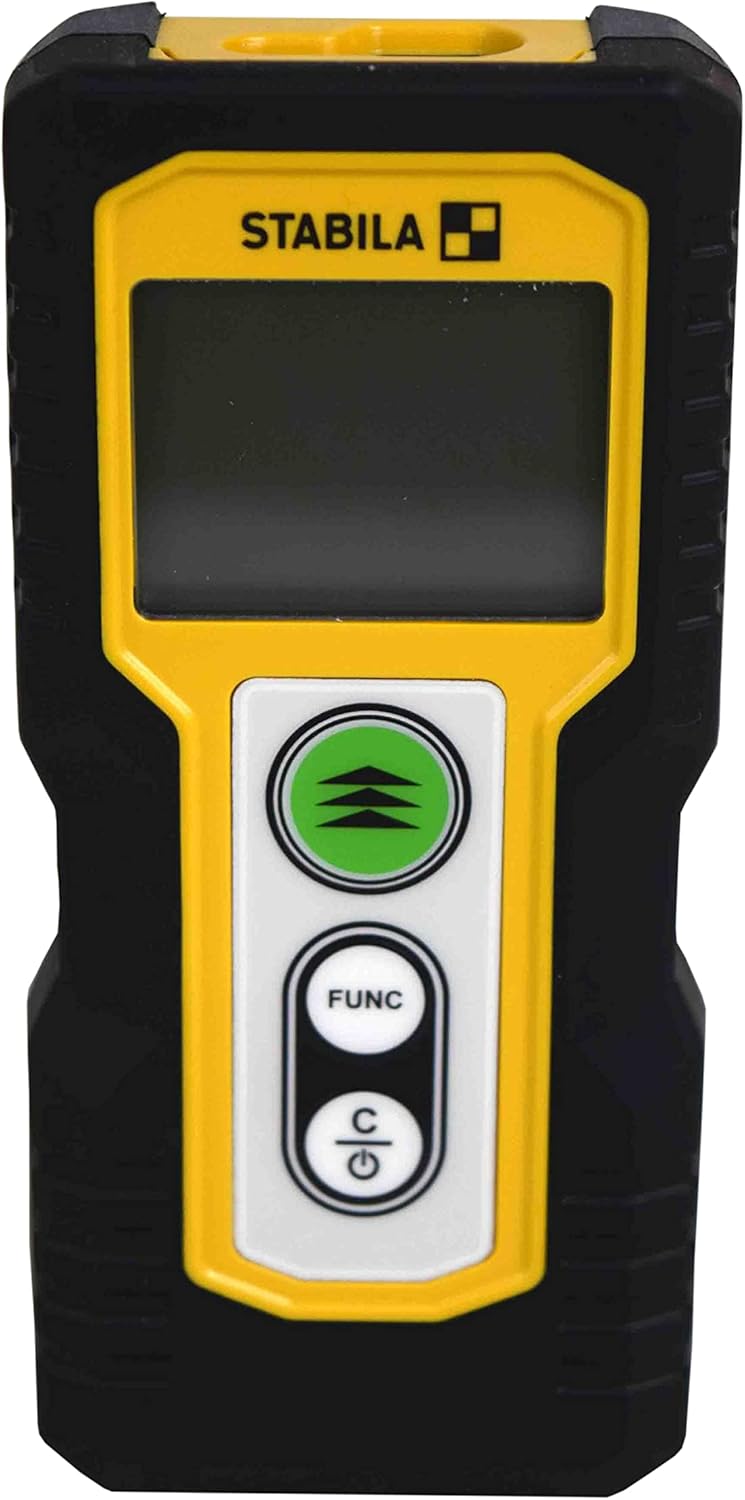
1.1. irudia: Aurrealdea view of the STABILA LD220 laser distance measuring tool, showcasinbere diseinu trinkoa eta pantaila g.
2. Hasteko
2.1 Paketearen edukia
Ziurtatu osagai guztiak daudela:
- STABILA LD220 Laser Distance Measuring Tool
- Batteries (Alkaline, LR03/AAA type)
2.2 Bateriaren instalazioa
The STABILA LD220 requires two AAA alkaline batteries for operation. Follow these steps to install them:
- Bilatu bateriaren konpartimentuaren estalkia gailuaren atzealdean.
- Irristatu estalkia behera edo gezi batek adierazten duen norabidean irekitzeko.
- Insert two AAA alkaline batteries, ensuring the correct polarity (+ and -) as marked inside the compartment.
- Itxi bateriaren konpartimentuaren estalkia berriro bere lekuan jarriz, ondo klik egin arte.

Figure 2.1: The STABILA LD220 device shown alongside two AAA batteries, indicating the power source.

2.2. irudia: Gertuko planoa view of the two AAA alkaline batteries, which power the device.
2.3 Piztu/Itzaltzea
Gailua pizteko, sakatu Power/Clear (C) botoia. Itzaltzeko, eduki sakatuta Power/Clear (C) button for a few seconds, or the device will automatically shut off after a period of inactivity to conserve battery life.
3. Funtzionamendu-argibideak
The STABILA LD220 offers four primary measuring functions. Familiarize yourself with the buttons:
- Measurement Button (Green, with three arrows): Initiates a measurement or activates continuous measurement.
- Function Button (FUNC): Cycles through different measurement modes (Length, Area, Volume, Continuous).
- Power/Clear Button (C): Powers the device on/off, clears the last measurement, or exits a function.

3.1. irudia: Zehaztutako irudia view of the STABILA LD220's control panel, highlighting the measurement, function, and power/clear buttons.
3.1 Luzera neurtzea
This is the default mode for single distance measurements.
- Ziurtatu gailua piztuta dagoela.
- Zuzendu laser izpia helburuko gainazalera.
- Sakatu Neurtzeko botoia once. The measured distance will appear on the display.
3.2 Neurketa jarraitua (jarraipena)
This mode allows for dynamic measurement, displaying real-time distance as you move the device.
- Sakatu FUNC button until the continuous measurement icon (often a series of horizontal lines or a tracking symbol) appears on the display.
- Sakatu Neurtzeko botoia etengabeko neurketa hasteko.
- Move the device slowly towards or away from the target. The display will update the distance continuously.
- Sakatu Neurtzeko botoia berriro edo C button to stop continuous measurement.
3.3 Eremuaren Neurketa
To calculate the area of a rectangular space (Length x Width).
- Sakatu FUNC button until the area measurement icon (a square or rectangle) appears.
- Measure the first side (e.g., length) by pointing the laser and pressing the Neurtzeko botoia.
- Measure the second side (e.g., width) by pointing the laser and pressing the Neurtzeko botoia berriz.
- Gailuak automatikoki kalkulatuko eta bistaratuko du azalera.
3.4 Bolumenaren Neurketa
To calculate the volume of a rectangular space (Length x Width x Height).
- Sakatu FUNC button until the volume measurement icon (a cube or rectangular prism) appears.
- Measure the first side (e.g., length) by pointing the laser and pressing the Neurtzeko botoia.
- Measure the second side (e.g., width) by pointing the laser and pressing the Neurtzeko botoia.
- Measure the third side (e.g., height) by pointing the laser and pressing the Neurtzeko botoia.
- Gailuak automatikoki kalkulatuko eta bolumena bistaratuko du.

Figure 3.2: The product packaging illustrating the various measuring functions, including length, area, volume, and tracking.
4. Zainketa eta Mantentzea
Proper care and maintenance will extend the life of your STABILA LD220.
- Garbiketa: Erabili biguna, damp cloth to clean the device. Do not use harsh chemicals, abrasive cleaners, or solvents. Ensure the laser lens and display are kept clean for accurate readings.
- Biltegiratzea: Store the device in a dry, cool place, away from direct sunlight and extreme temperatures. If storing for an extended period, remove the batteries to prevent leakage.
- Manipulazioa: Although the device has an impact-resistant housing, avoid dropping it or subjecting it to severe shocks.
- Bateria zaintzea: Ordeztu bateriak bateria baxuaren adierazlea pantailan agertzen denean. Bota erabilitako bateriak tokiko araudien arabera.
5. Arazoak
If you encounter issues with your STABILA LD220, refer to the following common problems and solutions:
| Arazoa | Kausa posiblea | Irtenbidea |
|---|---|---|
| Gailua ez da pizten. | Bateriak hilda edo gaizki instalatuta. | Egiaztatu bateriaren polaritatea. Ordeztu AAA bateria alkalino berriekin. |
| Neurri okerrak. | Laser lens is dirty; target surface is too reflective/absorbent; device is unstable during measurement. | Clean the laser lens with a soft cloth. Use a target plate for difficult surfaces. Ensure the device is held steady. |
| Pantailak errore-mezu bat erakusten du. | Neurketa tartetik kanpo; barne errorea. | Ensure target is within the 100ft (30m) range. Power off and restart the device. If the error persists, contact support. |
| Laser izpia ez da ikusten. | Bright ambient light; laser not activated. | Use in lower light conditions or use a laser target plate. Press the measurement button to activate the laser. |
6. Zehaztapen Teknikoak
Detailed specifications for the STABILA LD220 Laser Distance Measuring Tool:
| Zehaztapena | Balioa |
|---|---|
| Modelo zenbakia | Stabila - 06220 |
| Neurketa-eremua | Gehienez 100 oin (30 m) |
| Neurketa-funtzioak | Length, Area, Volume, Continuous Measurement |
| Kolorea | Beltza |
| Materiala | Plastikoa |
| Elementuaren neurriak (L x W x H) | 8 x 5 x 2 hazbete |
| Elementuaren pisua | 8 ontza |
| Beharrezko bateriak | No (Included Components: Stabila - 06220, but requires 2x AAA Alkaline batteries for operation) |
| Bateria mota | Alkaline (AAA) |
| Fabrikatzailea | Stabila |
| Eskuragarri dagoen lehen data | 17ko martxoaren 2022a |

6.1. Irudia: Atzealdea view of the STABILA LD220, displaying the product label with model number, power requirements, and laser class information.
7. Bermea eta Laguntza
For information regarding product warranty, returns, or technical support, please refer to the documentation included with your purchase or visit the official Stabila webgunea. Bermearen baldintza espezifikoak eskualdearen eta saltzailearen arabera alda daitezke.