
Dzees D3K
Dzees Eguzki Segurtasun Kamera D3K Erabiltzailearen Eskuliburua
Model: D3K
Brand: Dzees
Thank you for choosing the Dzees Solar Security Camera. This manual provides essential information for setting up, operating, and maintaining your device. Please read it thoroughly before use to ensure optimal performance and safety.
1. Sarrera
The Dzees D3K Solar Security Camera is an advanced wireless outdoor surveillance solution designed for comprehensive home security. It features 2K resolution for clear imaging, 360° pan and 90° tilt capabilities for wide coverage, and is powered by an efficient solar panel for continuous operation. Equipped with intelligent AI detection, color night vision, and an IP66 weather-resistant design, the D3K provides reliable monitoring in various environmental conditions.
Ezaugarri nagusiak:
- 2K PTZ Camera: Supports 355° horizontal and 90° vertical rotation with 4X digital zoom for comprehensive coverage.
- Eguzki-energia: High-efficiency solar panel ensures continuous power supply, reducing the need for manual charging.
- AI detekzio adimenduna: Accurately distinguishes between individuals, packages, vehicles, and animals, minimizing false alarms.
- Alarma funtzioak: Features a loud siren, spotlight, and sound alerts to deter intruders.
- Kolore Gaueko Ikusmena: Provides clear, full-color video even in low-light conditions.
- IP66 Eguraldiarekiko erresistentea: Designed to withstand various weather conditions, ensuring year-round protection.
- Biltegiratze malgua: Supports up to 128GB memory card (not included) and offers 2 years of free 3-day loop cloud storage.
2. Paketearen edukia
Mesedez, egiaztatu paketearen edukia kutxa irekitzean, osagai guztiak daudela ziurtatzeko:
- Dzees Solar Security Camera
- Eguzki-panela
- Euskarria muntatzea
- Muntatzeko Torlojuak eta Aingurak
- USB kargatzeko kablea
- Erabiltzailearen eskuliburua (dokumentu hau)
3. Produktua amaitu daview
Familiarize yourself with the main components of your Dzees Solar Security Camera:

Figure 3.1: Dzees Solar Security Camera D3K and accompanying solar panel.
- Kameraren lentea: Captures 2K resolution video.
- Fokuak: Provide illumination for color night vision and deterrence.
- PIR sentsorea: Detects motion based on infrared heat signatures.
- Mikrofonoa: Bi norabideko komunikaziorako audioa grabatzen du.
- Hizlaria: Bi norabideko komunikaziorako eta sirenerako audioa irteerak.
- Solar Panel Port: Connects the solar panel for continuous charging.
- Berrezarri botoia: Kamera fabrika ezarpenetara berrezartzeko erabiltzen da.
- Mikro SD txartelaren zirrikitua: Tokiko bideo biltegiratzerako (128 GB artekoak onartzen ditu, txartela ez dago barne).
- antenak: Wi-Fi konexio egonkorra lortzeko.
4. Konfigurazio gida
4.1 Hasierako karga
Before initial use, fully charge the camera using the provided USB cable. Connect the USB cable to the camera's charging port and a standard 5V/2A USB power adapter (not included). A full charge typically takes several hours.
4.2 Aplikazioaren instalazioa
Download and install the "Dzees Home" app on your smartphone or tablet. The app is available on both the Apple App Store and Google Play Store.

Figure 4.1: The Dzees Home app interface, displaying multiple camera feeds and control options.
- Bilatu "Dzees Home" in your device's app store.
- Deskargatu eta instalatu aplikazioa.
- Erregistratu kontu berri bat edo hasi saioa dagoeneko baduzu.
4.3 Kameraren parekatzea
Follow these steps to connect your camera to your Wi-Fi network and the Dzees Home app:
- Open the Dzees Home app and tap the "+" icon to add a new device.
- Hautatu zure kameraren modeloa zerrendatik.
- Power on the camera. The camera will emit a voice prompt indicating it's ready for pairing.
- Jarraitu aplikazioko argibideei kamera zure 2.4 GHz-ko Wi-Fi sarera konektatzeko. Note: This camera only supports 2.4GHz Wi-Fi.
- Eskaneatu telefonoaren pantailan agertzen den QR kodea kameraren lentearekin.
- Behin konektatuta, kamerak parekatzea behar bezala egin dela baieztatuko du.

Figure 4.2: Illustration of the solar-powered, wire-free setup, emphasizing 2.4GHz WiFi connectivity and solar charging efficiency.
4.4 Kamera muntatzea
Choose a suitable location for mounting your camera, ensuring it has a clear view of the area you wish to monitor and that the solar panel receives adequate direct sunlight throughout the day.
- Mark the drilling spots using the mounting bracket as a template.
- Drill holes and insert wall anchors if mounting on masonry or drywall.
- Lotu muntatzeko euskarria horman emandako torlojuak erabiliz.
- Lotu kamera muntatzeko euskarrira.
- Connect the solar panel cable to the camera's solar panel port. Position the solar panel to maximize sun exposure.
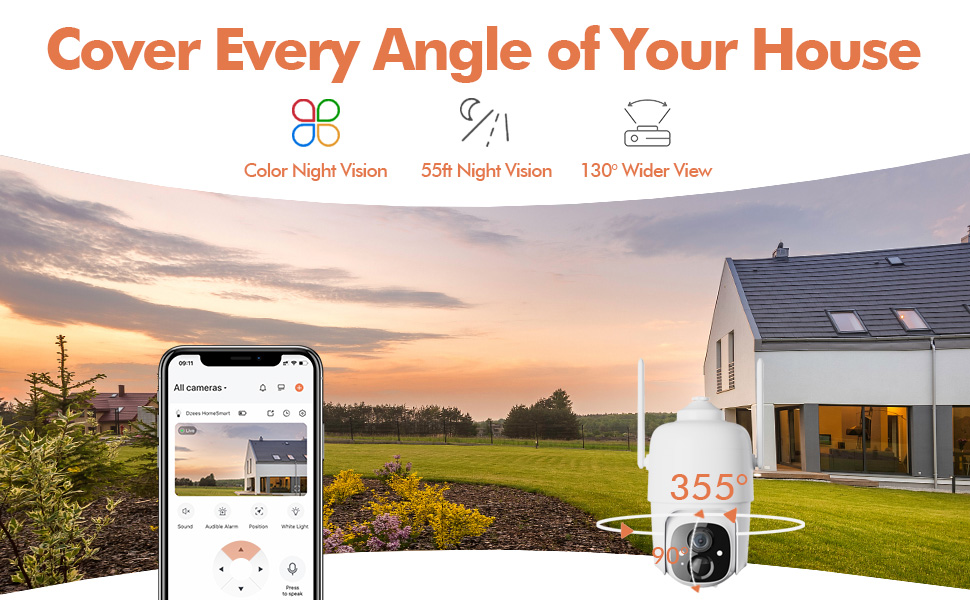
Figure 4.3: The Dzees camera mounted outdoors, showcasing its IP66 weather-resistant design, capable of operating in various weather conditions.

Figure 4.4: The camera's advanced PIR motion detection in action, highlighting its ability to detect movement within a specified zone.
5. Kameraren funtzionamendua
5.1 Bizi View eta Erreprodukzioa
Access the live video feed and review recorded events through the Dzees Home app.
- From the app's home screen, tap on the camera's thumbnail to enter the live view interfazea.
- Use the timeline or event list to navigate and play back recorded footage.

Figure 5.1: The Dzees Home app displaying live camera feed with controls for pan, tilt, digital zoom, and night vision settings.
5.2 Panoramikoa, inklinatua eta zooma (PTZ)
Kontrolatu kameraren viewing angle directly from the app:
- Zuzenean view, use the directional controls to pan (355° horizontal) and tilt (90° vertical) the camera.
- Pinch to zoom in or out for 4X digital zoom. Note: This is digital zoom, not optical zoom.
- Set up to 5 preset points for quick navigation to frequently monitored areas.

Figure 5.2: Illustration of setting up and utilizing up to 5 preset positions for rapid camera view doikuntza.
5.3 Mugimenduaren detekzioa eta alertak
Customize your detection settings to receive relevant alerts:
- Navigate to the camera settings in the app.
- Enable AI detection to differentiate between people, packages, vehicles, and animals.
- Define custom activity zones to focus detection on specific areas and ignore others.
- Adjust detection sensitivity to reduce unwanted notifications.
- Receive instant push notifications on your phone when motion is detected.
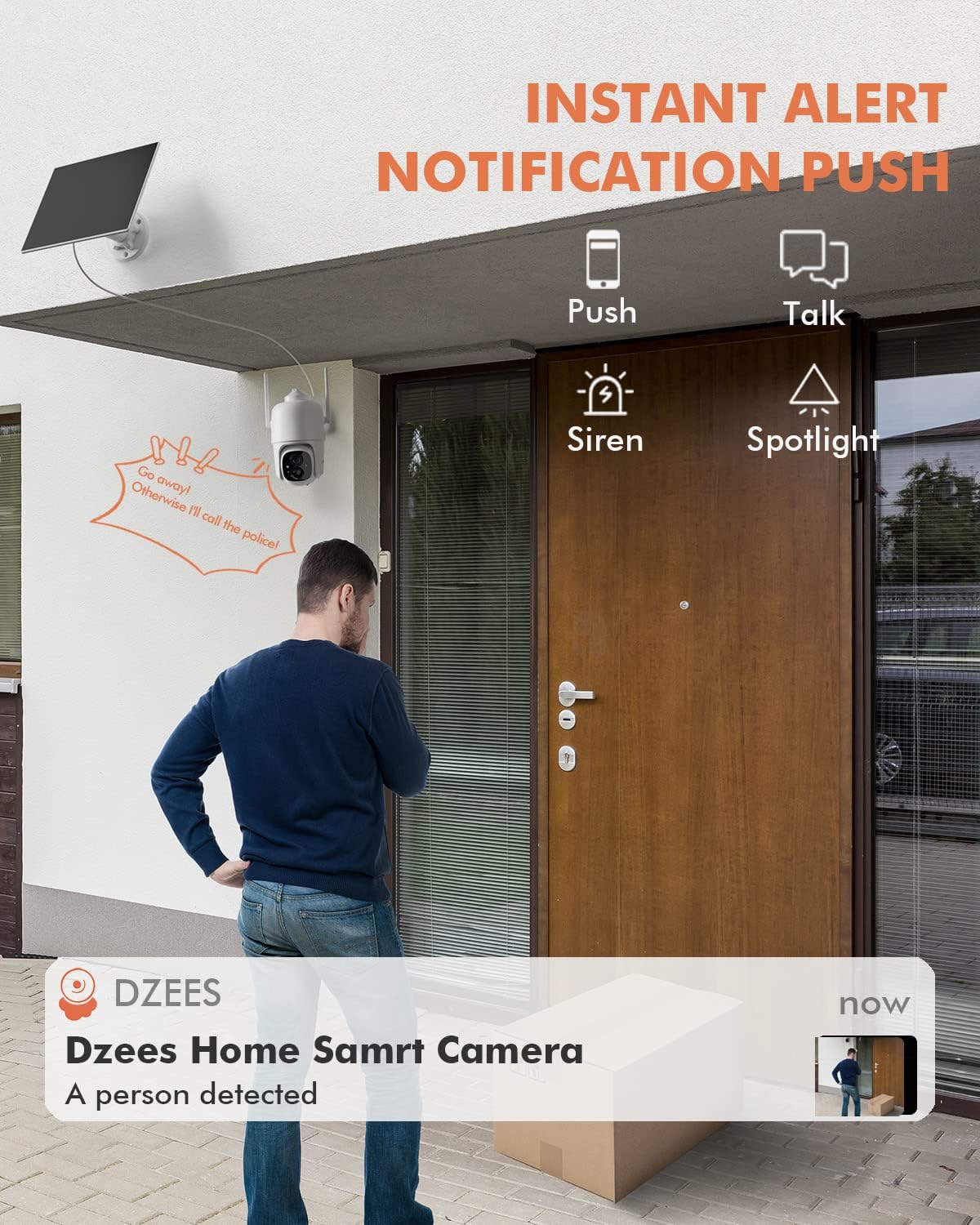
5.3. irudia: Adibample of an instant push notification received on a smartphone when the camera detects a person.
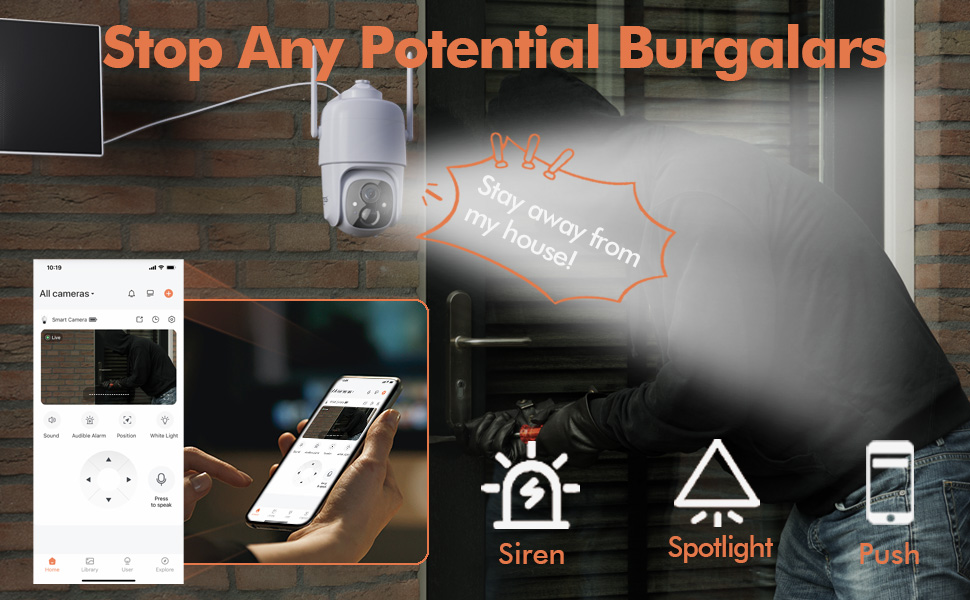
Figure 5.4: Detailed motion detection settings within the Dzees app, allowing for customization of detection zones and sensitivity.
5.4 Bi norabideko audioa
Communicate with visitors or deter intruders using the camera's built-in microphone and speaker:
- Zuzenean view, sakatu mikrofonoaren ikonoa kameraren bidez hitz egiteko.
- Sakatu bozgorailuaren ikonoa kameraren kokapenetik audioa entzuteko.
5.5 Spotlight and Siren
Enhance security with active deterrence features:
- Manually activate the spotlight or siren from the live view interface in the app.
- Configure automatic activation of the spotlight or siren upon motion detection in the camera settings.
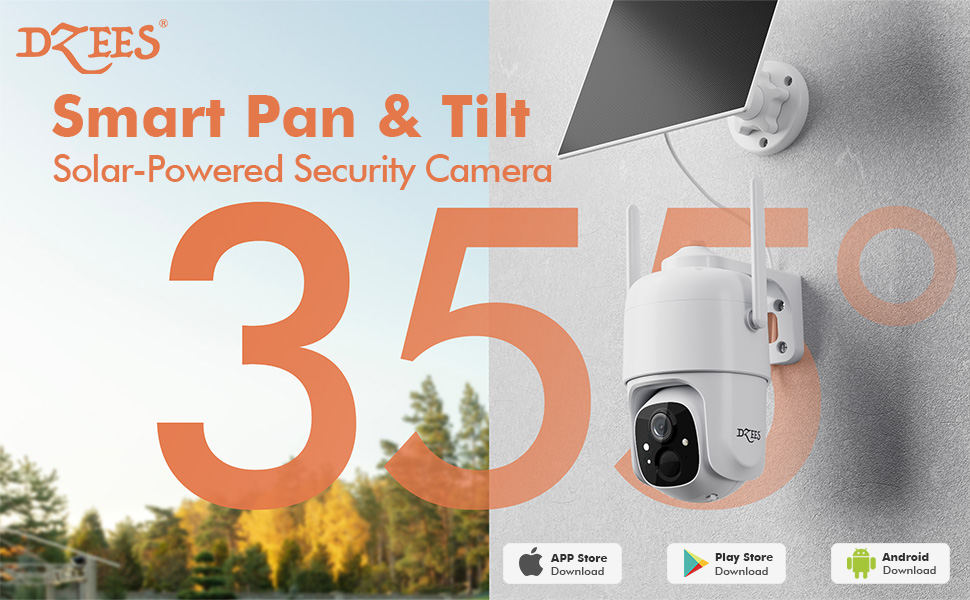
Figure 5.5: The camera's active deterrence features, including siren, spotlight, and instant push notifications, designed to deter potential intruders.
5.6 Biltegiratze aukerak
Your Dzees camera offers flexible storage solutions for your recordings:
- Tokiko biltegiratzea: Insert a Micro SD card (up to 128GB, not included) into the camera's SD card slot for continuous or event-based recording.
- Hodeiko biltegiratzea: Enjoy 2 years of free 3-day loop cloud storage. A 30-day trial of the Plus Plan is available for new users, offering upgraded cloud storage and advanced AI features.

Figure 5.6: The camera's support for both local Micro SD card storage (up to 128GB) and free 3-day cloud storage.
6. Mantentzea
Regular maintenance ensures the longevity and optimal performance of your Dzees Solar Security Camera:
- Cleaning the Lens and Solar Panel: Aldian-aldian garbitu kameraren lentea eta eguzki-panela zapi leun eta lehor batekin.amp cloth to remove dust, dirt, or debris. This ensures clear video quality and efficient solar charging.
- Bateriaren egoera egiaztatzea: Monitor the battery level in the Dzees Home app. Ensure the solar panel is receiving sufficient direct sunlight to maintain charge.
- Firmware eguneraketak: The Dzees Home app will notify you of available firmware updates. It is recommended to update the camera's firmware to ensure you have the latest features and security enhancements. Follow the in-app instructions for updating.
7. Arazoak
If you encounter issues with your Dzees Solar Security Camera, refer to the following common problems and solutions:
7.1 Kamera ez da Wi-Fira konektatzen
- Ziurtatu zure Wi-Fi sarea 2.4 GHz-koa dela. Kamerak ez du 5 GHz-ko Wi-Firik onartzen.
- Check the Wi-Fi signal strength at the camera's location. Move the camera closer to the router if the signal is weak.
- Egiaztatu Wi-Fi pasahitz zuzena sartu duzula.
- Try resetting the camera by pressing and holding the reset button for 5 seconds until you hear a prompt. Then, attempt pairing again.
7.2 Bateria ez da kargatzen edo azkar agortzen ari da
- Ensure the solar panel is connected securely to the camera.
- Verify that the solar panel is positioned to receive direct sunlight for several hours daily, without any obstructions (e.g., trees, eaves).
- Clean the surface of the solar panel regularly to remove dirt or dust that may hinder charging efficiency.
- In prolonged cloudy or rainy weather, the battery may drain. Consider temporarily charging the camera via USB if needed.
7.3 Excessive False Alarms
- Adjust the motion detection sensitivity in the Dzees Home app to a lower setting.
- Utilize the activity zone feature to exclude areas with frequent irrelevant motion (e.g., busy streets, swaying trees).
- Enable AI detection to filter out non-human movements.
7.4 Irudiaren kalitate eskasa
- Garbitu kameraren lentea litxarrik gabeko zapi leun batekin.
- Ensure a strong Wi-Fi connection for optimal streaming quality.
- Check for any physical obstructions in front of the lens.
7.5 No Night Vision
- Verify that night vision mode is enabled in the Dzees Home app settings.
- Ensure the camera's spotlights are not obstructed.
If the issue persists after trying these solutions, please contact Dzees customer support for further assistance.
8. Zehaztapen Teknikoak
| Ezaugarri | Zehaztapena |
|---|---|
| Modelo zenbakia | D3K |
| Bideo Ebazpena | 2K / 3MP |
| Pan Angelua | 355° |
| Inklinazio angelua | 90° |
| Zoom digitala | 4X |
| Gaueko Ikusmenaren barrutia | Up to 55 feet (Color Night Vision supported) |
| Eguraldi Erresistentzia | IP66 |
| Energia iturria | Solar Powered (with built-in rechargeable battery) |
| Konektibitatea | 2.4 GHz-ko Wi-Fia, Bluetooth |
| Tokiko biltegiratzea | Mikro SD txartela (128 GB arte, ez dago barne) |
| Hodeiko biltegiratzea | Free 3-day loop storage (2 years included) |
| Neurriak (L x W x H) | 5.8 x 7 x 8 hazbete |
| Pisua | 1.06 libra (480 gramo) |
| Materiala | Akrilonitrilo Butadieno Estirenoa (ABS) |
9. Bermea eta Laguntza
Dzees is committed to providing high-quality products and excellent customer service.
- Bermea: Your Dzees Solar Security Camera comes with 2 years of after-sales support, ensuring peace of mind.
- Laguntza teknikoa: An experienced technical team is available for 24/7 lifetime support. For any inquiries or assistance, please contact Dzees customer service.
- Sareko baliabideak: Visit the official Dzees Store for more product information, FAQs, and support resources: Dzees Store on Amazon.
Ask a question about this manual
Ask about setup, troubleshooting, compatibility, parts, safety, or missing instructions. Manuals+ will review the question and use this page’s manual context to help answer it.